Top Photo Editing Software in 2026
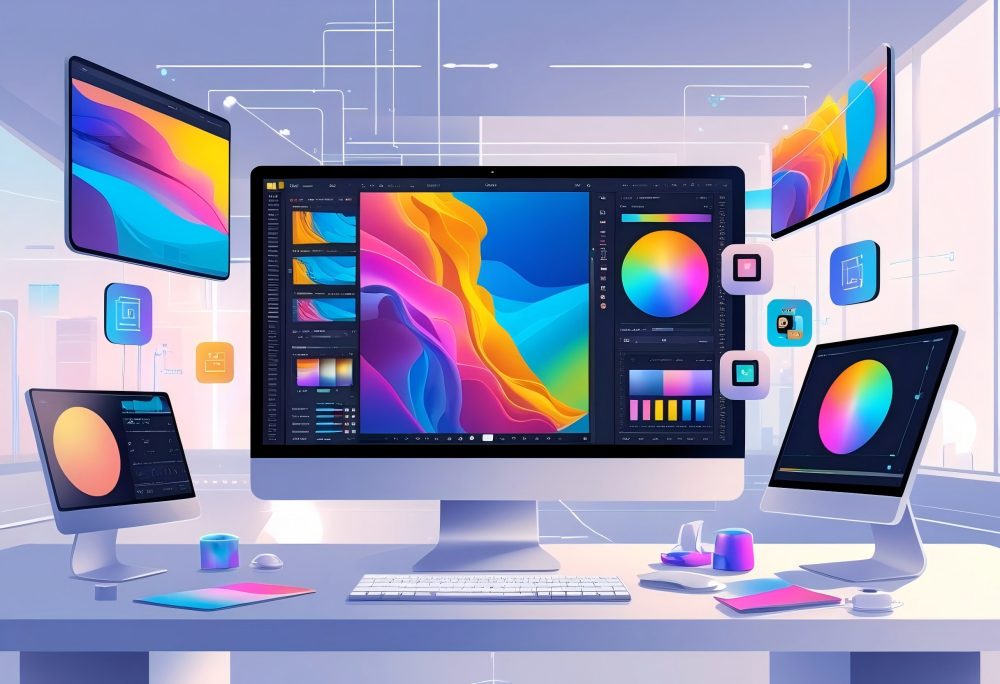
Adobe Photoshop leads as a layer-based editing application for complex work. Adobe Lightroom Classic excels at batch editing and workflow management.
Affinity Photo 2 provides a one-time purchase alternative to Adobe software. PixExact brings AI-powered photo editing tools for quick edits like sky replacement and image to image AI transformations.
Adobe Photoshop Overview
Adobe Photoshop remains the industry standard for professional photo editing in 2026. The software excels at layer-based editing, which lets you work on different parts of an image separately without changing the original photo files.
You get access to advanced editing tools for compositing, retouching, and complex editing tasks that go beyond basic adjustments. The software includes powerful selection tools, masking capabilities, and thousands of filters and effects.
Photoshop also offers 3D editing tools and extensive support for various file formats.
Key Features:
- Layer-based editing workflow
- Advanced selection and masking tools
- Extensive retouching capabilities
- Integration with Creative Cloud
The software requires a Creative Cloud subscription, which gives you regular updates and access to Adobe's full creative suite. Photoshop works best for photographers who need detailed control over individual images rather than batch editing.
The learning curve is steep, but the editing capabilities make it worth the investment for professional work.
Adobe Lightroom and Lightroom Classic
Adobe Lightroom Classic stands out as the best software for batch editing and organizing large photo libraries. The desktop application stores your original files locally and provides non-destructive editing, meaning your changes never alter the original photo.
You can edit hundreds of photos quickly by copying adjustments between images or creating presets for consistent results. The software handles raw files from virtually all camera manufacturers and includes tools for exposure, color grading, noise reduction, and sharpening.
Lightroom Classic also manages your entire editing workflow from import to export.
Lightroom vs Lightroom Classic:
- Lightroom Classic: Desktop-focused, local storage, more powerful tools
- Lightroom: Cloud-based, works across devices, simpler interface
The cloud-based Lightroom version syncs your photos across your desktop, laptop, and mobile devices through Creative Cloud. This option works well if you edit photos on multiple devices or need online photo editing.
Both versions require a Creative Cloud subscription, but Lightroom Classic gives you more control and better performance for large photo libraries.
Affinity Photo and Affinity Photo 2
Affinity Photo 2 serves as the best Photoshop alternative without requiring a subscription. You pay once and own the software permanently, making it attractive for photographers on a budget who want professional editing capabilities.
The software uses a familiar layer-based editing interface that Photoshop users will recognize quickly. Affinity Photo 2 includes advanced photo editing tools for retouching, compositing, and raw file processing.
You get support for unlimited layers, adjustment layers, and non-destructive editing.
What Makes Affinity Photo 2 Stand Out:
- One-time purchase (no subscription needed)
- Full raw image format support
- Works on desktop and iPad
- Professional-grade tools at lower cost
The software handles complex editing tasks efficiently and supports most file formats that professional photographers use. Affinity Photo 2 lacks some AI features found in newer editing apps, but it delivers solid performance for standard photo editing.
The software is also excellent for photographers who want powerful editing tools without ongoing subscription costs. You can try it with a free trial before purchasing.
PixExact AI Photo Editing Platform
PixExact brings AI tools to photo editing in a way that speeds up your editing process significantly. Our platform focuses on using artificial intelligence to handle tasks that traditionally took manual work.
You can transform images with advanced image to image AI technology that automatically enhances your photos. PixExact includes AI-powered tools for creative transformations, style transfers, and intelligent image enhancement.
The platform works as a web-based photo editing solution accessible from any device. Our AI features produce consistent, high-quality results that maintain natural-looking images.
PixExact works best for creative editing where you want to transform images quickly with AI assistance. The platform supports various image formats and includes powerful image to image capabilities alongside standard editing tools.
Main AI Features:
- Advanced image transformation technology
- Style transfer and creative effects
- Intelligent image enhancement
- AI-based image generation and editing
PixExact offers flexible access to powerful AI photo editing tools through our web platform. The service updates regularly with new AI capabilities and improvements to existing features, making it easy to access cutting-edge image to image AI generator technology.
Essential Features for Editing Photos
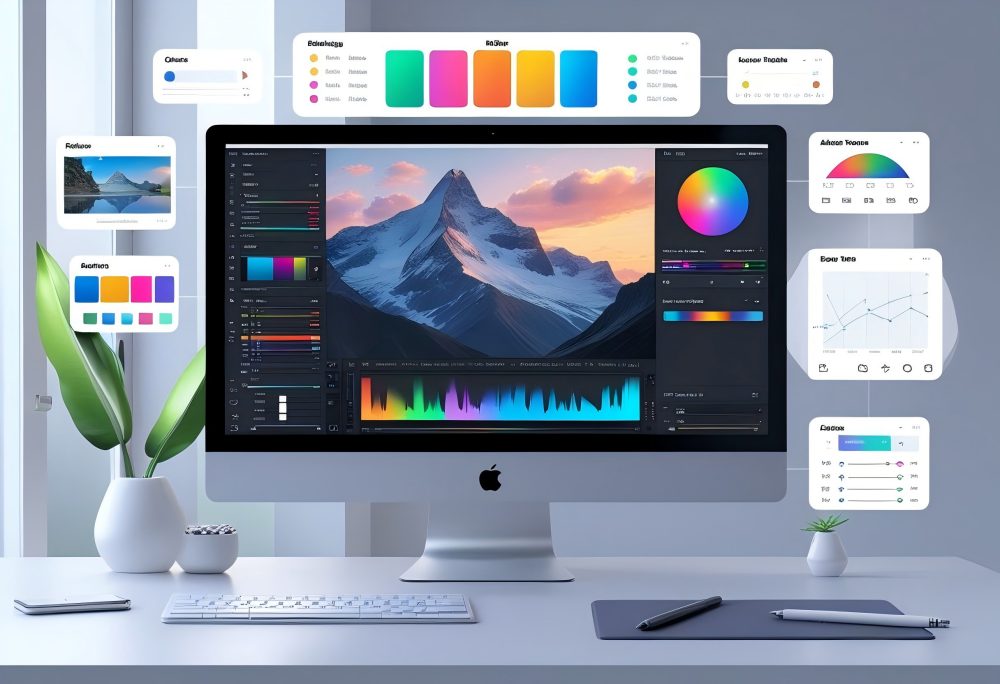
Modern photo editing software needs specific tools to handle different tasks. AI tools can speed up your work by automating complex edits, while layer-based editing gives you precise control over changes without damaging your original files.
AI and Generative AI Tools
AI tools have changed how you edit photos in 2026. Software like Adobe Photoshop uses generative fill to add or remove objects from images automatically.
You can select an area and let the AI create realistic content to fill the space. Generative AI features help with object removal too.
Instead of manually cloning pixels, you can click on unwanted elements and watch the software erase them while filling in the background naturally. Programs like PhotoDirector and PixExact include these one-click presets that adjust multiple settings at once through advanced AI image to image technology.
AI also handles noise reduction better than manual methods. DxO PhotoLab's DeepPrime XD2s technology removes grain from high-ISO photos while keeping sharp details.
Other AI features include automatic sky replacement, portrait enhancement, and background changes that used to take hours of manual work.
Layer-Based and Non-Destructive Editing
Layer-based editing lets you stack changes on top of each other without altering your original photo. You can adjust opacity, blend modes, and individual elements independently.
This approach works in programs like Photoshop, Capture One, and PaintShop Pro. Non-destructive editing means your original file stays untouched.
Instead of permanently changing pixels, the software saves your edits as instructions. You can return months later and adjust or remove any change you made.
Adobe Lightroom and Capture One excel at non-destructive workflows. They store all adjustments in a catalog or sidecar file separate from your image.
This protects your original files and lets you experiment freely. You can also create multiple versions of the same photo with different edits.
Batch Processing and Automation
Batch editing saves hours when you need to edit multiple photos the same way. You can apply identical adjustments to hundreds of images at once.
This matters for wedding photographers or anyone shooting events with consistent lighting. Most professional software includes batch processing tools.
Adobe Lightroom Classic lets you copy settings from one photo and paste them onto others. Capture One offers similar features with its Speed Edit function that applies frequent adjustments with single keystrokes.
You can also automate repetitive tasks through presets and scripts. Create a preset with your favorite adjustments and apply it to entire folders of images.
Programs like PaintShop Pro support scripts that run multiple actions in sequence without manual intervention.
Comparing Top Alternatives and Free Options
Free photo editing software can match paid programs in many areas. Premium alternatives to Adobe offer strong value.
Browser-based editors provide quick access without downloads. Specialized tools excel at raw processing and noise reduction.
GIMP and RawTherapee
GIMP works as a free image editor that includes many tools found in Photoshop. You get layers, masks, filters, and drawing tools without paying anything.
The interface takes time to learn because it looks different from commercial programs. RawTherapee focuses on raw image format processing.
This free photo editing software handles color corrections and detail adjustments well. You can batch edit multiple photos at once and adjust exposure, highlights, and shadows with precision.
Both programs work on Windows, Mac, and Linux. GIMP suits general image editing tasks like retouching and creating graphics.
RawTherapee works better for photographers who shoot in raw format and need detailed color control. Neither program requires a subscription.
You download them once and use them forever. Updates come regularly but stay free.
Capture One and DxO PhotoLab
Capture One delivers the best raw file conversion quality among tested programs. The software interprets camera raw data accurately and produces sharp images.
You get advanced color grading tools, layer editing, and tethered shooting support. DxO PhotoLab excels at noise reduction and lens corrections.
The DeepPrime XD2s feature removes noise better than competitors. DxO's camera and lens profile corrections fix distortion and softness automatically based on your specific equipment.
Capture One costs more but combines workflow features with editing power in one program. DxO PhotoLab costs less and works as a standalone editor or plug-in for Lightroom and Photoshop.
Both offer one-time purchase options instead of subscriptions. Capture One suits studios and collaboration teams.
DxO works well when you need the best technical corrections for your camera and lens combination.
Canva and Online Photo Editors
Canva works in your browser for quick edits and social media graphics. You access templates, effects, and basic adjustments without installing software.
The free version includes enough tools for casual editing needs. Photopea replicates Photoshop features in a web browser.
You get layers, masks, filters, and even PSD file support. The free version shows ads but includes most editing capabilities.
A $5 monthly subscription removes ads and adds AI image creation. Online photo editors suit people who edit from different computers or can't install large programs.
Your files save to cloud storage for access anywhere. Browser-based tools run slower than desktop software for complex tasks.
These options work best for quick edits, social media posts, and basic design work. Free online photo editors serve students, casual users, and anyone on a tight budget.
Advanced Editing Capabilities
Professional photo editing software separates itself through raw processing quality, precise color grading tools, and automatic corrections for common camera issues. These features determine how much control you have over your final image.
Raw Processing and Raw File Conversion
Raw file conversion quality differs significantly between photo editing programs. Adobe Lightroom and Capture One both interpret your camera's raw data accurately, but Capture One delivers sharper results with better detail preservation.
DxO PhotoLab uses camera and lens profiles to automatically correct specific equipment characteristics during raw processing. Your raw processing workflow affects every edit you make afterward.
Software that handles color depth well preserves more information in highlights and shadows. This means you can recover blown-out skies or bring detail back to dark areas without creating noise or color shifts.
Some programs like DxO PureRAW focus exclusively on raw file conversion. You can use these as plug-ins with Lightroom or Photoshop to get better raw processing while keeping your main workflow intact.
Color Grading and Tone Mapping
Color grading tools let you create specific moods in your photos through color adjustment and tone mapping. Capture One offers advanced color grading with separate controls for highlights, midtones, and shadows.
You can shift warm tones without affecting cool areas of your image. Photoshop provides curves, levels, and hue/saturation adjustments for precise color correction.
Its Color Lookup Tables (LUTs) apply professional color grades instantly. Adobe Lightroom includes color grading wheels that make it easy to add complementary color shifts across different tonal ranges.
Tone mapping controls how bright and dark values appear in your final image. Programs with good tone mapping prevent your edits from looking flat or oversaturated.
DxO PhotoLab's SmartLighting automatically balances exposure across your photo while maintaining natural contrast.
Noise and Lens Corrections
Noise reduction technology has improved dramatically with AI tools. DxO PhotoLab's DeepPrime XD2s removes grain from high-ISO photos better than competing software.
It preserves fine details like hair and fabric texture while eliminating color noise and luminance grain. Lens correction removes distortion, vignetting, and chromatic aberration caused by your camera lens.
Adobe Lightroom and DxO PhotoLab both maintain databases of lens profiles that automatically fix these issues. You select your camera and lens combination, and the software applies the appropriate corrections.
Chromatic aberration appears as colored fringing along high-contrast edges. Professional software detects and removes these color shifts automatically.
Geometry corrections straighten bent lines in architectural photos, which is especially useful if you shoot with wide-angle lenses.
Specialized Photo Enhancement Tools
Modern photo editing software includes specialized features that target specific enhancement needs, from replacing skies to perfecting portraits and adjusting landscape lighting. These tools use AI and advanced algorithms to automate complex tasks that once required manual work.
Sky and Background Replacement
Sky replacement tools let you swap out dull or overexposed skies with dramatic alternatives in seconds. Adobe Photoshop offers generative AI capabilities that analyze your image and blend new skies naturally with the foreground.
PhotoDirector includes a library of sky options you can browse and apply with one click. Background removal has become faster thanks to AI.
Most modern photo editors can detect subjects automatically and separate them from backgrounds. Photopea provides a background remover tool that works directly in your browser without downloading software.
You can remove backgrounds completely for transparent images or replace them with solid colors or new scenes. These features work best when the software recognizes edge details like hair or fur.
Higher-end programs like Capture One and Lightroom offer refinement brushes to fix areas where automatic selection misses details.
Portrait Retouching and Face Recognition
Face recognition technology helps organize your photo library by identifying people across hundreds or thousands of images. Lightroom Classic and Adobe Photoshop Elements tag faces automatically so you can find all photos of specific individuals quickly.
Portrait retouching tools smooth skin, whiten teeth, and adjust facial features while keeping results natural. PhotoDirector includes Body Shaper technology for portrait adjustments beyond the face.
Photo retouching in professional software like Capture One gives you precise control over skin tones and texture. AI-powered portrait modes can identify faces in group shots and apply selective enhancements to each person.
DxO PhotoLab uses advanced algorithms to maintain skin texture while reducing blemishes, avoiding the artificial look that comes from over-smoothing.
Landscape and Smart Lighting Features
Landscape enhancement tools adjust multiple elements simultaneously to bring out details in nature photos. DxO PhotoLab excels at this with its ClearView tool that cuts through haze and SmartLighting that balances exposure across the entire scene.
These features work especially well on raw files where you have more data to manipulate. Smart lighting algorithms analyze your image and apply targeted adjustments to shadows, highlights, and midtones automatically.
PixExact provides AI-driven photo editing tools tools that understand scene content and make intelligent corrections. You can enhance sunset colors, recover shadow detail in forests, or bring out cloud definition without manual masking using our advanced image to image AI technology.
Photo enhancement tools for landscapes often include dehaze sliders, clarity adjustments, and vibrance controls. ON1 Photo Raw combines these with AI-powered noise reduction that lets you boost details in darker areas without introducing grain.
Workflow, Organization, and Productivity
Modern photo editing software needs strong organization tools and efficient workflows to handle thousands of images. Cloud storage, cataloging features, and local adjustment capabilities directly impact how quickly you can process and deliver finished photos.
Photo Management and Cataloging
Good photo management keeps your image library organized and searchable. Adobe Lightroom excels here with its catalog system that tracks every edit you make without altering your original files.
You can tag photos with keywords, ratings, and color labels to find specific images quickly. Lightroom also includes geotagging support that shows where you took each photo on a map.
This feature helps when you need to locate images from specific locations or plan return visits to shooting spots. The facial recognition tool automatically groups photos of the same people, which saves time when organizing family events or portrait sessions.
CyberLink PhotoDirector 2026 offers similar organization features with its Library workspace. You can create custom folders, add ratings, and filter images by date or camera settings.
The software handles large photo libraries efficiently, though it lacks some of Lightroom's advanced search capabilities.
Local Adjustments and Photo Workflow
Local adjustments let you edit specific parts of an image without affecting the entire photo. Adobe Lightroom provides masking tools that work with brushes, gradients, and AI-powered subject selection.
You can brighten faces, darken skies, or adjust colors in targeted areas with precision. The software's non-destructive workflow means your original files stay untouched.
All edits save as instructions that you can change or remove later. This approach gives you freedom to experiment without permanently altering your photos.
Batch editing speeds up your workflow when processing multiple similar images. You can copy settings from one photo and apply them to hundreds of others in seconds.
CyberLink PhotoDirector supports up to 100 layers per project for complex edits. You can stack adjustments, blend images, and create composites with professional-level control.
Cloud, Collaboration, and Tethered Shooting
Cloud storage in Adobe Lightroom syncs your photo libraries across all your devices automatically. The 1TB included storage holds thousands of high-resolution images.
You can start editing on your desktop computer and continue on your iPad without manually transferring files. The web version lets you share albums with clients who can view and comment on photos without installing software.
This collaboration feature streamlines client approval workflows and reduces email back-and-forth. Tethered shooting connects your camera directly to your computer so images appear in your editing software immediately after capture.
Adobe Lightroom supports this feature for most professional cameras. You can review focus, exposure, and composition on a large screen during studio sessions.
CyberLink PhotoDirector 2026 lacks cloud integration and tethered shooting support. You work with local files only, which limits flexibility for photographers who need multi-device access.
The software does include batch processing tools that handle large image sets efficiently on a single computer.
Licensing Models and Platform Compatibility
Photo editing software comes with different payment structures and works on various devices. Understanding these options helps you pick software that fits your budget and workflow.
Perpetual Licenses vs Subscription Plans
Subscription plans require ongoing monthly or yearly payments but provide continuous updates and new features. Adobe Creative Cloud operates exclusively on this model, with Photoshop starting at $22.99 per month and Lightroom at $11.99 per month.
These plans include cloud storage and the latest AI tools as they release. Perpetual licenses let you pay once and own the software forever.
Affinity Photo offers this option, though some companies like Adobe Photoshop Elements limit perpetual licenses to three years before requiring a new purchase. PaintShop Pro and ON1 Photo Raw also provide one-time purchase options, making them good choices if you want to avoid recurring fees.
Some programs like PhotoDirector and Capture One offer both models. The subscription version of PhotoDirector costs $39 for 12 months and includes Getty stock images, while the perpetual license provides core features without ongoing costs.
Your choice depends on whether you value having the newest features immediately or prefer long-term cost savings.
Mobile and Desktop Photo Editing Apps
Desktop applications provide full editing power on Windows and Mac computers. Lightroom Classic, Photoshop, and Capture One work best on desktop with support for external monitors, graphics tablets, and tethered shooting.
PaintShop Pro only runs on Windows, while most other professional tools support both operating systems. Mobile photo editing apps extend your workflow to phones and tablets.
Adobe Lightroom syncs photos across all your devices through cloud storage, letting you start edits on your phone and finish on your computer. PhotoDirector includes mobile apps that connect to the desktop version.
Platform support affects how you work across devices:
- Cloud-based syncing requires stable internet and sufficient storage
- Desktop-only software limits editing to one location
- Cross-platform apps need compatible file formats
- Mobile apps often have fewer features than desktop versions
Photopea runs entirely in web browsers, making it accessible on any device without installation.
Creative Tools for Designers and Content Creators
Photo editing software for designers needs strong integration with other creative applications and streamlined workflows for producing professional-grade images across multiple projects and platforms.
Integration with Illustrator and InDesign
Photoshop works seamlessly with Illustrator and InDesign through Adobe's Creative Cloud ecosystem. You can copy and paste vector elements directly from Illustrator into Photoshop while maintaining editable layers.
The synced libraries feature lets you share colors, text styles, and graphics across all three applications without manual file transfers. When you save files in Photoshop, they automatically update in your InDesign layouts.
This connection speeds up your design process when creating magazines, brochures, or marketing materials. You can also drag Smart Objects between programs and edit them in their native applications.
Affinity Photo offers similar integration with its sister programs, Affinity Designer and Affinity Publisher. These three programs use the same file format and let you switch between them without exporting.
You get vector editing tools, photo manipulation, and page layout in one connected workflow at a lower one-time cost than Adobe's subscription.
Design Process and Content Creation
Professional photo editing software includes tools specifically for content creation workflows. Layer editing lets you combine multiple images, text, and graphics into complex compositions.
You can adjust individual elements without affecting the entire design. Template systems in programs like PhotoDirector and Photopea help you create social media posts, thumbnails, and marketing graphics faster.
These templates come with pre-set dimensions for different platforms and placeholder areas for your images and text. AI tools now handle repetitive tasks in the design process.
Background removal, object selection, and color matching happen in seconds instead of minutes. Generative AI features in Photoshop and PhotoDirector can create new image elements or extend backgrounds when you need specific content that doesn't exist in your original photos.
Typography tools let you add and style text with precise control over spacing, effects, and blending modes.
Frequently Asked Questions
People often have similar questions when choosing photo editing software for their needs. The most common questions cover free options, professional preferences, beginner-friendly choices, AI capabilities, mobile apps for Android, and the best tools for photographers.
What are the top free photo editing software options available?
GIMP stands out as one of the best free photo editing software programs available in 2026. This open-source software offers many professional features without any cost.
You can use GIMP for layer-based editing, color correction, and retouching. It supports raw image processing and works on Windows, Mac, and Linux systems.
Photopea provides another strong free option that works directly in your web browser. You don't need to download anything to start editing your photos.
This online photo editor supports PSD files and offers many tools similar to paid software. It works well for quick edits and more complex photo editing tasks.
Darktable offers free raw processing capabilities for photographers who shoot in raw format. The software includes non-destructive editing and professional color management tools.
Which photo editing programs do professionals prefer most?
Adobe Photoshop remains the industry standard for professional photographers and photo editors. It offers the most complete set of editing tools available today.
Professional photographers use Photoshop for complex photo manipulation, compositing, and detailed retouching work. The software integrates well with other Adobe products in creative workflows.
Capture One attracts many professional photographers who need precise color editing and tethered shooting capabilities. Studio photographers especially prefer this software for its raw processing quality.
Adobe Lightroom Classic appeals to professional photographers who manage large photo libraries. The software combines photo organization with powerful editing features and batch processing tools.
ON1 Photo RAW provides professionals with an alternative that doesn't require a subscription. It offers advanced editing capabilities and works as a standalone program or plugin.
What is the most user-friendly photo editing software for beginners?
PixExact ranks as one of the most beginner-friendly image editing platforms available. Our platform uses AI tools to simplify complex editing tasks through intuitive image to image AI technology.
You can enhance your photos with just a few clicks using AI-powered transformations and automated adjustments. The interface doesn't overwhelm new users with too many options at once, making it easy to get started with professional-quality photo editing.
Adobe Lightroom offers beginners a good balance between ease of use and professional features. The software organizes your photos while providing simple editing tools.
Affinity Photo 2 gives beginners a more affordable entry point into serious photo editing. The software costs less than $100 for a perpetual license with no subscription required.
You get professional-level tools presented in a way that's easier to learn than more complex programs. The software includes helpful tutorials and a clean interface for new users.
How do artificial intelligence features enhance photo editing software?
AI features automate time-consuming editing tasks that used to require manual work. You can now remove objects, enhance details, and adjust lighting with AI-powered tools.
Sky replacement tools use AI to detect and change skies in your photos automatically. These features save hours of editing time while producing natural-looking results.
AI noise reduction improves image quality in photos taken in low light conditions. The technology removes grain while preserving important details and sharpness in your images.
Portrait editing benefits greatly from AI tools that can smooth skin, enhance eyes, and adjust facial features. These features work automatically but still let you control the amount of adjustment.
AI masking detects subjects, skies, and backgrounds without manual selection work. You can apply targeted adjustments to specific areas of your photos much faster than before.
What are some highly recommended photo editing apps for Android devices?
Adobe Lightroom Mobile brings professional editing tools to Android devices. The app syncs with the desktop version and offers raw editing on your phone.
You get access to presets, selective adjustments, and cloud storage for your photo library. The app works well for editing on the go or making quick adjustments.
Snapseed provides a powerful free photo editor from Google for Android users. The app includes professional tools like curves, selective editing, and healing brushes.
The interface works well on touchscreens and doesn't require a subscription. You can save your editing steps and apply them to other photos later.
Photoshop Express offers basic editing features for Android in a simplified interface. The app handles common editing tasks like cropping, color adjustment, and blemish removal.
Which software offers the best photo editing tools for photographers?
Adobe Photoshop provides the most complete set of photo editing tools available today. You get access to advanced features for any type of photo editing work you need to do.
The software excels at layer-based editing, compositing, and detailed retouching tasks. Professional photographers rely on Photoshop for complex projects that require precise control.
Capture One delivers excellent tools specifically designed for photographers who shoot raw images. The software offers superior color grading capabilities and detailed raw processing controls.
ON1 Photo RAW combines editing, organization, and effects in one application for photographers. You can work with raw files and apply AI-powered enhancements.
The software costs less over time than subscription-based options. It works as a standalone application or integrates with Adobe software as a plugin.