Overview of Google Display Ad Sizes
Google display ad sizes determine how your ads appear across millions of websites and apps on the Google Display Network. The right ad dimensions directly affect your campaign's reach, visibility, and click-through rate performance.
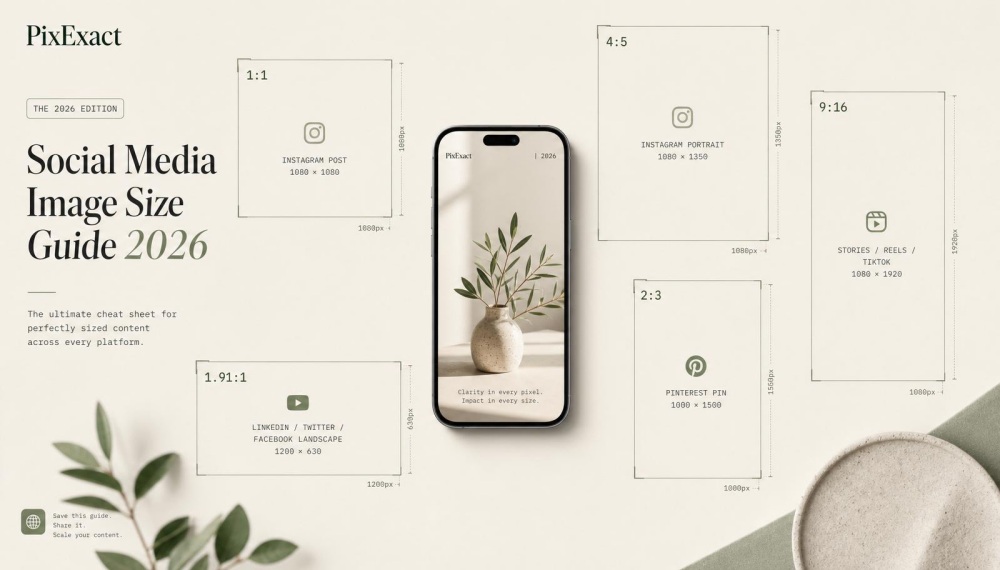
PixExact helps you create Google display ads at exact pixel dimensions, such as 300×250, 728×90, and 300×600, without resizing or cropping after generation.
Why Ad Size Matters
Ad size impacts whether your ads show in available ad spaces across the web. Choosing standard banner dimensions ensures your campaigns can compete for the most inventory on the Google Display Network.
Different ad sizes fit different ad placements. A 300x250 medium rectangle works well within article content.
A 728x90 leaderboard banner fits at the top of desktop pages. A large mobile banner at 320x100 pixels targets smartphone users effectively. Modern AI image generation tools can create ads in any of these exact dimensions, eliminating the need for manual resizing and ensuring pixel-perfect output every time.
Your ad dimension choices also affect file size requirements and load times. Static image ads must stay under 150 KB.
HTML5 ads face the same limit. Keeping your ads within these limits helps ads load quickly and delivers the best results for your ad campaign.
Using multiple sizes in one campaign increases your chances of winning ad slots. Google's algorithms favor advertisers who provide variety.
Creating ads in top-performing ad sizes like 300x250, 728x90, and 160x600 gives you access to more placements and better ad performance. With text to image AI technology, you can now create display ads in exact dimensions without manual resizing—simply specify your target ad size and generate pixel-perfect creatives instantly.
Google Display Network Coverage
The Google Display Network reaches over 90% of internet users worldwide. Your banner ad sizes determine which portion of this inventory you can access.
Common ad sizes unlock the most placements. The 300x250 medium rectangle appears on both desktop and mobile devices.
The 728x90 leaderboard dominates desktop websites. Mobile-specific dimensions like 320x50 and 320x100 target smartphone screens.
Responsive display ads automatically adjust to fit available ad spaces. Google uses machine learning to resize your assets and match them to different ad slots.
This format maximizes your reach across the Google Display Network without creating multiple static banners.
Impact on Click-Through Rate and Performance
Ad size directly influences your click-through rate. Larger banners like the 336x280 large rectangle typically generate more attention than smaller formats.
The half-page ad at 300x600 pixels offers substantial real estate for your message. Top-performing display ad sizes vary by device.
On desktop, 728x90 leaderboards and 300x250 rectangles perform best. For mobile devices, the 320x100 large mobile banner and standard mobile banner at 320x50 deliver strong results.
Your ad format choice affects engagement rates. Responsive ads that fit perfectly in their spaces look professional and earn trust.
Poor ad dimension choices lead to cropped images or wasted space that hurts performance and ad spend efficiency.
Top Performing Google Display Ad Sizes
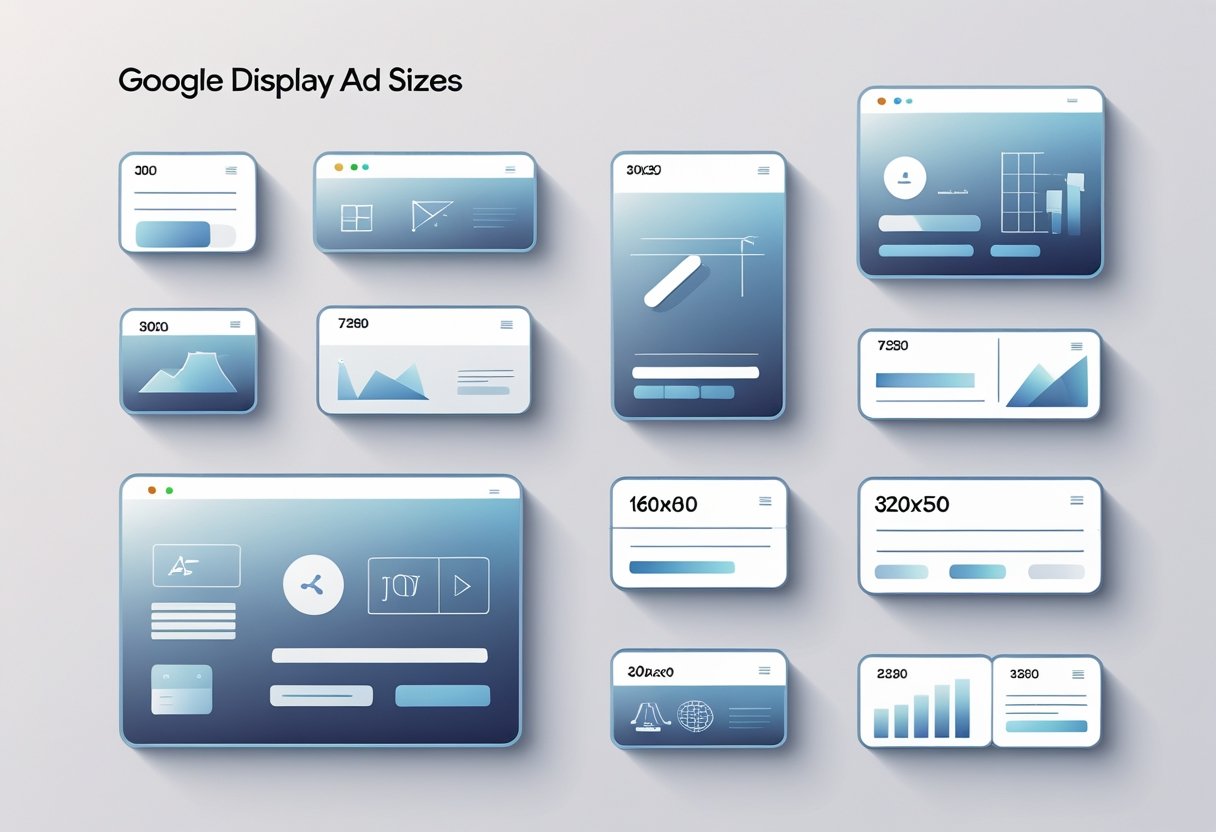
Google has identified four display ad sizes that consistently deliver the strongest performance across its network. These formats balance high engagement rates with excellent inventory availability.
Medium Rectangle (300x250)
The medium rectangle stands out as the most versatile and widely available ad format on the Google Display Network. This ad size appears on over 90% of display-enabled websites, giving your campaigns maximum reach across both desktop and mobile devices.
You'll find this format fits naturally within article content or at the end of blog posts. It balances visibility with user experience, making it less intrusive than larger banners while still capturing attention.
The 300x250 ad dimension works exceptionally well for retargeting campaigns and brand awareness efforts. Your ads show up in prime content spaces where users are actively engaged with information.
According to Google's performance data, this format ranks as the top-performing ad size across the entire display network. The medium rectangle supports both static image ads and HTML5 ads. You can generate 300x250 ad creatives with AI by entering your exact dimensions and creative brief—no design software needed.
Leaderboard (728x90)
The leaderboard banner claims premium placement at the top of websites and apps, making it one of the first elements visitors see. This horizontal format achieves an average click-through rate of 0.47%, which exceeds many smaller ad formats.
Your leaderboard ads benefit from their position in the user's direct line of sight. When implemented on high-traffic pages, this ad size delivers substantial brand exposure while maintaining reasonable CPM costs.
The 728x90 dimension works best for awareness-focused campaigns where you need immediate visibility. This format gives you enough horizontal space to include compelling headlines, brand messaging, and clear calls-to-action.
You should prioritize leaderboard banners when running campaigns that require strong initial impressions. The format's wide shape accommodates brand logos and longer text strings better than square or vertical ad spaces.
Half-Page Ad (300x600)
The half-page ad format, also called the large skyscraper, provides exceptional viewability metrics for brands seeking stronger visual impact. This vertical banner delivers more ad space than standard formats, allowing you to create rich visual storytelling experiences.
Your 300x600 ads typically appear in sidebar placements where they remain visible as users scroll through content. This persistent presence increases the chances that visitors will notice and engage with your message.
CPMs for this format tend to run higher than smaller ad sizes. However, the engagement metrics often justify the investment for display campaigns focused on brand awareness and product showcases.
The half-page format gives you room to include multiple images, detailed product information, or interactive elements. You can create ads that feel more like mini landing pages than traditional banner advertisements. Need to adapt existing creative assets? Use image to image AI tools to transform your current designs into the exact 300x600 dimensions while maintaining visual quality.
Large Mobile Banner (320x100)
The large mobile banner offers more visual real estate than the standard 320x50 mobile leaderboard. This format balances visibility with user experience on smaller screens.
Your ads using this mobile banner dimension perform well in fast-scrolling mobile feeds and apps. The format provides enough space for eye-catching visuals and clear messaging.
This ad size works particularly well for e-commerce campaigns where you need to showcase products on mobile devices. You can include product images, pricing, and action buttons within the available space.
The 320x100 format appears frequently on mobile websites and apps. When you create ads for this size, focus on simple designs that load quickly and communicate your message instantly. AI image generators allow you to create mobile-optimized ad creatives at exact specifications—perfect for generating multiple variations for A/B testing.
Common and Recommended Ad Formats
Certain display ad sizes consistently deliver better performance across the Google Display Network due to their widespread availability on websites and apps. The medium rectangle, skyscraper formats, and mobile banner sizes form the foundation of most successful display campaigns.
Square and Rectangle Sizes
The 300x250 medium rectangle is the most common ad size you'll encounter across the Google Display Network. This banner appears frequently on both desktop and mobile placements, making it essential for any display campaign.
You'll find it embedded within content, in sidebars, and at the end of articles. The 336x280 large rectangle offers slightly more space than the medium rectangle.
This ad format works well for desktop placements where you need extra room for your message. It typically appears within article content on larger screens.
Square formats like 250x250 and 200x200 provide balanced dimensions that work across different ad spaces. These sizes fit naturally into tight layouts where vertical or horizontal banners won't work.
The square aspect ratio makes your ads easy to spot without overwhelming the page.
| | | | | 300x250 | Medium Rectangle | Content placements, high inventory | | 336x280 | Large Rectangle | Desktop content areas | | 250x250 | Square | Balanced layouts |
Skyscraper and Vertical Formats
The 160x600 wide skyscraper dominates sidebar real estate on desktop websites. This vertical banner gives you substantial space to create ads with multiple messages or images stacked vertically.
You can use this dimension to tell a story or showcase several products. The 300x600 half-page ad is the largest standard vertical format available.
This size commands attention in sidebar placements and delivers your brand message with maximum impact. The half-page ad works best when you have detailed information to share or need to make a strong visual impression.
Smaller vertical options include the 120x600 skyscraper, which fits narrower sidebar spaces. While this size offers less room than the wide skyscraper, it still provides good visibility.
Your file size must stay under 150 KB for image ads and HTML5 formats.
Mobile Banner and Large Mobile Banner
The 320x50 mobile banner is the standard mobile ad size you need for smartphone placements. This horizontal banner appears at the top or bottom of mobile screens without blocking content.
Mobile devices display this size across apps and mobile websites. The 320x100 large mobile banner doubles the height of the standard mobile banner.
This ad format gives you more vertical space to include headlines, descriptions, and calls-to-action on smaller screens. The large mobile banner performs well when you need better visibility on mobile devices.
Both mobile ad sizes require careful design because screen space is limited. Keep text minimal and buttons large enough to tap easily.
Top-performing mobile formats focus on simple messages that load quickly and don't drain battery life.
Responsive Display Ads and Aspect Ratios
Responsive display ads use Google's machine learning to automatically test different combinations of your assets across various ad spaces. You only need to provide images in two main aspect ratios rather than creating multiple banner sizes manually.
Responsive Display Ads Overview
Responsive ads are asset-based, meaning you upload individual components like headlines, descriptions, images, and logos instead of complete banner designs. Google then combines these assets automatically to fit available ad slots across the Google Display Network.
This ad format saves you time because you don't need to design ads in every possible dimension. The system adjusts your content to work on desktop and mobile devices without requiring separate versions for each ad size.
When you create responsive display ads, the automation handles the heavy lifting. Your assets get arranged into countless combinations.
Google's algorithm determines which versions perform best for different placements and audiences.
Required Image Asset Types
You need to upload images in two main aspect ratios: 1.91:1 (landscape) and 1:1 (square). Google recommends submitting 5 to 10 images in each aspect ratio for best results.
The landscape format works well for horizontal ad spaces like leaderboard positions. Square images fit mobile banner placements and other compact ad slots more effectively.
According to Google Ads Help documentation, you can upload up to 15 images across three aspect ratios: horizontal, square, and vertical. Each image has a maximum file size of 5120 KB.
Image requirements:
- Landscape: 1.91:1 aspect ratio
- Square: 1:1 aspect ratio
- File formats: JPEG or PNG
- Maximum file size: 5120 KB per image
How Google Assembles Responsive Ads
Google uses machine learning algorithms to test different asset combinations across websites and apps. The system continuously optimizes which headlines, descriptions, and images appear together based on ad performance data.
Your responsive display ad assets get scaled and cropped automatically to fit different ad dimensions throughout the Google Display Network. The aspect ratio guides how Google adjusts your images for various placements without distortion.
The automation learns from real-time results. If certain image and headline combinations generate more clicks or conversions, Google shows those variations more frequently in your display campaign.
File Formats, Specifications, and Quality Requirements

Google Display ads must meet specific technical requirements for file formats and size limits to ensure proper delivery across websites and apps. Understanding these specifications helps you create ads that load quickly and display correctly on desktop and mobile devices.
Accepted Image File Types
Google accepts three primary image file types for display campaigns: JPG, PNG, and GIF. JPG works best for photographs and complex images with many colors.
PNG is ideal when you need transparent backgrounds or crisp graphics with text. GIF files support both static and animated content.
You can upload static image ads or animated GIF ads depending on your campaign goals. Each format serves different purposes in your ad content strategy.
All three formats work across the Google Display Network. Your choice depends on your design needs and whether you want animation in your banner ads.
Ad Image Size Limits
The maximum file size for display ads is 150KB per image. This limit ensures your ads load quickly and don't slow down websites where they appear.
Image ads must stay under the universal 150KB limit to avoid disapproval. Compressed files perform best because they reduce loading times on mobile devices.
Large files can cause your ads to load slowly or fail to display in certain ad slots. Test your file size before uploading to your Google ads account.
Static Image, Animated, and HTML5 Ads
Static image ads use single JPG or PNG files without movement. These simple formats work well for clear messaging and fast loading times across mobile banner and desktop placements.
Animated ads use GIF files with multiple frames to create motion. Animation length must not exceed 30 seconds, and the animation cannot loop more than once in some placements.
HTML5 ads offer the most flexibility with interactive elements and responsive design. HTML5 ads support advanced features like clickable buttons and dynamic content.
These ads adjust to different ad dimension requirements automatically. Responsive display ads combine multiple assets that Google uses machine learning to optimize.
You upload images, logos, and text, then Google automatically creates ads that fit available ad spaces. This ad format adapts to show the best performing combinations across different sizes.
Ad Inventory, Placement, and Device Adaptation
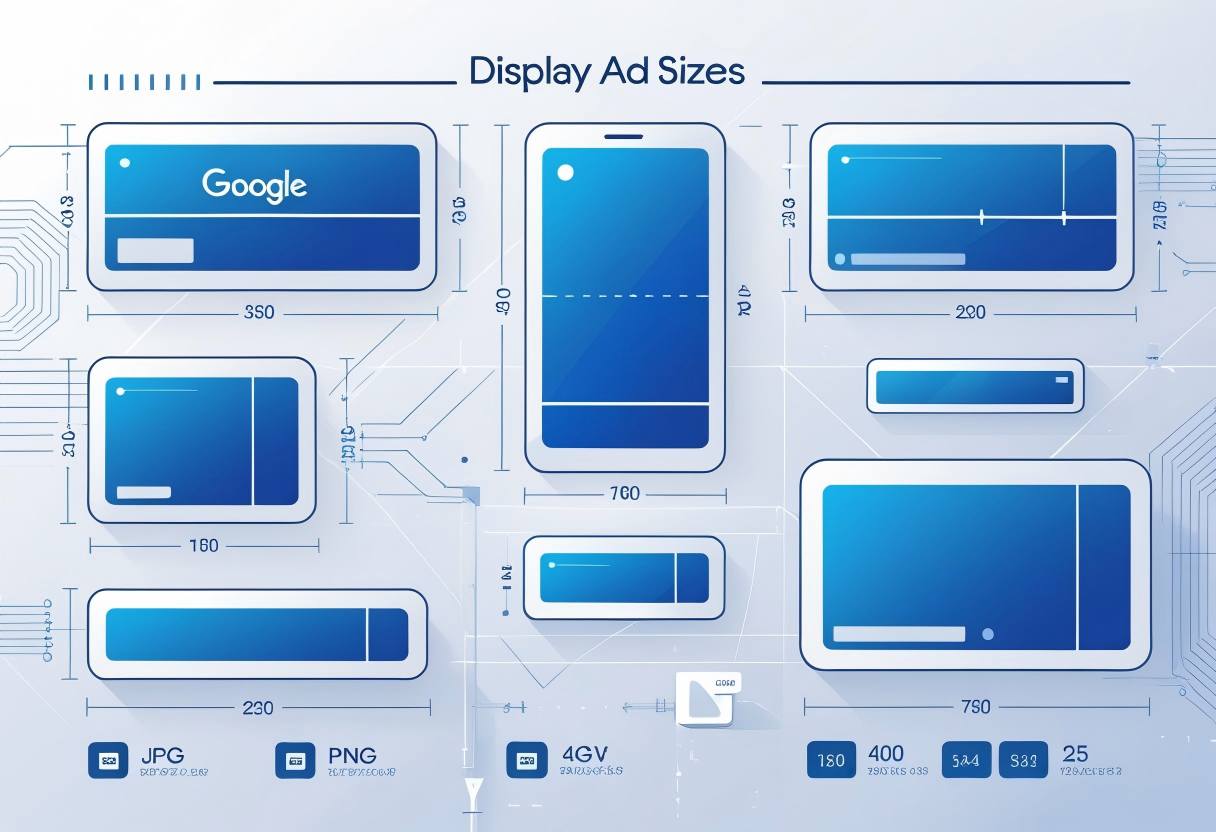
Different ad sizes unlock access to varying levels of inventory across the Google Display Network. Proper placement strategies and device-specific formatting determine how effectively your display campaign reaches your target audience.
Ad Inventory and Placement Opportunities
The amount of available ad inventory directly depends on which ad sizes you choose for your display campaign. The 300x250 medium rectangle offers the highest inventory availability because it fits seamlessly into both sidebars and within content on millions of websites and apps.
The 728x90 leaderboard banner comes in second, appearing primarily in header positions on desktop sites. Smaller ad sizes like the 250x250 square face limited ad inventory availability, which can hurt your ad performance.
When you select multiple sizes in your Google Ads account, you increase the number of ad placements where your ads show. Top-performing ad sizes give you access to premium positions.
The 300x600 half-page ad appears in prominent sidebar locations with high visibility. The 336x280 large rectangle works well embedded in content where readers naturally focus their attention.
Using responsive display ads automatically adapts your content across multiple sizes. This maximizes your reach across the Google Display Network without creating separate image ads for each dimension.
Desktop vs. Mobile Ad Display
Desktop and mobile devices require different ad sizes to deliver the best results. Desktop computers typically display the 728x90 leaderboard banner, 300x250 medium rectangle, and 300x600 half-page ad formats.
These larger ad spaces work well on wider screens where users expect to see banners in headers and sidebars. Mobile devices need compact formats that don't disrupt the browsing experience.
The 320x50 mobile banner is the standard mobile leaderboard that appears at the top or bottom of screens. The 320x100 large mobile banner provides more visual space while remaining mobile-friendly.
The 300x250 medium rectangle works across both desktop and mobile, making it a versatile choice. Square ad formats adapt well to mobile screens because they fit naturally into content feeds.
Responsive display ads automatically adjust their size and format based on the device and available ad slots. This automation ensures your ads look correct whether someone views them on a phone, tablet, or computer.
App Install Ad and Campaign Integration
App install ads use specific formats optimized for promoting mobile apps on the Google Display Network. These ads appear on websites, within other apps, and across Google properties like YouTube and Gmail to drive app downloads.
When you create an app campaign in your Google Ads account, you provide assets like images, headlines, and descriptions rather than building fixed-size banners. Google uses machine learning to combine these assets into ads that fit various ad spaces automatically.
App install ads work best when you upload multiple image formats. Include both landscape (1.91:1 ratio) and square (1:1 ratio) images at high resolution.
Square images perform particularly well on mobile devices where vertical scrolling is common. Your maximum file size should stay under 150KB for images to ensure ads load quickly on mobile networks.
HTML5 ads can create interactive experiences that let users preview your app before installing. These require more technical setup than standard image ads.
Best Practices to Maximize Ad Performance
Focus on creating ads that adapt across devices, include clear calls to action, and continuously improve through testing.
Design for Different Sizes and Devices
Your banner designs need to work across desktop and mobile devices to reach the full inventory on the Google Display Network. Start by creating multiple ad sizes for the same campaign to fit various ad spaces available on websites and apps.
Keep your file size under 150KB for static image ads to ensure fast loading times. Use PNG or JPEG formats for image ads, and HTML5 ads for animated content.
Each ad format has different technical requirements, so check the specifications before uploading. Design with responsive display ads when possible.
Google uses machine learning to automatically adjust your headlines, descriptions, and images to fit different ad slots. This approach saves time and helps your ads show in more placements.
Key design elements to consider:
- Use high-contrast colors so text remains readable at smaller sizes
- Place logos and important information in safe zones away from edges
- Test your designs on both mobile banner formats and larger desktop dimensions
- Keep text minimal so your message stays clear on small screens like mobile devices
Using CTAs Effectively
Your call to action drives clicks and conversions in display campaigns. Place your CTA button prominently where viewers naturally look, typically in the bottom right corner of banner ad sizes.
Use action-oriented language that tells people exactly what to do. Words like "Shop Now," "Get Started," or "Learn More" work better than vague phrases.
Match your CTA to where people are in their journey. Remarketing ads can use stronger CTAs like "Buy Now" since viewers already know your brand.
Make your CTA button large enough to tap easily on mobile ad formats. The button should contrast with your background color and include enough white space around it.
Test different CTA colors and text through your Google Ads account to see what drives the best results. Create urgency when appropriate with time-sensitive language.
However, avoid false scarcity claims. Your CTA should align with what happens on your landing page to maintain trust and improve conversions.
Optimizing for CTR and Conversions
Monitor your click-through rate across different ad sizes to identify top-performing formats. Use Google Ads Editor to quickly adjust bids and budgets for ad dimensions that deliver strong performance.
Test different combinations of headlines, images, and descriptions to find what resonates with your audience. Run A/B tests on one element at a time so you know what actually improves ad performance.
Let each test run long enough to gather meaningful data before making changes. Review placement reports to see which websites and apps generate the best engagement.
Exclude sites with low click-through rates to focus your ad spend on better inventory. Look at device performance separately since mobile banner formats often perform differently than desktop sizes.
Create separate campaigns for remarketing ads versus new audience targeting. Each requires different messaging and optimization strategies.
Frequently Asked Questions
Desktop campaigns work best with specific banner dimensions, while mobile devices require different sizes. The Google Display Network supports over 40 ad formats with various pixel specifications.
What are the most effective Google display ad dimensions for desktop campaigns?
The medium rectangle (300x250) is one of the most effective ad sizes for desktop display campaigns. This banner fits easily into content areas and sidebars on websites and apps.
The leaderboard (728x90) works well at the top or bottom of web pages. It gives you enough space to include your brand message without taking up too much screen real estate.
The large rectangle (336x280) delivers strong results because it's hard to miss. The half-page ad (300x600) is a skyscraper format that stays visible as users scroll down the page.
The wide skyscraper (160x600) performs well in sidebar placements. These top-performing ad sizes give your ads the best chance to reach your audience on desktop.
Can you list the standard sizes for Google ads suitable for mobile devices?
The mobile banner (320x50) is the most common ad size for mobile devices. It fits at the top or bottom of mobile screens without blocking content.
The large mobile banner (320x100) gives you more vertical space for your message. This size works well for mobile apps and mobile websites.
The mobile leaderboard (320x50) and the standard mobile banner dimensions fit most ad spaces on phones. You can also use the medium rectangle (300x250) on mobile since it adapts well to smaller screens.
How many different ad size options does the Google Display Network offer?
The Google Display Network offers over 40 different ad formats and sizes. These include banner sizes, rectangles, skyscrapers, and mobile-specific dimensions.
You can choose from standard display ad sizes that work across the Google Display Network. Google also supports responsive display ads that automatically adjust to fit available ad slots.
The variety of sizes helps your ads show in multiple ad placements. This means your display campaign can reach more people across different websites and apps.
What is the resolution range for Google display ads in pixels?
Google display ad sizes range from small mobile banners at 320x50 pixels to large formats like the billboard at 970x250 pixels. The most popular sizes fall between these dimensions.
Common ad sizes include the 300x250 medium rectangle, 728x90 leaderboard, and 160x600 wide skyscraper. Larger options like the 300x600 half-page ad and 970x90 large leaderboard give you more ad space.
Image ads should use high-quality graphics that look clear at these pixel dimensions. The maximum file size for static image ads is 150 KB for PNG or JPEG files.
What specifications are there for responsive display ads on Google's platform?
Responsive display ads require you to upload multiple assets including headlines, descriptions, images, and logos. Google uses machine learning to test different combinations of your assets.
You need to provide up to 15 images and 5 logos for your responsive ads. Images should be 1.91:1 landscape (1200x628 pixels) or 1:1 square (1200x1200 pixels) format.
Your logo can be 1:1 square (1200x1200 pixels) or 4:1 landscape (1200x300 pixels). Google automatically adjusts your ads to fit different ad slots across the network.
The file size limit for HTML5 ads is 150 KB. Responsive display ads help your display campaign reach more ad spaces without creating multiple ad templates.
Which Google display ad sizes typically perform best according to recent data?
The 300x250 medium rectangle consistently ranks as a top-performing display ad size in 2025. This banner ad size fits most inventory on both desktop and mobile devices.
The 728x90 leaderboard and 336x280 large rectangle also deliver the best results for many campaigns. These sizes get high visibility and fit naturally into page layouts.
The 300x600 half-page ad performs well when you want maximum attention from users.
Mobile-specific sizes like the 320x50 and 320x100 banners work best for reaching people on phones.