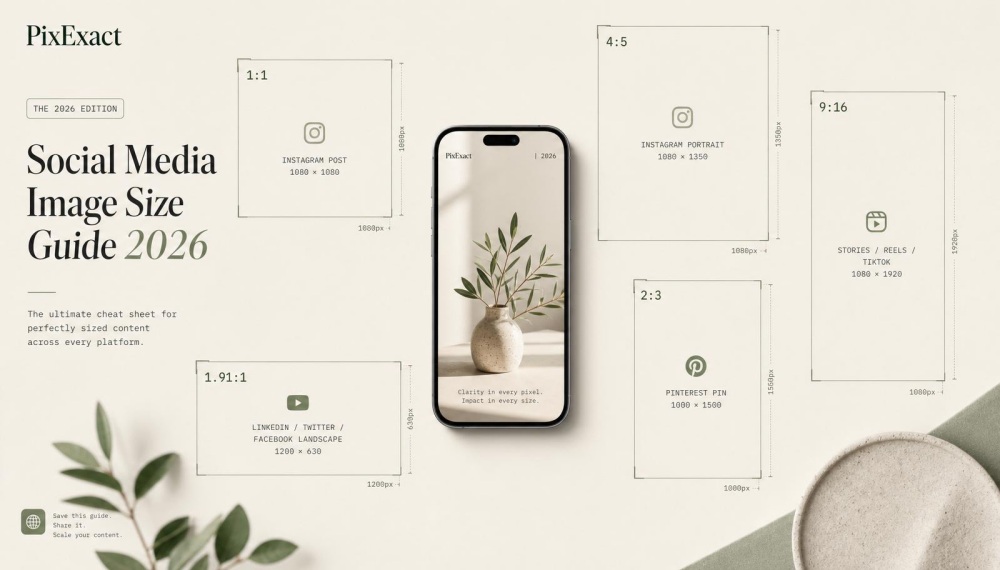
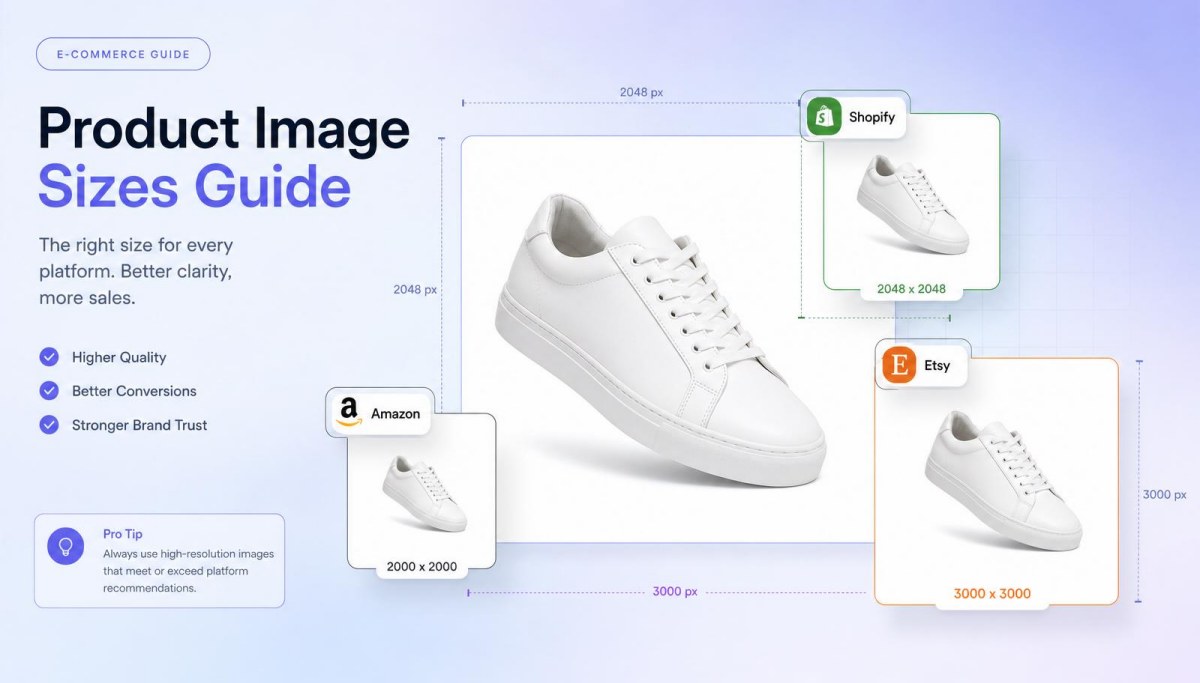
Performance Max Image Specifications Overview
Performance Max campaigns require specific image formats and dimensions to display ads across all Google channels. Understanding aspect ratio requirements and safe area guidelines helps you upload high-quality assets.
PixExact helps you create Performance Max assets at exact pixel dimensions, such as 1200×1200, 1200×628, and 960×1200, without resizing or cropping after generation.
Accepted File Formats and Sizes
Google Ads accepts JPG and PNG file formats for image assets in Performance Max campaigns. Each image file must not exceed 5120 KB in size.
You can upload images in three standard formats:
- Square images (1:1 aspect ratio)
- Landscape images (1.91:1 aspect ratio)
- Portrait images (4:5 aspect ratio)
Google recommends uploading at least 15 images per asset group to give Google AI more options to create ads. The system uses these assets to optimize ad performance across the Google Display Network, YouTube, Gmail, and other platforms.
Your business logo also requires specific formats. Upload a square logo at 1:1 ratio and optionally include a landscape logo at 4:1 ratio.
Both logo formats help ensure that your ads maintain brand consistency across different ad placements.
Image Aspect Ratios and Resolutions
Each aspect ratio serves different ad formats on the display network. Square images work best at 1200 x 1200 pixels minimum.
Landscape images perform optimally at 1200 x 628 pixels. Portrait images should measure 960 x 1200 pixels.
Google may resize your uploaded images to fit various ad placements. Higher resolution images provide better quality when Google uses them across different ad formats.
You should upload images at the maximum recommended dimensions for best results. Including all three aspect ratios allows your pmax campaign to appear in more locations.
This increases your reach and helps improve ad performance across the Google network.
Safe Area and Cropping Considerations
Google automatically crops images to fit different placements within the Google ecosystem. Important visual elements and text should stay within the center 80% of your image.
This safe area prevents critical information from being cut off when ads are displayed. Avoid placing your logo, product details, or key messages near image edges.
Elements outside the safe zone may not appear in certain ad formats. Text overlays on images should be minimal.
Google recommends keeping images clean with limited text to ensure that your ads perform well across video ads, display ads, and other formats.
Detailed Image Dimensions and Formats

Performance Max campaigns require specific image dimensions and aspect ratios to ensure that your ads display properly across the Google network. You need to upload images in three different formats: square, landscape, and portrait orientations.
Square Images
Square images use a 1:1 aspect ratio and are among the most versatile formats for Performance Max campaigns. The recommended dimension is 1200 x 1200 pixels to ensure high quality across all placements.
You should upload at least one square image to your asset group. These images work well on the display network and in various ad placements where equal width and height are needed.
Google Ads accepts JPEG and PNG file formats for all image assets. The maximum file size is 5 MB per image.
Keep your main subject centered within 80% of the frame. This ensures that important elements don't get cropped when Google AI automatically adjusts your images for different ad formats.
Landscape Images
Landscape images require a 16:9 aspect ratio with recommended dimensions of 1200 x 628 pixels. This format appears frequently in Performance Max campaigns across Google platforms.
The wider format gives you more space to showcase products or convey your brand message. Landscape images perform well in display ads and video placements where horizontal orientation fits naturally.
You can upload multiple landscape images to give Google more options when creating ads. The system will test different combinations to optimize ad performance.
Portrait Images
Portrait images use a 4:5 aspect ratio with dimensions of 960 x 1200 pixels. This vertical format is essential for mobile placements and certain display network positions.
Portrait orientation takes advantage of mobile screen space where users scroll vertically. These images appear in feeds and app-based ad placements.
Upload at least one portrait image to maximize your reach across all available inventory. Different types of assets help Google create ads that match each placement's specification requirements.
Logo and Branding Image Requirements
Performance Max campaigns need logos in specific formats to ensure that your ads appear correctly across all Google channels. You must upload at least one square logo, while landscape logos remain optional but recommended.
Square Logo
A square logo uses a 1:1 aspect ratio and is required for your asset group. The recommended size is 1200 x 1200 pixels, though Google accepts a minimum of 128 x 128 pixels.
Your business logo should be clear and recognizable at different sizes. Upload files in PNG or JPEG format, with a maximum file size of 5120KB.
You can add up to 5 square logos to your Performance Max campaign. Google AI will test different combinations to optimize ad performance.
Make sure your logo maintains brand identity without text overlays or busy backgrounds. Simple, clean designs work better when Google uses your assets to create ads for various ad formats.
Landscape Logo
The landscape logo format uses a 4:1 aspect ratio with recommended dimensions of 1200 x 300 pixels. The minimum accepted size is 512 x 128 pixels.
This asset type is optional but helps improve how your ads are displayed on wider placements. Google recommends including landscape logos for most pmax campaigns.
You can upload up to 5 landscape logos to your asset group. The wider format works well for horizontal ad placements.
Keep your landscape logo consistent with your square version to maintain brand identity. Avoid stretching your square logo to fit the 4:1 specification, as this distorts your image.
Image Asset Best Practices
Quality images that match your brand and message help Google Ads deliver better results across the display network and other ad placements. Testing different variations and following format specifications ensure that your ads reach your target audience effectively.
Image Quality and Relevance
Upload high-quality assets that clearly represent your business and products. Images should use JPEG or PNG format with sharp resolution that looks professional across all Google channels.
The maximum file size is 5120KB per image. Choose images that align with your brand message and what you're advertising.
Google AI uses the assets you provide to create ads that match user searches and interests. Include multiple aspect ratio options to ensure that your ads appear across different ad formats.
You need at least one landscape image (1.91:1), square image (1:1), and portrait image (4:5 or 9:16). Upload up to 20 images in your asset group to give Google more options for optimization.
Avoid generic stock photos when possible. Original images of your actual products or services help your pmax campaign stand out. If you need to create custom images that match your brand and specifications, consider using text to image AI tools to generate original visuals from scratch, or image to image AI to transform existing assets into the exact dimensions and styles required for Performance Max campaigns.
Images should have good lighting, clear subjects, and minimal clutter.
Use of Text and CTAs in Images
Keep text overlays minimal in your image assets. Google recommends images with little or no text because they perform better across the Google network.
Heavy text can limit where ads are displayed and reduce ad performance. If you add text or a call to action directly on images, make it short and readable.
The text should complement your separate text asset rather than repeat it. Your business logo can appear on images, but avoid covering important visual elements.
Google uses machine learning to determine the type of assets and combinations that work best. When you include text in images, it may conflict with the headline and description Google generates.
Clean images give the algorithm more flexibility to optimize ad placements effectively. Consider that your landscape logo and square logo serve as separate asset type options.
These logo formats already include your branding, so additional logo placement on images becomes redundant.
A/B Testing and Asset Variation
Test different types of assets to improve ad performance over time. Upload a variety of assets showing products from different angles, lifestyle shots, and close-ups.
Google AI will test combinations and favor high-performing assets. Monitor your ad strength rating in Google Ads.
Excellent ad strength comes from providing diverse, quality options within your performance max asset group. Add additional assets when performance metrics show certain images aren't getting impressions.
Replace low-performing assets with new variations after gathering enough data. A/B testing happens automatically as Google determines which assets in your asset group work best for different queries and audiences.
Give your pmax assets at least two weeks to collect performance data before making changes. Track which image formats and styles generate the best results for your ad campaign.
Note patterns in asset performance to guide future image selection. This ongoing testing process helps you understand what resonates with your target audience.
Integration with Performance Max Campaigns
Understanding how to organize and upload your image assets within Performance Max campaigns ensures your ads appear correctly across Google's network. The structure you create and the number of images you provide directly affect how Google AI delivers your ads.
Asset Groups and Structure
Asset groups are the building blocks of your Performance Max campaigns. Each asset group contains a collection of images, text, and video assets that Google combines to create ads.
You can create multiple asset groups within a single Performance Max campaign. Each asset group should target a specific audience segment or product category.
For example, one asset group might focus on winter clothing while another targets athletic wear. The asset group structure allows you to customize your messaging and visuals for different customer needs.
You upload all your image assets into each asset group. Google AI then tests different combinations to find what works best.
Creating quality image assets that complement your ads helps Google display your business effectively. You should organize assets in your asset group based on themes or product lines for optimal performance.
Number and Types of Images per Campaign
Google recommends uploading the maximum number of assets to give the algorithm more options to test. For image assets, you should provide:
- Landscape images: Up to 20 images at 1.91:1 aspect ratio
- Square images: Up to 20 images at 1:1 aspect ratio
- Portrait images: Up to 20 images at 4:5 aspect ratio
- Logo: 1-5 square logos and 1-5 landscape logos
Providing a variety of assets improves ad strength and gives Google more flexibility. The more high-quality assets you upload, the better Google can match your ads to different ad placements.
You need at least one landscape image, one square image, and one logo to launch your pmax campaign. Different types of assets allow Google to create ads that fit various formats.
Upload images in both PNG and JPEG format for best results.
Image Assets in Ad Placements
Your image assets appear across multiple Google channels including Search, Display, YouTube, Discover, and Gmail. Google automatically selects which images to show based on where your ads are displayed.
On the display network, your landscape images often appear in banner-style placements. Square images work well in feed-based placements like Discover and Gmail.
Portrait images are optimized for mobile ad formats. Google uses machine learning to determine which combination of assets performs best for each placement.
The algorithm considers factors like user behavior, device type, and context. Your business logo appears alongside your images to maintain brand consistency.
Performance Max ad specifications ensure that your assets display correctly across all these different ad formats. Google may crop or adjust your images slightly depending on the placement, which is why keeping important elements centered matters.
Performance Max Asset Requirements Beyond Images
Performance Max campaigns require multiple asset types working together within your asset group. These include text components with specific character limits, video content in various formats, and extensions that enhance your ads across the Google network.
Text Assets Specifications
Your Performance Max campaign needs several text asset types to create ads across different Google platforms. You must provide a short headline of up to 30 characters and a long headline of up to 90 characters.
Descriptions can be up to 90 characters each. Google recommends uploading at least 3-5 headlines and 2-4 descriptions to give Google AI more options to test combinations.
The business name field allows up to 25 characters and appears prominently in your ads. Display URL path fields let you add two optional paths of 15 characters each to show relevant information in your final URL.
These pmax text assets help create ads that match user search queries across the Google Display Network and other placements. Google uses machine learning to test different combinations of your text assets and determine which perform best.
Each text asset should focus on different benefits or features. This gives Google more flexibility when creating ads for various target audience segments.
Video Asset Specifications
Video assets enhance your pmax campaign performance across YouTube and the display network. You can upload videos in landscape (16:9 aspect ratio), square (1:1 aspect ratio), or portrait (9:16 aspect ratio) format.
Each video should be at least 10 seconds long for optimal performance. If you don't upload video content, Google will create one automatically using your other assets like images, text, and logo.
Uploading your own high-quality assets gives you better control over your brand message. You can use the Google Ads video creation tool to build simple video ads from existing image assets.
Video specifications require MP4, MOV, or AVI file formats with a maximum file size of 1GB. Multiple video assets in different formats ensure that your ads appear correctly across all Google channels and ad placements.
Ad Extensions and Advanced Asset Types
Ad extensions and additional assets expand how your ads are displayed within the Google ecosystem. Sitelink extensions let you add extra links to specific pages on your website, while callout extensions highlight key features or benefits.
Structured snippets showcase specific aspects of your products or services. Your campaign settings should include final URL expansion, which allows Google to send users to the most relevant landing page based on their search intent.
This feature uses data from your website and Google Merchant Center feed if you're running Google Shopping campaigns. HTML5 ads represent another asset type for display placements, though most pmax campaigns rely on responsive assets.
The variety of assets you provide determines the type of assets Google can create and where your ads appear across different ad formats and the Google network.
Optimizing Campaign Outcomes with Image Assets
Image assets directly influence how Google AI delivers ads across all Google channels. They determine performance metrics like click-through rates and return on ad spend.
Proper optimization combines machine learning capabilities with strategic asset selection. This helps you meet conversion targets.
Machine Learning and Generative AI Impact
Google AI analyzes your image assets to create ads that match user intent across the Google Display Network and other Google platforms. The machine learning algorithms test different combinations of your assets in your asset group to find what drives the best results.
In May 2025, Google introduced advanced image optimization features powered by Gemini models for Performance Max campaigns. These generative AI tools can modify your uploaded images to improve ad performance automatically.
The system evaluates each asset type based on real-time performance data. When you upload multiple formats and aspect ratios, Google uses machine learning to determine the type of assets that work best for each placement.
This means your square image might perform better on one Google platform while your landscape image excels on another.
Ad strength improves when you provide:
- At least 15-20 high-quality images
- Multiple aspect ratios (1:1, 1.91:1, 4:5)
- Clear product or brand images in PNG or JPEG format
- Images where the main subject occupies the center 80 percent
Image Assets for Maximum Conversions
To maximize conversions, your Performance Max campaign needs diverse image assets that appeal to your target audience. Use clear, high-quality JPEG or PNG images with the subject in the center 80 percent of the time.
Upload portrait images, landscape images, and square images to ensure that your ads appear correctly across different ad formats. Each format serves specific placements within the Google network.
Your landscape logo and business logo should maintain brand consistency while meeting technical specifications. Google recommends uploading the maximum number of assets you can provide.
More assets give the algorithm better data to optimize against your conversion targets. The system automatically removes low-performing assets and prioritizes ones that drive conversions.
Essential image specifications include:
| Format | Aspect Ratio | Minimum Size |
|---|---|---|
| Square | 1:1 | 300 x 300 px |
| Landscape | 1.91:1 | 600 x 314 px |
| Portrait | 4:5 | 480 x 600 px |
Different types of assets work together to create ads on Google Search, YouTube, Gmail, and the display network. When you add video assets alongside image assets, include multiple variations to give Google AI more options for testing.
Quality Metrics: CTR, Conversion Rate & ROAS
Performance metrics show how your image assets impact campaign success. Click-through rate (CTR) measures how often people click your ads after seeing them.
Conversion rate tracks the percentage of clicks that become actual conversions. Your image quality directly affects this metric because relevant, professional images build trust and encourage action.
Cost per acquisition (CPA) drops when you optimize images that attract qualified traffic. Return on ad spend (ROAS) is the key performance indicator for Performance Max campaigns.
Google AI automatically adjusts bids and asset combinations to meet your ROAS targets. Better image assets lead to improved ROAS because they attract customers more likely to convert.
Monitor asset performance through Google Ads reporting to identify which images drive results. Replace images with poor conversion rates while keeping top performers.
Excellent ad strength correlates with better performance across all metrics when you follow best practices for image assets. The correct image format and specifications ensure ads are displayed properly without quality loss.
Google may compress or reject images that don't meet requirements, which hurts your ad campaign performance. Regular testing of different ad creative helps you understand what assets you provide generate the strongest results.
Frequently Asked Questions
Performance Max campaigns require specific image dimensions, file formats, and aspect ratios to display properly across Google's advertising network. Understanding these technical specifications helps you create effective ads that meet Google's requirements.
What are the ideal dimension requirements for images in Performance Max campaigns?
Performance Max campaigns need images in three main aspect ratios to cover different ad placements. Landscape images should be 1200 x 628 pixels with a 1.91:1 aspect ratio.
Square images work best at 1200 x 1200 pixels with a 1:1 aspect ratio. Portrait images require 960 x 1200 pixels with a 4:5 aspect ratio.
These dimensions ensure your ads display correctly across the Google Display Network and other Google platforms. You also need to upload logo images in two formats.
A square logo should be 1200 x 1200 pixels. A landscape logo needs to be 512 x 128 pixels.
How can advertisers ensure their images adhere to Performance Max specifications?
Check that all your images meet the required aspect ratio before you upload them to your asset group. Keep important elements like your business logo and key messaging centered in the frame to prevent cropping issues.
Google may automatically adjust your images to fit different ad placements. Leave safe margins around critical visual elements to ensure that your ads display properly across all formats.
Review each image to confirm it meets the maximum file size of 5MB. Testing your images in different placements before launching your Performance Max campaign helps you identify any formatting problems.
Is there a recommended file size or format for images used in Performance Max ads?
Your image assets should use either PNG or JPEG format for best results. Both formats work well for Performance Max campaigns and maintain image quality across different ad placements.
Each image file must stay under 5MB to upload successfully. High-quality images that meet this specification load faster and display better across the Google network.
PNG format works particularly well for images with transparent backgrounds or logos. JPEG format typically produces smaller file sizes while maintaining good visual quality for photographs and detailed graphics.
What types of image assets perform best in Performance Max campaigns?
High-resolution images with clear, focused visuals drive better ad performance in Performance Max campaigns. Images that showcase your products or services without excessive text generate higher engagement rates.
Assets for Performance Max campaigns include logos and other images that help visually describe your business. Simple, bold visuals work better than cluttered designs, especially on mobile devices.
Images that match your brand identity and target audience preferences typically deliver the best results. Test different types of assets in your asset group to identify which styles generate the most conversions for your specific goals.
Are there specific image ratio guidelines for Performance Max ads on mobile devices?
Mobile placements require specific attention to aspect ratio and composition. Square images with a 1:1 aspect ratio and portrait images with a 4:5 aspect ratio perform better on mobile screens than landscape formats.
Portrait images fit naturally into mobile feeds where users scroll vertically. These vertical formats take up more screen space and capture attention more effectively on smartphones.
Design your images with mobile-first thinking by keeping text minimal and visuals bold. High-contrast images remain readable even on smaller mobile screens, which helps improve ad performance across different devices.
Can you provide guidance on creating visually effective ads using the Performance Max format?
Start by uploading a variety of assets across all required image specifications to give Google AI more options for optimization.
Include at least one image in each format—landscape, square, and portrait—along with both logo variations.
Focus on clean, professional visuals that communicate your message quickly.
Minimize text overlay on images since your text assets and headlines already provide messaging support.
Monitor your ad strength indicator and asset performance metrics to identify which images generate the best engagement.
Replace low-performing assets with new variations that test different visual approaches, colors, or product presentations.