What Is Kling 3.0?
Kling 3.0 is an integrated AI video generation system released in February 2026. It combines multiple creation modules into a unified workflow.
Unlike earlier versions, it provides modular tools for image generation, video generation, reference control, and audio synchronization. All of these capabilities are now live on PixExact, you can start creating with Kling 3.0 without switching.
Evolution from Previous Versions
Kling 2.6 focused on short-form video generation but struggled with character consistency across multiple shots. Identity drift would occur, where facial features or clothing details shifted between frames.
Shot-to-shot continuity was inconsistent, making longer sequences difficult to produce. Kling 3.0 addresses these limitations through a modular architecture.
The system now includes Kling Video 3.0 for motion generation, Kling Image 3.0 for visual planning, and the Kling 3.0 Omni Model for reference-driven control. This architecture lets you establish character designs first, then lock those elements across your video using reference controls.
The Omni model maintains identity persistence for faces, outfits, and props throughout your generation. You can now create multi-shot sequences with consistent characters.
The system supports up to 15-second video outputs with native 4K resolution and synchronized audio generation built directly into the workflow.
Key Differences from Other AI Video Generators
Most AI video generators treat creation as a single-step process. You input a prompt and receive a video without intermediate control points.
Kling 3.0 operates as a four-stage pipeline: visual planning, reference control, motion generation, and audio completion. This modular approach gives you stronger directorial control.
You can generate anchor images to establish your scene composition and use those images as reference points for character consistency. Then generate motion while maintaining those locked elements.
The Omni control layer differentiates Kling AI from competitors. You feed the system specific reference images to enforce identity and style constraints.
This reduces the random variation that makes most AI video generation unreliable for serialized content. Kling 3.0 also includes native audio-visual synchronization.
You don't need external tools for lip-sync or sound effects integration. The system generates coordinated audio alongside your video, creating a complete output in one workflow.
Core Features of Kling 3.0
Kling 3.0 introduces a unified architecture that handles multiple input types while delivering native 4K resolution and professional-grade camera controls. The platform's Omni One engine processes text, images, and video simultaneously to create physics-accurate motion.
Unified Multimodal Model
The Omni One architecture represents a fundamental shift from fragmented single-task systems. You can input text prompts, images, or existing video footage into a single unified framework that processes all modalities simultaneously.
This multimodal model eliminates the need to switch between separate tools for different tasks. You'll find seven distinct capabilities integrated into one platform: text-to-video generation, image-to-video conversion, video extension, element addition and removal, background swapping, aesthetic restyling, and start/end frame control.
The system maintains character consistency across unlimited clips through multi-image reference tagging. Your characters' faces, clothing, and expressions remain stable throughout serialized content and brand campaigns.
Draft Mode gives you 20x faster prototyping with low-resolution previews. You can test camera angles and motion paths before committing to high-resolution renders.
4K Output and Visual Realism
Kling 3.0 generates native 4K resolution at 30fps without upscaling artifacts. The system produces broadcast-ready 1080p and 4K video with professional color accuracy from the initial render.
The physics engine uses 3D Spacetime Joint Attention and Chain-of-Thought reasoning to simulate real-world behavior. You'll see accurate gravity, balance, deformation, collision physics, and inertia in your generated footage.
Professional production workflows benefit from 16-bit HDR and EXR export capabilities. You can export linear EXR sequences that integrate directly into Nuke, After Effects, and other VFX compositing software.
The platform provides complete commercial rights with every paid plan. Your exports include professional codecs suitable for advertising, film, television, and global distribution.
Cinematic Camera Angles and Movement
You control every shot using industry-standard cinematography terminology. Kling 3.0 executes professional camera movements including pan, tilt, zoom, dolly, rack focus, and tracking shots with physics-accurate motion.
The director-level controls let you specify precise keyframes for deterministic results. The system calculates exact motion trajectories between your defined start and end frames.
Multi-shot generation capabilities enable planned storytelling with clear camera logic. You can create sequences with smooth transitions and continuity between different shots.
The Omni consistency feature maintains visual coherence across your entire production. Scene elements, lighting conditions, and environmental details remain stable throughout extended sequences and multiple camera angles.
Creative Controls and Workflow
Kling 3.0 gives you multiple input methods and editing tools to shape your video output. You can start from text prompts or static images, upload reference materials for consistency, and apply visual effects during generation.
Text-to-Video and Image-to-Video Generation
You get two primary generation modes in Kling 3.0. Text-to-video lets you describe your scene in natural language, and the model builds the entire video from your prompt.
Image-to-video takes a static image you provide and animates it based on motion instructions. The text-to-video mode works best when you describe camera movements, subject actions, and environmental details in separate parts of your prompt.
For example: "A woman walks toward the camera through a foggy street. Camera dollies forward at waist height. Streetlights glow in the background." This structure helps the model separate scene content from motion instructions.
Image-to-video gives you more control over the starting composition. You upload your base image, then define how elements should move using motion masks and camera paths.
This mode excels at product shots, character animations, and situations where you need precise starting framing. Both modes support draft mode for faster preview generation.
Draft mode reduces resolution to 480p and cuts processing time by about 60%, letting you test motion settings before committing to full 1080p renders.
Upload Reference Images for Consistency
You can upload reference images to maintain visual consistency across multiple shots. The system accepts character references, style references, and scene references as separate inputs.
Character references lock down facial features, body proportions, and clothing details. When you're creating multi-shot storytelling sequences, upload a clear reference image of your subject.
The model will maintain that character's appearance across different scenes and camera angles. Style references control the visual treatment, color grading, and artistic approach.
Upload an image that matches your target aesthetic, and Kling 3.0 applies similar lighting, color palette, and rendering style to your generated video. You can combine multiple reference types in one workflow.
Upload both a character reference and a style reference to get consistent subjects rendered in your chosen visual style.
Content Editing and Visual Effects
Kling 3.0 includes built-in visual effects controls that apply during generation rather than in post-production. You can add motion blur, depth of field, particle effects, and atmospheric elements through dedicated node parameters.
The motion blur control adjusts how much trailing appears on moving objects. Higher values create a cinematic look for fast actions.
The depth of field setting simulates camera focus, blurring backgrounds or foregrounds based on your focus point. Video editing happens through the multi-shot storytelling feature.
You define multiple scenes with different prompts and camera movements, and the system generates them as connected segments. Each shot maintains visual consistency with your reference images while following its own motion instructions.
The creative control extends to physics simulation modes. You choose between realistic physics for natural motion, stylized physics for exaggerated effects, or freeform mode for artistic movements that ignore physical constraints.
Audio Capabilities and Lip Sync
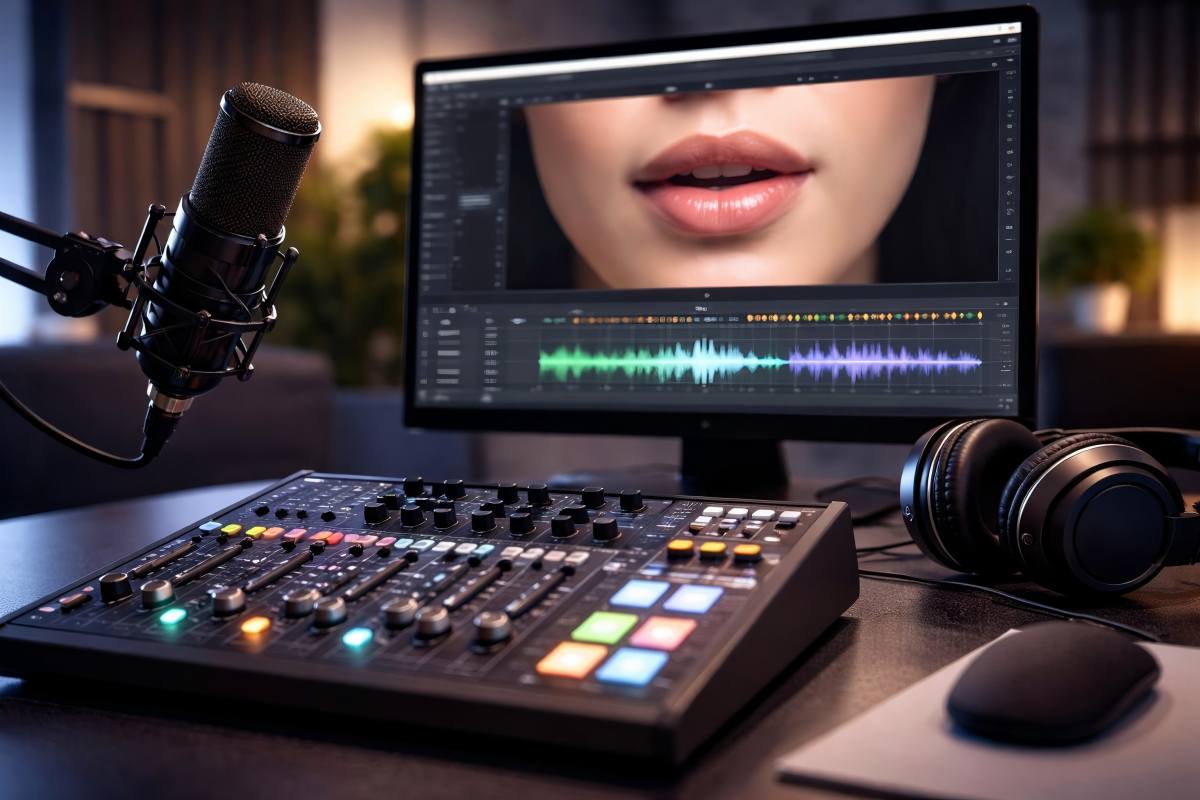
Kling 3.0 generates synchronized audio directly from text prompts in five languages without requiring external audio files. The system coordinates voiceovers, dialogue, sound effects, and ambient audio with visual content in a single generation pass.
Native Audio Generation
You can create complete audio tracks from text prompts alone. Kling 3.0 supports English, Chinese, Japanese, Korean, and Spanish with multiple dialect options for each language.
The system eliminates the need for separate audio production workflows. When you input a text prompt describing a scene, the model generates matching audio that includes dialogue, environmental sounds, and atmospheric elements simultaneously with the video.
Key advantages of native audio:
- No external audio files required
- Language-specific pronunciation and intonation
- Automatic synchronization with video timing
- Single-pass generation reduces production time
This approach differs from competitors like Seedance 2.0, which requires you to provide separate audio files as input before synchronization can occur.
Multilingual Lip-Sync Technology
The lip-sync system analyzes phonemes and matches mouth movements to spoken words across all five supported languages. Your characters maintain natural facial dynamics while speaking, with jaw movement, tongue position, and lip shape adjusting to match the audio output.
Testing shows consistent accuracy across languages. Spanish-language prompts produce lip movements that align with Spanish phonetics rather than defaulting to English mouth shapes.
The same precision applies to Asian languages with different phoneme structures.
Lip-sync features include:
- Phoneme-accurate mouth movements
- Natural facial muscle dynamics
- Cross-shot character consistency
- Multi-character dialogue support
You can animate multiple characters speaking simultaneously using external tools like Dzine, which integrates with Kling 3.0 for multi-track audio control.
Sound Effects and Ambient Audio
Kling 3.0 generates environmental audio that matches your scene context. A rain-soaked street produces water splashing sounds, traffic noise, and atmospheric rumble without additional prompting.
The system layers sound effects appropriately. Footsteps sync to character movement.
Objects interact with acoustically appropriate sounds. Background ambience fills the audio space without overwhelming dialogue.
You get complete audio-visual synchronization in each generation. The model coordinates timing between visual events and their corresponding sounds.
This unified approach means you spend less time in post-production audio editing and matching.
Consistency and Character Integrity

Kling 3.0 delivers advanced systems that keep your characters visually stable across multiple shots and camera angles. The platform combines cross-shot tracking with its Omni consistency engine to maintain character identity throughout complex video sequences.
Character Consistency Across Shots
Kling 3.0 solves one of AI video's biggest challenges: keeping characters recognizable as they move through different scenes. The system tracks facial features, clothing details, and body proportions automatically as your character transitions between camera angles.
You can generate multi-shot sequences with up to 6 different camera positions while maintaining the same character appearance. The technology works by analyzing reference points across frames and applying correction algorithms that prevent visual drift.
Key consistency features include:
- Face and body tracking across different lighting conditions
- Clothing and accessory preservation between cuts
- Multi-character coreference for scenes with multiple people
- Angle-independent recognition that maintains identity from all viewpoints
The system handles complex scenarios like shot-reverse-shot dialogue where characters appear from multiple perspectives. You won't see the common AI problem where a character's face or outfit changes between cuts.
Omni Consistency Engine
The Omni consistency engine forms the technical foundation of Kling 3.0's character integrity system. This framework uses unified model training to maintain element consistency across different visual styles and scene types.
You can apply the engine to maintain consistency for objects, environments, and characters simultaneously. The system operates during generation rather than as a post-process filter.
The engine supports multi-shot storyboarding workflows where you define character references once and reuse them across an entire sequence. You upload a reference image or describe your character in the first shot, and the system automatically applies those characteristics to subsequent scenes.
This approach works with both text-to-video and image-to-video workflows. You maintain creative control while the engine handles the technical challenge of keeping visual elements stable across time and camera movement.
How to Use Kling 3.0

Kling 3.0 AI video generator operates through a scene-based workflow where you define individual shots before generation begins. The platform requires you to structure prompts with camera angles first, then subject details, followed by specific actions and environmental elements.
Prompt Creation and Scene Setup
Your prompt structure determines output quality in Kling 3.0 AI. Start each prompt with the camera angle, then describe your subject, and finish with the action sequence.
For example: "Medium shot of a woman in a red coat as she turns toward the camera with a surprised expression." Multi-shot sequences work best when you plan 2-6 scenes that each serve a specific purpose.
Define your beat map before writing prompts:
- Scene 1: Hook or opening visual
- Scene 2-3: Build tension or context
- Scene 4-5: Transformation or key moment
- Scene 6: Resolution or call-to-action frame
Each scene gets its own prompt with clear motion instructions. Write physical actions and material descriptions instead of vague aesthetic terms.
"She walks across wet concrete steps as her coat flaps in the wind" generates better results than "cinematic, dramatic, high-quality." Lock your character details in the first two shots.
Once you establish wardrobe, facial features, and emotional baseline, the Kling 3.0 AI maintains consistency across subsequent scenes. Changing character descriptions mid-sequence creates visual inconsistency.
Mode Selection and Rapid Iteration
Kling 3.0 AI video generator offers text-to-video and image-to-video modes. Choose text-to-video when you need full creative control from scratch.
Select image-to-video when you have a reference frame and want to add motion to it. For image-to-video work, your uploaded image defines the subject.
Your prompt should focus on camera movement and environmental changes rather than redescribing the character. The system already knows what the subject looks like from the reference image.
Duration settings range from 5 to 15 seconds per scene. Use longer durations only when your prompt describes a clear arc with beginning, middle, and end.
A 15-second clip needs progression: "starts walking slowly, then breaks into a run, finally stops at the edge." Rapid iteration happens at the scene level, not the full sequence.
Generate your multi-shot video, then identify which single scene needs improvement. Regenerate only that weak scene instead of restarting the entire project.
Test composition before committing to animation. Generate still frame variants of your key shots to check framing, product visibility, and text placement zones.
Exporting and Integration
Kling 3.0 generates video with native audio based on your motion descriptions. The system creates sound from physical interactions you describe in prompts—footsteps on concrete, fabric movement, environmental atmosphere.
You receive both video and audio in your exported file. Review your sequence twice before export.
Watch once with sound off to check story clarity and visual flow. Watch again with sound on to evaluate pacing and emotional texture.
Export settings depend on your distribution channel. Standard exports work for most platforms, while aspect ratio adjustments happen in post-production tools.
Add text overlays, brand elements, and final color grading after export since Kling 3.0 focuses on motion generation rather than graphic design. For integration with production workflows, you can access Kling 3.0 through the fal.ai API if you need automated generation or batch processing.
This matters for teams running high-volume content operations where manual generation becomes a bottleneck.
Use Cases and Applications
Kling 3.0 serves creators who need structured, multi-shot video generation for commercial projects, narrative content, and branded media. Its multi-shot control and character consistency make it practical for content creators, film teams, and businesses building visual assets at scale.
For Content Creators and Marketers
You can use Kling 3.0 to generate YouTube B-roll, TikTok reels, and Instagram ads without filming. The multi-shot feature lets you define 3-5 distinct camera angles in a single prompt, creating transitions that feel intentional rather than random.
Content creators benefit from:
- Cinematic intros with controlled pacing and camera movement
- Product reels showing close-ups, hero shots, and lifestyle contexts
- Short-form narratives that maintain character consistency across cuts
Marketers running Meta ads can prompt specific product shots with lighting descriptions. You might request a close-up of a wireless charger with blue accent lighting, followed by a phone placement shot, then a final hero composition.
This level of control makes AI video creation viable for brand work. The native audio and lip sync features support AI influencer content.
Virtual characters can deliver scripted dialogue while maintaining facial consistency across multiple shots, which wasn't reliable in earlier AI video tools.
Film and Animation Production
You can use Kling 3.0 for pre-visualization and concept testing before production. Directors and agencies generate storyboard replacements that show exact camera angles, shot compositions, and scene pacing.
The platform handles:
- Action sequences with tracking shots and slow-motion effects
- Fantasy environments combining realism with cinematic lighting
- Game cinematics featuring multiple character interactions
Video generation works best when you specify shot types (wide, medium, close-up), camera movement (pan, track, static), and lighting style. A five-shot game teaser might start with an establishing wide shot of a city, cut to a tracking shot behind a character, then close-ups of weapons and action.
Character consistency across shots makes it useful for animation workflows. You maintain the same protagonist through different angles without manual frame matching.
Education, E-Commerce, and More
Educational content creators use Kling 3.0 for explainer visuals and abstract concept demonstrations. You can generate clean workspace shots mixed with floating data visualizations or subtle motion graphics.
E-commerce applications include:
- Lookbook videos showing fabric movement and outfit details
- Tech product demos with controlled lighting and minimal backgrounds
- Visual storytelling for brand narratives and testimonials
The video editing capabilities through Omni 3 let you modify existing footage. You can change clothing colors, swap backgrounds, or adjust product details using text prompts.
This speeds up iteration cycles when testing different creative directions. Fashion brands generate editorial-style reels with controlled model poses and slow-motion fabric movement.
Tech companies create product launch visuals with professional framing and depth of field effects that match commercial standards.
Kling 3.0 Compared to Other Platforms
Kling 3.0 stands out in the AI video generation space with features like 15-second video length, improved character consistency, and native audio sync. When you compare it to Sora and earlier Kling models, you'll find distinct differences in motion control, output quality, and workflow design.
Kling 3.0 vs. Sora
Kling 3.0 offers longer video outputs at up to 15 seconds compared to Sora's typical limitations. You get native audio generation built directly into your videos, which Sora doesn't provide as a standard feature.
Motion precision differs between the two platforms. Kling 3.0 focuses on visual coherence and semantic control through its multimodal approach.
Sora emphasizes realistic physics and natural movement patterns. Your workflow with Kling 3.0 includes storyboard capabilities and character consistency tools.
These features help you maintain visual continuity across multiple scenes. Sora takes a different approach with fewer built-in consistency controls.
Key Differences:
- Video Length: Kling 3.0 produces 15-second clips; Sora varies by version
- Audio: Kling 3.0 includes native audio sync; Sora requires separate audio
- Resolution: Kling 3.0 supports 4K output
- Character Tracking: Kling 3.0 emphasizes multi-scene consistency
You'll find Kling 3.0 better suited for projects requiring audio-visual sync and extended clips. Sora works well when you prioritize photorealistic physics over production features.
Comparison with Earlier Kling Models
Kling 3.0 represents a major upgrade from previous versions. You now get 15-second video generation instead of the 5-10 second limits in earlier releases.
The new version includes an integrated creative engine. This means you can handle multiple production tasks within one platform instead of switching between tools.
Earlier Kling models required more manual workflow management. Character consistency improved significantly in version 3.0.
You can maintain the same subjects across different frames and scenes with better accuracy. Previous versions struggled with visual coherence in longer sequences.
Major Improvements:
- 4K resolution support (upgraded from 1080p)
- Burst mode for rapid generation
- Enhanced motion control precision
- Built-in audio generation
- Better semantic understanding
Your production time decreases with Kling 3.0's streamlined interface. The platform combines features that previously existed as separate tools in earlier versions.
Frequently Asked Questions
Kling 3.0 introduces native 4K output, enhanced physics simulation, and the Omni One 2.0 architecture for multimodal video creation. The platform offers various pricing tiers and serves content creators, filmmakers, and marketing professionals with improved user interface design.
What are the new features in the latest version of Kling software?
Kling 3.0 brings native 4K video output to your projects. This means you get higher resolution content without upscaling.
The Omni One 2.0 architecture powers the platform's multimodal capabilities. You can now generate videos from text prompts, images, or combine multiple input types in a single workflow.
Enhanced physics simulation improves how objects move and interact in your videos. Water, fabric, and other materials now behave more realistically than in version 2.6.
The platform added integrated audio generation. You can create soundtracks and sound effects that match your video content automatically.
How does Kling's AI technology compare to other AI platforms on the market?
Kling 3.0 uses a unified multimodal AI video engine. This differs from platforms like Sora 2 that may focus on specific input types.
The platform generates videos up to several minutes long. Most competing tools limit you to shorter clips between 5 and 20 seconds.
You get character consistency across multiple scenes with Kling 3.0. This feature helps you maintain the same person or object appearance throughout longer projects.
Other platforms like Seedance and Veo offer different strengths. Seedance focuses on dance and movement, while Veo emphasizes photorealistic output.
Kling 3.0 balances general-purpose video creation with professional-grade features.
What is the pricing structure for Kling's latest software update?
Kling 3.0 offers both free and paid plans. The free tier gives you access to basic features with limited credits.
Pro plans provide additional credits and faster generation times. You receive priority access to new features as they release.
The platform uses a credit system for video generation. Longer videos and higher resolution outputs consume more credits per generation.
You can start using Kling 3.0 without a credit card. This lets you test the platform before committing to a paid subscription.
Which industries benefit most from implementing Kling AI solutions?
Content creators use Kling 3.0 for short-form social media videos. The platform helps you produce TikTok, Instagram Reels, and YouTube Shorts quickly.
Film and media producers leverage the tool for concept development and previsualization. You can test scene ideas before investing in full production.
Game developers and music video directors benefit from the character consistency features. This helps you maintain visual continuity across multiple shots.
Marketing teams use Kling 3.0 to create product demonstrations and advertisements. The 4K output quality meets professional broadcast standards.
Educational trainers generate instructional content with the platform. You can create visual explanations without filming or animation expertise.
What security measures has Kling implemented in its 3.0 update?
The search results do not provide specific information about security measures in Kling 3.0. You should contact Kuaishou directly for details about data protection and privacy features.
Commercial use rights are available for videos you generate. This means you can use your Kling 3.0 output in professional projects and monetized content.
How user-friendly is the new Kling interface for non-technical users?
Kling 3.0 uses a chat-based interface for video creation. You describe what you want in plain language instead of learning complex software controls.
The platform handles technical details like rendering and frame composition automatically. You focus on creative decisions rather than technical settings.
You can generate videos without prior video editing experience. The AI interprets your text prompts and creates visual content based on your descriptions.
The system provides presets and templates for common video types. This speeds up your workflow when creating similar content.