Understanding AI Image Generators for Specific Sizes
AI image generators can now create images at exact pixel dimensions, not just preset aspect ratios. This gives you control over width and height measurements, which helps when you need images that match specific platform requirements or design specifications.
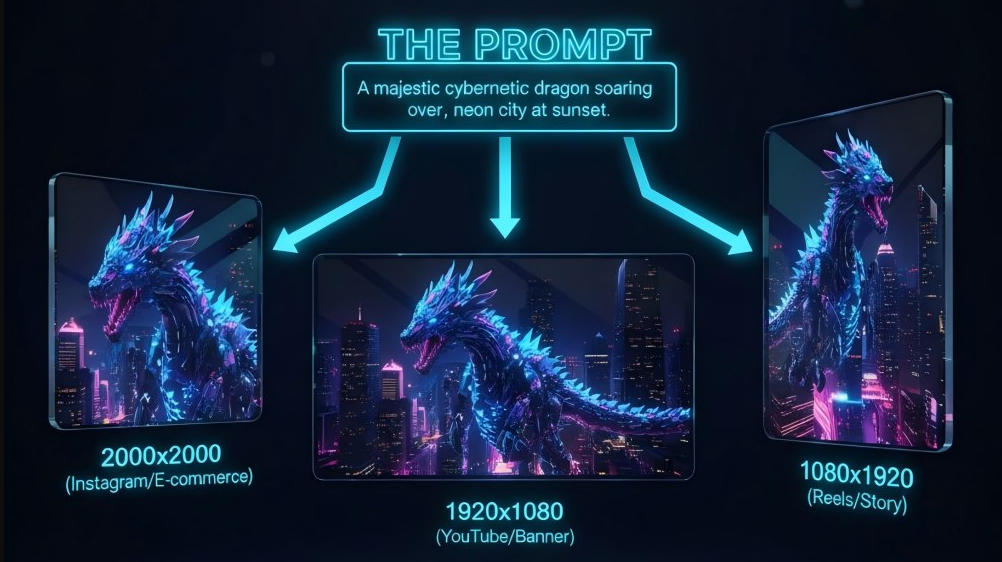
How AI Image Generators Create Images at Exact Dimensions
When you generate AI images with specific size requirements, the AI model builds the image directly to your chosen dimensions. You input both the width and height in pixels, and the generator creates the composition within that exact frame.
Traditional image generators work by creating images at standard aspect ratios, then forcing you to crop or resize afterward. Tools designed for exact dimensions skip this step entirely. The AI composes the scene to fit your specified canvas from the start.
The process works within resolution limits set by each platform. Some generators support sizes up to 3000x3000 pixels, while others go up to 4096x4096 pixels. You can create any custom size within these maximum limits.
This approach prevents composition loss. When you crop an image after generation, you might lose important parts of the scene. Direct generation at your target size keeps your subject properly framed.
Difference Between Aspect Ratio and Specific Pixel Sizes
Aspect ratio describes the proportional relationship between width and height, like 16:9 or 1:1. Specific pixel sizes give you exact measurements in pixels, like 1920x1080 or 2000x2000.
Most AI image generators only offer aspect ratio options. You might select 16:9, but the actual output could be 1920x1080, 1280x720, or any other size with the same ratio. This means you still need to resize the image to meet your exact requirements.
Here's how they compare:
| Aspect Ratio | Specific Pixel Size |
|---|---|
| Proportional relationship (4:3, 16:9) | Exact dimensions (1200x628, 1080x1920) |
| Requires cropping or resizing | Ready to use immediately |
| Generic output sizes | Platform-specific output |
| May need adjustment | Matches requirements exactly |
When you need a 1200x628 image for a Google Ad, an aspect ratio of roughly 1.91:1 won't guarantee that exact size. You'll get an image that needs resizing, which can reduce quality or distort the composition.
Benefits of Using AI Image Generators for Precise Sizing
You save time by eliminating post-processing steps. When you create images at exact dimensions, you skip cropping, resizing, and quality checks. The image downloads ready for upload to your chosen platform.
Your images meet platform requirements immediately. E-commerce sites often require product images at 2000x2000 pixels minimum. Social media platforms specify exact banner sizes. YouTube thumbnails need 1280x720 pixels for optimal display. Direct generation at these sizes ensures compliance.
You maintain better image quality. Every resize operation can introduce blur or artifacts. Creating images at your target size from the start preserves the original quality the AI generates.
Your composition stays intact. The AI knows your frame size and composes accordingly. Your main subject won't get cut off during cropping. Background elements position themselves appropriately for your specific dimensions.
You can batch create multiple sizes efficiently. When you need the same image concept across different platforms, you generate each size separately with the correct dimensions. This works better than creating one large image and manually resizing it multiple times.
Step-by-Step Guide to Generating AI Images in Custom Sizes
Creating AI images in specific dimensions requires careful attention to your prompt, style choices, and technical settings. Text to image AI tools work best when you provide clear instructions and select the right resolution settings from the start.
Entering Your Prompt and Setting Image Dimensions
Your prompt tells the text to image AI what you want to create. Write clear descriptions that include the subject, setting, and important details. For example, "a red sports car on a mountain road at sunset" works better than just "car."
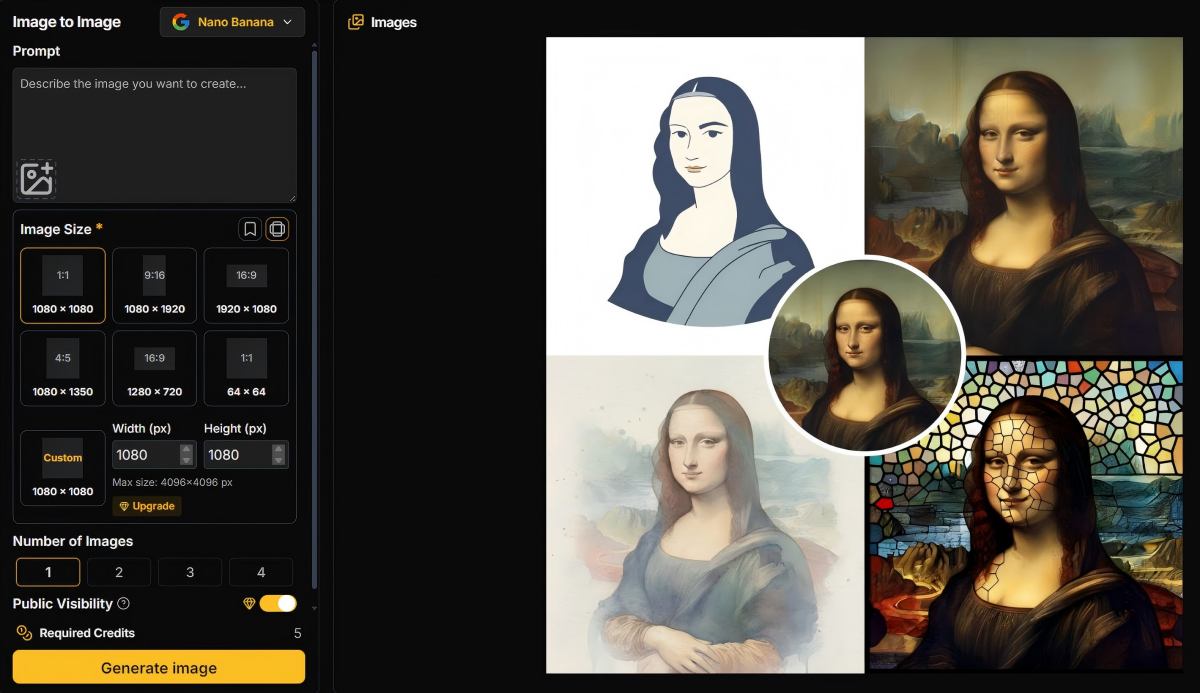
After you enter your prompt, set your exact dimensions before generating. Most AI image generators let you choose from preset ratios like 16:9 or 1:1. Some tools let you type exact pixel dimensions like 1920x1080 or 2000x2000.
Check if your generator uses aspect ratios or exact pixels. Tools that only offer ratios will force you to crop later. Tools with exact pixel control let you specify dimensions up to their maximum limit, often around 4096x4096 pixels.
Choosing the Right Artistic Style and Composition
Artistic styles change how your image looks. Common options include photorealistic, oil painting, watercolor, digital art, and 3D render. Pick a style that matches your project needs.
Your composition determines where elements appear in the frame. Include composition details in your prompt like "centered subject" or "rule of thirds." Think about what needs to fit in your specific dimensions.
Wide dimensions like 1920x1080 work well for landscapes and banners. Square sizes like 1000x1000 fit e-commerce product photos. Tall dimensions like 1080x1920 suit phone screens and social media stories.
Maintaining High-Quality and High-Resolution Output
High-resolution images contain more pixels and show clearer details. Generate images at your target size instead of upscaling later. This prevents blurry edges and quality loss.
Most text to image generators produce high-quality images at their maximum resolution settings. Check your tool's limits before starting. Higher resolutions use more processing power and may cost more credits.
Download your images in their original format without compression. PNG files keep full quality while JPG files may reduce file size but lose some detail. Save your high-quality images before making any edits or adjustments.
Popular Tools and Platforms for Specifying Image Size
Several AI tools now let you set exact image dimensions or adjust sizes after generation. PixExact focuses on pixel-perfect generation, Google's Imagen models deliver high-resolution output, and AI image resizers help you adjust existing images to meet specific size requirements.
PixExact: Pixel-Perfect AI Image Generation
PixExact stands out as a specialized tool built specifically for generating AI images at exact pixel dimensions. You can specify precise width and height measurements up to 4096x4096 pixels instead of settling for standard aspect ratios.
The platform eliminates the need for post-generation cropping or resizing. When you enter dimensions like 1920x1080 or 2000x2000, PixExact composes the entire image to fit your exact canvas from the start. This means your subject stays centered and nothing gets cut off at the edges.
You can use PixExact for various professional needs:
- Website and ad banners at sizes like 1200x628 for Google Ads
- YouTube thumbnails at the recommended 1280x720 resolution
- E-commerce product images at marketplace requirements like 2000x2000
- Game assets and UI elements at power-of-two dimensions like 512x512 or 1024x1024
The service offers three paid tiers with yearly credits. The Basic plan supports up to 3000x3000 resolution, while the Master plan unlocks the full 4096x4096 maximum. All plans include commercial licensing and no watermarks on downloads.
Using an AI Image Resizer to Adjust Existing Images
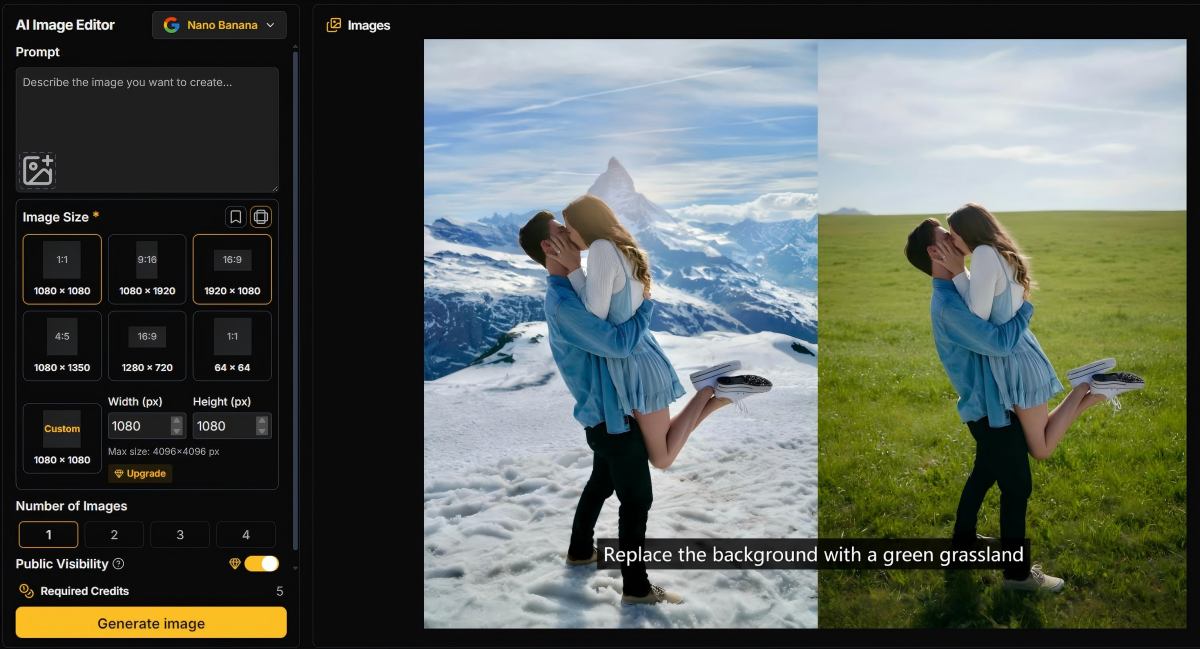
An AI image resizer helps you change dimensions of images you already have without losing quality. These tools use AI algorithms to intelligently add or remove pixels while preserving important details and avoiding distortion.
Most AI image resizers work simply: you upload your image, specify your target dimensions, and the AI processes the resize. The technology detects key elements in your image and protects them during the resizing process.
Popular options include Pixlr's AI Image Resizer and Adobe Express's AI resize tool. These platforms let you resize images for different social media platforms or project requirements. Many offer free versions with no sign-up required, though some have file size limitations.
AI resizing works better than traditional methods because it understands image content. When you enlarge an image, the AI adds detail intelligently rather than just stretching pixels. When you reduce size, it maintains sharpness in important areas.
Use Cases for AI Image Generation with Exact Sizes
AI image generators with exact size specifications solve practical problems across digital platforms. When you need images that match strict platform requirements, generating at precise dimensions saves time and maintains visual quality.
Creating Product Images for E-Commerce Platforms
E-commerce platforms require specific image dimensions for optimal display. Amazon recommends 2000x2000 pixels for main product images to enable zoom functionality and maintain listing quality. Other marketplaces like eBay and Etsy have minimum requirements of 1000x1000 pixels.
When you generate product images at exact dimensions, you avoid quality loss from resizing. Platforms compress images during upload, so starting with the correct size maintains sharpness. You can create consistent product catalogs without manual editing.
Common e-commerce image sizes:
- Amazon main images: 2000x2000 px
- Shopify product photos: 2048x2048 px
- Etsy listings: 2000x2000 px minimum
- eBay products: 1600x1600 px recommended
AI generators that support exact dimensions let you produce marketplace-compliant images in one step. You enter your product description, set the required pixels, and export ready-to-upload files with commercial licensing.
Designing Social Media Content and Banners
Social media platforms have strict dimension requirements for posts, stories, and ads. Facebook feed posts display best at 1200x630 pixels, while Instagram posts need 1080x1080 for square format. Getting these dimensions wrong results in cropped images or reduced reach.
You can create platform-specific content without cropping tools. Generate Instagram Stories at 1080x1920, LinkedIn posts at 1200x627, or Twitter headers at 1500x500. Your composition stays intact because the AI builds the scene to fit your frame.
Ad platforms reject images that don't meet specifications. Google Display Ads require sizes like 300x250, 728x90, or 160x600 depending on placement. Generating at exact pixels ensures approval and prevents wasted ad spend on rejected creatives.
Generating App Store Screenshots and Website Assets
App Store Connect requires specific pixel dimensions for screenshots based on device types. iPhone 15 Pro Max needs 1290x2796 pixels, while iPad Pro 12.9-inch requires 2048x2732. Submitting wrong dimensions causes app rejection and delays your release.
You can generate mockups and UI screenshots at exact device specifications. This speeds up the submission process and maintains consistency across different screen sizes. Your assets display correctly in store listings without scaling issues.
Website banners and hero images also benefit from exact dimensions. A full-width desktop banner at 1920x1080 loads faster and looks sharper than a resized image. You generate assets that fit your site's layout without additional editing or compression artifacts.
Best Practices and Tips for AI Image Generation at Specific Sizes
Getting the right size for your AI images requires more than just typing numbers. You need to understand how custom sizes affect quality and learn which settings work best for different projects.
Ensuring Consistency and Visual Quality
Choose dimensions that work well with your image generator's training data. Most AI tools perform best with sizes that are multiples of 64 or 128 pixels, like 512x512, 1024x1024, or 1792x1024. These numbers align with how the AI processes images.
When you request custom sizes, stick to standard aspect ratios. Use 16:9 for wide images, 4:3 for traditional formats, or 1:1 for squares. These ratios help the AI create better compositions than unusual dimensions like 1000x847 pixels.
Test your settings before creating multiple images. Generate one image at your chosen size and check if objects look stretched or cropped incorrectly. If the quality drops, try adjusting to a nearby standard size.
Keep your resolution high enough for your final use. Social media posts need at least 1080 pixels on the shortest side. Print projects require even larger sizes, often 2400 pixels or more for high-quality images.
Avoiding Common Pitfalls When Setting Sizes
Don't request extremely large sizes right away. Many image generators cap output at 2048 pixels or require extra processing time for bigger images. Start with standard sizes and upscale later if needed.
Avoid weird aspect ratios that don't match real-world formats. A size like 873x1247 pixels will confuse the AI and create distorted results. Your subjects might appear warped or the composition could feel unbalanced.
Watch your file format when working with custom sizes. JPEG works well for photos but can lose quality at smaller sizes. PNG preserves details better but creates larger files that take longer to generate.
Never ignore your platform's requirements. Instagram crops images differently than YouTube or print materials. Check what size your final destination needs before you generate anything.