

More Tools
Explore more AI-powered tools to supercharge your creative workflow.


GPT Image 2.6 Online: Flare and Sunburst

GPT Image 2.6 is OpenAI's newest image model. It comes in two versions: Flare, the faster everyday model, and Sunburst, the larger model built for fine detail and careful edits.
On PixExact you can use both right in your browser, with no API key or setup. Type a prompt or upload a photo, enter the width and height you need, and download the image at exactly that size, from a 1080×1350 Instagram post to a 3840×2160 4K wallpaper.
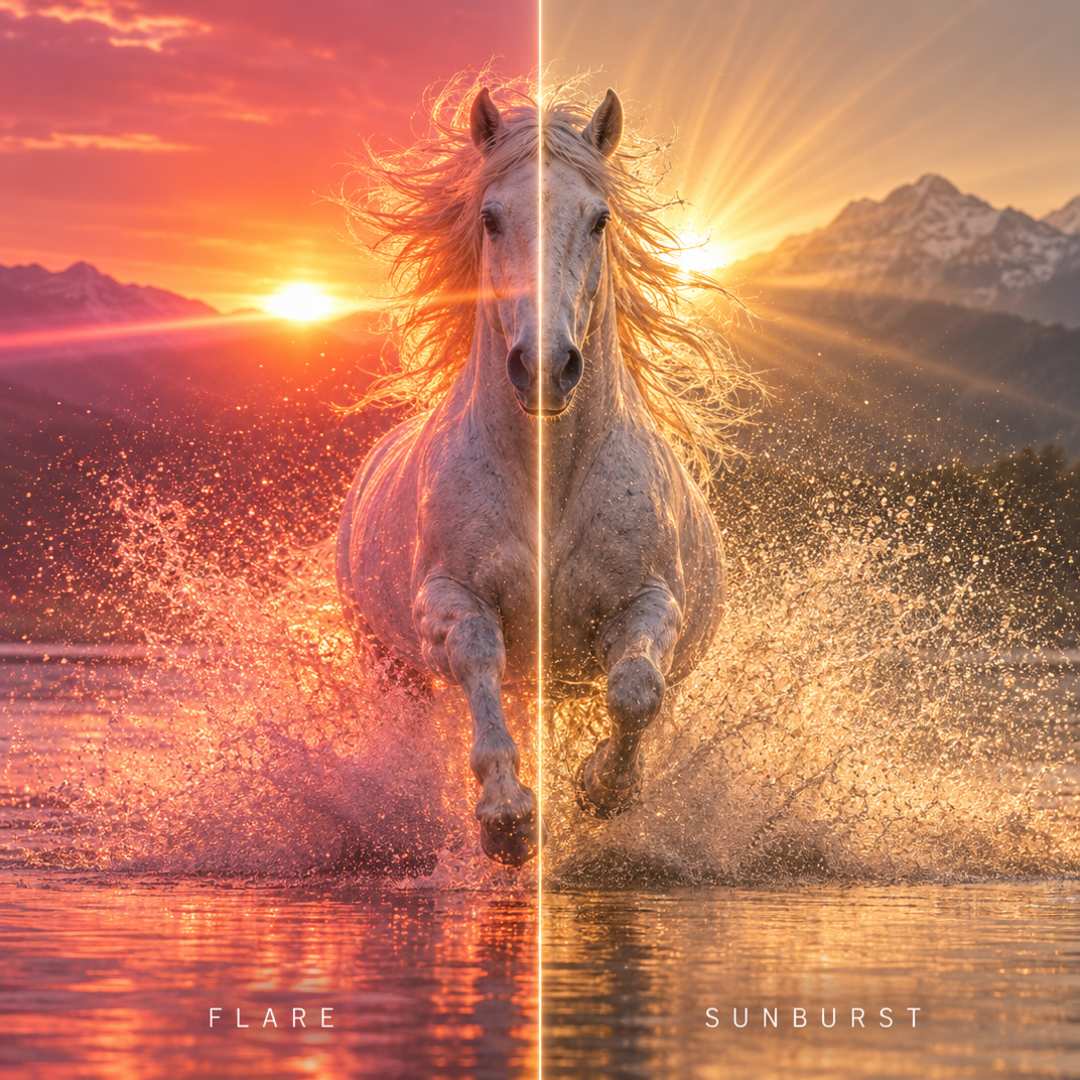
Flare vs Sunburst: Which GPT Image 2.6 Should You Use?
Both versions understand the same prompts and support the same sizes. The real choice is speed versus detail. We ran identical prompts through both on PixExact, and this is what we found.
| What matters to you | GPT Image 2.6 Flare | GPT Image 2.6 Sunburst |
|---|---|---|
| Speed | Noticeably faster, great when you want results quickly | Takes longer, because it spends more time on detail |
| Detail | Clean, realistic images that look great at normal viewing size | Richer texture and small detail that holds up when viewed large or cropped |
| Photo editing | Keeps faces and outfits well in a one-step edit | Stays steadier when you edit the same image several times |
| Best for | Trying ideas, social posts, quick variations | Final assets, product shots, posters, prints and client work |
| Price on PixExact | 8 credits per image | 8 credits per image |
Not sure? Start with Flare to try ideas and wording, then switch to Sunburst for the final image.
What You Can Make with GPT Image 2.6
Real jobs people use GPT Image 2.6 for, each delivered at the exact size you need.
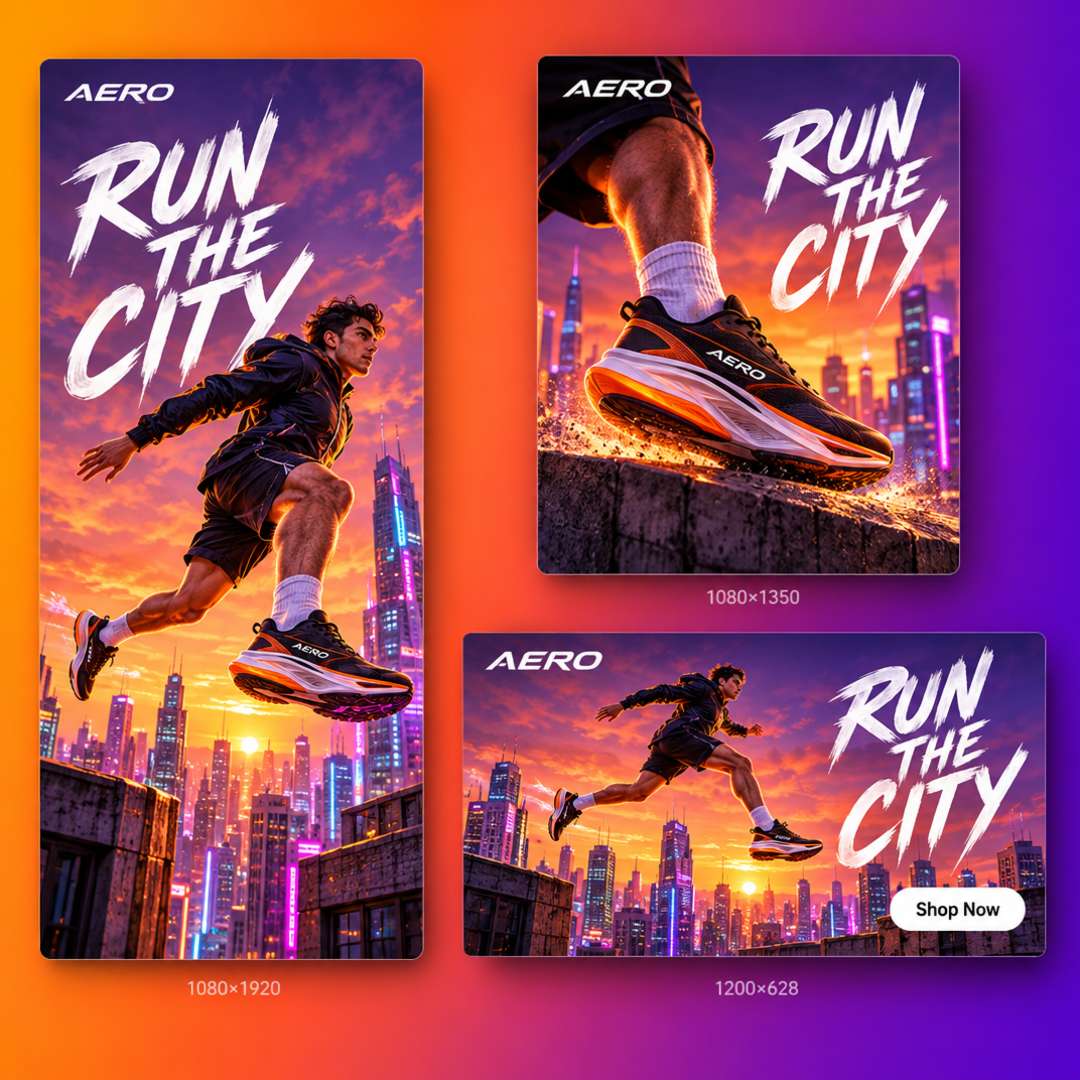
Social Posts and Ads in Every Platform Size
Every platform wants a different size: 1080×1350 for an Instagram post, 1080×1920 for Stories and Reels, 1200×628 for a link ad. On PixExact you just type the size, and the download fits the slot, so you don't have to crop or resize it in another app. Use Flare to test several concepts fast, then polish the winner.
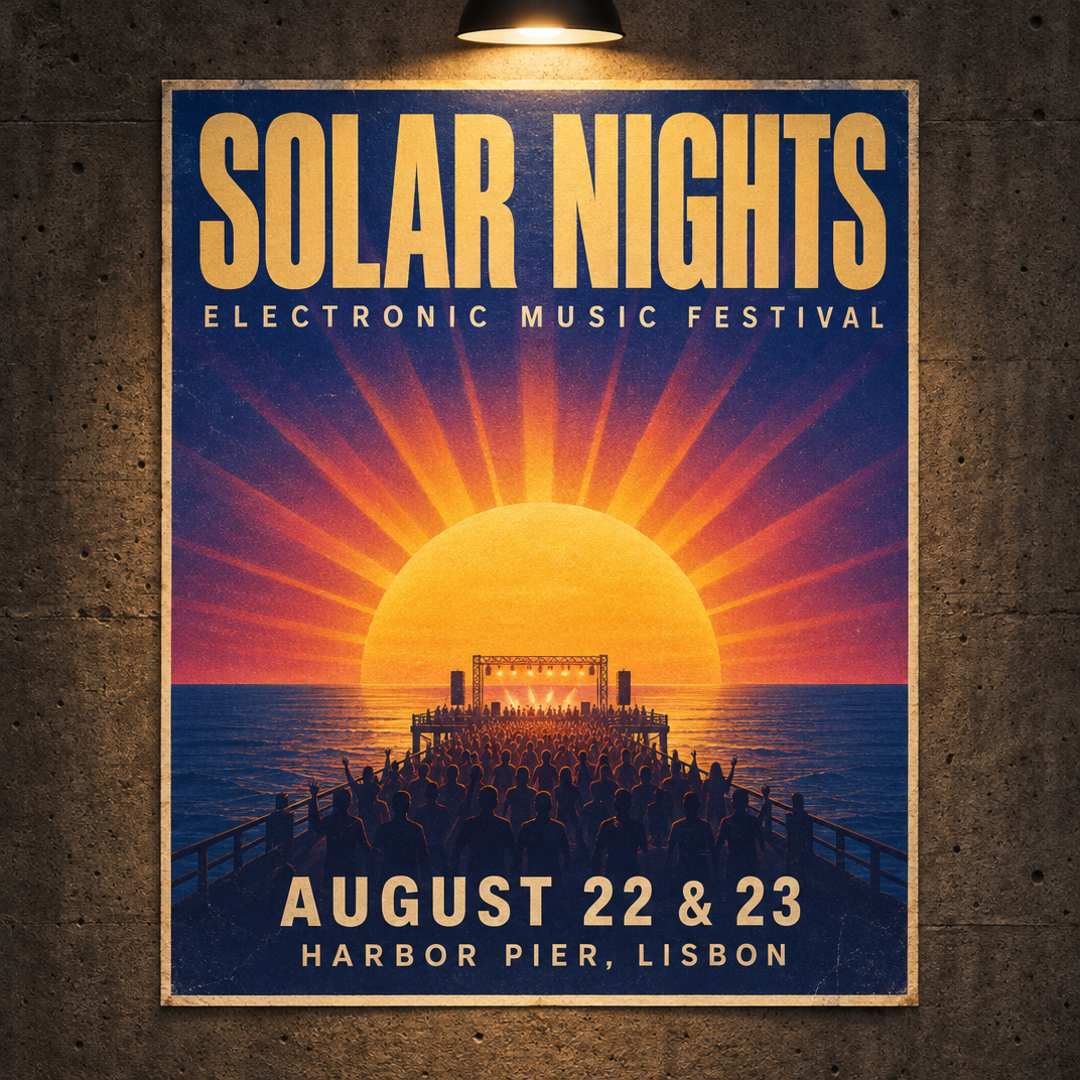
Posters, Thumbnails and Flyers with Readable Text
GPT Image 2.6 plans the layout before it draws, which helps with headlines, signs and labels. Put the exact words in quotes and keep them short: in our tests both Flare and Sunburst spelled a chalkboard sign reading "FRESH BREW DAILY" correctly on the first try. Long paragraphs and very small print can still slip, so give the text a quick read before you publish.
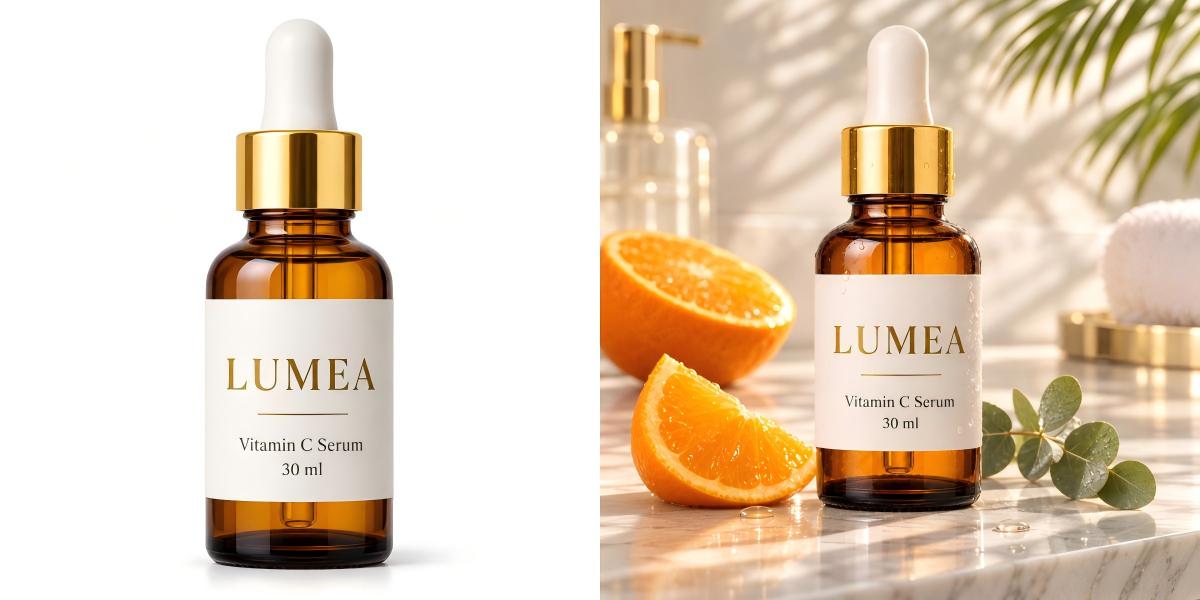
Product Photos Without a Photoshoot
Upload a product photo and describe the scene you want: a marble countertop, a summer picnic, a clean studio backdrop. Ask GPT Image 2.6 to keep the product, label and colors unchanged, and use Sunburst when fine details like packaging text and materials matter. Then export at the size your store needs, such as a 2000×2000 square for marketplace listings or a wide banner for your homepage.
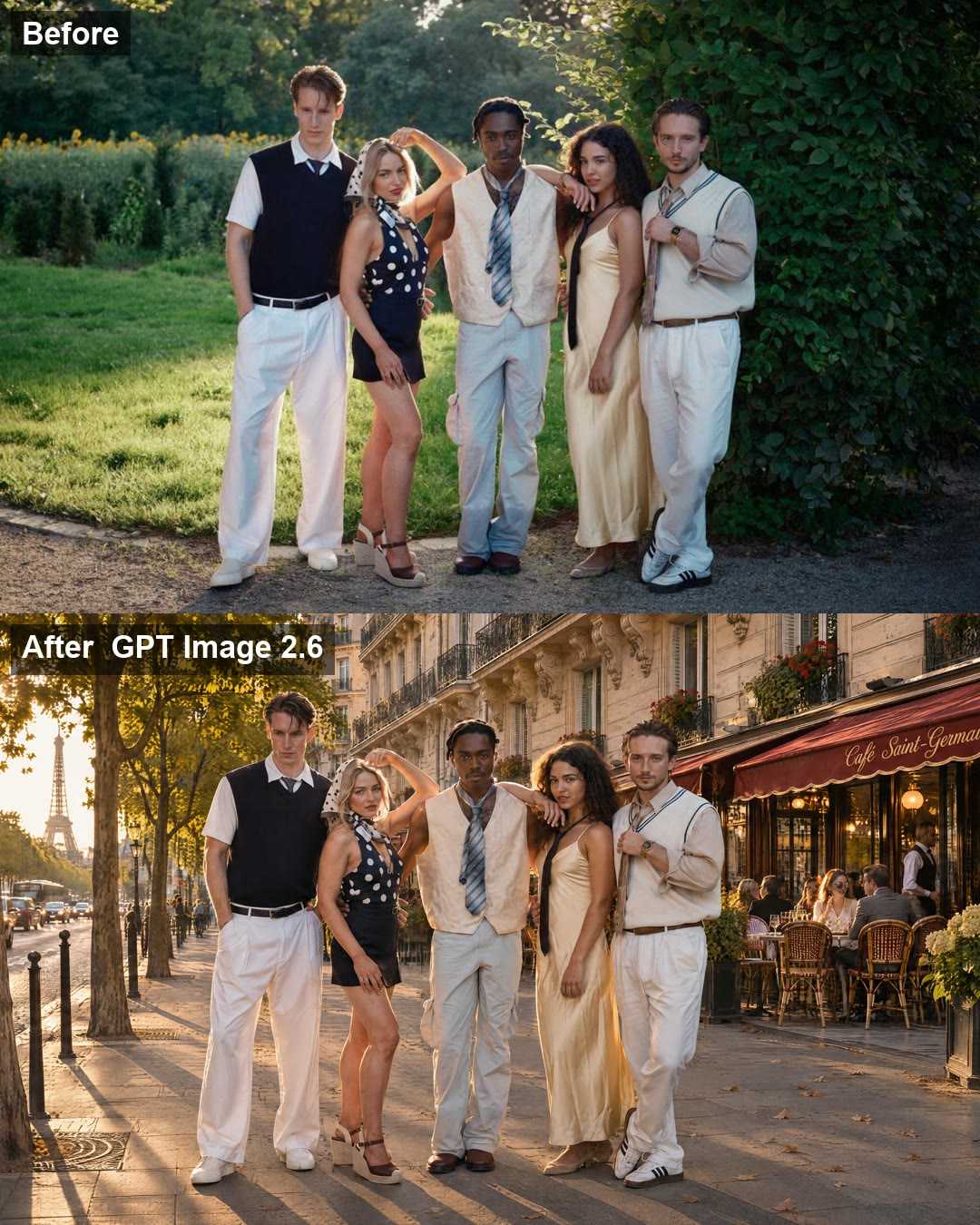
Edit Photos and Keep the People the Same
Change the background, the season or the setting while the people stay recognizable. In our test we gave GPT Image 2.6 a photo of five friends and asked for a Paris street at golden hour. Faces, hairstyles, poses, outfits and even shoes stayed the same. Tell the model what to change and what to keep, and use Sunburst if you plan to edit the same image several times.
What GPT Image 2.6 Does Well
The strengths you'll notice in everyday work.
Fast Drafts with Flare
Flare is built for speed, so you can try several ideas quickly and save Sunburst for the version you'll actually use.
Plans the Layout First
Before rendering, the model works out where everything goes. That helps with busy scenes, multi-part compositions and designs with several pieces of text.
Edits That Keep What Matters
GPT Image 2.6 changes what you ask for and leaves the subject, composition and background alone. Sunburst keeps people and products recognizable even across several rounds of edits.
Two Levels of Detail
Choose Flare when you need speed, or Sunburst when the image will be printed, viewed full screen or cropped. Both render sharp output up to 3840 px.
Tips for Better GPT Image 2.6 Results
What we learned testing GPT Image 2.6.
Put On-Image Text in Quotes
Write the exact words in quotes and keep them short. Small print, long paragraphs and logos can still come out wrong, so check the text before you publish.
Say What to Keep
When editing, list what must not change: faces, outfits, the product label. Edits can occasionally touch areas you didn't mention, and naming them helps.
Keep the Prompt Focused
Too many elements can make the image feel crowded. Describe the subject, setting, lighting and style first, then add details in a follow-up edit.
Draft with Flare, Finish with Sunburst
Use Flare to try out ideas and wording quickly. Once your prompt works, switch to Sunburst to create the final image with extra detail.
How to Use GPT Image 2.6 on PixExact
Three steps from idea to a ready-to-use image. No API key, no setup, no design skills needed.
Choose Flare or Sunburst
Open the model menu in the generator and pick GPT Image 2.6 Flare for speed or GPT Image 2.6 Sunburst for detail.
Write a Prompt or Upload a Photo
Describe the image you want, or upload a photo and explain what to change and what to keep the same.
Enter Your Size and Generate
Pick a preset or type any width and height, then generate. Your image downloads at exactly that size, ready to post, print or send.
GPT Image 2.6 FAQ
What is GPT Image 2.6?
GPT Image 2.6 is OpenAI's latest image model. It creates images from text prompts and edits existing photos, and it comes in two versions: Flare, which is faster, and Sunburst, which adds more detail and steadier edits. On PixExact you can use both in your browser.
Flare or Sunburst: which one should I choose?
Choose Flare when speed matters: drafts, social posts and quick variations. Choose Sunburst for final images that will be viewed large, printed or edited several times. It takes longer per image, but adds more fine detail. On PixExact, Flare costs 8 credits and Sunburst costs 8 credits per image.
What's new compared with GPT Image 2.5 and GPT Image 2?
Compared with GPT Image 2.5, version 2.6 is faster, plans complex layouts before it draws, and keeps subjects steadier across repeated edits. Compared with GPT Image 2, you also get the choice between Flare and Sunburst, so you can trade speed for detail.
Can I use GPT Image 2.6 for free?
Yes, you can try it for free. New PixExact users get free credits on sign-up, with no credit card required. After that, each image costs 8 credits with Flare or 8 credits with Sunburst. No API key or extra subscription needed.
Can I get GPT Image 2.6 images at an exact size like 1920×1080 or 4K?
Yes. Type the width and height you need, such as 1920×1080 for a YouTube video, 1080×1350 for an Instagram post or 3840×2160 for 4K, and the image you download matches that size. You can also pick a preset for common platforms instead of typing numbers.
How does PixExact get GPT Image 2.6 images to my exact size?
Every image is generated by GPT Image 2.6, using the Flare or Sunburst version you choose. PixExact then fits the finished image to the exact width and height you entered, so it's ready to use without cropping or resizing it yourself. The scene, style and detail come from GPT Image 2.6.
Can I edit a photo without changing the people in it?
Yes. Upload your photo, describe the change, and say what should stay the same, for example faces, hair, outfits and poses. In our test GPT Image 2.6 moved a group of five people onto a Paris street and kept every face and outfit intact. If you plan several rounds of edits on the same image, Sunburst stays the most consistent. Edits can occasionally change a detail you didn't mention, so check the result and run it again if needed.
How accurate is the text in GPT Image 2.6 images?
Short headlines, signs and labels usually come out right. In our tests both Flare and Sunburst spelled the sign text correctly on the first try. Very small print, long paragraphs and dense menus can still contain mistakes, so proofread before you publish or print.
How long does GPT Image 2.6 take to generate an image?
Flare is the quicker option, and Sunburst takes longer because it spends more time on detail. The exact time depends on the image size, how complex your prompt is and how busy the service is.
Can I use GPT Image 2.6 images for commercial projects?
Yes. Images you create on PixExact can be used commercially, including ads, product listings, client work and print, subject to our Terms of Service.
Is GPT Image 2.6 available through an API?
Yes, developers can access GPT Image 2.6 through OpenAI's API. If you just want to create images, PixExact lets you use both versions in your browser without writing code or managing an API key.
Make Your Next Image with GPT Image 2.6
Sign up for free credits, pick Flare or Sunburst, and get images and photo edits at the exact size you need.