






AI Pixel Tileset Generator
Generate seamless pixel art tiles, sprites, and map objects with AI. Describe your terrain or asset, pick a style, and download a PNG tile ready for your game.

How to Generate Pixel Art Tilesets
Describe Your Tile
Type a text prompt describing the tile texture or sprite you need — "mossy stone floor", "oak tree stump", "wooden crate".
Choose Tile Style and Size
Select Single Tile, Tile Object, or Scene Object mode, then set the pixel size that fits your game's tile grid.
Download Your Tileset
Generate, preview, and export your PNG tile. Import it into Godot, Unity, or your sprite sheet editor and start building maps.
Why Use Our AI Pixel Tileset Generator?
AI-driven tile generation that fits your workflow — from a single seamless texture to a full set of game-ready sprites.
AI Pixel Art Generation, Instantly
Describe your tile in plain text and let the AI generate a polished pixel art texture instantly. No drawing skills or software required.
Three Tile Generation Modes
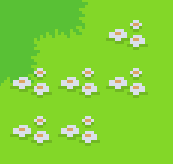
Choose from Single Tile for surface textures, Tile Object for small decorative sprites, or Scene Object for larger map elements — each tuned to the right size range.
Seamless Tile Textures by Design
Every tile is generated to repeat cleanly edge-to-edge. Drop tiles into your tilemap and they connect automatically, with no visible borders or mismatched transitions.
Export & Download PNG in One Click
Download your pixel art tile as a PNG at the exact pixel size you need. Import directly into Godot, Unity, or any sprite editor without extra conversion.
Pixel Art Tilesets for Every Game Map
From top-down maps to isometric terrain, generate every type of pixel art tile and sprite your game needs.
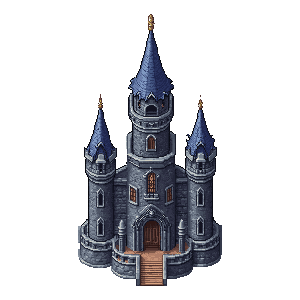
Scene Objects and Background Sprites
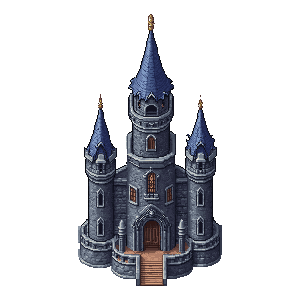
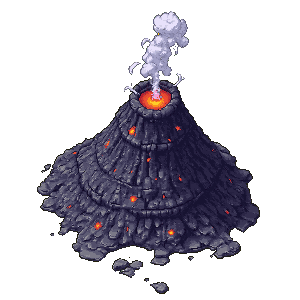
Generate larger scene assets like trees, rock formations, buildings, and background props. Scene objects go up to 384×384, giving you detailed pixel art that anchors your game map visually.

Top-Down Game Maps and Tilemaps
Generate grass, dirt, stone, water, and sand tile textures for overhead 2D maps. Build a full tilemap in Godot 4 or Unity by tiling the sprites together — the seamless edges handle transitions automatically.

Sprites and Tile Objects
Create small decorative sprites — barrels, crates, bushes, flowers, signs — sized to fit your tile grid. Tile objects drop straight onto map layers without resizing or editing.
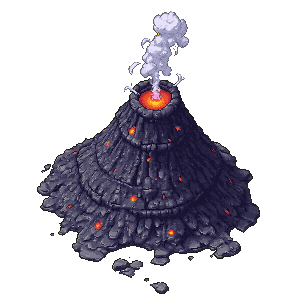
Terrain Textures for Any Game Engine
Whether you are making a retro dungeon crawler, a top-down RPG, or an isometric strategy game, the AI produces terrain textures that match your art style. Generate multiple tile variations to build a consistent tile library.
Frequently Asked Questions
Is the AI pixel tileset generator free to use?
New accounts receive free credits to try the tool. Additional credits can be purchased as needed. No software download required — the generator runs entirely in the browser.
What tile styles can I generate?
Three modes are available. Single Tile generates detailed surface textures (16×16 to 64×64) for tiling across a map. Tile Object creates small sprites for map decoration (up to 96×96). Scene Object produces larger background elements (64×64 to 384×384).
Can I use the generated tilesets in commercial games?
Yes. Tiles and sprites you generate are yours to use in commercial projects — indie games, asset packs, game jams, or client work.
What size should I use for my tiles?
For Single Tile textures, 16×16 and 32×32 are the most common grid sizes used in retro games. Tile Objects work well at 32×32 or 64×64. Scene Objects support up to 384×384 for detailed background sprites.
Which game engines support these tiles?
PNG tiles import cleanly into Godot 4, Godot 3, Unity, Defold, and any editor that accepts PNG files. Godot's built-in tilemap editor and Unity's 2D Tilemap system work directly with the tile sizes this generator produces.
How does the AI make tiles seamless?
The underlying AI model uses a Wang tile algorithm — a mathematical approach named after mathematician Hao Wang — that matches edge colors across adjacent tiles. The result is that sprites tile together automatically in your game map without manual adjustment.
Can I create tile variations from an existing tile?
Yes. The Tile Variation mode lets you upload one of your previously generated tiles and produce texture variations that share the same palette and style, making it easy to build a consistent set of sprite tiles.
More Tools
Explore more AI-powered tools to supercharge your creative workflow.


Ready to Build Your Pixel Art Game Map?
Generate seamless tiles, sprites, and scene objects with AI — download as PNG and import directly into Godot, Unity, or your favorite map editor.