AI Poster Ideas for Events: 10 Ready-to-Use Designs from Concerts to Conferences (2026)
Planning an event is hard enough without spending hours on poster design. Whether you are promoting a music show, a professional conference, a church gathering, or a school fundraiser, the poster is often the first thing potential attendees see — and it needs to look good enough to stop them scrolling or walking past.
With an AI poster generator, you skip the template browsing and manual editing entirely. Describe your event in plain language, choose a size, and download a unique, high-resolution poster in seconds.
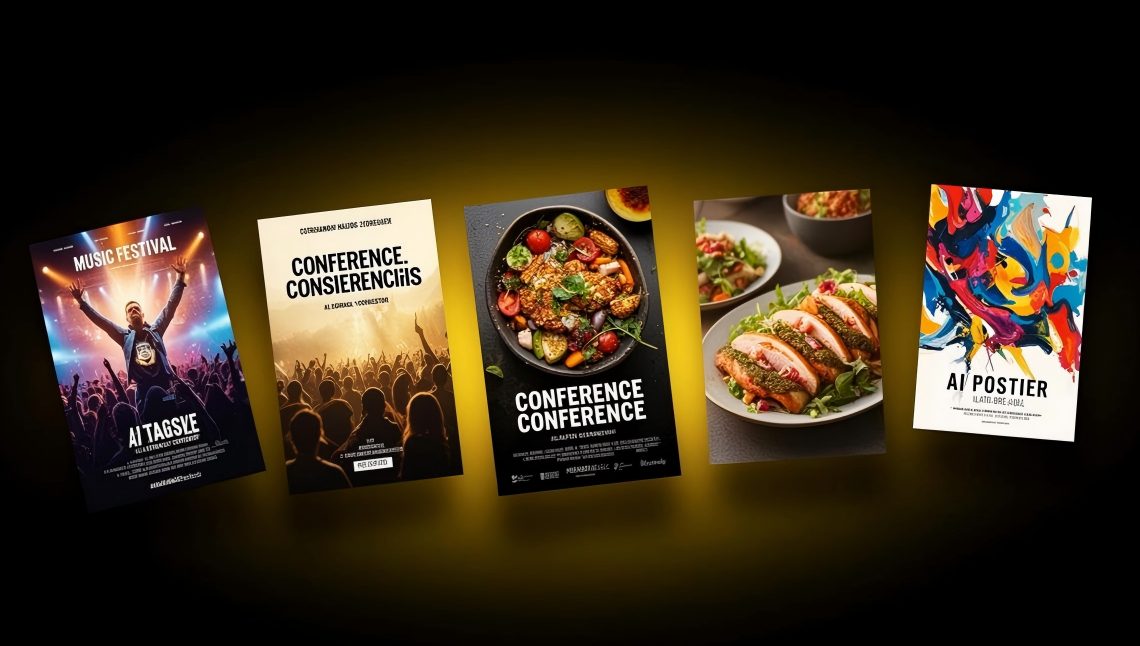
This article gives you 10 event poster ideas — each with a ready-to-use AI prompt you can copy and paste directly into the PixExact AI Poster Generator. Every prompt follows the four-part framework (Purpose, Content, Style, Colors) and includes a recommended size preset.
Quick Reference: 10 Event Poster Ideas at a Glance
| # | Event Type | Best For | Recommended Size Preset |
|---|---|---|---|
| 1 | Music Concert / Live Show | Bands, DJs, venues, festivals | 2:3 (1664 x 2496 px) |
| 2 | Professional Conference | Industry summits, tech conferences | 2:3 or 3:4 (3072 x 4096 px) |
| 3 | Workshop / Class | Training sessions, creative workshops | 9:16 (1080 x 1920 px) |
| 4 | Church Service or Event | Easter, Christmas, community outreach | 2:3 (1664 x 2496 px) |
| 5 | School Event | Science fairs, talent shows, graduation | 2:3 (1664 x 2496 px) |
| 6 | Charity Fundraiser | Galas, runs, auctions, donation drives | 2:3 or 3:4 |
| 7 | Holiday Celebration | New Year, Halloween, Independence Day | 9:16 for social, 2:3 for print |
| 8 | Food and Drink Event | Food festivals, wine tastings, cook-offs | 2:3 (1664 x 2496 px) |
| 9 | Sports Event | Tournaments, races, game nights | 2:3 or 3:4 |
| 10 | Art Exhibition / Gallery Show | Gallery openings, art walks, photo exhibits | 3:4 (3072 x 4096 px) |
How to Use These Prompts
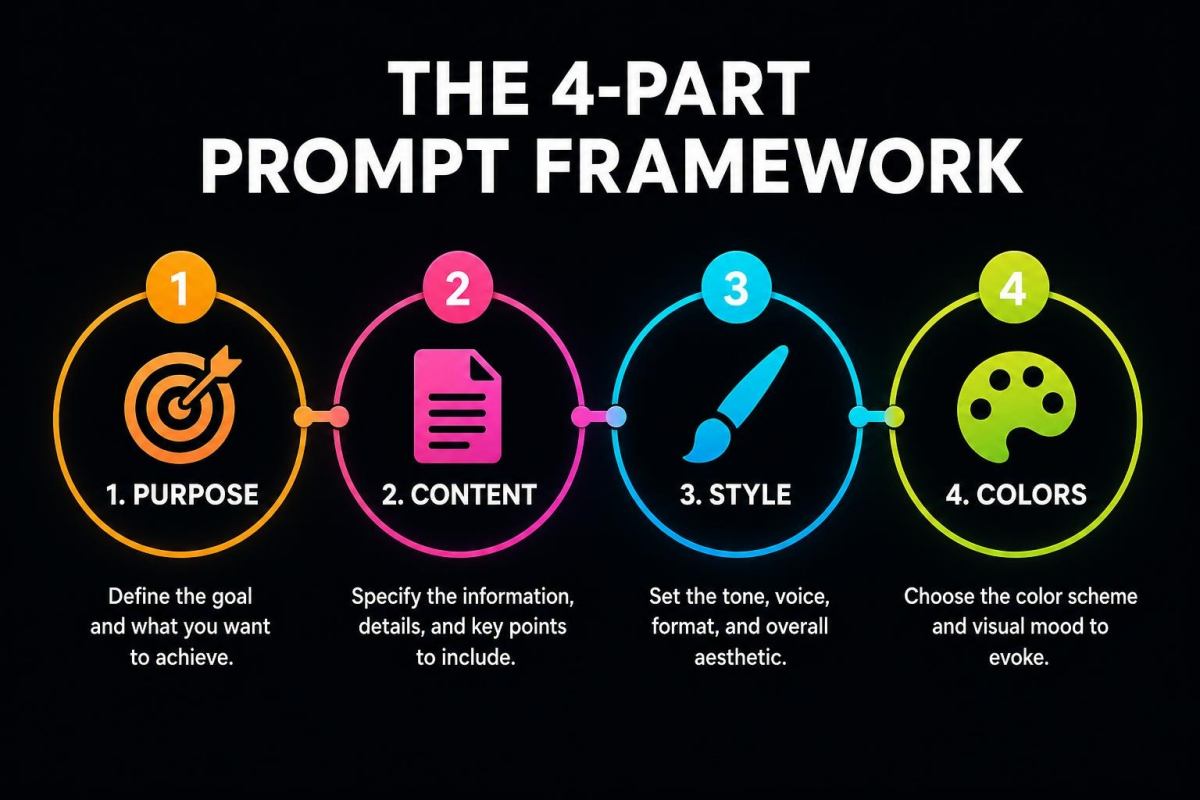
Each event poster idea below includes a complete AI prompt. To use it:
- Open the PixExact AI Poster Generator.
- Copy the prompt and paste it into the prompt box.
- Replace the placeholder details (event name, date, venue, etc.) with your own information.
- Select the recommended size preset from the dropdown (or choose Custom for specific dimensions).
- Set Number of Images to 4 to compare different design variations.
- Click Create Poster.
- Download the high-resolution file.
For a complete walkthrough with screenshots, see our How to Create a Poster with AI tutorial.
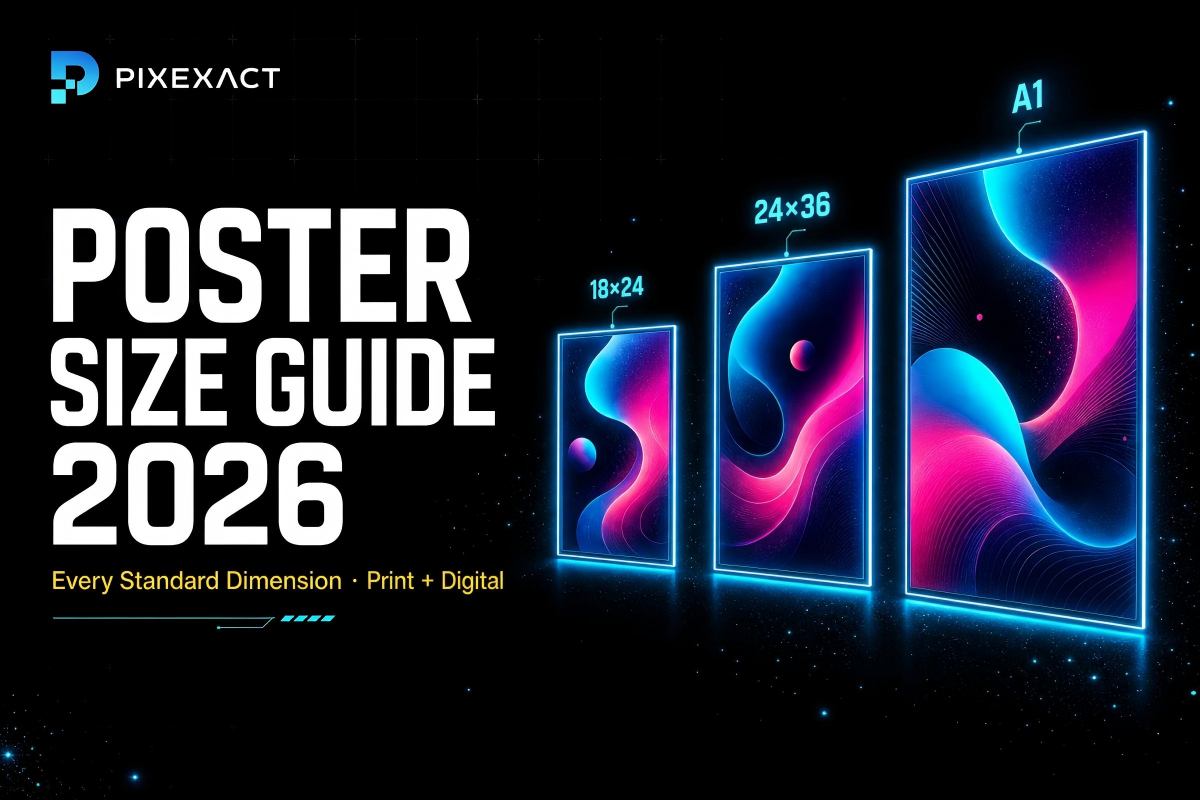
PixExact Poster Size Presets
Before diving into the poster ideas, here is a quick reference for the three size presets available:
| Preset | Pixels | Aspect Ratio | Best For |
|---|---|---|---|
| 9:16 | 1080 x 1920 | Vertical tall | Instagram Stories, TikTok, phone wallpapers, digital signage |
| 2:3 | 1664 x 2496 | Classic poster | Event posters, movie posters, wall display, print-ready |
| 3:4 | 3072 x 4096 | Large high-res | Premium prints, exhibition displays, large-format wall art |
Need a non-standard size? Select Custom and enter any width and height in pixels (up to 4096 x 4096). For detailed dimension references, see our Poster Size Guide.
1. Music Concert / Live Show Poster
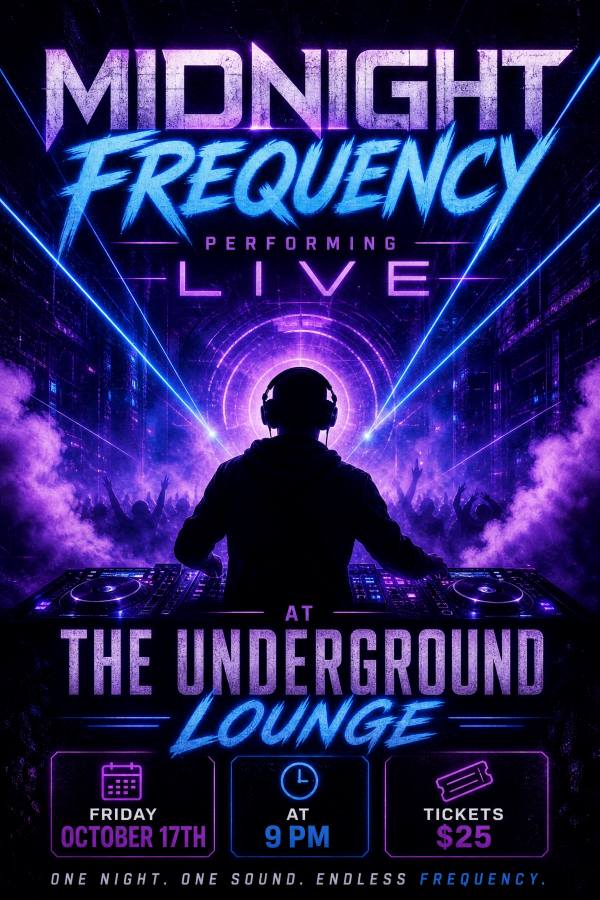
Why it works: Concert posters need to capture energy, mood, and genre at a glance. The AI generates visually striking designs that match the musical style you describe — from neon-lit electronic shows to warm acoustic sets.
Recommended size: 2:3 (1664 x 2496 px) — the classic poster format, ideal for venue walls, print, and social sharing.
Prompt:
"Design a concert poster for [Band/Artist Name] performing live at [Venue Name]. Date: [Day, Date] at [Time]. Tickets: [Price] at [Website or box office]. [Style description, e.g., Dark and atmospheric with neon purple and blue lighting, silhouette of a guitarist on stage, bold modern typography]. Genre: [genre]."
Example with details filled in:
"Design a concert poster for Midnight Frequency performing live at The Underground Lounge. Date: Friday, October 17th at 9 PM. Tickets: $25 at midnightfrequency.com. Dark and atmospheric with neon purple and electric blue lighting, silhouette of a DJ behind a mixing console, fog and laser effects, bold futuristic typography. Genre: electronic / house music."
Design tips for concert posters:
- Match the visual style to the genre: neon and dark for electronic, warm and rustic for folk/acoustic, bold and gritty for punk/rock, elegant and moody for jazz.
- Include the venue name, date, time, and ticket information — these are non-negotiable details.
- Upload the artist's logo or a band photo as a reference image to keep the poster on-brand.
- Generate at 9:16 for Instagram Stories promotion alongside the 2:3 print version.
2. Professional Conference Poster
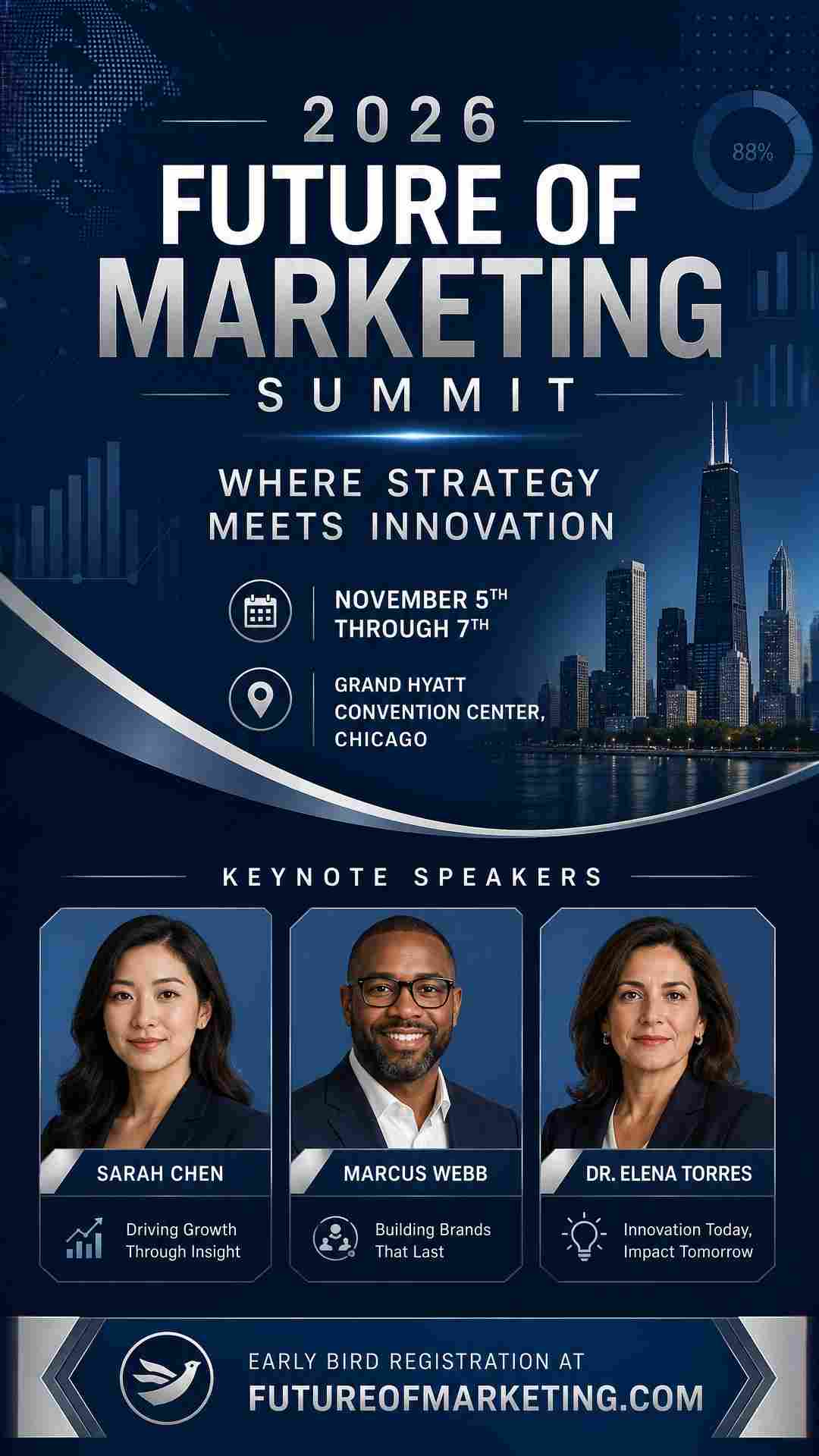
Why it works: Conference posters must convey professionalism, credibility, and industry relevance. The AI creates clean, corporate designs that communicate authority while remaining visually engaging.
Recommended size: 2:3 (1664 x 2496 px) for standard print, or 3:4 (3072 x 4096 px) for large-format venue displays.
Prompt:
"Create a professional conference poster for [Conference Name]. Date: [Dates]. Venue: [Location]. Headline: [Tagline or theme]. Keynote speakers: [Names if applicable]. Registration at [Website]. [Style description, e.g., Clean and corporate with deep navy and white color scheme, subtle geometric patterns, modern sans-serif typography]."
Example with details filled in:
"Create a professional conference poster for the 2026 Future of Marketing Summit. Date: November 5th through 7th. Venue: Grand Hyatt Convention Center, Chicago. Headline: Where Strategy Meets Innovation. Keynote speakers: Sarah Chen, Marcus Webb, Dr. Elena Torres. Early bird registration at futureofmarketing.com. Clean and corporate with deep navy, white, and silver accents, subtle data visualization patterns in the background, modern sans-serif typography."
Design tips for conference posters:
- Keep the design clean and uncluttered — conferences target professionals who value clarity.
- Include the conference dates, venue, and registration URL as essential information.
- If listing speakers, limit to 3-5 headliners to avoid visual clutter.
- Use the organization's logo as a reference image for brand consistency across multi-year events.
3. Workshop / Class Poster
Why it works: Workshops and classes need to communicate what attendees will learn, when, and how to sign up. The AI generates approachable, informative designs that balance visual appeal with practical details.
Recommended size: 9:16 (1080 x 1920 px) for social media promotion, or 2:3 for print posters at community boards.
Prompt:
"Design a workshop poster for [Workshop Name]. Topic: [What participants will learn]. Date: [Day, Date] from [Time]. Location: [Venue/Address]. Instructor: [Name and credentials if relevant]. [Price or free]. Register at [Website]. [Style description, e.g., Creative and inviting with warm terracotta and cream colors, hand-drawn illustration style]."
Example with details filled in:
"Design a workshop poster for Intro to Watercolor Painting. Topic: Learn basic watercolor techniques — color mixing, wet-on-wet, and brush control. Perfect for complete beginners. Date: Saturday, March 22nd from 10 AM to 1 PM. Location: The Art Barn Studio, 45 Creek Road. Instructor: Maya Santos, professional watercolorist with 15 years of experience. $45 per person, all materials included. Register at theartbarn.com/workshops. Creative and inviting with warm terracotta, soft sage green, and cream colors, watercolor splash textures in the background, friendly handwritten-style typography."
Design tips for workshop posters:
- Clearly state what participants will learn or gain — this is the primary value proposition.
- Include the skill level (beginner, intermediate, all levels) to help potential attendees self-select.
- Mention what is included in the price (materials, refreshments, certificate) if applicable.
- For online workshops, replace the physical address with a note like "Live on Zoom — link sent upon registration."
4. Church Service or Event Poster
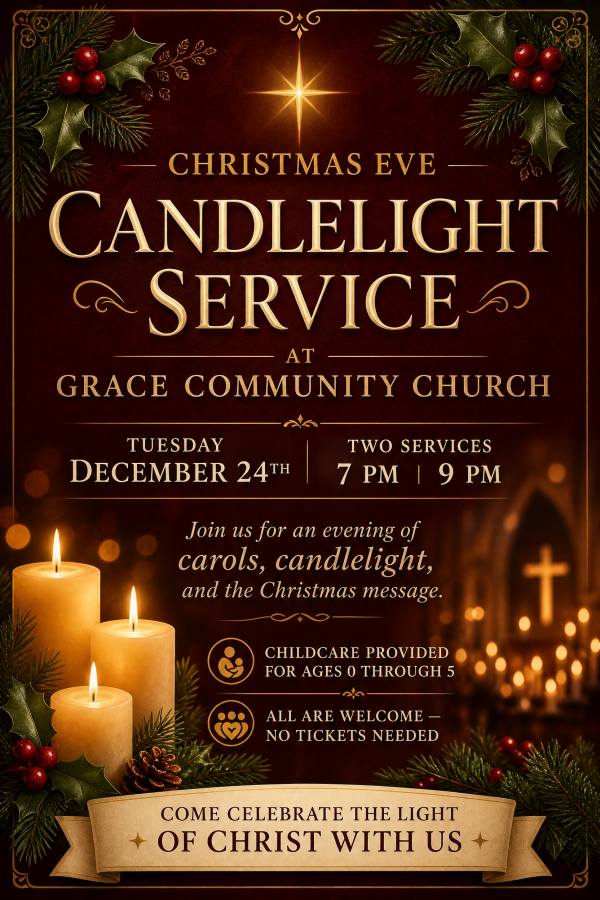
Why it works: Church posters promote services, holiday celebrations, community outreach, and fellowship events. The AI generates warm, welcoming designs that communicate faith and community without being exclusionary.
Recommended size: 2:3 (1664 x 2496 px) for print display in the church and community boards.
Prompt:
"Create an event poster for [Event Name] at [Church Name]. Date: [Day, Date] at [Time]. Location: [Address and room if applicable]. [Event description]. All are welcome. [Style description, e.g., Warm and welcoming with soft gold and ivory colors, subtle cross or faith-inspired motifs, elegant serif typography]."
Example with details filled in:
"Create an event poster for the Christmas Eve Candlelight Service at Grace Community Church. Date: Tuesday, December 24th at 7 PM and 9 PM (two services). Location: 1450 Oak Avenue, Main Sanctuary. Join us for an evening of carols, candlelight, and the Christmas message. Childcare provided for ages 0 through 5. All are welcome — no tickets needed. Warm and welcoming with deep burgundy, gold, and ivory colors, candlelight glow effect, subtle holly and evergreen accents, elegant serif typography."
Design tips for church posters:
- Emphasize inclusivity with phrases like "All are welcome" or "Everyone is invited."
- For holiday services, mention special elements: live music, candlelight, children's programs, refreshments.
- If offering multiple service times, list all of them clearly.
- Upload your church logo as a reference image to maintain visual consistency across all event communications.
- For social media sharing, also generate at 9:16 for Instagram Stories and Facebook Stories.
5. School Event Poster
Why it works: School events — science fairs, talent shows, graduation ceremonies, open houses — need posters that appeal to both students and parents. The AI creates age-appropriate, energetic designs.
Recommended size: 2:3 (1664 x 2496 px) for hallway and bulletin board display.
Prompt:
"Design a school event poster for [Event Name] at [School Name]. Date: [Day, Date] from [Time]. Location: [Specific location, e.g., school gymnasium]. [Event description and what to expect]. Open to [audience]. Contact: [Phone/Email/Website]. [Style description, e.g., Bright and energetic with school colors of blue and gold, fun and youthful graphics]."
Example with details filled in:
"Design a school event poster for the Annual Science Fair at Lincoln Middle School. Date: Friday, April 11th from 4 PM to 7 PM. Location: School Gymnasium, 200 Jefferson Boulevard. Over 60 student projects on display. Awards ceremony at 6:30 PM. Open to all students, parents, and community members. Free admission. Contact: [email protected]. Bright and energetic with blue and gold school colors, science-themed graphics like atoms, beakers, and rockets, fun and youthful typography."
Design tips for school posters:
- Use the school's official colors in the style description for brand alignment.
- Clearly state who the event is open to (students only, families, community members).
- Include the specific location within the school (gymnasium, auditorium, cafeteria).
- For parent-facing events like open houses, use a more polished, professional tone.
6. Charity Fundraiser Poster
Why it works: Fundraiser posters need to communicate the cause, create emotional connection, and drive action (attendance, donations, or both). The AI generates designs that balance emotional appeal with practical event details.
Recommended size: 2:3 (1664 x 2496 px) for print, or 3:4 (3072 x 4096 px) for large-format display at the venue.
Prompt:
"Create a fundraiser poster for [Event Name] benefiting [Cause/Organization]. Date: [Day, Date] at [Time]. Location: [Venue/Address]. [Event details: what to expect, ticket price, how to donate]. [Style description, e.g., Heartfelt and inspiring with warm amber and white tones, clean modern layout]."
Example with details filled in:
"Create a fundraiser poster for the Run for Hope 5K benefiting the Riverside Children's Hospital. Date: Saturday, September 20th. Registration opens at 7 AM, race starts at 8 AM. Location: Riverside Park Trail, 500 River Road. Entry fee: $35 adults, $15 kids under 12. All proceeds go to the pediatric care fund. Register at runforhope5k.org. Heartfelt and inspiring with warm amber, sky blue, and white tones, outdoor running imagery, clean modern layout with bold race-day typography."
Design tips for fundraiser posters:
- Lead with the cause, not just the event format — people donate to causes, not to 5K races.
- Include both the event details and how to donate for those who cannot attend in person.
- Mention where the proceeds go to build trust and emotional connection.
- For gala events, use "elegant" and "formal" style language. For fun runs and community events, use "energetic" and "uplifting."
7. Holiday Celebration Poster
Why it works: Holiday events — New Year parties, Halloween events, Fourth of July celebrations, Diwali festivals — rely on strong visual theming. The AI automatically generates holiday-appropriate imagery, colors, and mood based on your style description.
Recommended size: 9:16 (1080 x 1920 px) for social media promotion, 2:3 (1664 x 2496 px) for print.
Prompt:
"Design a [Holiday] celebration poster for [Event Name]. Date: [Day, Date] at [Time]. Location: [Venue/Address]. [Event highlights and activities]. [Style description with holiday-specific colors and imagery]."
Example with details filled in:
"Design a Halloween party poster for Fright Night at The Warehouse. Date: Saturday, October 31st from 8 PM to 2 AM. Location: The Warehouse, 1200 Industrial Boulevard. Live DJ, costume contest with $500 prize, fog machines, haunted photo booth, drink specials all night. Ages 21 and over. Tickets: $20 advance, $30 at the door at frightnightparty.com. Dark and spooky with black, deep purple, and neon green colors, full moon, bats, and fog effects, edgy horror-style typography."
Design tips for holiday posters:
- Let the holiday dictate the color palette: orange and black for Halloween, red and green for Christmas, red and gold for Lunar New Year, tricolor for Independence Day.
- Mention specific activities and attractions to differentiate your event from others on the same holiday.
- For family-friendly events, state the age appropriateness clearly.
- Generate both 9:16 (social media) and 2:3 (print) versions from the same prompt using Multi-Size mode.
8. Food and Drink Event Poster
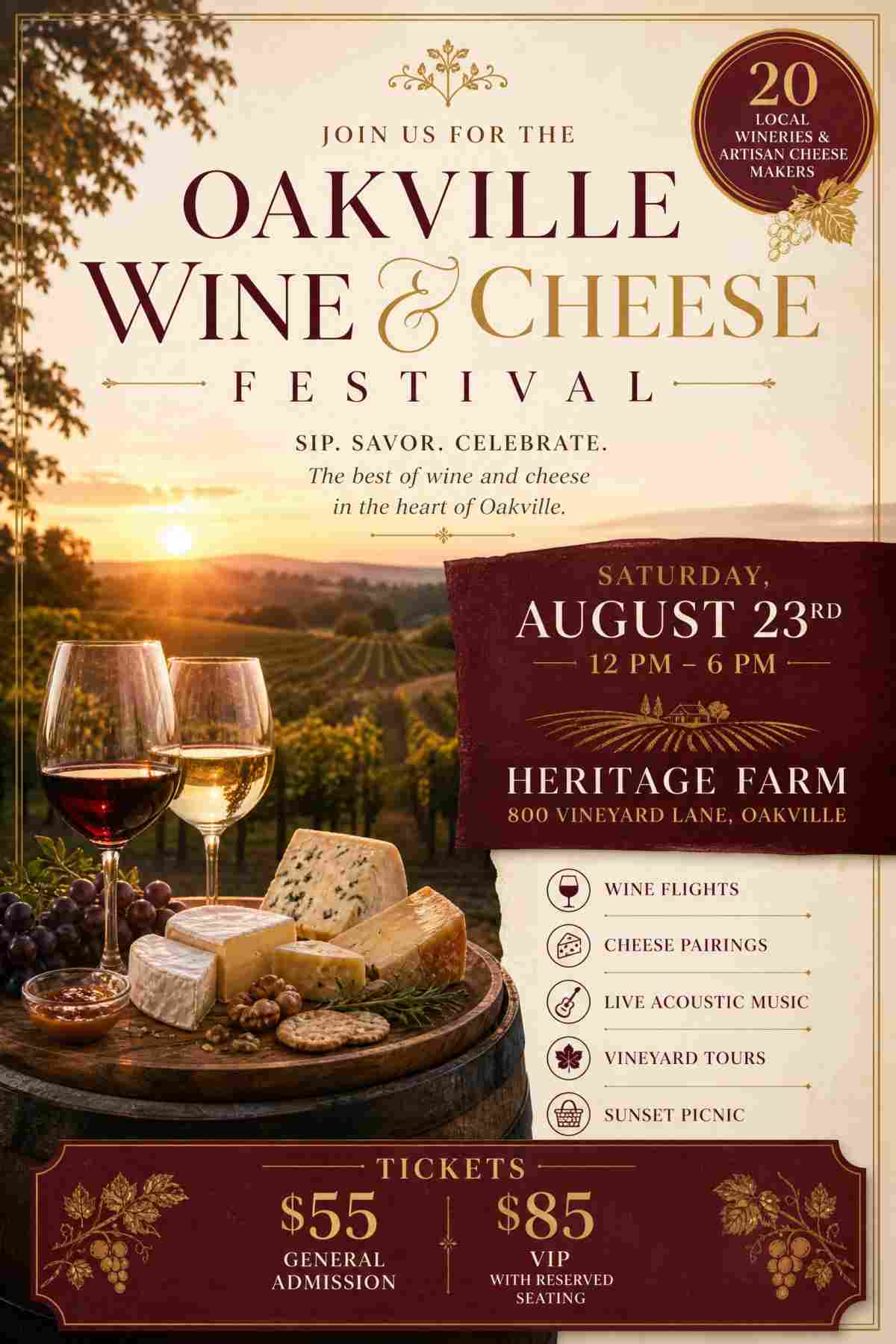
Why it works: Food festivals, wine tastings, cook-offs, and restaurant events need posters that are visually appetizing. The AI generates warm, inviting designs with food-appropriate styling.
Recommended size: 2:3 (1664 x 2496 px) for print display at partner venues and community boards.
Prompt:
"Create a poster for [Event Name], a [type of food/drink event]. Date: [Day, Date] from [Time]. Location: [Venue/Address]. Featuring: [what attendees can expect]. Tickets: [Price] at [Website]. [Style description, e.g., Warm and appetizing with earthy tones, food photography aesthetic, rustic typography]."
Example with details filled in:
"Create a poster for the Oakville Wine and Cheese Festival, an outdoor tasting event featuring 20 local wineries and artisan cheese makers. Date: Saturday, August 23rd from 12 PM to 6 PM. Location: Heritage Farm, 800 Vineyard Lane, Oakville. Featuring: wine flights, cheese pairings, live acoustic music, vineyard tours, and sunset picnic. Tickets: $55 general admission, $85 VIP with reserved seating at oakvillewinefest.com. Warm and sophisticated with burgundy, cream, and gold tones, vineyard photography aesthetic, elegant serif typography."
Design tips for food and drink posters:
- Use warm, appetizing color palettes — earthy tones, rich burgundy, golden amber, cream.
- Mention specific featured items or experiences (wine flights, celebrity chef demos, tasting menus) rather than generic descriptions.
- If the event has a VIP tier, include both pricing options on the poster.
- Upload a food or venue photo as a reference image for a more authentic visual result.
9. Sports Event Poster
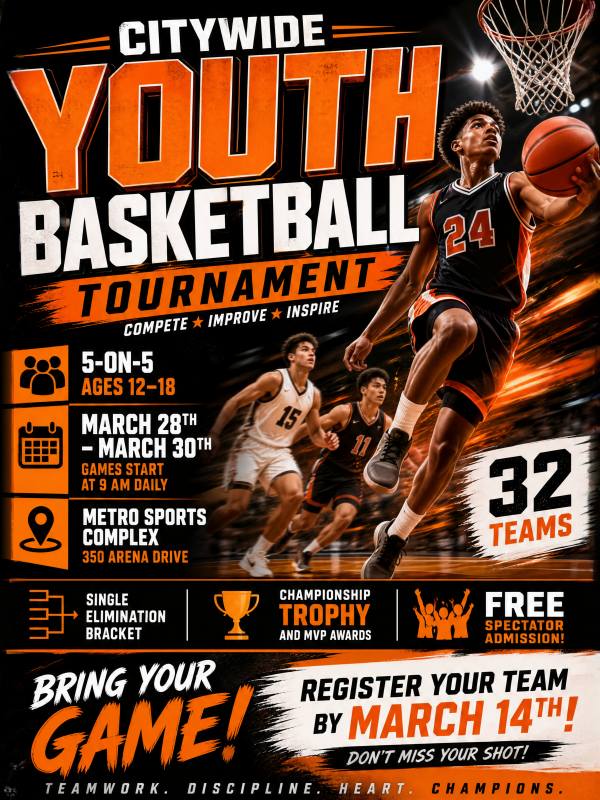
Why it works: Sports event posters need to communicate energy, competition, and excitement. The AI generates dynamic designs that capture the intensity of athletic events.
Recommended size: 2:3 (1664 x 2496 px) for standard print, or 3:4 (3072 x 4096 px) for large venue banners.
Prompt:
"Design a sports event poster for [Event Name]. Sport: [type]. Date: [Day, Date] at [Time]. Location: [Venue/Address]. [Event details: teams, format, prizes]. [Style description, e.g., Bold and dynamic with high-contrast colors, action photography style, powerful typography]."
Example with details filled in:
"Design a sports event poster for the Citywide Youth Basketball Tournament. Sport: basketball, 5-on-5, ages 12 through 18. Date: March 28th through 30th, games start at 9 AM daily. Location: Metro Sports Complex, 350 Arena Drive. 32 teams, single elimination bracket, championship trophy and MVP awards. Free spectator admission. Register teams at metroyouthhoops.com by March 14th. Bold and dynamic with orange, black, and white colors, basketball action imagery with motion blur effects, powerful block typography."
Design tips for sports posters:
- Use action-oriented imagery descriptions: motion blur, athletes in mid-action, dramatic lighting.
- Include the tournament format (single elimination, round robin, league play) so teams know what to expect.
- Mention registration deadlines to create urgency.
- For spectator events, clearly state whether admission is free or ticketed.
10. Art Exhibition / Gallery Show Poster
Why it works: Art exhibition posters must be artistic themselves — they represent the aesthetic of the show. The AI generates gallery-quality designs that match the art style of the exhibition.
Recommended size: 3:4 (3072 x 4096 px) for high-resolution prints worthy of gallery display.
Prompt:
"Create an art exhibition poster for [Exhibition Name] by [Artist/Group]. Dates: [Opening date] through [Closing date]. Gallery: [Gallery Name], [Address]. Opening reception: [Date and time if applicable]. [Art style description, e.g., Minimalist and contemporary with muted earth tones, clean gallery aesthetic, refined sans-serif typography]."
Example with details filled in:
"Create an art exhibition poster for Fragments of Light, a solo photography exhibition by Elena Marchetti. Dates: November 1st through December 15th. Gallery: Whitespace Gallery, 22 Canal Street, SoHo. Opening reception: Friday, November 1st from 6 PM to 9 PM with wine and live cello. Featuring 40 large-format photographs exploring light and shadow in urban architecture. Minimalist and contemporary with muted charcoal, warm white, and subtle gold accents, clean gallery aesthetic, refined sans-serif typography with generous whitespace."
Design tips for art exhibition posters:
- Match the poster style to the art being exhibited — abstract art calls for abstract poster design, photography exhibitions benefit from a clean, gallery-white aesthetic.
- Include both the exhibition dates (full run) and the opening reception details.
- Use generous whitespace — art posters should feel curated and intentional, not cluttered.
- Upload a sample artwork as a reference image to let the AI capture the exhibition's visual language.
- The 3:4 preset at 3072 x 4096 px provides gallery-quality resolution for print.
Choosing the Right Size for Your Event Poster
| Use Case | Recommended Preset | Why |
|---|---|---|
| Venue walls, window displays, print handouts | 2:3 (1664 x 2496 px) | Classic poster proportion, versatile for most print uses |
| Large-format printing, exhibition displays | 3:4 (3072 x 4096 px) | Maximum resolution, sharpest quality for large prints |
| Instagram Stories, TikTok, digital signage | 9:16 (1080 x 1920 px) | Full-screen vertical format for mobile |
| Instagram feed post | Custom: 1080 x 1350 px | Optimized for Instagram's 4:5 feed ratio |
| Facebook event cover | Custom: 1200 x 628 px | Standard Facebook event header dimensions |
| Specific print size (e.g., 18 x 24 in) | Custom: calculate pixels at your target DPI | Exact match for print shop requirements |
For complete poster dimension tables with pixel calculations at 150 and 300 DPI, see our Poster Size Guide.
Tips for Writing Better Event Poster Prompts
Include All Essential Event Information
Every event poster should contain: event name, date, time, location, and how to attend (tickets, registration, or free admission). The AI cannot guess these details — write them all into your prompt.
Match the Visual Style to the Event Mood
The style description is what separates a generic poster from a compelling one. A jazz concert needs "moody, warm, smoky atmosphere with deep blues and amber" — not the same energetic neon you would use for an EDM festival. Think about the feeling you want attendees to have when they see the poster.
Use Reference Images for Series Events
If you run a recurring event (monthly open mic, weekly trivia night, annual fundraiser), upload last month's poster as a reference image. The AI will maintain visual consistency while creating a fresh design for each new date.
Generate Multiple Variations
Set the Number of Images to 4. The AI produces four completely different layouts, color treatments, and compositions from the same prompt. This is the fastest way to find the perfect design — and you can use different variations for print, social media, and email.
Create Multi-Platform Versions
Use the Multi-Size toggle to generate the same poster in multiple aspect ratios simultaneously. Create a 2:3 for print and a 9:16 for Instagram Stories from a single prompt, ensuring visual consistency across all channels.
Event Poster vs Event Flyer: Which Do You Need?
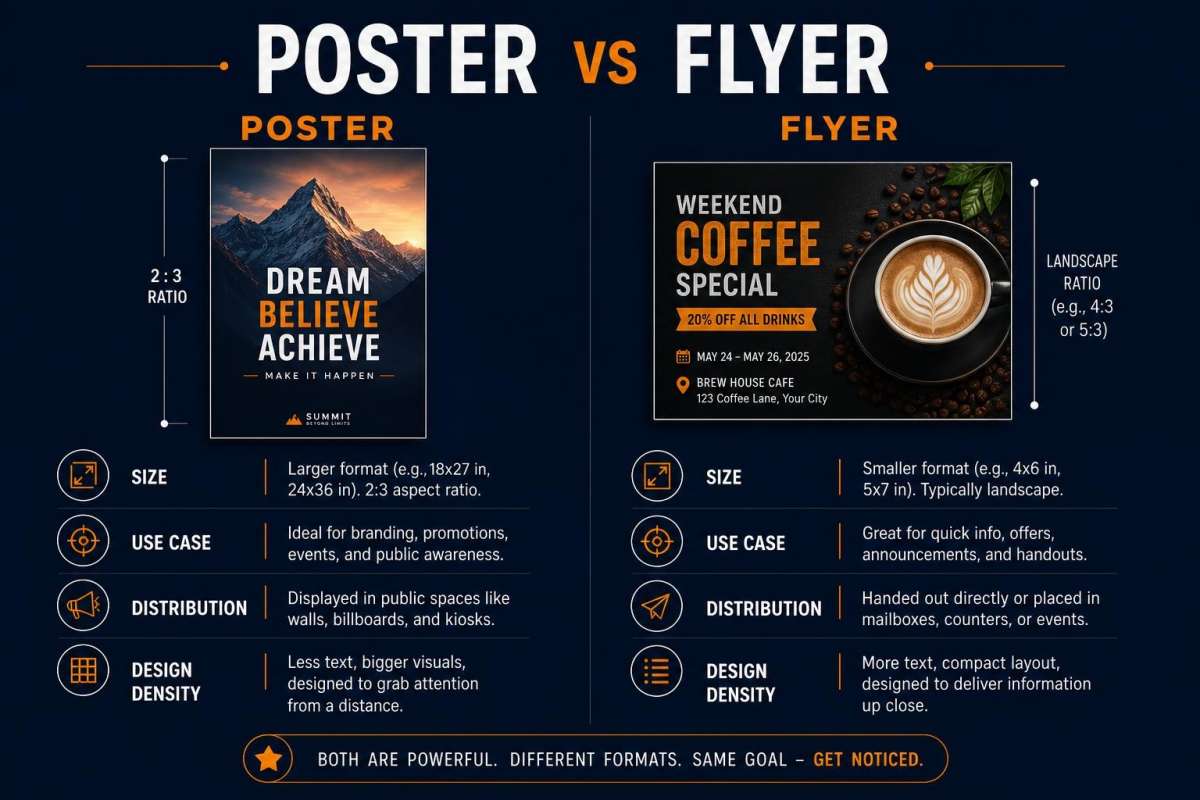
| Criteria | Event Poster (AI Poster Generator) | Event Flyer (AI Flyer Generator) |
|---|---|---|
| Primary purpose | Visual impact, grabbing attention, building excitement | Delivering detailed information, driving immediate action |
| Text density | Headline-driven, minimal text | Text-heavy with date, time, address, prices, contact info |
| QR code | Not included | Built-in QR code placeholder with upload and edit |
| Typical sizes | 9:16, 2:3, 3:4, or custom | Postcard, A6, Half Letter, A5, US Letter, A4 |
| Best for | Wall display, social media, digital signage, branding | Handouts, direct mail, door-to-door, bulletin boards |
| Print resolution | High-res PNG | 300 DPI print-ready PNG |
Many events benefit from both: a poster for visual promotion and wall display, plus a flyer with complete details and a QR code for handout distribution. Generate both from similar prompts using the AI Poster Generator and the AI Flyer Generator.
Frequently Asked Questions
What is the best AI poster generator for events?
PixExact AI Poster Generator creates unique, one-of-a-kind event posters from text descriptions. Unlike template editors, every design is generated from scratch by AI — no shared layouts, no manual editing. You describe your event, choose a size preset (9:16, 2:3, or 3:4), and download a high-resolution poster in seconds.
Can I create an event poster for free?
Yes. PixExact gives complimentary credits to every new user on signup — enough to generate and download several posters for free. Go to the AI Poster Generator, write a prompt describing your event, and click Create Poster.
What size should I make my event poster?
For print display, use the 2:3 preset (1664 x 2496 px) — this is the classic poster proportion. For large-format printing or exhibition displays, use 3:4 (3072 x 4096 px). For social media (Instagram Stories, TikTok), use 9:16 (1080 x 1920 px). For specific print dimensions, use Custom and enter the exact pixel count. See our Poster Size Guide for detailed dimension references.
How do I make my event poster stand out?
Focus on three things in your prompt: a specific visual style that matches the event mood, a strong headline, and a clear color palette. Use descriptive language like "neon-lit cyberpunk atmosphere" or "warm golden-hour vineyard aesthetic" rather than generic terms. Generate 4 variations at once and pick the most striking design.
Can I upload my event logo or a photo?
Yes. Below the prompt box, use the reference image upload to add your event logo, a venue photo, a sponsor logo, or any visual inspiration. The AI analyzes the visual style and incorporates it into the generated poster design. This is especially useful for annual events that need consistent branding year over year.
Can I generate the same poster in multiple sizes?
Yes. Use the Multi-Size toggle to generate the same design in multiple aspect ratios simultaneously. This lets you create a 2:3 print version and a 9:16 social media version from a single prompt, ensuring visual consistency across all promotional channels.
Should I use a poster or a flyer for my event?
Use a poster when you want visual impact and attention — for wall displays, social media promotion, and digital signage. Use a flyer when you need to communicate detailed information with a QR code — for handouts, direct mail, and door-to-door distribution. Many events benefit from both. Create your poster with the AI Poster Generator and your flyer with the AI Flyer Generator.
Start Creating Your Event Poster
You have 10 prompts ready to go. Pick the one closest to your event type, replace the placeholder details, and generate your poster in seconds.
Open the AI Poster Generator — describe your event, choose your size, and download a unique, high-resolution poster instantly.