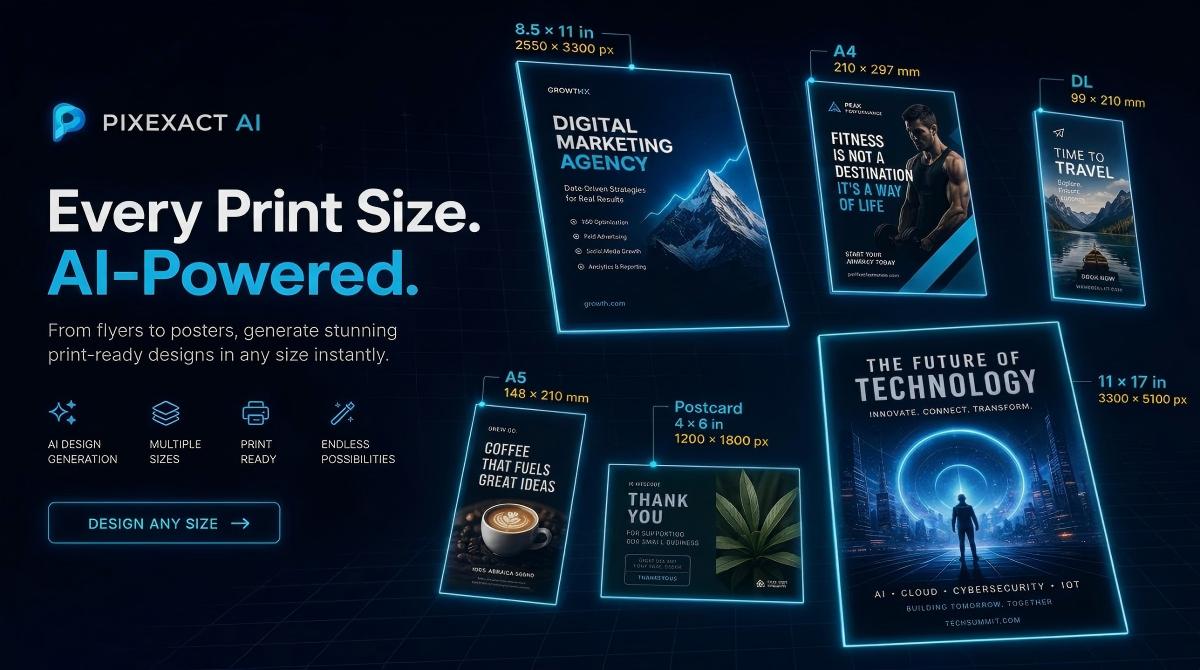
Creating a professional poster used to mean hiring a designer or spending hours in complex software. Not anymore. With an AI poster generator, you describe your vision in plain text, choose a size, and download a high-resolution poster in seconds.
This tutorial walks you through the complete process using PixExact AI Poster Generator — from writing your first prompt to downloading a print-ready or social-media-ready file. You will also find 8 ready-to-use prompt examples covering marketing, events, movies, and wall art.
What You Need Before You Start
- A clear idea of what your poster is for (marketing campaign, event, movie night, wall decor, social media)
- The key details to include: headline, tagline, event date, location, call to action
- Optional: a reference image such as a logo, product photo, or style inspiration to guide the AI
No Photoshop, no Illustrator, no design experience required.
How to Create a Poster with AI in 3 Steps
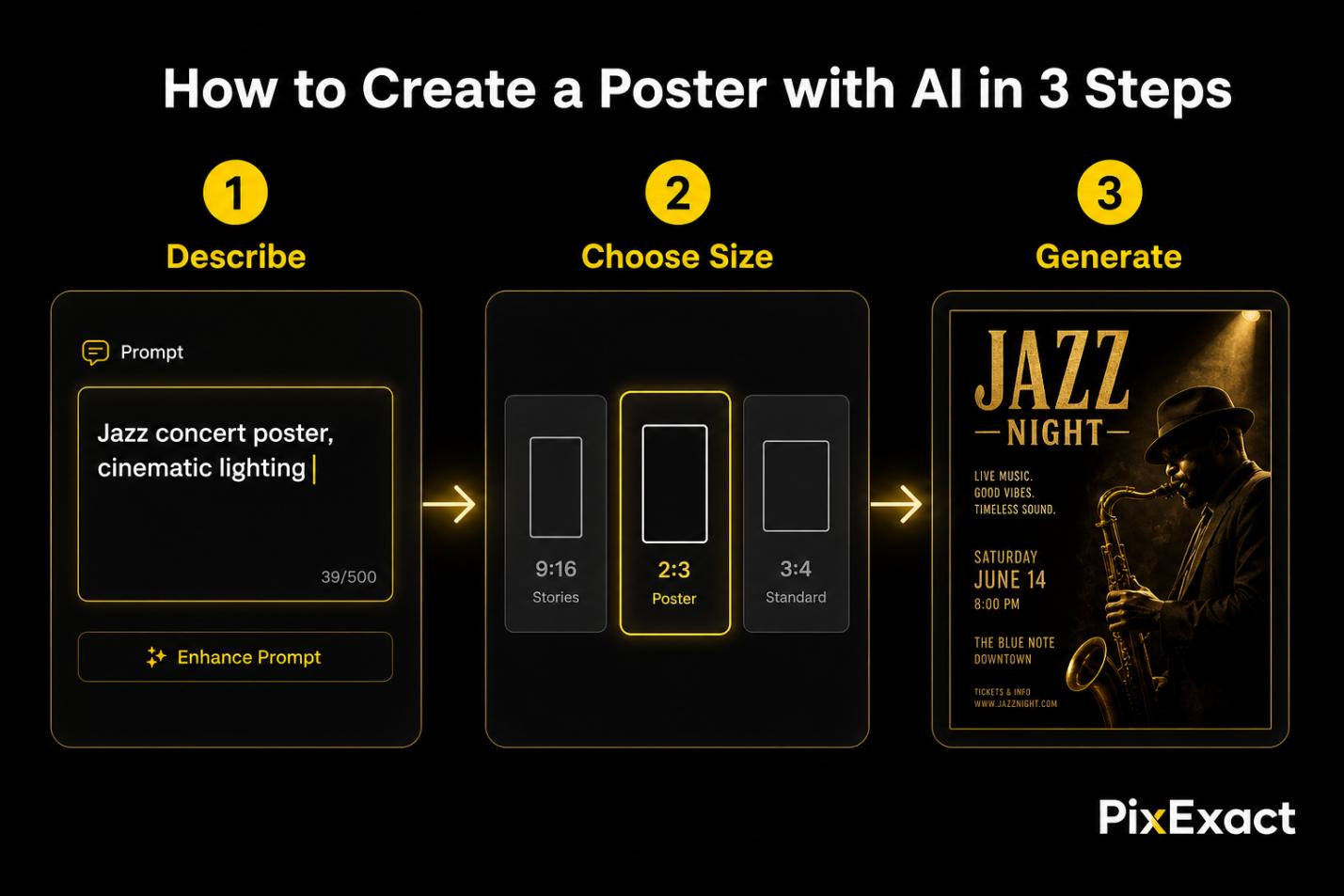
Step 1: Describe Your Poster
Open the PixExact AI Poster Generator. You will see a prompt box at the top of the page. This is where you tell the AI exactly what to create.
Write your prompt using this four-part framework:
- Purpose: What is this poster for? (product launch, music festival, movie screening, home decor, Instagram post)
- Content: Include every piece of text you want on the poster — headline, tagline, date, location, ticket price, website URL
- Style: Describe the visual mood — cinematic, minimalist, pop art, photorealistic, abstract, vintage, neon, dark and moody
- Colors and Lighting: Mention specific colors (brand palette, pastel tones, black and gold) and lighting (cinematic lighting, soft glow, dramatic shadows)
Example prompt:
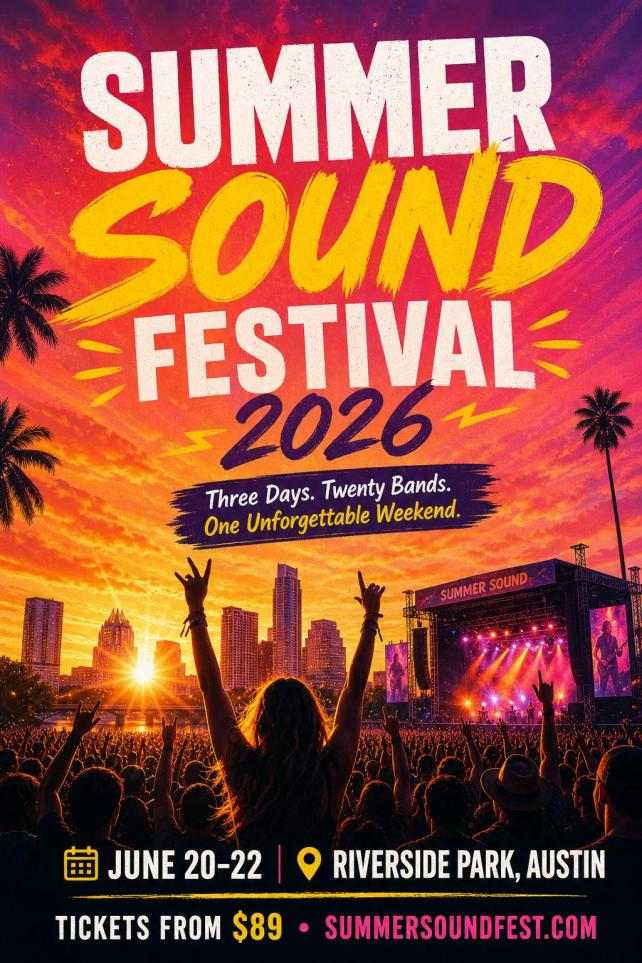
"Design a vibrant music festival poster for Summer Sound Festival 2026. Date: June 20 to 22. Location: Riverside Park, Austin. Tagline: Three Days. Twenty Bands. One Unforgettable Weekend. Tickets from $89 at summersoundfest.com. Energetic design with sunset gradients of orange, pink, and purple, bold display typography, abstract geometric shapes and silhouettes of a crowd at sunset."
Optional — Upload a Reference Image: Below the prompt box, you can upload a logo, a photo, or an existing poster as a style reference. The AI analyzes the visual composition, color palette, and overall aesthetic, then incorporates those elements into the generated poster. This is PixExact image-to-poster feature — essential for maintaining brand consistency across a series of posters.
Step 2: Choose Your Poster Size
Below the prompt area, you will find the Image Size selector. PixExact offers two modes:
Single mode generates one size per run. Multi-Size mode generates the same poster design in multiple sizes simultaneously — perfect for campaigns that need both a portrait social media poster and a larger print version.
Three aspect ratio presets are available:
| Preset | Pixels | Aspect Ratio | Best For |
|---|---|---|---|
| 9:16 | 1080 x 1920 | Vertical tall | Instagram Stories, TikTok, phone wallpapers, digital signage |
| 2:3 | 1664 x 2496 | Classic poster | Event posters, movie posters, wall art, print-ready A3/A2 equivalent |
| 3:4 | 3072 x 4096 | Large high-res | Premium print posters, exhibition displays, large-format wall art |
Need a non-standard size? Select Custom and enter any width and height in pixels (up to 4096 x 4096). This is useful for specific print dimensions or social media ad formats.
For a complete reference of standard poster dimensions in inches, millimeters, and pixels, see our Poster Size Guide.
Next, choose the Number of Images (1 to 4). Generating multiple posters at once gives you design variations to compare — different layouts, color treatments, and compositions from the same prompt. This is the fastest way to find the perfect poster.
Step 3: Generate and Download
Click Create Poster. PixExact produces your design in seconds.
Review the results. Each generated poster is a complete, finished design — headline, imagery, typography, and composition all created together by the AI.
If you want adjustments:
- Refine your prompt — change one or two words to shift the style, mood, or layout
- Upload a different reference image for a new visual direction
- Generate 4 variations at once and pick the strongest design
- Use Multi-Size mode to get the same design in multiple dimensions
When you are satisfied, download the poster. Files are high-resolution and ready for both printing and digital sharing. For large-format printing, use the 3:4 preset (3072 x 4096 px) or a custom size matched to your target print dimensions.
8 Ready-to-Use Poster Prompt Examples
Copy any of these prompts into the AI Poster Generator and click Create Poster.
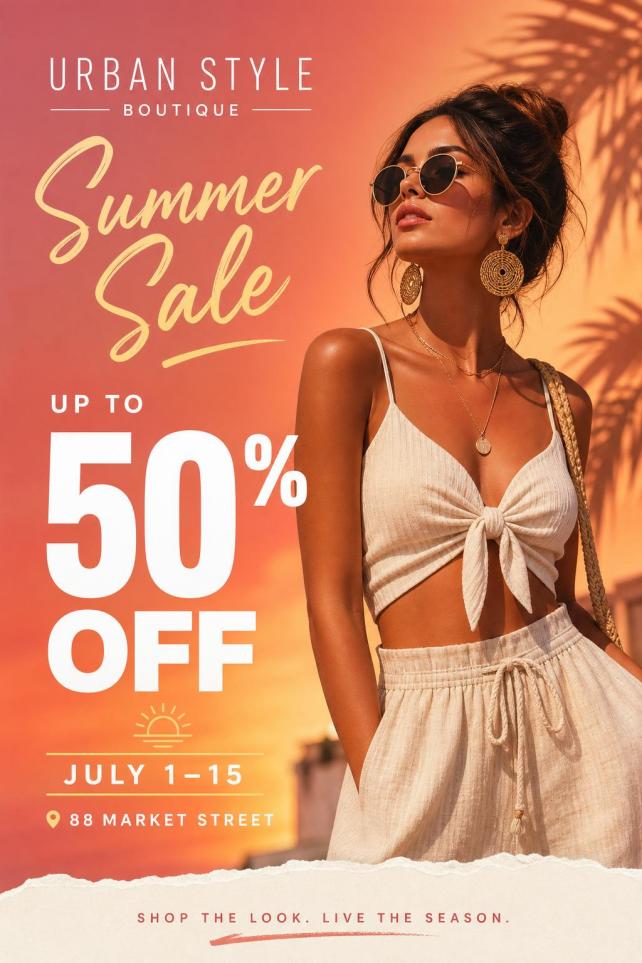
1. Marketing and Promotional Poster
"Create an eye-catching promotional poster for a Summer Sale at Urban Style Boutique. Headline: Up to 50% Off Everything. Running July 1 through July 15. Visit us at 88 Market Street. Modern fashion photography style, bold white typography on a warm sunset gradient background."
2. Music Festival Poster
"Design a vibrant music festival poster for Summer Sound Festival 2026. Date: June 20 to 22. Location: Riverside Park, Austin. Tagline: Three Days. Twenty Bands. One Unforgettable Weekend. Tickets from $89 at summersoundfest.com. Sunset gradients of orange, pink, and purple, bold display typography, crowd silhouettes."
3. Movie Poster
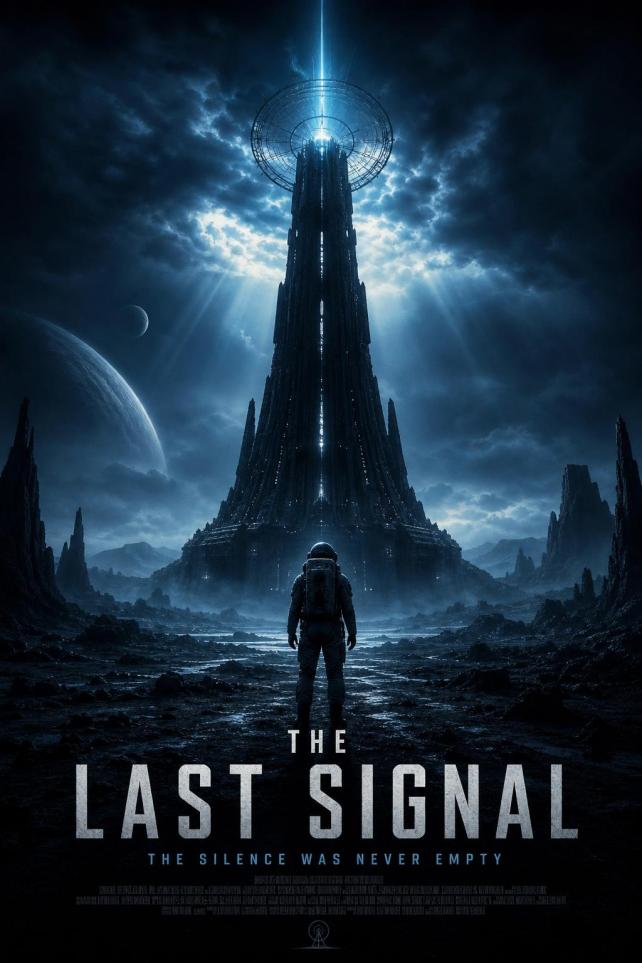
"Create a cinematic movie poster for a sci-fi thriller called The Last Signal. Tagline: The silence was never empty. Dark and moody atmosphere, deep blue and black tones, a lone astronaut standing before a massive alien transmission tower, dramatic cinematic lighting, bold title typography at the bottom."
4. Conference and Workshop Poster
"Design a professional conference poster for the 2026 Global AI Summit. Date: September 15 to 17. Venue: Convention Center, San Francisco. Headline: Shaping the Future of Intelligence. Clean, corporate design with a deep navy and white color scheme, subtle circuit-board pattern in the background, modern sans-serif typography."

5. Restaurant and Food Poster
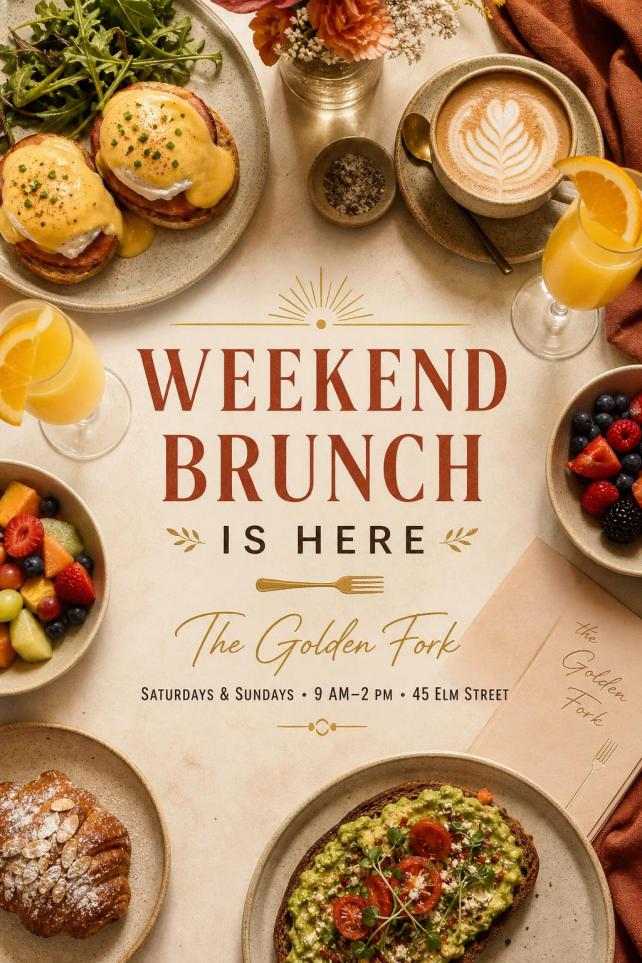
"Make a poster for a new brunch menu at The Golden Fork. Headline: Weekend Brunch Is Here. Available Saturdays and Sundays, 9 AM to 2 PM. Address: 45 Elm Street. Warm and appetizing tone, overhead food photography style showing a beautifully arranged brunch table, soft natural lighting, earthy color palette."
6. Social Media Poster (Instagram)
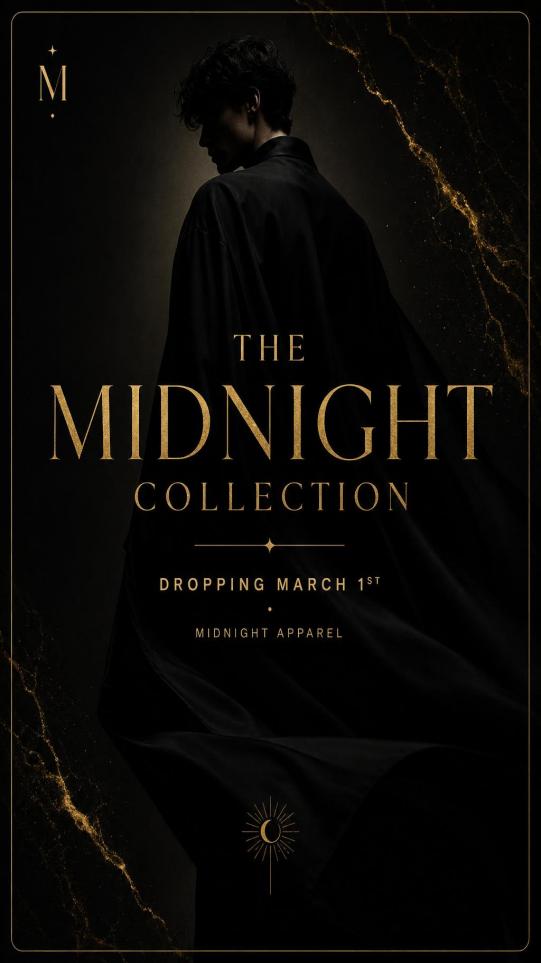
"Create a vertical Instagram poster announcing a New Collection drop for Midnight Apparel. Headline: The Midnight Collection. Dropping March 1st. Dark, luxurious aesthetic with black and gold tones, a model silhouette in dim studio lighting, elegant serif typography. Size optimized for Instagram Stories."
7. Custom Wall Art Poster
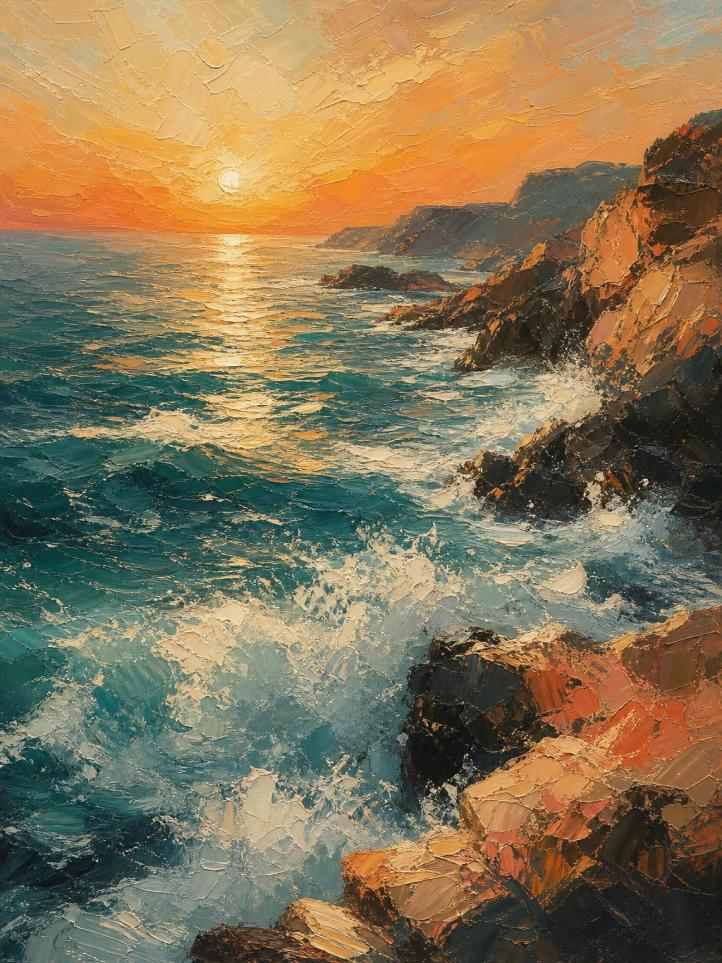
"Generate a large abstract wall art poster. Subject: ocean waves meeting a rocky coastline at golden hour. Style: impressionist oil painting with thick brushstrokes. Color palette: deep teal, warm amber, cream white, and hints of coral. No text. High resolution for large-format printing."
8. Church and Community Event Poster
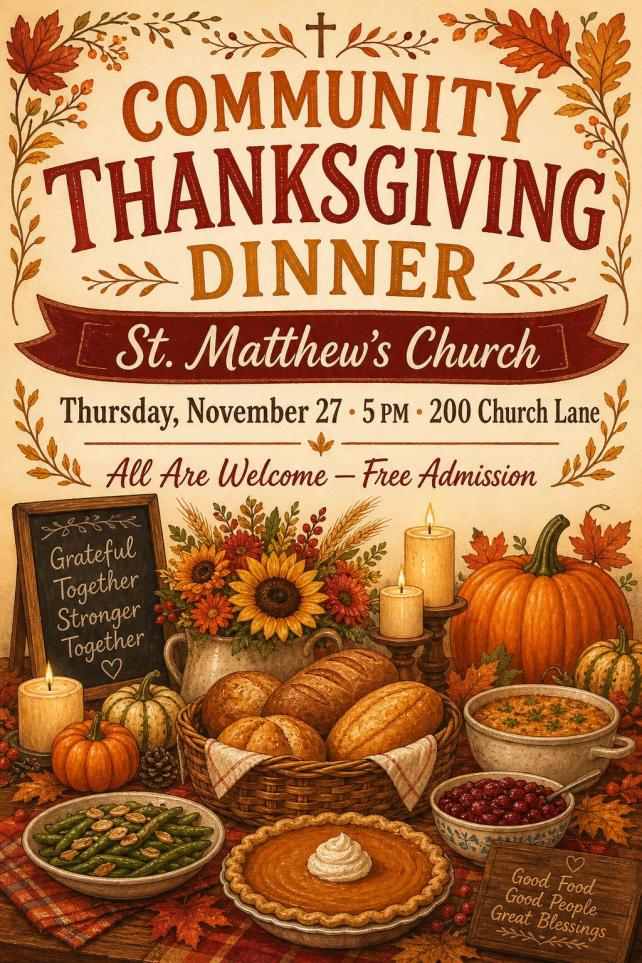
"Design a poster for a Community Thanksgiving Dinner at St. Matthew's Church. Date: Thursday, November 27th at 5 PM. Address: 200 Church Lane. All are welcome, free admission. Warm and inviting tone, autumn colors of burnt orange, deep red, and golden yellow, illustrations of a harvest table with candles and pumpkins."
Tips for Writing Better Poster Prompts
Be Descriptive About Visual Style
Posters are more visual than flyers. Spend extra words on the artistic style, lighting, and atmosphere. Compare:
Weak prompt: "Make a poster for a music event."
Strong prompt: "Design a dark, neon-lit electronic music event poster. Cyberpunk aesthetic with glowing purple and blue neon lights, a DJ silhouette in fog, bold futuristic typography. Event name: Bass Drop Night, March 22, The Warehouse."
Specify Art Style References
The AI responds well to named art styles: pop art, photorealistic, watercolor, minimalist, art deco, cyberpunk, vintage retro, Japanese ukiyo-e, abstract expressionist. Naming a style gives the AI a clear visual anchor.
Control Colors and Lighting
Use specific color names and lighting descriptions: "cinematic golden-hour lighting," "neon pink and electric blue," "soft pastel gradients," "high-contrast black and white with a single red accent." These details separate a generic poster from a striking one.
Use Reference Images for Series Consistency
If you are creating a series of posters — for example, a monthly event series or a multi-day festival — upload the first successful poster as a reference image for subsequent generations. The AI will match the visual style, ensuring your entire series looks cohesive.
Iterate One Word at a Time
If the output is close but not perfect, change one element of your prompt at a time. Adjusting "dark moody" to "warm cinematic" or changing "abstract" to "photorealistic" can dramatically shift the result while keeping everything else intact.
AI Poster Generator vs Template-Based Tools
| Feature | PixExact AI Poster Generator | Template Tools (Canva, Adobe Express) |
|---|---|---|
| Starting point | A text prompt or reference image | A pre-designed template you edit |
| Design uniqueness | Every poster is one-of-a-kind | Multiple users share the same templates |
| Design skills needed | None — AI handles layout, imagery, typography | Basic — rearrange elements, swap images, edit text |
| Speed | Seconds per poster | 20-60 minutes per poster |
| Multi-size output | Generate same design in multiple sizes at once | Manual resizing for each format |
| Art styles | Unlimited — photorealistic, abstract, cinematic, pop art, any style | Limited to available template aesthetics |
| Output | Finished poster, high-resolution download | Editable file requiring further adjustment |
Template editors give you pixel-level control. PixExact gives you a finished, unique poster in seconds with zero manual design work.
Print vs Digital: Download and Usage Tips
For Print
- Use the 3:4 preset (3072 x 4096 px) for high-quality large-format prints up to approximately 10 x 13 inches at 300 DPI
- For larger print sizes (18 x 24, 24 x 36), use Custom dimensions — enter the pixel count for your target size at your desired DPI. See our Poster Size Guide for exact pixel calculations
- Add 0.125 inches of bleed per side if your printer requires it
- Download and send directly to a print shop or online printing service
For Social Media
- Use the 9:16 preset (1080 x 1920) for Instagram Stories, TikTok, and Facebook Stories
- For Instagram feed posts, set Custom to 1080 x 1350 (4:5 vertical) or 1080 x 1080 (square). For detailed social media dimensions, see our Instagram Post Size Guide
- For Facebook event covers, use Custom at 1200 x 628
- Use Multi-Size mode to generate the same poster in both print and social formats simultaneously
For Wall Art and Decor
- Use the 3:4 preset at maximum resolution (3072 x 4096) for the sharpest output
- Specify "no text" in your prompt if you want a pure artwork poster
- Consider specifying the art style (oil painting, watercolor, photography) to match your interior aesthetic
Poster vs Flyer: Which Tool Should You Use?
| Criteria | AI Poster Generator | AI Flyer Generator |
|---|---|---|
| Primary purpose | Visual impact, branding, wall display, social media | Information delivery, promotions, handouts, direct mail |
| Typical sizes | 1080x1920, 1664x2496, 3072x4096, or custom | Postcard, A6, Half Letter, A5, US Letter, A4 |
| Text density | Headline-driven, minimal text | Text-heavy with details (date, address, prices, contact info) |
| QR code support | Not included | Built-in QR code placeholder with upload and edit |
| Best for | Concerts, movies, wall art, social media, branding | Business promos, events, menus, open houses, mailers |
Need a text-heavy design with event details and a QR code? Use the AI Flyer Generator. Need a visually striking poster with bold imagery? Use the AI Poster Generator.
For standard dimensions for both formats, see our Flyer Size Guide and Poster Size Guide.
Frequently Asked Questions
How do I create a poster with AI for free?
Go to PixExact's AI Poster Generator and sign up for a free account. Every new user receives complimentary credits. Write a prompt, select a size, and click Create Poster. Your first posters are completely free.
What should I include in my poster prompt?
Include four elements: the purpose (event, marketing, wall art), the text content (headline, tagline, date, location), the visual style (art style, mood, lighting), and color preferences (specific colors or a general palette). The more detail you provide, the better the result.
Can I upload my own images as references?
Yes. Use the reference image upload below the prompt box. You can upload a logo, a product photo, an existing poster, or any visual inspiration. The AI uses it to guide the composition, color palette, and overall style of the generated poster.
What size presets are available?
PixExact offers three aspect ratio presets: 9:16 (1080 x 1920 px) for social media and stories, 2:3 (1664 x 2496 px) for classic poster format, and 3:4 (3072 x 4096 px) for large high-resolution prints. You can also enter any custom dimensions up to 4096 x 4096 pixels.
Can I generate multiple sizes at once?
Yes. Use the Multi-Size toggle to generate the same poster design in multiple aspect ratios simultaneously. This is ideal for campaigns that need both a social media version and a print version from a single prompt.
Is the poster good enough for large-format printing?
The 3:4 preset produces posters at 3072 x 4096 pixels, which supports high-quality printing up to approximately 10 x 13 inches at 300 DPI, or larger sizes at 150 DPI (suitable for viewing from a few feet away). For very large prints, use Custom dimensions matched to your target size.
How is this different from Canva?
Canva uses pre-made templates that you manually customize — swapping images, editing text boxes, adjusting layouts element by element. PixExact generates a complete, unique poster from a text prompt in seconds, with no manual editing required. Every PixExact poster is one-of-a-kind, not a shared template.
Start Creating Your Poster Now
You have the prompt framework, the size presets, and 8 ready-to-use examples. The only step left is to try it.
Open the AI Poster Generator — describe your vision, choose your size, and download a stunning poster in seconds.