Choosing the wrong poster size wastes money and loses impact. This guide covers every standard poster dimension — US sizes, ISO A-series, and movie-industry formats — in inches, millimeters, and pixels so you can pick the perfect size on the first try.
Use the quick-reference chart below to find your dimensions instantly, or keep reading for detailed guidance on resolution, bleed, viewing distance, and how to select the right size for your project.
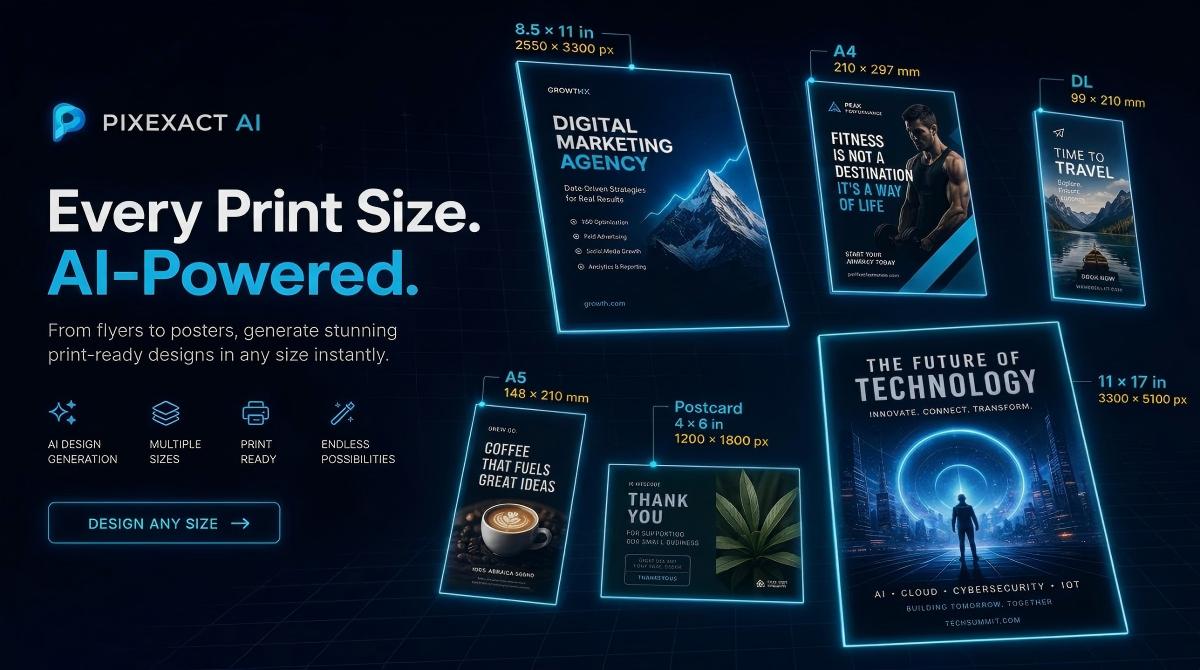
PixExact helps you create poster images at exact pixel dimensions, such as A4, 18×24, 24×36, and social media poster sizes, without resizing or cropping after generation.
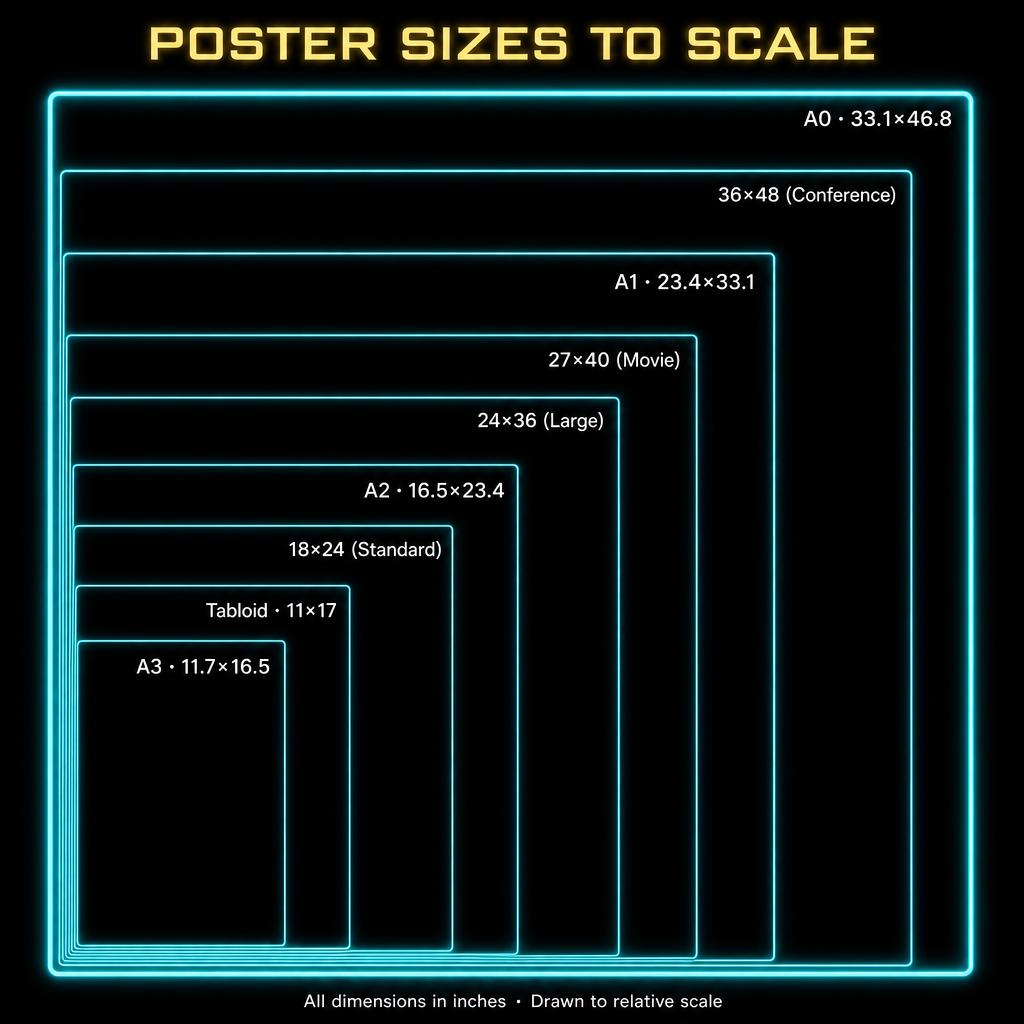
Quick-Reference: All Standard Poster Sizes at a Glance
| Poster Size | Inches | Millimeters | Pixels at Recommended DPI | Typical Viewing Distance | Best For | Action / Generate |
|---|---|---|---|---|---|---|
| A3 (Small) | 11.7 x 16.5 | 297 x 420 | 3508 x 4961 (300) | 1-2 ft / 30-60 cm | Bulletin boards, kiosk displays, handouts | Generate A3 poster with PixExact |
| Tabloid / Ledger | 11 x 17 | 279 x 432 | 3300 x 5100 (300) | 1-2 ft / 30-60 cm | Campus flyers, small event posters | Generate Tabloid poster with AI |
| 12 x 18 (Photo) | 12 x 18 | 305 x 457 | 3600 x 5400 (300) | 2-3 ft / 60-90 cm | Photo prints, small art posters | Generate 12 x 18 poster |
| A2 (Medium) | 16.5 x 23.4 | 420 x 594 | 4961 x 7016 (300) | 2-4 ft / 60-120 cm | Event posters, retail promotions, shop windows | Generate A2 poster with PixExact |
| 18 x 24 (Standard) | 18 x 24 | 457 x 610 | 5400 x 7200 (300) | 2-4 ft / 60-120 cm | Most popular size overall; versatile for any indoor use | Generate 18 x 24 poster |
| A1 (Large) | 23.4 x 33.1 | 594 x 841 | 4680 x 6620 (200) | 3-6 ft / 1-2 m | Conference signage, exhibition panels, wall displays | Generate A1 poster with PixExact |
| 24 x 36 (Large) | 24 x 36 | 610 x 914 | 4800 x 7200 (200) | 3-6 ft / 1-2 m | Standard large poster; dorm rooms, retail, concerts | Generate 24 x 36 poster |
| 27 x 40 (Movie One-Sheet) | 27 x 40 | 686 x 1016 | 5400 x 8000 (200) | 4-8 ft / 1.2-2.5 m | Movie posters, theater lobbies, collector displays | Generate Movie poster |
| A0 (Extra Large) | 33.1 x 46.8 | 841 x 1189 | 4965 x 7020 (150) | 5-10 ft / 1.5-3 m | Exhibition backdrops, trade show walls, building signage | Generate A0 poster with PixExact |
| 36 x 48 (Conference) | 36 x 48 | 914 x 1219 | 5400 x 7200 (150) | 5-10 ft / 1.5-3 m | Academic conferences, scientific posters, large displays | Generate 36 x 48 poster |
| 40 x 60 (Bus Shelter) | 40 x 60 | 1016 x 1524 | 4000 x 6000 (100) | 6-15 ft / 2-5 m | Bus shelters, outdoor advertising, venue banners | Generate Bus Shelte poster |
| 2A0 (Double A0) | 46.8 x 66.1 | 1189 x 1682 | 4680 x 6610 (100) | 10+ ft / 3+ m | Billboard-scale displays, building wraps | Generate 2A0 poster with PixExact |
Tip: With PixExact's AI Poster Generator, you can create a poster in any of these sizes instantly. Enter your dimensions, describe your design, and download a print-ready file.
US Standard Poster Sizes Explained
1. Tabloid / Ledger (11 x 17 inches)
The smallest common poster size in North America. Also called B-size or Mini Poster, this format is essentially a large flyer — perfect for low-budget, high-volume distribution.
Dimensions at a glance:
- Inches: 11 x 17
- Millimeters: 279 x 432
- Pixels at 300 DPI: 3300 x 5100
- With bleed: 3375 x 5175
When to use: campus bulletin boards, coffee-shop notice boards, small event announcements, restaurant specials, and any situation where a full-size poster is too large but a standard flyer is too small. For even smaller formats, see our Flyer Size Guide.
2. 12 x 18 Inches (Photo Poster)
A popular choice for photo prints and small art reproductions. This size fits readily available frames at most home-decor stores.
Dimensions at a glance:
- Inches: 12 x 18
- Millimeters: 305 x 457
- Pixels at 300 DPI: 3600 x 5400
- With bleed: 3675 x 5475
When to use: gallery-quality photo prints, limited-edition art posters, small band merchandise, and bedroom or dorm-room wall art.
3. 18 x 24 Inches (Standard Poster)
The most popular poster size in North America, accounting for roughly 37% of poster sales. It balances visibility with affordability and fits the widest range of standard frames.
Dimensions at a glance:
- Inches: 18 x 24
- Millimeters: 457 x 610
- Pixels at 300 DPI: 5400 x 7200
- With bleed: 5475 x 7275
- Aspect ratio: 3:4
When to use: indoor event announcements, retail window displays, campus promotions, trade-show signage, restaurant and bar promos, real estate signage, and general-purpose wall posters. If you can only choose one size, start here.
4. 24 x 36 Inches (Large Poster)
The default "poster" size in most people's minds. This is what you see in dorm rooms, music stores, and retail pop-ups. Wide availability of frames at affordable prices makes it an easy choice.
Dimensions at a glance:
- Inches: 24 x 36
- Millimeters: 610 x 914
- Pixels at 300 DPI: 7200 x 10800
- With bleed: 7275 x 10875
- Aspect ratio: 2:3
When to use: concert and festival posters, retail promotions, gallery prints, wall decor, motivational posters, and any application requiring strong visual impact from across a room (3-6 feet viewing distance).
5. 27 x 40 Inches (Movie One-Sheet)
The official standard for theatrical movie posters in North America. This size is used in cinema lobbies, on outdoor theater displays, and by collectors worldwide.
Dimensions at a glance:
- Inches: 27 x 40
- Millimeters: 686 x 1016
- Pixels at 300 DPI: 8100 x 12000
- With bleed: 8175 x 12075
When to use: movie posters, theatrical promotions, media-room displays, collector framing, and any creative project that benefits from the distinctive one-sheet proportions.
6. 36 x 48 Inches (Conference / Display)
The go-to size for academic conference posters and scientific research presentations. Most university poster sessions specifically require this dimension.
Dimensions at a glance:
- Inches: 36 x 48
- Millimeters: 914 x 1219
- Pixels at 300 DPI: 10800 x 14400
- Pixels at 150 DPI: 5400 x 7200
- With bleed: 10875 x 14475
- Aspect ratio: 3:4
When to use: scientific poster sessions, academic conferences, large-format retail displays, exhibition walls, and lobby signage. At this size, 150-200 DPI is acceptable because viewers typically stand 5-10 feet away.
7. 40 x 60 Inches (Bus Shelter / Large Format)
A true large-format poster used for outdoor advertising, bus-shelter displays, and venue-entrance banners. Files at full 300 DPI are massive (12000 x 18000 px), so most printers accept 100-150 DPI for this size.
Dimensions at a glance:
- Inches: 40 x 60
- Millimeters: 1016 x 1524
- Pixels at 150 DPI: 6000 x 9000
- Pixels at 300 DPI: 12000 x 18000
- With bleed: 12075 x 18075
When to use: outdoor advertising, bus shelters, concert-venue entrance displays, tradeshow backdrops, and any placement where the poster is viewed from 6 feet or more.
ISO A-Series Poster Sizes Explained
The ISO A-series is the international standard used across Europe, Asia, Africa, South America, and Australia. Each size is exactly half the area of the next size up, maintaining a consistent 1:1.414 aspect ratio.
A3 (11.7 x 16.5 inches / 297 x 420 mm)
The smallest ISO poster size, roughly equivalent to US Tabloid. A3 is ideal for notice boards, kiosk displays, and compact event posters.
- Pixels at 300 DPI: 3508 x 4961
- With bleed: 3579 x 5032
A2 (16.5 x 23.4 inches / 420 x 594 mm)
The mid-range poster size, close to the US 18 x 24 format. A2 is the workhorse size for shop-window displays, event announcements, and promotional signage in most countries outside North America.
- Pixels at 300 DPI: 4961 x 7016
- With bleed: 5032 x 7087
A1 (23.4 x 33.1 inches / 594 x 841 mm)
The standard large poster format internationally. A1 is comparable to the US 24 x 36 size and is widely used for exhibitions, conferences, and retail wall displays.
- Pixels at 300 DPI: 7016 x 9933
- With bleed: 7087 x 10004
A0 (33.1 x 46.8 inches / 841 x 1189 mm)
The largest standard A-series size. A0 is used for exhibition backdrops, large-scale advertising, and event signage. Its area is exactly one square meter.
- Pixels at 300 DPI: 9933 x 14043
- With bleed: 10004 x 14114
- Pixels at 150 DPI: 4967 x 7022
Resolution and Viewing Distance Guide
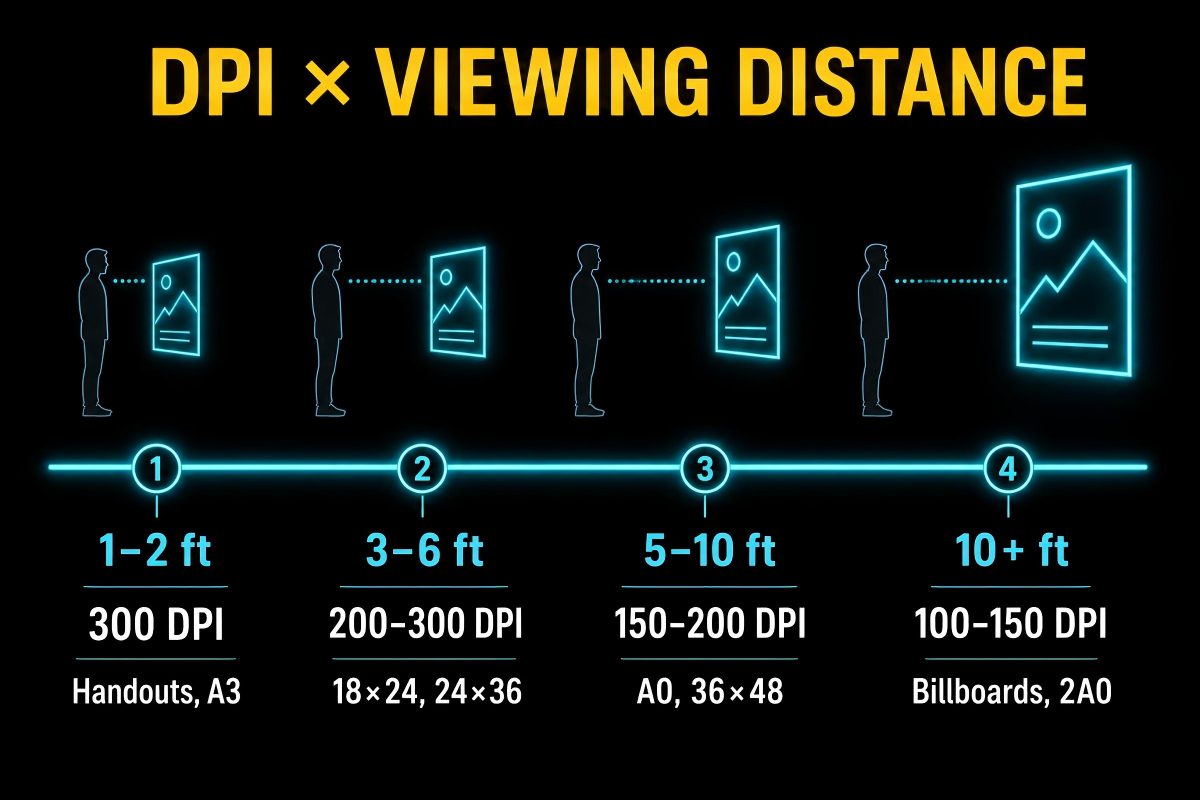
Unlike flyers that are held in hand, posters are viewed from a distance — and that changes the DPI you actually need. Designing at unnecessarily high DPI wastes storage, slows uploads, and can crash your design software on large formats.
| Viewing Distance | Recommended DPI | Use Case |
|---|---|---|
| 1-2 ft (30-60 cm) | 300 DPI | Small posters (A3, Tabloid) viewed up close |
| 2-4 ft (60-120 cm) | 300 DPI | Standard posters (18x24, A2) on indoor walls |
| 3-6 ft (1-2 m) | 200-300 DPI | Large posters (24x36, A1) in retail and exhibitions |
| 5-10 ft (1.5-3 m) | 150-200 DPI | Extra-large posters (A0, 36x48) at conferences |
| 6-15 ft (2-5 m) | 100-150 DPI | Bus shelters, outdoor displays (40x60) |
| 10+ ft (3+ m) | 72-100 DPI | Billboard-scale displays, building wraps |
Rule of thumb: for any poster 24 x 36 inches or smaller, use 300 DPI. For anything larger, you can safely reduce to 150-200 DPI without visible quality loss at the intended viewing distance.
Understanding Bleed for Poster Printing
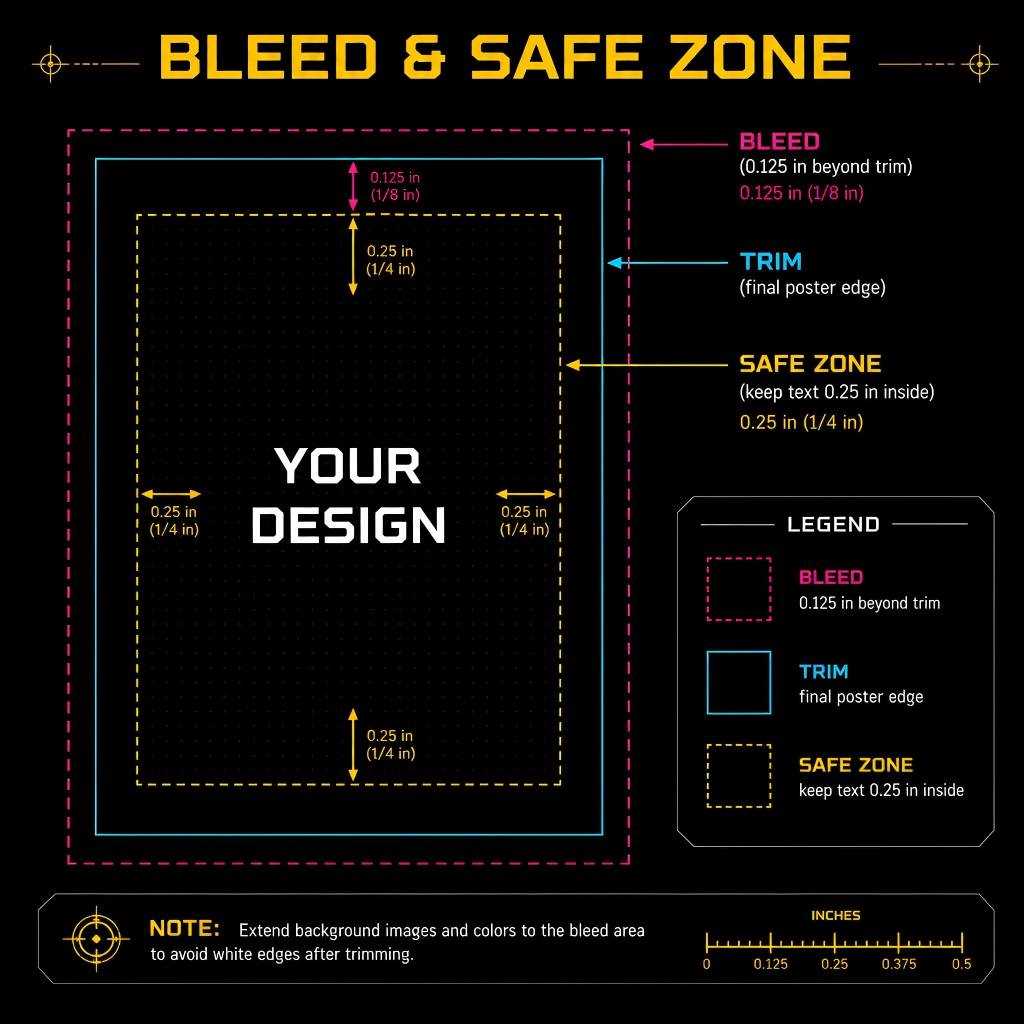
Just like with flyers, professional poster printing requires bleed — extra artwork extending beyond the trim line to prevent white edges after cutting.
Standard bleed: 0.125 inches (3.175 mm) on each side. Add 0.25 inches (6.35 mm) to both width and height.
Example: a 24 x 36 inch poster becomes 24.25 x 36.25 inches with bleed, or 7275 x 10875 pixels at 300 DPI.
Safe area: keep all critical text and logos at least 0.25 inches (6.35 mm) inside the trim line. For large-format posters (36 x 48 and above), increase the safe margin to 0.5 inches (12.7 mm) because cutting tolerances are wider on large sheets.
Tip: PixExact AI Poster Generator lets you specify exact dimensions including bleed. The AI extends your design to the edges automatically, so your files arrive at the printer ready to go.
Digital Poster Sizes for Social Media and Screens
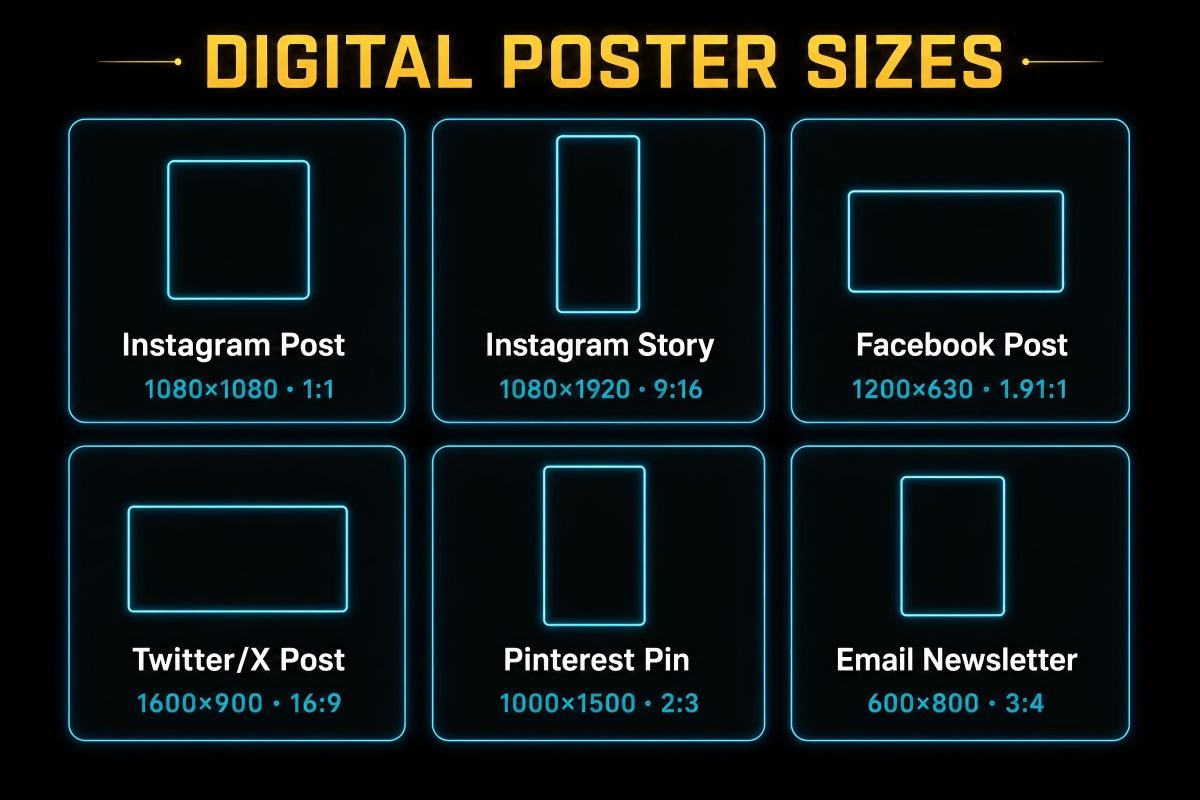
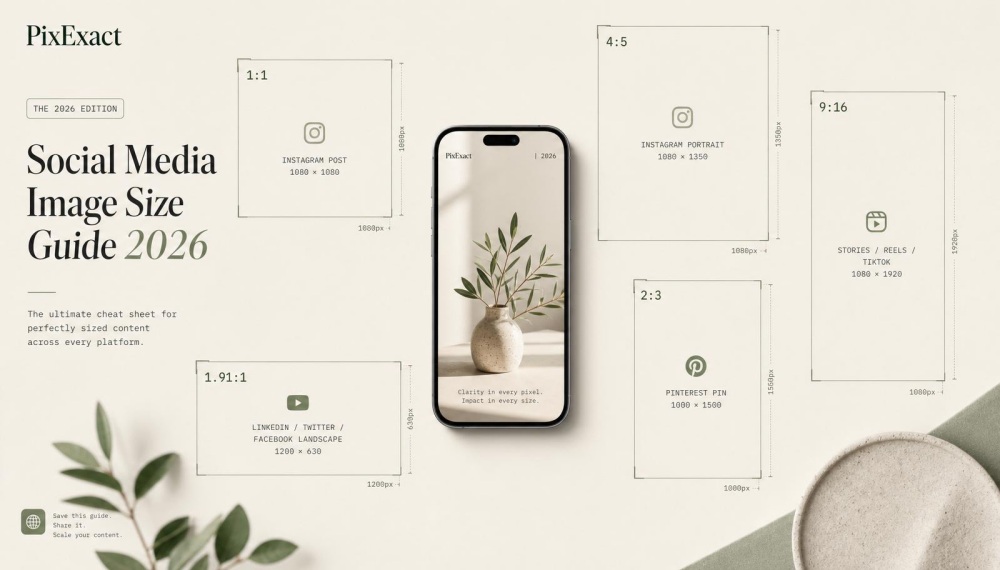
Many posters today live on screens, not walls. Here are the optimized dimensions for digital poster distribution:
| Platform / Use | Recommended Size (px) | Aspect Ratio | Notes |
|---|---|---|---|
| Instagram Feed (Vertical) | 1080 x 1350 | 4:5 | Maximum feed visibility; ideal for event posters |
| Instagram Feed (Square) | 1080 x 1080 | 1:1 | Clean grid appearance |
| Instagram / Facebook Stories | 1080 x 1920 | 9:16 | Full-screen vertical; great for concert / event announcements |
| Facebook Feed Post | 1200 x 630 | 1.91:1 | Landscape format for link previews |
| Facebook Event Cover | 1200 x 628 | 1.91:1 | Event page header image |
| Pinterest Pin | 1000 x 1500 | 2:3 | Tall format performs best on Pinterest |
| Digital Signage (HD) | 1920 x 1080 | 16:9 | In-store screens, lobby TVs, presentations |
| Digital Signage (4K) | 3840 x 2160 | 16:9 | High-end displays, video walls |
| Email Newsletter | 600 x 900 | 2:3 | Standard email-width poster graphic |
Pro tip: designing one poster for both print and digital? Start with your print dimensions at 300 DPI, then export a downsized version at the social-media pixel sizes listed above. This way you maintain quality for print while optimizing file size for digital. For more on Instagram-specific sizes, check our Instagram Post Size Guide.
How to Choose the Right Poster Size
1. Start with Location and Viewing Distance
- Indoor walls at arm's length (offices, hallways, classrooms): 18 x 24 or A2
- Indoor walls viewed from across a room (retail stores, lobbies, gyms): 24 x 36 or A1
- Conference poster sessions: 36 x 48 (often required by organizers)
- Outdoor and transit advertising: 40 x 60 or larger
- Cinema lobbies and collector displays: 27 x 40 (movie one-sheet)
2. Match Size to Content Volume
- Single hero image with minimal text: any size works; go larger for impact
- Moderate text (headline, subhead, details, CTA): 18 x 24 through 24 x 36
- Dense information (academic research, schedules, maps): 36 x 48 or A0
3. Consider Framing Availability
Standard frame sizes are most affordable and widely available for 18 x 24, 24 x 36, and 27 x 40 (US) or A3, A2, and A1 (international). Custom framing for non-standard sizes adds significant cost. If your poster will be framed, stick to a standard dimension.
4. Factor in Budget
Larger posters cost more to print, ship, and frame. For high-volume campaigns (hundreds of copies), 18 x 24 or A2 offers the best balance of impact and cost. For one-off displays, invest in 24 x 36 or larger for maximum visual presence.
5. Region
- North America: 18 x 24, 24 x 36, 27 x 40, and 36 x 48 are the standards
- Europe, Asia, Oceania, Africa, South America: A3, A2, A1, and A0 are the norms
- Global campaigns: design at A1 (594 x 841 mm) — it is slightly narrower but taller than 24 x 36 inches and can be adapted for either market
Once you have settled on a size, the next step is putting your design together. For a practical walkthrough — including 8 ready-to-use prompts for events, movies, and wall art — see our How to Create a Poster with AI.
Poster Size vs. Flyer Size: When to Use Which
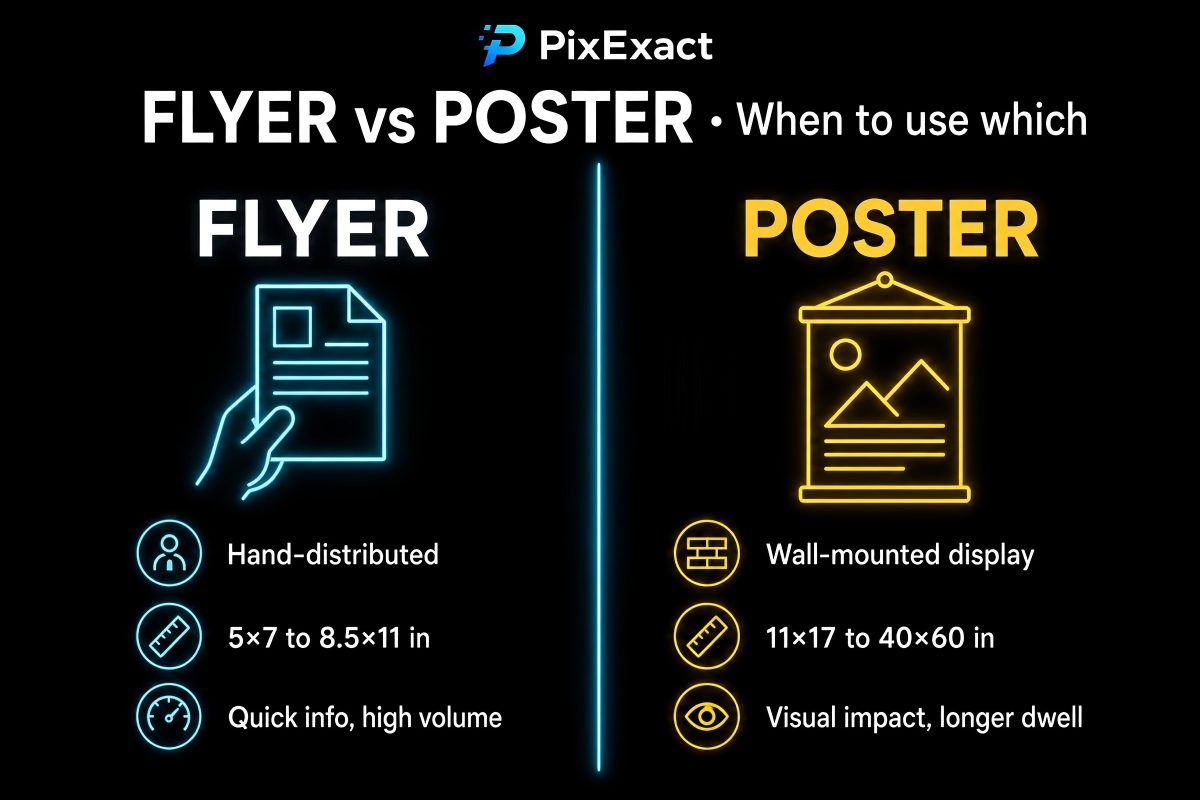
| Feature | Flyer | Poster |
|---|---|---|
| Typical size | Up to 8.5 x 11 in / A4 | 11 x 17 in / A3 and larger |
| Distribution | Hand-to-hand, mail, inserts, racks | Wall display, windows, frames, stands |
| Viewing distance | Arm's length (1-2 ft) | Across the room (3-10+ ft) |
| Content | Actionable details (coupons, event info, contact) | Visual impact first, key info second |
| Print volume | High (hundreds to thousands) | Low to medium (tens to hundreds) |
| Cost per unit | Lower | Higher |
If you need a piece that someone takes home and acts on, choose a flyer. If you need a piece that grabs attention from a distance and builds awareness, choose a poster. For a full breakdown of flyer formats, read our Flyer Size Guide.
Frequently Asked Questions
What is the standard poster size?
The most common poster size is 18 x 24 inches (457 x 610 mm) for general use, and 24 x 36 inches (610 x 914 mm) for large-format wall display. Internationally, A2 (420 x 594 mm) and A1 (594 x 841 mm) are the closest equivalents.
What size is a movie poster?
The industry-standard movie poster (also called a one-sheet) is 27 x 40 inches (686 x 1016 mm). At 300 DPI, that is 8100 x 12000 pixels. This format is used in cinema lobbies worldwide and is the standard size for collectible movie posters.
What size poster do I need for a conference?
Most academic and scientific conferences require a poster size of 36 x 48 inches (914 x 1219 mm) in landscape orientation, or 48 x 36 inches in portrait. Always check your conference guidelines before designing. At this size, 150-200 DPI is acceptable because viewers stand several feet away.
What DPI should I use for a poster?
For posters 24 x 36 inches or smaller, use 300 DPI. For posters between 36 x 48 and 40 x 60 inches, 150-200 DPI produces sharp results at typical viewing distances. For billboard-scale displays (larger than 40 x 60), 72-100 DPI is sufficient.
What is the difference between a poster and a flyer?
Flyers are typically A4 / US Letter size or smaller, designed for hand distribution, mailing, or rack display. Posters start at 11 x 17 inches (A3) and go up to building-wrap scale, designed for wall display and viewed from a distance. For a detailed comparison and all flyer dimensions, see our Flyer Size Guide.
How do I calculate poster size in pixels?
Multiply each dimension in inches by your target DPI. For example, a 24 x 36 inch poster at 300 DPI equals 7200 x 10800 pixels (24 x 300 = 7200; 36 x 300 = 10800). For millimeters, divide mm by 25.4 first to convert to inches, then multiply by DPI.
Can I create a custom-size poster?
Yes. While standard sizes are recommended for cost-effective printing and easy framing, custom dimensions are supported by most wide-format printers. With PixExact's AI Poster Generator, you can enter any width and height in pixels and generate a poster in that exact size.
Create Your Poster in Any Size with AI
Now that you know which size fits your project, you are ready to design. With PixExact's AI Poster Generator, you can:
- Enter any standard or custom dimensions
- Describe your poster in plain text — the AI handles layout, typography, and imagery
- Download print-ready files at up to 300 DPI
- Generate multiple size variations from a single prompt
No design skills required. Pick your size, type your message, and let AI handle the rest. For a step-by-step walkthrough with 8 ready-to-use prompt examples, see our How to Create a Poster with AI.