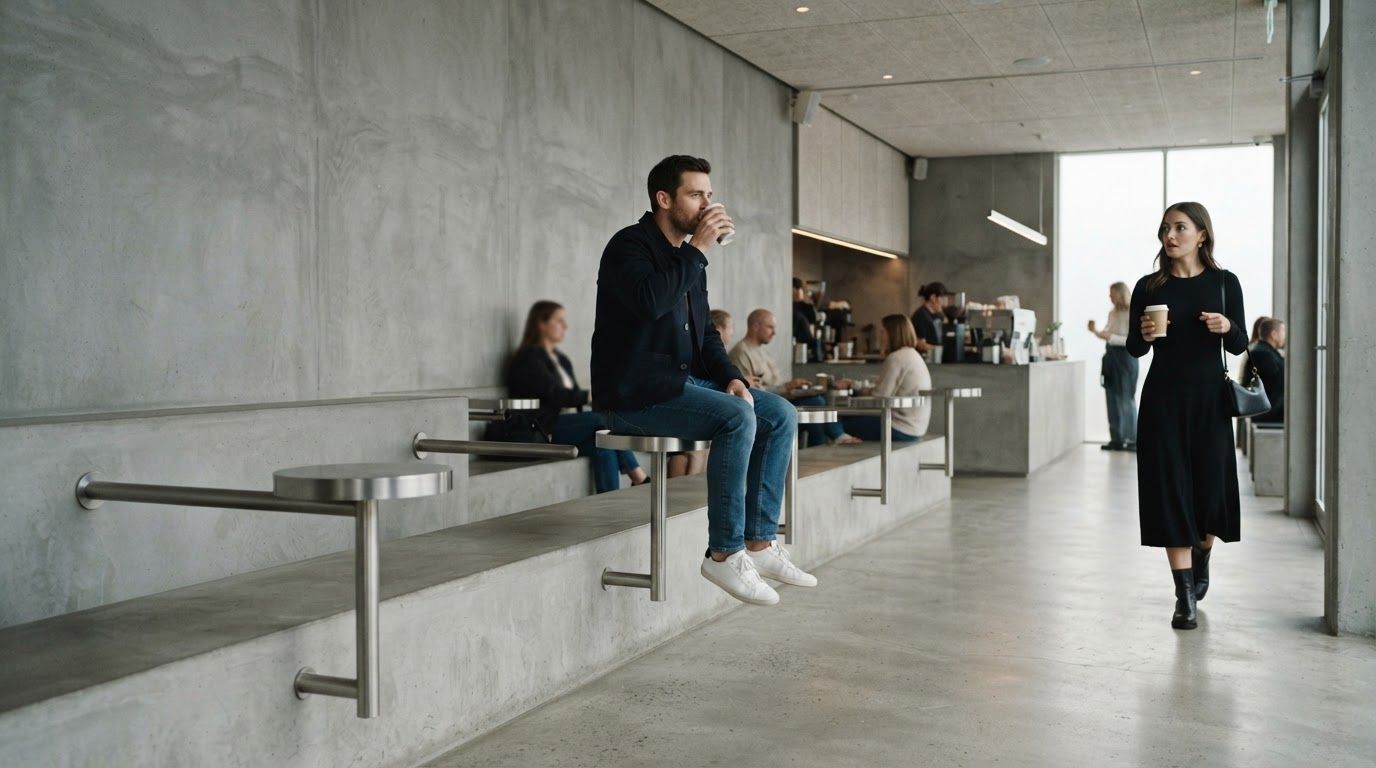
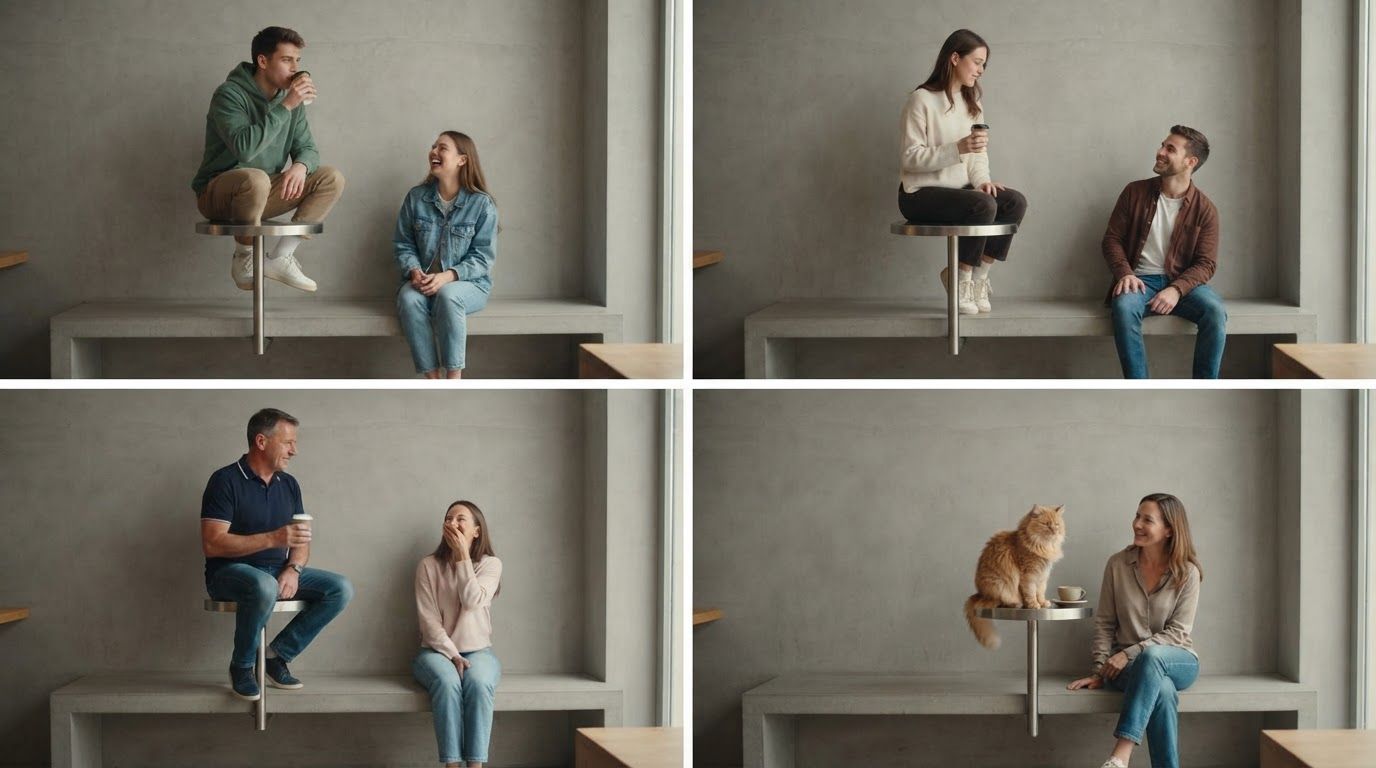
You've seen it all over your feed: a guy calmly sipping coffee while sitting on a tiny wall table, until a woman walks in, sits on the bench and puts her cup on his "seat." The slow climb down is the whole joke, and now everyone wants a version starring their friend, their partner or their cat.
This guide shows you how to make the First Time in a Fancy Cafe AI video with your own photos: who to put on the table, which photos work, what it costs, and how to post it without losing the sound. New to the trend? Start with what the First Time in a Fancy Cafe meme is.
The Short Answer
- Open the First Time in a Fancy Cafe AI Video Generator.
- Upload a photo for the Table Sitter and one for the Walk-in Guest, or one photo of both of you.
- Click Generate. A few minutes later you get the full 21-second vertical clip with your faces, the "POV: Your first time in a fancy cafe" caption and the original sound.
No app, no CapCut and no prompt writing. It costs 190 credits per video, so it isn't free. The full price breakdown is further down.
Step 1: Decide Who Sits on the Table
Do this before you pick any photos. The casting decides whether the joke lands.
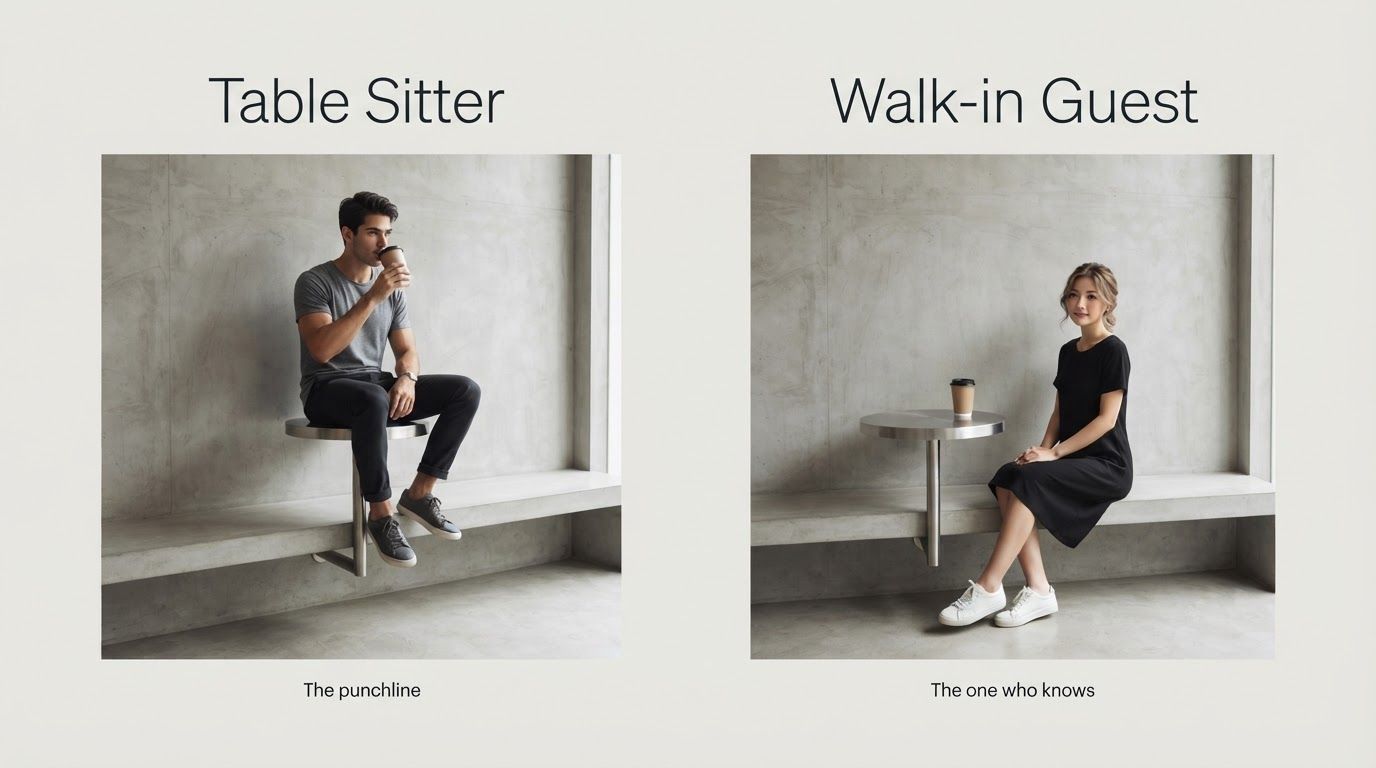
| Role | What happens in the video | Who to cast |
|---|---|---|
| Table Sitter | Already perched on the wall table when the video starts, sipping coffee with total confidence. Spots the mistake and quietly climbs down to the bench. | The person (or pet) the video is roasting |
| Walk-in Guest | Walks in a few seconds later, sits on the bench and sets the cup on the table without a word | The friend who always knows how things work |
A few rules that make it funnier:
- The Table Sitter is the punchline. If you're going to tag someone, they go on the table.
- Put yourself on the table for a self-roast. It pairs perfectly with captions like "me at my first networking event."
- Gender doesn't matter. Anyone can play either role, no matter how the original pair looks.
- Pets count. A person and a pet, or two pets, work too. More on that below.
Stuck on who to cast? Browse our First Time in a Fancy Cafe video ideas.
Step 2: Choose Separate Photos or One Photo of Both
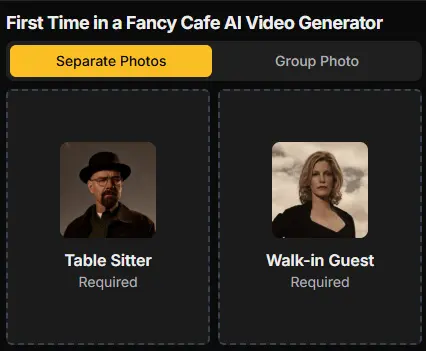
Separate Photos (recommended). Upload one photo into the Table Sitter slot and one into the Walk-in Guest slot. Each face gets full attention, and the two photos don't need to be taken together, so you can use a selfie of yourself and any good photo of your friend.
Group Photo. Already have a picture of the two of you side by side? Upload it and the generator casts from left to right:
- The person on the left becomes the Table Sitter.
- The person on the right becomes the Walk-in Guest.
If the wrong person would end up on the table, mirror the photo before uploading, or switch to Separate Photos.
Step 3: Pick Photos the AI Can Read
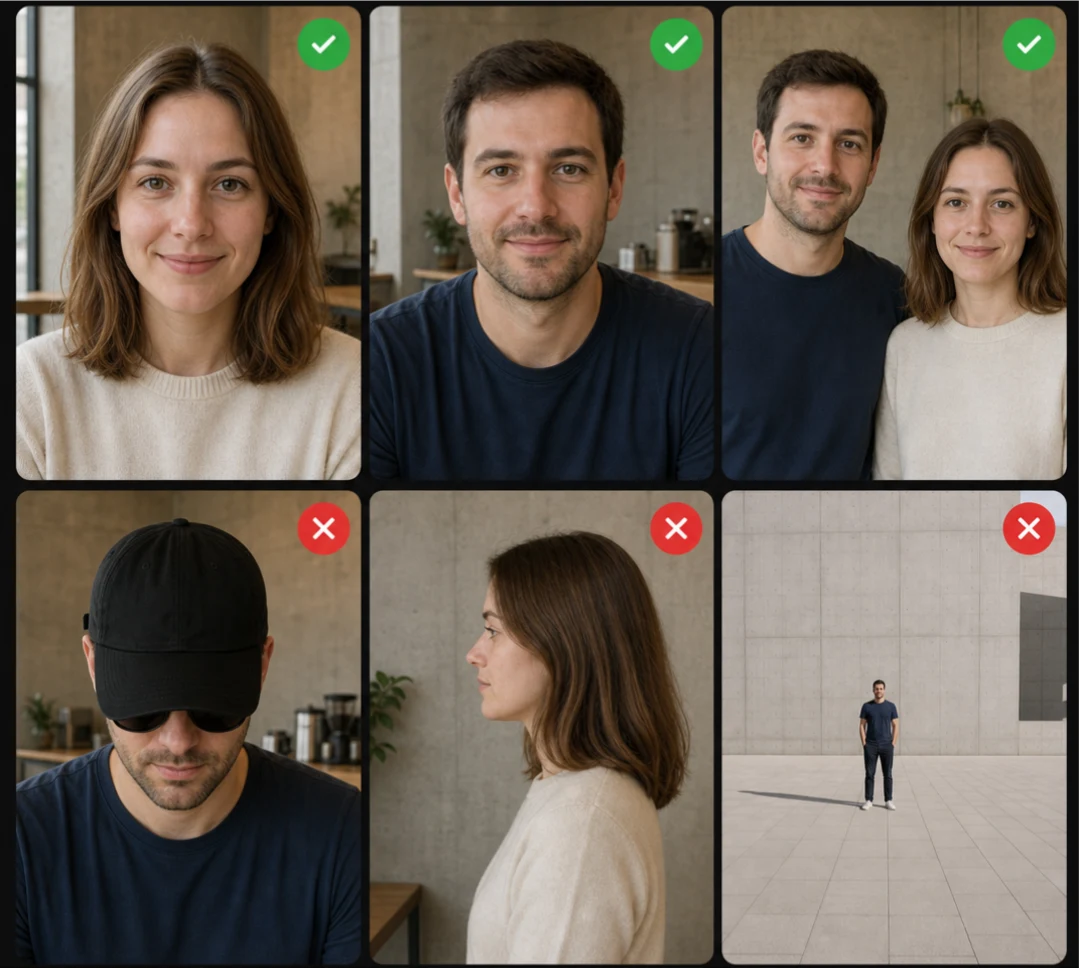
The AI can only copy a face it can see. When someone says "that doesn't look like me," the photo is almost always the reason.
| Use this | Avoid this |
|---|---|
| Front-facing, both eyes visible | Side profiles, looking down at a phone |
| Chest-up, face fills a good part of the frame | Full-body shots taken from far away |
| Natural light | Heavy beauty filters or AI-edited photos |
| One person per photo in Separate Photos mode | Crowded shots where faces overlap |
| Nothing covering the face | Sunglasses, low hat brims, hands or hair over the face |
For a group photo, stand side by side facing the camera, with both faces clear and the Table Sitter on the left.
Only use photos of people who said yes. It's a joke video, and it should stay a joke for everyone in it.
Step 4: Generate and Download
Click Generate. The video is usually ready in a few minutes and is saved to your assets, so you can close the tab and come back later.
Here's what you get:
- The full scene, about 21 seconds long. From the first sip to the quiet climb down, not a shortened cut.
- Vertical 9:16 MP4 at 720p. Ready for TikTok, Instagram Reels and YouTube Shorts.
- The caption on screen. "POV: Your first time in a fancy cafe" is already there.
- The original sound.
- Your faces and hairstyles, taken from your photos.
Preview it, download the MP4 and you're ready to post.
How Much Does It Cost?
Straight answer: it's not free. Each video costs 190 credits, and the free credits you get when you sign up aren't enough for one.
At the time of writing, the smallest credit pack is $19.99 for 250 credits, which covers one video. If you plan to make one every month, the Basic plan is $12.90 a month for 240 credits. See all options on the pricing page.
If a render fails, the 190 credits go back to your account automatically, so you only pay for videos you actually get.
If you're comparing tools, check what a "free" or cheaper option really gives you: how long the clip is, whether there's a watermark, whether the sound is included, and whether it uses your face or just a preset clip.
How to Post It Without Losing the Sound
Your video already has the original audio. Most of the time it uploads and plays fine. If a platform mutes it for copyright reasons:
- Open the in-app sound library on TikTok, Instagram or YouTube Shorts.
- Search for "oh yeah?" by Steve Lacy. That's the song in the meme.
- Add it to your post, line it up with the start of the clip and turn the original sound down.
A few more things before you hit post:
- Label it as AI. Turn on TikTok's AI-generated content label or say it in your caption. It's a parody, and nobody should think it's real footage of your friend.
- Use the caption to add context. The video already says "POV: Your first time in a fancy cafe," so your post caption can name the moment: "Taking Jake to a specialty coffee place for the first time" works better than repeating the POV line.
- Ask your co-star first. Both people should be fine with being in it, especially on a public account.
- Hashtags. #firsttimeinafancycafe, #fancycafe, #pov and #aivideo are good starting points.
When the Result Looks Off
| Problem | Likely cause | Fix |
|---|---|---|
| A face doesn't look like the person | Side angle, small face, sunglasses or a heavy filter | Try again with a clear, front-facing, chest-up photo |
| The wrong person is on the table | Group Photo always puts the left person on the table | Mirror the photo or switch to Separate Photos |
| Your pet looks like a different animal | Blurry photo, or part of the face hidden | Use a sharp photo with the whole face visible |
| The generation failed | A rare render error | Your credits are refunded automatically. Try again, ideally with clearer photos |
| No sound after posting | The platform muted the audio | Add "oh yeah?" by Steve Lacy from the in-app sound library |
AI sometimes misses a face even with a good photo. Swapping in a different photo fixes most cases.
Other Ways to Make the Fancy Cafe Meme
An AI generator isn't the only option. Here's an honest comparison.
| Method | Your face in the scene | Effort | Sound | Cost |
|---|---|---|---|---|
| AI video generator (this guide) | Yes, from your photos | Upload two photos and wait a few minutes | Included | 190 credits |
| CapCut template | Only if you film it yourself | You still need your own footage of the scene | Usually included | Free, though Pro templates can add a watermark |
| Film it in a real cafe | Yes | Find the right furniture, a second person, a tripod and several takes | Add it in the app | The price of two coffees |
| Prompt a general AI video tool | Hard to get both faces right | Write prompts and regenerate until the timing works | Add it yourself | Depends on the tool |
Thinking of filming it for real? You'll need a cafe with a low bench and a small table fixed to the wall. Ask the staff before you start, and don't put your full weight on a table that wasn't built for it. That's the one part of the joke you shouldn't recreate. Prop your phone on a tripod for one wide, still shot, and keep the take to about 20 seconds.
Can My Cat or Dog Be in It?
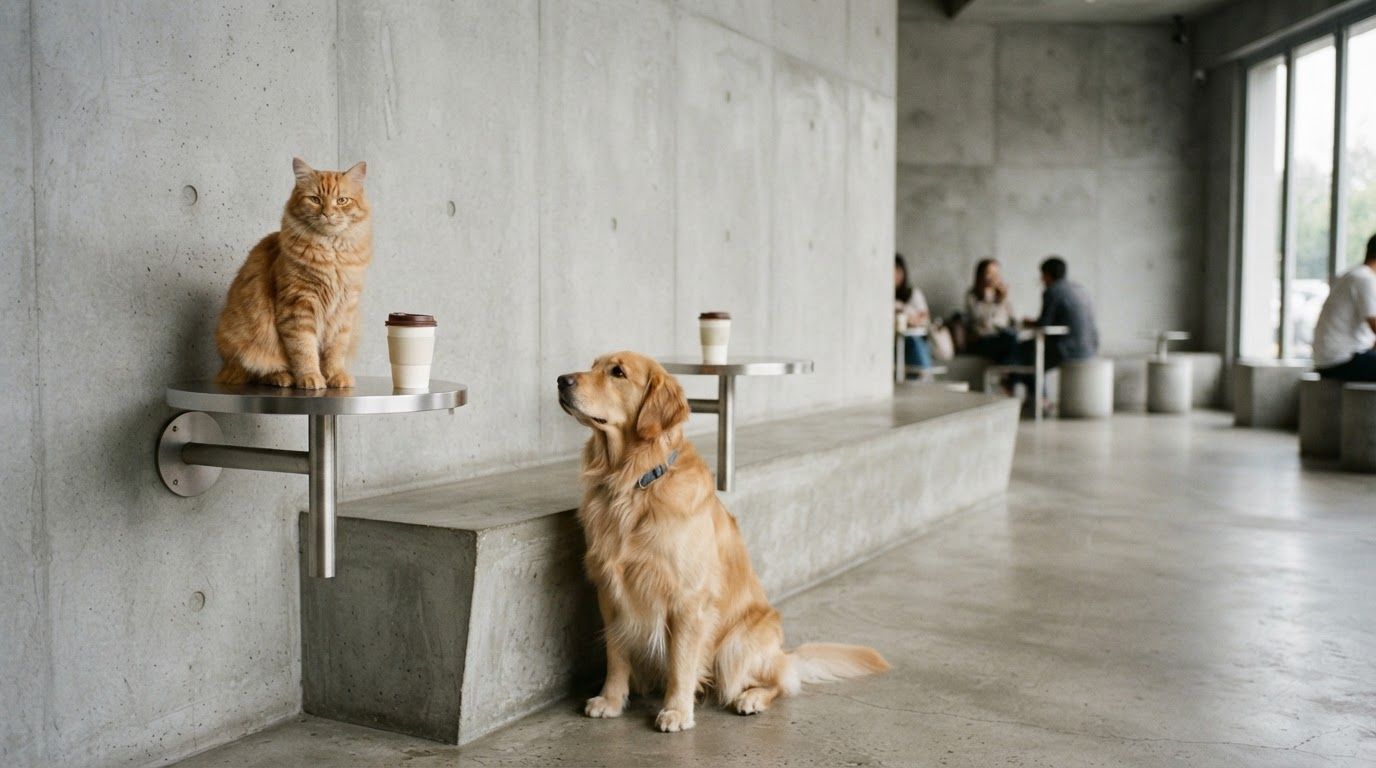
Yes. Pets can play either role, and two pets can star together. A cat sipping coffee on the table and hopping down when a dog walks in is hard to beat.
Use Separate Photos and pick a sharp, front-facing photo of your pet. Our cat and dog guide covers pet photos and casting ideas in detail.
Frequently Asked Questions
Is the First Time in a Fancy Cafe AI video free?
Each video costs 190 credits, and the sign-up credits aren't enough for one. The smallest credit pack ($19.99 for 250 credits) covers one video. If generation fails, your credits are refunded automatically.
Can I make it with just one photo?
Yes, if both people are in it. Switch to Group Photo and upload a picture of the two of you side by side. The person on the left becomes the Table Sitter.
Do I need two people?
You need two faces, but they don't both have to be people. You and your pet, or two pets, work too.
Do I need CapCut or an app?
The generator runs in your browser. Download the MP4 and post it anywhere.
How long is the video?
About 21 seconds, vertical 9:16 at 720p, with the original caption and sound.
How long does it take to make?
Usually a few minutes. Finished videos are saved to your assets.
Can a woman sit on the table?
Yes. Anyone can play either role. Just upload each person to the role you want.
Can I change the cafe?
The scene stays the same on purpose, so people recognize the meme from the first second. Only the faces change.
Can I keep my video private?
Videos are public by default. Paid members can turn off Public Visibility before generating.
Can I use a celebrity's photo?
Stick to people who agreed to be in it. Putting a real person in a fake video without their OK can mislead viewers and can break platform rules.
Make Your Fancy Cafe Video
Pick who goes on the table, grab two clear photos and let the template handle the rest. Your friends will recognize the two of you before the climb down even starts.