Every small business needs flyers — for grand openings, seasonal sales, service promotions, hiring, and community events. The traditional approach means browsing hundreds of generic templates, then spending 30 minutes to an hour swapping out placeholder text and images. The result often looks like every other business on the block.
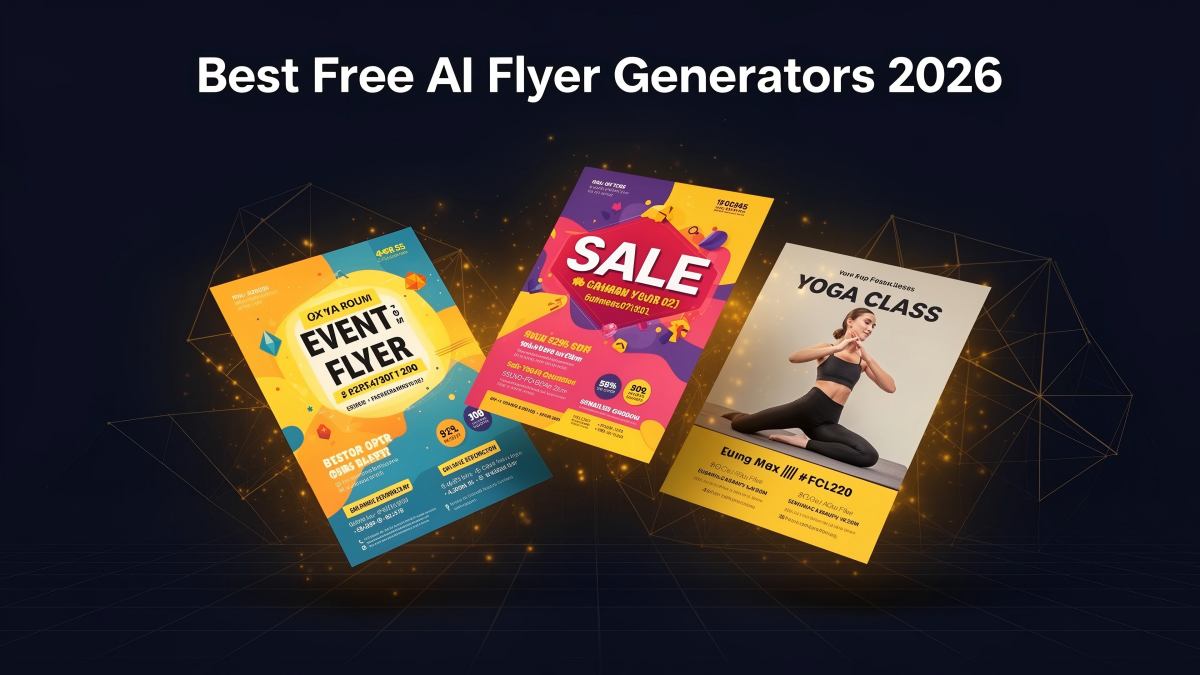
There is a faster way. With an AI flyer generator, you describe your business and promotion in plain language, and get a unique, print-ready flyer in seconds. No template browsing. No drag-and-drop editing. No shared layouts.
This article gives you 10 small business flyer ideas — each with a ready-to-use AI prompt you can copy and paste directly into the PixExact AI Flyer Generator. Every prompt follows the four-part framework (Goal, Details, Audience, Style) and includes a recommended flyer size.
Quick Reference: 10 Small Business Flyer Ideas at a Glance
| # | Flyer Type | Best For | Recommended Size |
|---|---|---|---|
| 1 | Restaurant Grand Opening | Restaurants, cafes, bakeries | US Letter (8.5 x 11 in) |
| 2 | Seasonal Sale | Retail shops, boutiques | US Letter or A4 |
| 3 | Home Service Business | Plumbing, HVAC, landscaping, cleaning | Half Letter (5.5 x 8.5 in) |
| 4 | Real Estate Open House | Agents, brokerages | US Letter (8.5 x 11 in) |
| 5 | Fitness Studio / Gym | Yoga studios, gyms, personal trainers | A5 or Half Letter |
| 6 | Church Event | Churches, faith organizations | US Letter or A4 |
| 7 | Hiring / Now Recruiting | Any small business hiring | Half Letter or A5 |
| 8 | Community Event | Fundraisers, block parties, farmers markets | US Letter (8.5 x 11 in) |
| 9 | Pet Services / Lost Pet | Groomers, pet sitters, lost pet alerts | Postcard (4 x 6 in) or Half Letter |
| 10 | Product Launch / E-Commerce | Online stores, DTC brands | A4 or Custom (1080 x 1350 px for digital) |
How to Use These Prompts
Each flyer idea below includes a complete AI prompt. To use it:
- Open the PixExact AI Flyer Generator.
- Copy the prompt and paste it into the prompt box.
- Replace the placeholder details (business name, date, address, offer) with your own information.
- Select the recommended size from the dropdown (or choose Custom for digital formats).
- Set Number of Flyers to 4 to compare different layout variations.
- Click Generate Flyer.
- After generation, click the edit button on the flyer image to upload your real QR code.
- Download the print-ready file.
For a complete walkthrough with screenshots, see our How to Make a Flyer with AI guide.
1. Restaurant Grand Opening Flyer
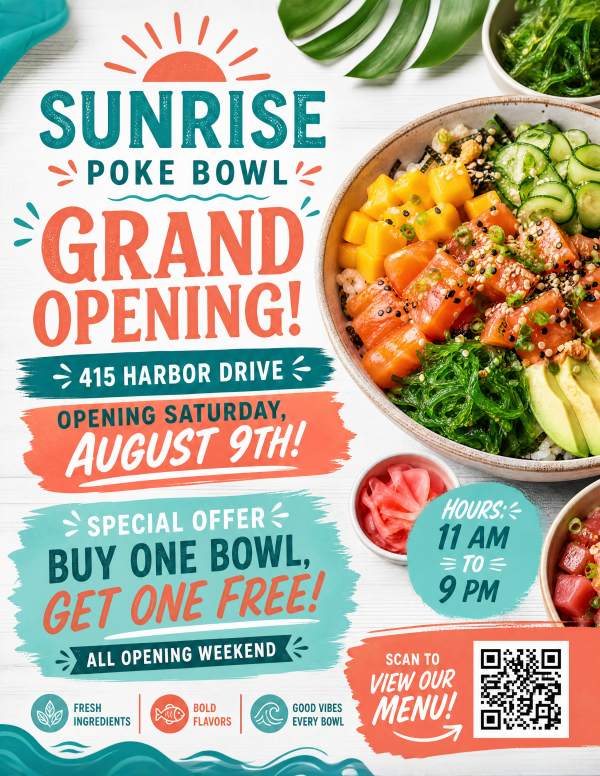
Why it works: Grand opening flyers need to communicate excitement, location, and an irresistible offer. With an AI Restaurant Flyer Generator, you can instantly create warm, appetizing designs that make the offer the focal point.
Recommended size: US Letter (8.5 x 11 in / 2550 x 3300 px at 300 DPI) — large enough for window displays and bulletin boards.
Prompt:
"Create a grand opening flyer for [Your Restaurant Name] at [Address]. Opening [Day, Date]. Special offer: [Your Offer, e.g., Free Appetizer with Every Entree for the first week]. Hours: [Opening Hours]. Warm and appetizing tone with [your color preferences, e.g., terracotta and cream] colors, food photography style. Include a QR code linking to our menu."
Example with details filled in:
"Create a grand opening flyer for Sunrise Poke Bowl at 415 Harbor Drive. Opening Saturday, August 9th. Special offer: Buy One Bowl, Get One Free all opening weekend. Hours: 11 AM to 9 PM. Fresh and vibrant tone with teal, coral, and white colors, food photography style. Include a QR code linking to our menu."
Design tips for restaurant flyers:
- Always include the full address and hours — these are the two details customers need most.
- Mention a specific offer (percentage off, free item, BOGO) rather than a generic "Come visit us."
- If you have a logo, upload it as a reference image so the AI matches your brand colors.
- For takeout or delivery businesses, add your phone number and website URL in the prompt.
2. Seasonal Sale Flyer
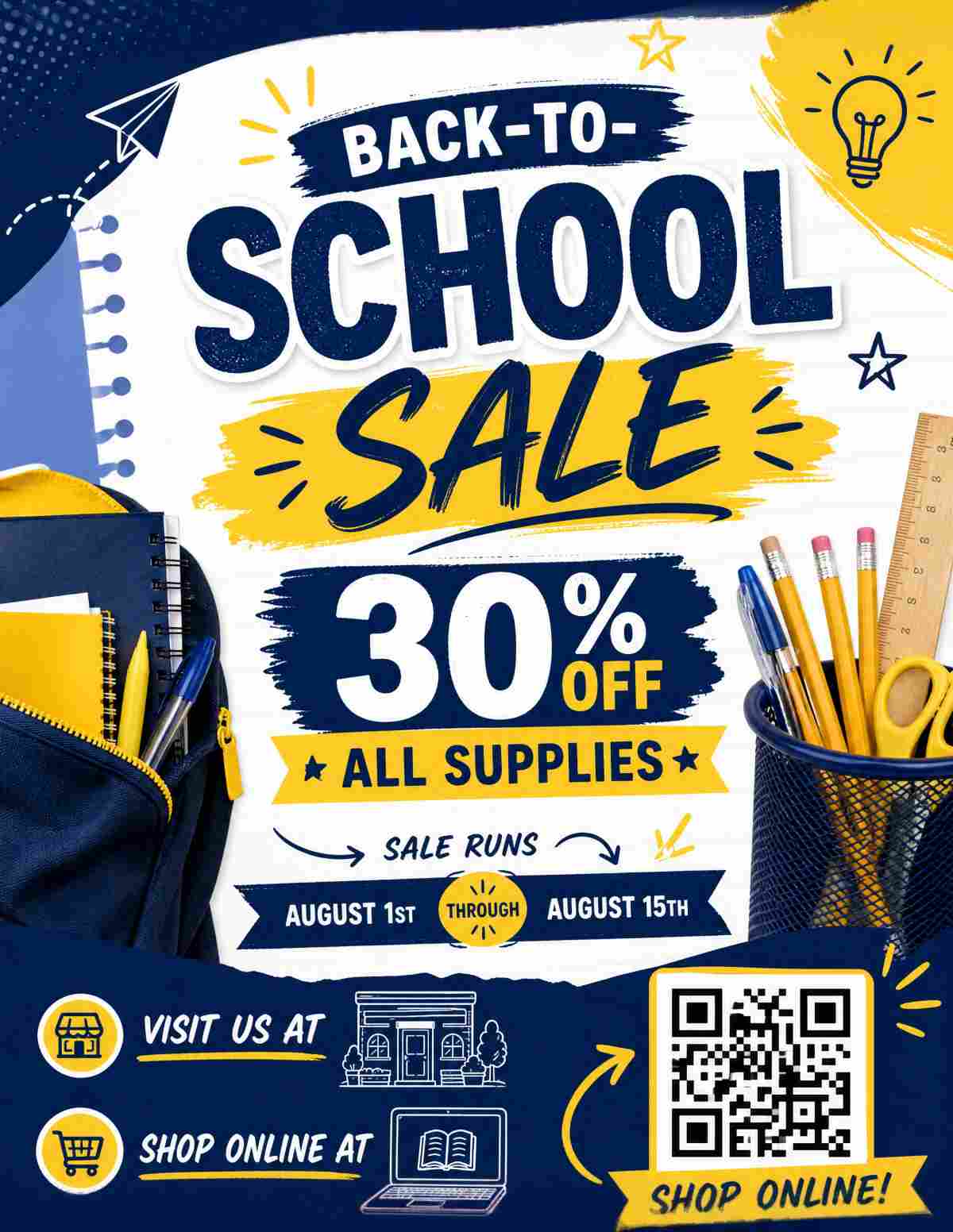
Why it works: Seasonal sales are time-sensitive. The flyer needs to communicate urgency, the discount, and the dates. AI handles seasonal theming (holiday colors, seasonal imagery) automatically based on your style description.
Recommended size: US Letter (8.5 x 11 in) for in-store displays or A4 (210 x 297 mm) for international markets.
Prompt:
"Design a [Season/Holiday] sale flyer for [Business Name]. Headline: [Your Headline, e.g., Summer Clearance — Up to 50% Off]. Sale runs [Start Date] through [End Date]. Visit us at [Address] or shop online at [Website]. [Tone and color description, e.g., Bright and energetic with sunny yellow and coral accents, summer vibes]. Include a QR code linking to [destination]."
Example with details filled in:
"Design a Back-to-School sale flyer for Page and Pen Bookshop. Headline: Back-to-School Sale — 30% Off All Supplies. Sale runs August 1st through August 15th. Visit us at 220 College Avenue or shop online at pageandpen.com. Bright and cheerful tone with navy blue, yellow, and white colors, school-themed graphics like notebooks and pencils. Include a QR code linking to our online store."
Design tips for seasonal sale flyers:
- Lead with the discount percentage or dollar amount — it should be the largest text element.
- Include both start and end dates to create urgency.
- Match the visual theme to the season: warm reds and greens for Christmas, pastels for spring, bold black and gold for Black Friday.
- For digital distribution, generate a Custom size at 1080 x 1350 px (Instagram feed) or 1080 x 1920 px (Stories).
3. Home Service Business Flyer
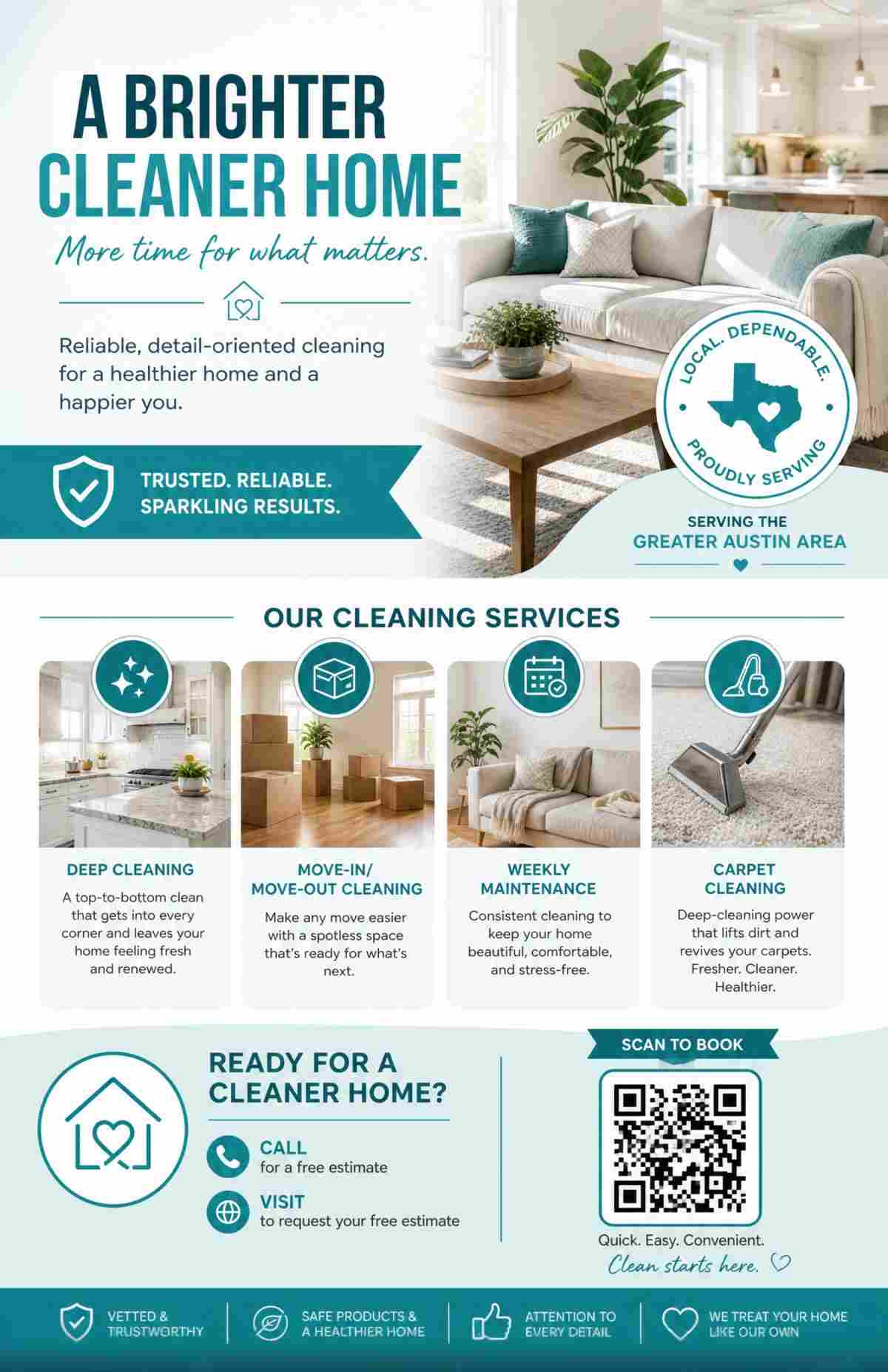
Why it works: Plumbers, electricians, landscapers, cleaners, and contractors rely on flyers for local marketing. These flyers need to be direct, trustworthy, and easy to keep on a fridge or corkboard.
Recommended size: Half Letter (5.5 x 8.5 in / 1650 x 2550 px at 300 DPI) — compact enough for door hangers and mailbox drops.
Prompt:
"Create a service flyer for [Business Name], a [type of service] company serving [area/city]. Services include: [list 3-5 services]. Call [phone number] or visit [website] for a free estimate. [Tone and style, e.g., Professional and trustworthy with navy blue and white colors, clean layout]. Include a QR code linking to our booking page."
Example with details filled in:
"Create a service flyer for BrightHome Cleaning Co., a residential cleaning company serving the greater Austin area. Services include: deep cleaning, move-in/move-out cleaning, weekly maintenance, and carpet cleaning. Call 512-555-0199 or visit brighthomeclean.com for a free estimate. Professional and trustworthy with teal and white colors, clean and modern layout. Include a QR code linking to our booking page."
Design tips for home service flyers:
- Include your phone number in large, readable text — many customers will call directly from the flyer.
- List 3-5 specific services rather than a generic description. "Drain repair, water heater installation, emergency plumbing" converts better than "All plumbing services."
- Mention "free estimate" or "free consultation" if applicable — it lowers the barrier to contact.
- Use Half Letter or Postcard size for door-to-door distribution; US Letter for bulletin boards and community centers.
4. Real Estate Open House Flyer
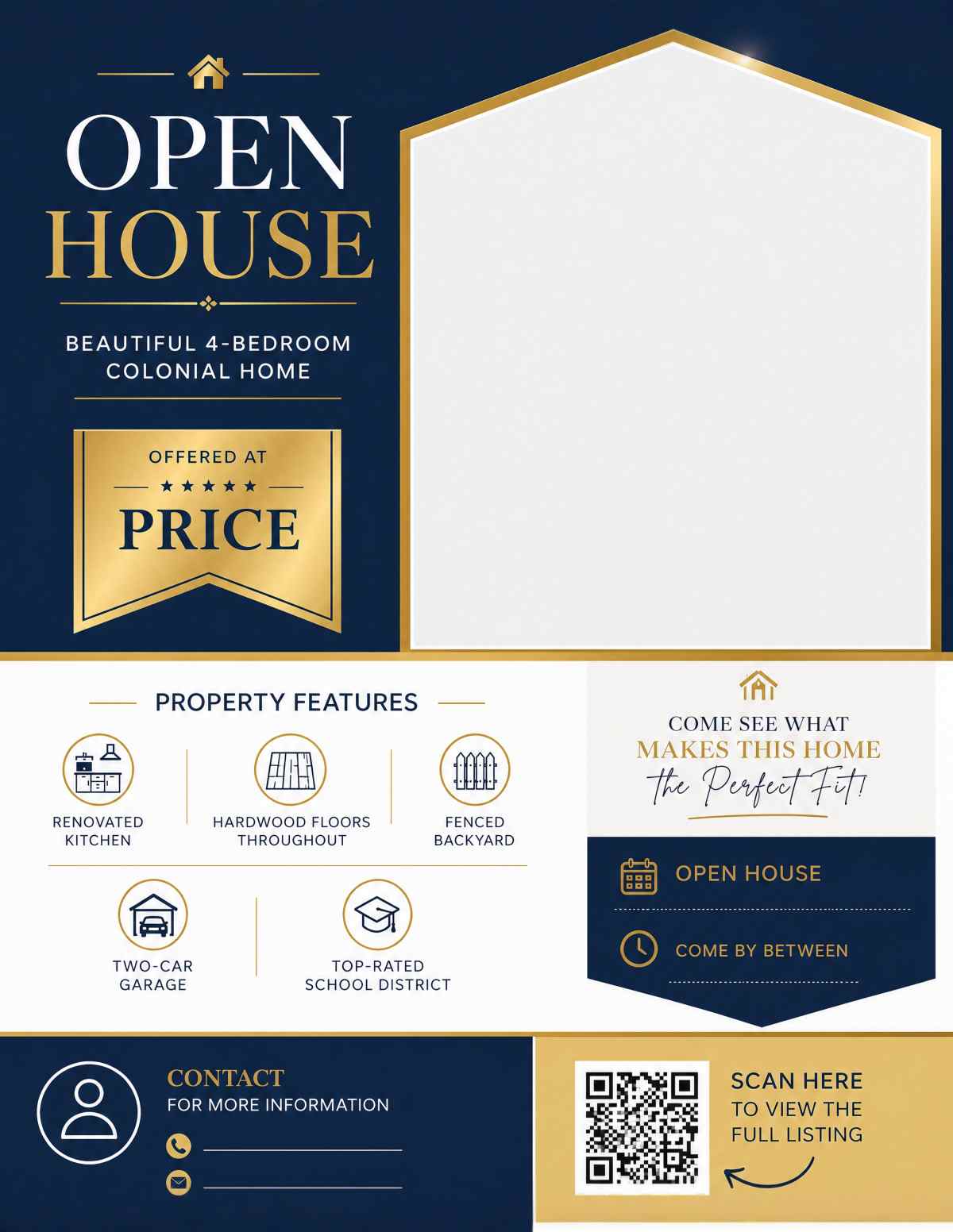
Why it works: Real estate flyers must communicate property details, create aspiration, and drive attendance to a specific date and time. The AI generates clean, professional layouts that put the property front and center.
Recommended size: US Letter (8.5 x 11 in / 2550 x 3300 px at 300 DPI) — standard for real estate marketing.
Prompt:
"Design an open house flyer for a [property type] listed at [price]. Open house: [Day, Date] from [Time] at [Address]. Property features: [list 3-5 features]. Contact agent [Name] at [Phone] or [Email]. Clean and professional layout with [color preferences], real estate photography style. Leave space for a property photo. Include a QR code linking to the full listing."
Example with details filled in:
"Design an open house flyer for a 4-bedroom colonial home listed at $525,000. Open house: Sunday, September 14th from 1 PM to 4 PM at 83 Maple Ridge Drive, Westfield. Property features: renovated kitchen, hardwood floors throughout, fenced backyard, two-car garage, top-rated school district. Contact agent Lisa Park at 908-555-0277 or [email protected]. Clean and professional layout with navy and gold accents, real estate photography style. Leave space for a property photo. Include a QR code linking to the full listing."
Design tips for real estate flyers:
- Upload a property photo as a reference image — the AI will incorporate the visual style and make the photo prominent.
- Always include the price, date/time, and full address; omitting any of these reduces turnout.
- Agent contact information (phone and email) should be clearly visible.
- For luxury properties, use "elegant" and "sophisticated" in the style description. For starter homes, use "welcoming" and "approachable."
5. Fitness Studio / Gym Flyer
Why it works: Fitness businesses thrive on offers like free trials, discounted first months, and new class launches. AI generates energetic, motivating designs that match the fitness industry aesthetic.
Recommended size: A5 (148 x 210 mm / 1748 x 2480 px at 300 DPI) or Half Letter — ideal for handouts at local businesses and community boards.
Prompt:
"Make a flyer for [Business Name], a [type of studio/gym]. Promotion: [Your Offer, e.g., First Class Free for New Members]. Classes: [list class types and schedule]. Located at [Address]. Sign up at [Website] or call [Phone]. [Tone and color description, e.g., Energetic and motivating with electric blue and black colors, fitness photography style]. Include a QR code linking to class registration."
Example with details filled in:
"Make a flyer for Ironworks Fitness, a strength training and HIIT gym. Promotion: 7-Day Free Trial — No Contract Required. Classes: HIIT Boot Camp (Mon/Wed/Fri 6 AM), Strength Foundations (Tue/Thu 7 PM), Open Gym daily 5 AM to 10 PM. Located at 900 Industrial Parkway, Suite 4. Sign up at ironworksfitness.com or call 555-0322. Energetic and motivating with electric blue and black colors, fitness photography style. Include a QR code linking to class registration."
Design tips for fitness flyers:
- Lead with the offer (free trial, discount, free class) — this is the hook.
- Include specific class names and times; vague descriptions like "many classes available" do not drive action.
- For yoga studios, use calm, wellness-focused style language ("serene", "calming", "sage green and cream"). For high-intensity gyms, use "bold", "powerful", "electric."
- Generate at Custom size 1080 x 1920 px for Instagram Stories promotion alongside the print version.
6. Church Event Flyer
Why it works: Churches and faith organizations promote services, holiday celebrations, community outreach, and fundraisers. With an AI Church Flyer Generator, you can instantly create warm, inviting designs that communicate faith and community.
Recommended size: US Letter (8.5 x 11 in) for bulletin boards and handouts, or A4 for international congregations.
Prompt:
"Create a flyer for [Event Name] at [Church Name]. Date: [Day, Date] at [Time]. Location: [Address]. [Event description, e.g., Join us for a special Easter service with live music, children's program, and community brunch]. All are welcome. Contact: [Phone or Email]. [Tone and color description, e.g., Warm and welcoming with soft lavender and gold colors, faith-inspired graphics]. Include a QR code linking to [destination]."
Example with details filled in:
"Create a flyer for the Annual Community Thanksgiving Dinner at Hope Fellowship Church. Date: Thursday, November 27th at 5 PM. Location: 1200 Grace Street, Fellowship Hall. Join us for a free Thanksgiving dinner open to everyone in the community. Families, seniors, and individuals all welcome. Volunteers can sign up at hopefellowship.org/volunteer. Warm and welcoming with autumn orange, deep red, and cream colors, community gathering theme. Include a QR code linking to volunteer sign-up."
Design tips for church flyers:
- Emphasize that events are open to everyone — inclusive language broadens reach.
- Include the specific location within the church (Fellowship Hall, Main Sanctuary) if relevant.
- For holiday services (Easter, Christmas), mention special elements: live music, children's programs, refreshments.
- Upload your church logo as a reference image for brand consistency across all event flyers.
7. Hiring / Now Recruiting Flyer
Why it works: Small businesses often struggle to attract applicants. A well-designed hiring flyer posted at community boards, local coffee shops, and shared on social media can fill positions faster than a plain job listing.
Recommended size: Half Letter (5.5 x 8.5 in) for posting in high-traffic areas, or Custom (1080 x 1350 px) for social media.
Prompt:
"Design a hiring flyer for [Business Name]. We are hiring for: [Position Title(s)]. [Key details: pay range, hours, benefits, requirements]. Apply at [Website/Email] or visit us at [Address]. [Tone and color description]. Include a QR code linking to the application."
Example with details filled in:
"Design a hiring flyer for Green Thumb Landscaping. We are hiring for: Landscape Crew Lead and Seasonal Laborers. Pay: $22-28/hour for Crew Lead, $17-20/hour for Laborers. Full-time, Monday through Friday. Benefits include paid holidays and company vehicle. Experience preferred but will train the right candidate. Apply at greenthumblandscaping.com/careers or stop by 760 Industrial Road. Professional and approachable with forest green and white colors, outdoor work imagery. Include a QR code linking to the application."
Design tips for hiring flyers:
- Include the pay range — flyers with compensation details get significantly more responses.
- List 2-3 key benefits (insurance, flexible hours, paid training) to differentiate from competitors.
- Make the application method dead simple: a URL, QR code, email, or "walk in and ask for [Name]."
- For seasonal hiring, add urgency: "Hiring Now — Positions Start [Date]."
8. Community Event Flyer
Why it works: Block parties, fundraisers, farmers markets, and neighborhood cleanups depend on community turnout. A vibrant, informative flyer gets posted on doors, in windows, and shared in local social media groups.
Recommended size: US Letter (8.5 x 11 in) — maximizes visibility when posted on bulletin boards and community kiosks.
Prompt:
"Create a community event flyer for [Event Name]. Date: [Day, Date] from [Time]. Location: [Venue/Address]. Activities include: [list activities]. [Admission details, e.g., Free admission, food trucks on site, bring your own chair]. Organized by [Organization Name]. Contact: [Phone/Email/Website]. [Tone and color, e.g., Fun and family-friendly with bright primary colors, festive outdoor theme]. Include a QR code linking to [destination]."
Example with details filled in:
"Create a community event flyer for the Riverside Summer Block Party. Date: Saturday, July 19th from 11 AM to 6 PM. Location: Riverside Park, 500 River Road. Activities include: live music, food trucks, kids bounce house, face painting, local artisan market, and raffle prizes. Free admission — bring your own blanket or lawn chair. Organized by the Riverside Neighborhood Association. For vendor applications or volunteering, email [email protected]. Fun and family-friendly with bright primary colors, festive outdoor theme with summer vibes. Include a QR code linking to the event schedule."
Design tips for community event flyers:
- List specific activities — "live music, face painting, food trucks" is more compelling than "fun for the whole family."
- Clearly state whether admission is free or ticketed.
- Include the organizing body's name to build trust.
- For neighborhood distribution, print at Half Letter size to fit in mailboxes.
9. Pet Services / Lost Pet Flyer
Why it works: Pet groomers, sitters, and dog walkers reach local customers through physical flyers. And for lost pets, a flyer is still the most effective immediate action.
Recommended size: Postcard (4 x 6 in / 1200 x 1800 px at 300 DPI) for service promotions, Half Letter for lost pet alerts (needs more visible text).
Prompt for pet services:
"Create a flyer for [Business Name], a [type of pet service] in [City/Area]. Services include: [list services and prices if applicable]. Book online at [Website] or call [Phone]. [Tone and color, e.g., Friendly and playful with soft blue and yellow colors, pet-themed graphics]. Include a QR code linking to booking."
Example with details filled in:
"Create a flyer for Pawfect Day Pet Grooming, a dog and cat grooming salon in downtown Portland. Services include: full groom ($55+), bath and brush ($35+), nail trim ($15), and puppy's first groom ($40). Book online at pawfectday.com or call 503-555-0188. Friendly and playful with soft blue and yellow colors, clean and modern with pet-themed graphics. Include a QR code linking to online booking."
Prompt for lost pet:
"Design an urgent lost pet flyer. Lost [animal type and breed]: [Name]. Last seen [date] near [location]. Description: [color, size, distinguishing features, wearing collar/tag info]. Contact: [Phone Number]. Reward offered: [amount if applicable]. High contrast, attention-grabbing with bold red and white colors, large text for the word LOST and the phone number."
Design tips for pet flyers:
- For service businesses, include starting prices — it pre-qualifies inquiries and builds trust.
- For lost pet flyers, upload a clear photo as the reference image. Use bold, high-contrast colors and make the phone number the second-largest text after "LOST."
- Postcard size works well for pet service flyers left at veterinary offices, pet stores, and dog parks.
10. Product Launch / E-Commerce Flyer
Why it works: DTC brands and e-commerce businesses use flyers as package inserts, event handouts, and digital social media announcements. A product launch flyer builds excitement and drives traffic to the store.
Recommended size: A4 (210 x 297 mm) for print inserts, or Custom (1080 x 1350 px) for Instagram feed posts.
Prompt:
"Create a product launch flyer for [Product Name] by [Brand Name]. [Product description in 1-2 sentences]. Launch date: [Date]. [Special launch offer, e.g., 20% off with code LAUNCH20]. Shop at [Website]. [Tone and color, e.g., Modern and premium with matte black and gold accents, product photography style]. Include a QR code linking to the product page."
Example with details filled in:
"Create a product launch flyer for the AuraGlow Smart Candle Collection by LuxHome. Three smart candles with app-controlled color, brightness, and scent warmers — the future of home ambiance. Launch date: October 1st. Pre-order now and save 25% with code GLOW25 at luxhome.co. Modern and premium with matte black and warm amber accents, luxury product photography style. Include a QR code linking to the product page."
Design tips for product launch flyers:
- Focus on one product or collection per flyer — do not overcrowd with your entire catalog.
- Include a launch-specific discount code to track conversion from the flyer.
- Upload a product photo as a reference image to keep the flyer on-brand.
- For package inserts, use Postcard or A6 size. For social media, use Custom at 1080 x 1350 px or 1080 x 1920 px.
Choosing the Right Flyer Size for Your Business
Not sure which size to select? Here is a quick guide based on distribution method:
| Distribution Method | Recommended Size | Why |
|---|---|---|
| Bulletin boards and windows | US Letter (8.5 x 11 in) or A4 | Maximum visibility at reading distance |
| Door-to-door and mailbox drops | Half Letter (5.5 x 8.5 in) or A5 | Fits in mailboxes and door handles |
| Direct mail and postcards | Postcard (4 x 6 in) or A6 | Meets standard postal sizes, lower mailing cost |
| Package inserts | Postcard (4 x 6 in) or A6 | Compact, fits inside shipping boxes |
| Social media (Instagram feed) | Custom: 1080 x 1350 px | Optimized for Instagram 4:5 feed ratio |
| Social media (Stories) | Custom: 1080 x 1920 px | Full-screen vertical format |
| Email newsletter | Custom: 600 x 800 px | Lightweight, loads fast in email clients |
For complete dimension tables with bleed specs and DPI calculations, see our Flyer Size Guide.
Why AI-Generated Flyers Beat Generic Templates for Small Business
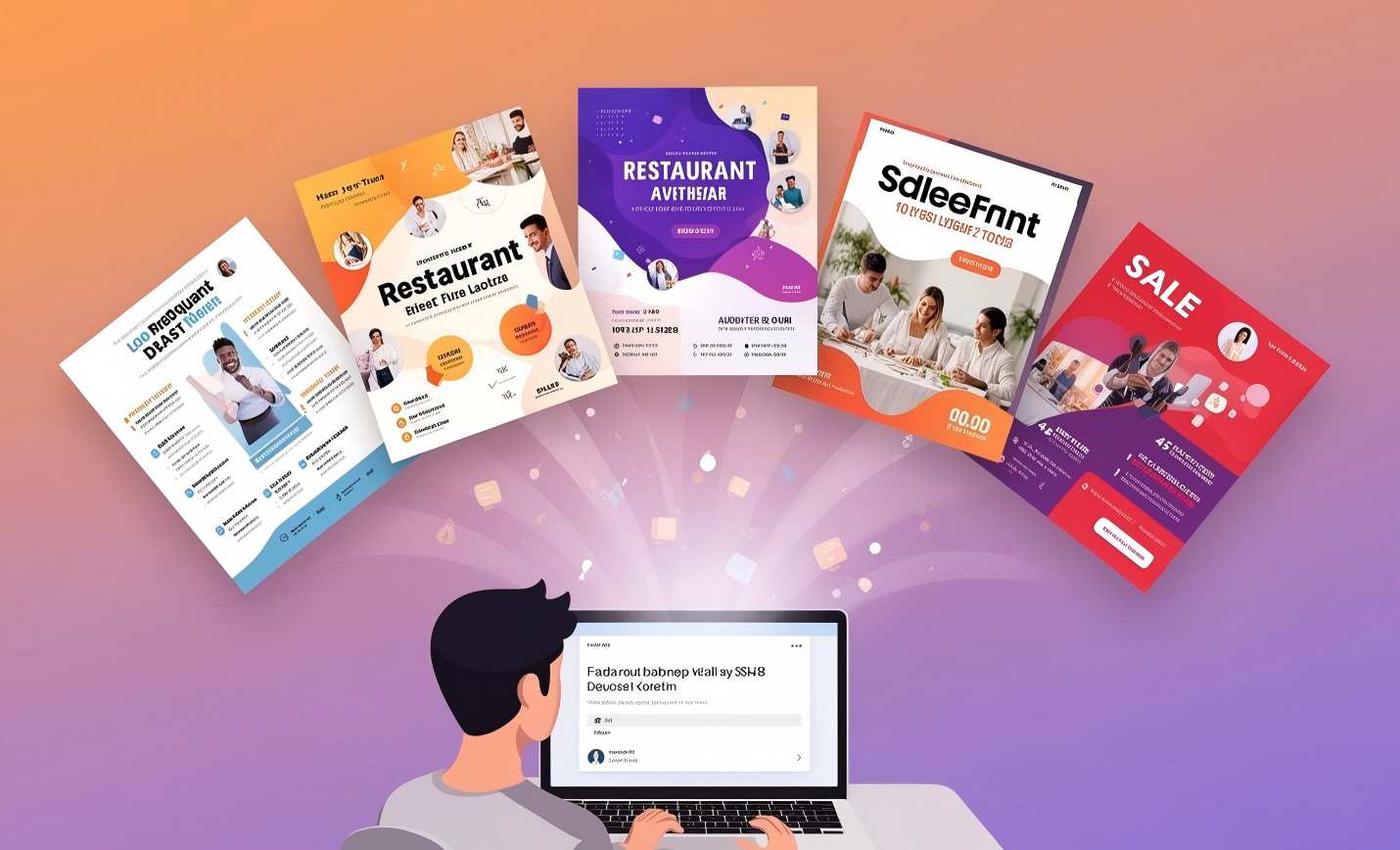
Small businesses have traditionally relied on template libraries. You pick a template that is close to what you need, then spend time editing text, swapping stock photos, adjusting colors, and resizing elements. The result is a flyer that looks like hundreds of other businesses using the same template.
AI-generated flyers solve three problems that templates cannot:
Every design is unique. The AI creates each flyer from scratch based on your specific prompt. Your coffee shop flyer will never look like the bakery down the street, because no one else has written the same prompt with the same details.
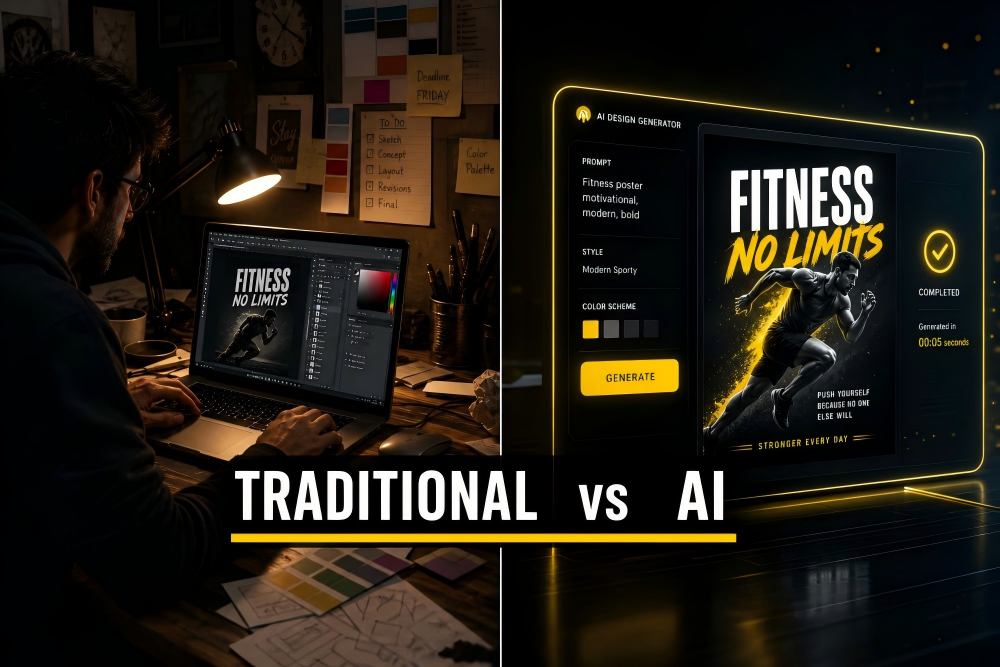
Speed saves money. A template-based flyer takes 20-45 minutes to customize. An AI-generated flyer takes under 30 seconds. For small business owners who wear many hats, that time difference adds up across every promotion, every season, every event.
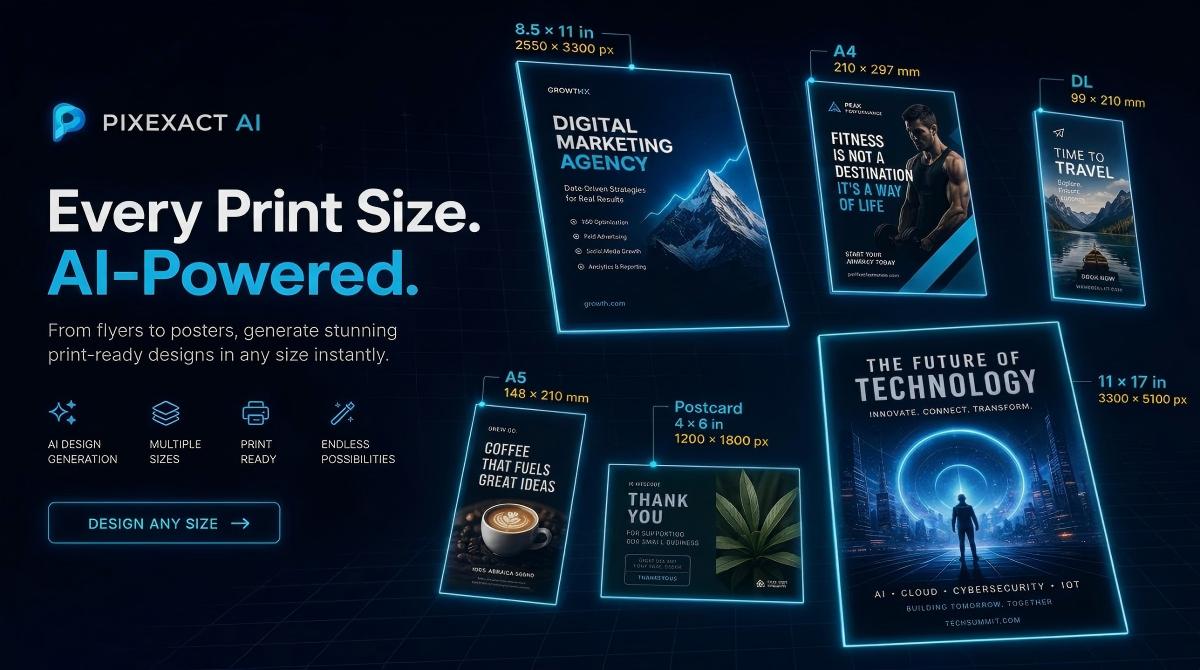
Size precision matters for print. Most template editors lock you into preset template dimensions. If your printer needs a specific size or you want to match a particular rack card holder, you need exact pixel control. PixExact offers six standard print sizes at 300 DPI plus custom dimensions up to 4096 x 4096 — a combination no template editor provides.
For a deeper comparison between AI and traditional design approaches, see our article on AI Flyer Generator vs Traditional Design.
Frequently Asked Questions
What are the best flyer templates for small business?
Rather than using a pre-made template, you can generate a unique, custom flyer in seconds with an AI flyer generator. The 10 flyer ideas in this guide cover the most common small business needs: restaurant openings, seasonal sales, home services, real estate, fitness, church events, hiring, community events, pet services, and product launches. Each includes a ready-to-use prompt you can copy into the PixExact AI Flyer Generator.
How do I make a business flyer with AI?
Open the PixExact AI Flyer Generator, write a prompt describing your business and promotion (include the business name, address, offer, dates, and desired style), select a size preset, and click Generate Flyer. The AI produces a complete design in seconds. For a full walkthrough, see our How to Make a Flyer with AI guide.
What size flyer should I use for my small business?
US Letter (8.5 x 11 in) is the most versatile size for bulletin boards, windows, and in-store displays. Half Letter (5.5 x 8.5 in) works well for door-to-door distribution and handouts. Postcard (4 x 6 in) is ideal for direct mail and package inserts. For social media, use a Custom size of 1080 x 1350 px (Instagram feed) or 1080 x 1920 px (Stories). See our Flyer Size Guide for complete dimension recommendations.
Can I add my logo to an AI-generated flyer?
Yes. In the PixExact AI Flyer Generator, you can upload your logo as a reference image below the prompt box. The AI analyzes the visual style — colors, typography feel, overall aesthetic — and incorporates it into the generated flyer design. This keeps all your marketing materials on-brand.
Are AI-generated flyers print-ready?
Yes. PixExact generates all standard-size flyers at 300 DPI, which is the professional standard for commercial printing. You can download the file and send it directly to a local print shop or upload it to an online printing service without any additional editing or conversion.
How much does it cost to create a flyer with AI?
PixExact gives complimentary credits to every new user — enough to generate and download several flyers for free. After that, it uses a credit-based pricing system where you pay only for what you generate. This is significantly less expensive than hiring a freelance designer (typically $50-200 per flyer) or subscribing to a template tool ($10-15 per month).
Can I use the same flyer for print and social media?
You can, but for best results, generate separate versions optimized for each format. Print flyers should use one of the six standard size presets (at 300 DPI). Social media flyers should use Custom dimensions matched to the platform: 1080 x 1350 px for Instagram feed, 1080 x 1920 px for Stories, or 1200 x 630 px for Facebook. Generating both from the same prompt takes seconds.
Start Creating Your Business Flyer
You have 10 prompts ready to go. Pick the one closest to your business, replace the placeholder details with your own information, and generate your flyer in seconds.
Open the AI Flyer Generator — no templates, no design skills, no shared layouts. Every flyer is uniquely yours.