A local plumber needs a promotional flyer by Friday. A restaurant owner wants to announce a new brunch menu this weekend. A real estate agent has an open house in three days and needs 200 printed flyers.
Ten years ago, each of these business owners had one option: hire a graphic designer, wait days for drafts, pay for revisions, and hope the final product arrived on time. Today, they have a second option: describe what they want to an AI flyer generator and download a print-ready design in under a minute.
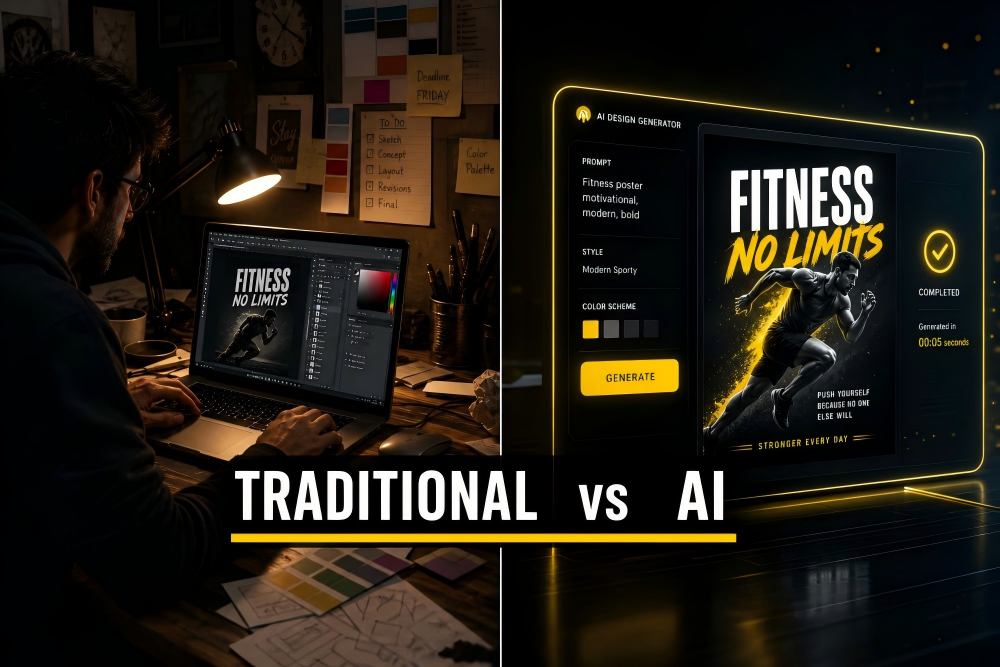
But which approach actually delivers better results for your business? This guide breaks down the real costs, turnaround times, quality differences, and practical scenarios so you can make the right choice.
The Cost Comparison: Real Numbers
Cost is usually the deciding factor for small businesses. Here is what you can expect to pay in 2026 for a single flyer design:
| Cost Factor | Traditional Designer (Freelance) | AI Flyer Generator (PixExact) |
|---|---|---|
| Cost per flyer design | $50-$400 (Fiverr: $50-$200; Upwork: $75-$400; Agency: $800-$3,000) | $0-$2 per generation (credit-based; free credits on signup) |
| Typical monthly spend (4 flyers/month) | $200-$1,600 | $0-$8 |
| Software or subscription fees | $0 (designer provides tools) | Free tier available; credits purchased as needed |
| Revision costs | $25-$75 per round (often 2-3 rounds) | $0 (regenerate with adjusted prompt, unlimited) |
| Rush fee (24-hour turnaround) | 20-50% surcharge ($10-$200 extra) | $0 (AI generates in seconds regardless of urgency) |
| Annual cost (4 flyers/month) | $2,400-$19,200 | $0-$96 |
Sources: Upwork graphic designer rates ($15-$150/hr, average $25/hr); Fiverr flyer design ($50-$200 per project, Pro from $100); industry reports on freelance design pricing (2025-2026).
The math is stark. A small business producing 4 flyers per month saves approximately $2,300-$19,100 annually by switching from freelance designers to an AI flyer generator. Even compared to the cheapest Fiverr option ($50/flyer), AI generation at $1-$2 per flyer represents a 96% cost reduction.
The Turnaround Time Comparison
Speed matters when your promotion starts tomorrow or your event is this weekend.
| Stage | Traditional Designer | AI Flyer Generator |
|---|---|---|
| Writing and sending the brief | 30-60 minutes | 2-5 minutes (the prompt is the brief) |
| Designer availability / queue | 1-3 days (freelancers juggle multiple clients) | Instant (no queue) |
| First draft delivery | 2-5 business days | Under 30 seconds |
| Review and feedback | 1-2 hours (your time writing feedback) | 1-2 minutes (tweak the prompt) |
| Revisions (2 rounds typical) | 2-4 additional business days | Under 1 minute per regeneration |
| Final file delivery | 1 business day after approval | Instant download |
| Total time from idea to print-ready file | 5-14 business days | 5-15 minutes |
The difference is not incremental — it is a fundamentally different timescale. AI eliminates the back-and-forth communication cycle that consumes most of the traditional design timeline.
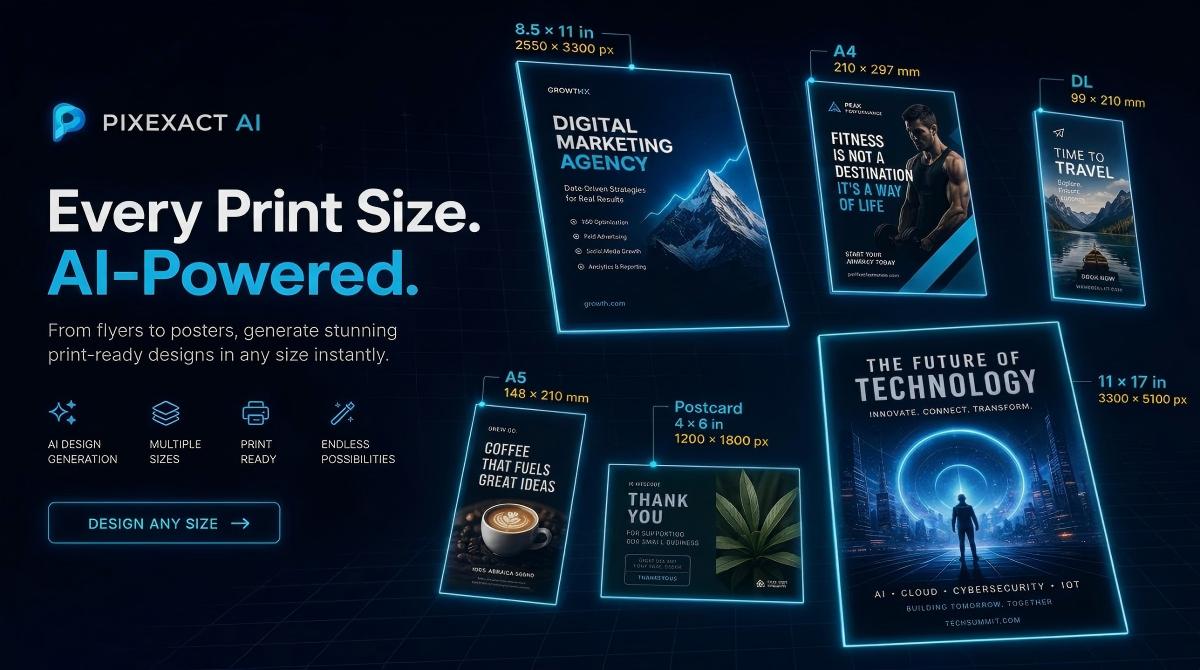
For PixExact specifically, the workflow is: describe your flyer using the four-part framework (Goal, Details, Audience, Style), select a size from 6 print presets at 300 DPI, click Generate Flyer, and download. The entire process takes under 5 minutes even for a first-time user. See our step-by-step guide for a full walkthrough.
The Quality Comparison: Where Each Approach Wins
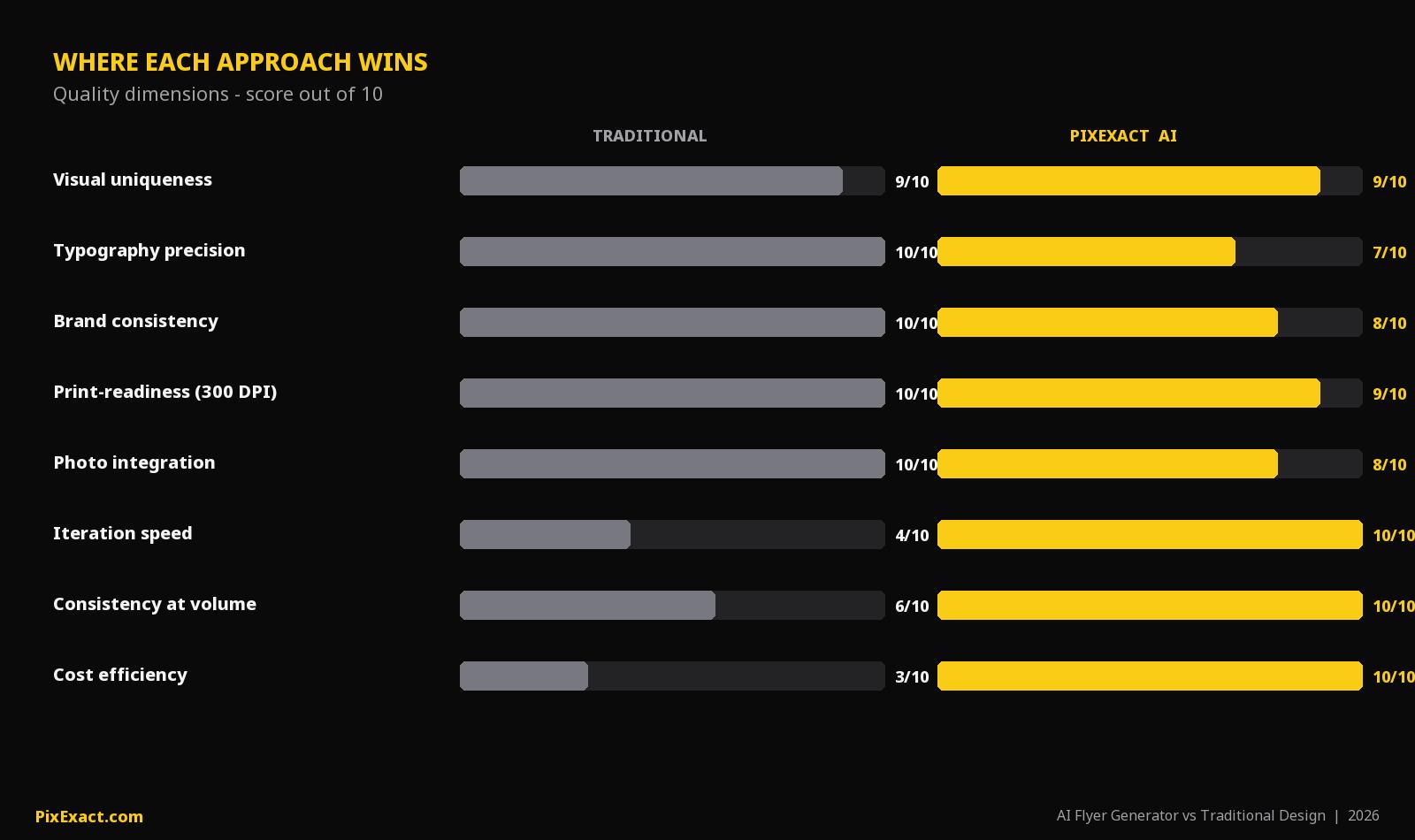
Neither option is universally better on quality. Each has strengths in different areas.
| Quality Dimension | Traditional Designer | AI Flyer Generator | Winner |
|---|---|---|---|
| Visual uniqueness | High — custom illustrations, hand-crafted layouts | High — every AI generation is unique, not template-based | Tie |
| Typography precision | Excellent — pixel-level control over kerning, hierarchy | Good — AI handles typography automatically, less fine control | Designer |
| Brand consistency across a series | Excellent — designer learns your brand over time | Good — upload a reference image to match style; consistent within a session | Designer (slight edge) |
| Print-readiness | Excellent — designer delivers bleed, CMYK, production files | Good — PixExact generates at 300 DPI in standard print sizes | Designer (for complex print specs) |
| Layout creativity | Varies by designer skill level | High — AI generates unexpected compositions you might not conceive | AI |
| Text accuracy | Excellent — designer reads and places every word | Good — AI occasionally renders text imperfectly; review before printing | Designer |
| Photo integration | Excellent — custom photography, retouching | Good — AI generates imagery or incorporates uploaded reference photos | Designer |
| Iteration speed | Slow — each revision is a new cycle | Instant — regenerate 4 variations in seconds | AI |
| Consistency at volume | Decreasing — fatigue affects quality over many designs | Consistent — AI maintains the same quality level at any volume | AI |
The honest summary: traditional designers produce higher-quality results when you need pixel-perfect typography, complex print specifications (CMYK, spot colors, die-cuts), or deep brand storytelling. AI generators produce good-enough-to-excellent results for the vast majority of small business flyer needs, with dramatically faster iteration.
5 Real Business Scenarios: Which Should You Choose?
Based on the types of businesses that actually use flyer design tools (drawn from common small business use cases), here are practical recommendations:
Scenario 1: Local Service Business (Plumbing, Solar, Landscaping, Sheds)
Typical need: Promotional flyers for door-to-door distribution, bulletin boards, and local events. 2-4 flyers per month. Content includes service list, phone number, address, seasonal offer.
Recommendation: AI flyer generator.
Why: These flyers are straightforward — a headline, services, contact info, and a call to action. The content changes frequently (seasonal offers, new services), so speed and low cost matter more than design sophistication. A plumber does not need a $300 designer for a "10% Off Drain Cleaning" flyer.
With PixExact: Describe the flyer in plain text, select US Letter size, generate in seconds, add your QR code, and send to the printer. Total time: under 10 minutes. Total cost: a few credits.
Scenario 2: Restaurant or Food Business
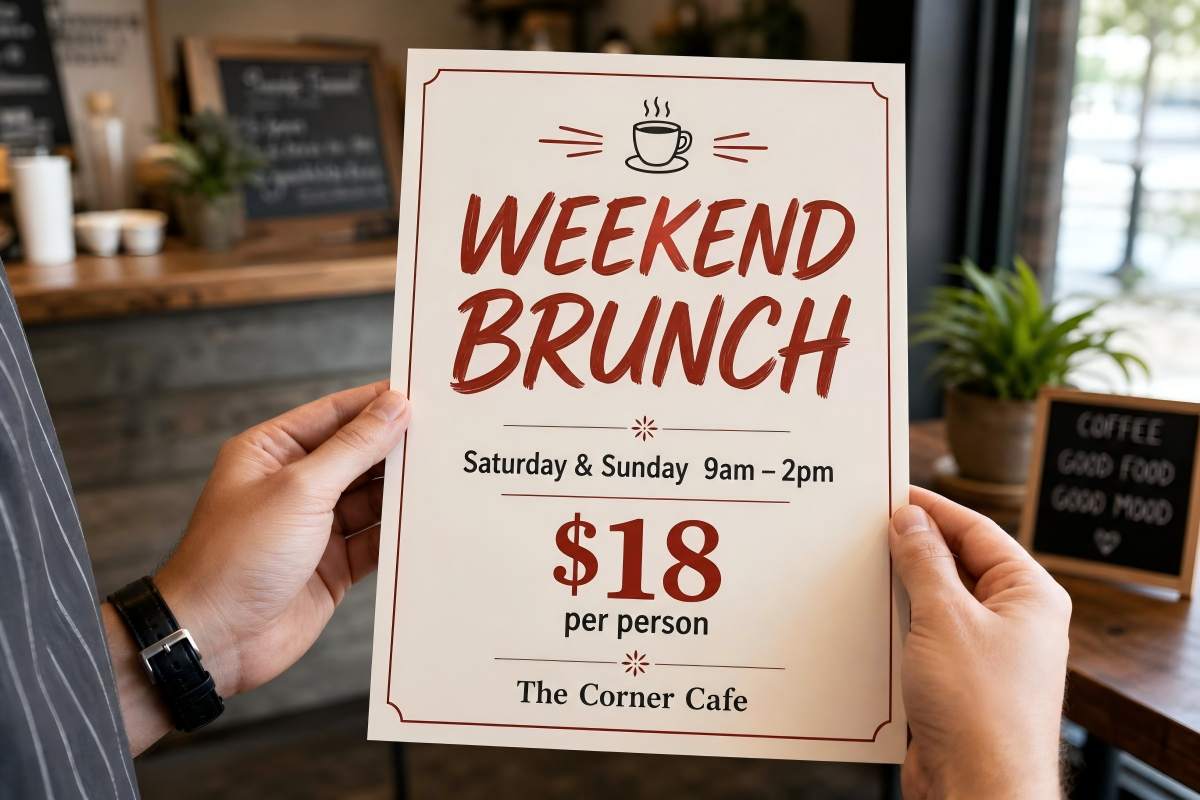
Typical need: Grand opening flyers, weekly specials, holiday promotions, menu inserts. High frequency — sometimes multiple flyers per week.
Recommendation: AI restaurant flyer generator.
Why: Restaurants need flyers fast and often. A new brunch menu launches Saturday — you cannot wait 5 days for a designer. AI handles the warm, appetizing visual style well, and the prompt-based workflow lets a restaurant owner generate a flyer during a coffee break.
With PixExact: Use a prompt like "Create a weekend brunch flyer for The Golden Fork. Headline: Weekend Brunch Is Here. Saturdays and Sundays, 9 AM to 2 PM. 45 Elm Street. Warm and appetizing tone with earthy colors and food photography style." Select Half Letter size for table inserts or US Letter for window display. Done in minutes.
Scenario 3: Real Estate Agent

Typical need: Open house flyers, new listing announcements, just-sold postcards. Each listing needs its own flyer with specific property details.
Recommendation: AI flyer generator.
Why: Real estate agents often manage 5-20 active listings simultaneously. Paying $150-$400 per flyer per listing is not sustainable. AI lets you generate a unique flyer for each property in minutes, with the specific address, price, bedrooms, and open house schedule.
With PixExact: Upload a property photo as a reference image. Describe the listing details in your prompt. Select Postcard size for direct mail or US Letter for open house handouts. Generate 4 variations and pick the best one.
Scenario 4: Event Organizer (Church, Music, Community)
Typical need: Event posters and flyers for services, concerts, community dinners, fundraisers. Monthly or weekly frequency.
Recommendation: AI flyer generator for most events. Consider a designer for your annual flagship event.
Why: Weekly church bulletins and monthly community dinner flyers do not need bespoke design. AI handles these efficiently. For your biggest annual event (the holiday concert, the fundraising gala), investing in a designer ensures a premium result that matches the occasion.
With PixExact: For regular events, use the AI Flyer Generator with event-specific prompts. For large-format event posters (24 x 36 inches), switch to the AI Poster Generator with the 2:3 or 3:4 preset.
Scenario 5: Marketing Agency Managing Multiple Clients
Typical need: Flyers for multiple clients across different industries. High volume, strict brand guidelines, client approval workflows.
Recommendation: Hybrid approach — AI for first drafts, designer for client-facing refinement.
Why: Agencies benefit from AI speed at the concept stage. Generate 4-8 variations in minutes, present the strongest options to the client, then have a designer refine the chosen direction for brand-perfect execution. This workflow reduces the initial design phase from days to hours while maintaining the quality clients expect.
The Decision Framework
Use this simple guide:
Choose AI if:
- You need a flyer in hours, not days
- Your budget is under $50 per flyer
- You create flyers frequently (weekly or monthly)
- The flyer content is straightforward (event details, promotions, contact info)
- You do not have a full-time designer on staff
- You need multiple variations for A/B testing
Choose a traditional designer if:
- You have a complex, multi-layered brand identity system that must be followed precisely
- The flyer requires custom photography or illustration
- You need specialized print production files (CMYK, spot colors, die-cuts, embossing)
- The design will be used as part of a high-budget national campaign
- You have weeks of lead time and budget is not a constraint
Choose a hybrid approach if:
- You are an agency managing multiple client brands
- You need AI speed for concepting but designer polish for final delivery
- Your brand guidelines are strict but your volume is high
- You want to reduce costs while maintaining premium quality for key materials
The Hybrid Workflow: Best of Both Worlds
For businesses that want speed and quality, the hybrid approach is increasingly popular:
Step 1: Generate concepts with AI. Use PixExact to create 4 flyer variations in under a minute. This replaces the 2-5 day initial design phase.
Step 2: Select the strongest direction. Review the AI-generated options and choose the layout, color scheme, and composition that best fits your goals.
Step 3: Hand off to a designer for refinement. Send the chosen AI design to your designer as a visual brief. They refine typography, adjust brand elements, and prepare production files. This takes hours instead of days because the creative direction is already established.
Result: You get a designer-polished flyer in 1-2 days instead of 5-14 days, at roughly 40-60% of the traditional cost, because the designer is refining rather than creating from scratch.
Frequently Asked Questions
Is an AI flyer generator good enough for professional printing?
Yes, for standard print jobs. PixExact generates flyers at 300 DPI across all six standard print sizes (Postcard through A4), which is the professional standard for commercial printing. You can send the downloaded file directly to any print shop. For specialized print processes (spot colors, metallic inks, die-cuts), a designer with print production experience is still recommended. For standard dimensions, see our Flyer Size Guide.
How much does a flyer design actually cost with a freelance designer?
In 2026, expect to pay $50-$200 on Fiverr for a basic flyer, $75-$400 on Upwork depending on designer experience, and $800-$3,000+ through a design agency. Additional revision rounds typically cost $25-$75 each. Rush fees add 20-50% to the base price. Most small business flyer projects fall in the $100-$300 range for a single design.
Can AI match the quality of a professional graphic designer?
For standard marketing flyers — event announcements, promotions, menus, open house sheets — AI-generated flyers are comparable in quality and often faster. AI excels at generating unique visual compositions and iterating rapidly. However, professional designers still have the edge in precise typography, complex brand systems, custom illustration, and nuanced visual storytelling. The quality gap has narrowed significantly in 2025-2026.
Will AI-generated flyers look generic or template-like?
Not with a true AI generator like PixExact, which creates every design from scratch. Each flyer is unique — you never share a layout with another business. Template-based tools (where you edit a pre-made design) can result in similar-looking flyers across many users, but prompt-to-design AI generators produce one-of-a-kind results every time.
Should I still keep a relationship with a graphic designer?
Yes, if your business has complex branding needs. The most effective approach for growing businesses is to use AI for high-frequency, time-sensitive flyers (weekly promotions, event announcements, seasonal offers) and reserve designer time for high-impact projects (annual campaigns, brand refreshes, flagship event materials). This hybrid model reduces costs by 50-70% while maintaining quality where it matters most.
How do I switch from a designer to an AI flyer generator?
Start with a single low-stakes project — a weekly special or a simple event announcement. Use our how to make a flyer with AI guide to learn the prompt framework (Goal, Details, Audience, Style). Compare the result against what your designer would produce. Most users find that after 2-3 flyers, they are comfortable using AI for all routine designs and reserving designer time for complex projects only.
Can I use an AI flyer generator for posters too?
Yes. PixExact offers a separate AI Poster Generator optimized for visual-impact designs in larger formats. The poster tool uses different size presets (9:16, 2:3, 3:4) and is designed for wall display, social media, and event marketing. The same cost and speed advantages apply. For a detailed poster comparison, see Best Free AI Poster Generators Compared.
Try It for Yourself
The best way to decide is to test it. Take your next flyer project — a promotion, an event, or a seasonal offer — and create it with PixExact's AI Flyer Generator. Compare the result, the time, and the cost against your current process.
No templates. No design skills. No waiting. Just describe your flyer, pick your size, and download.