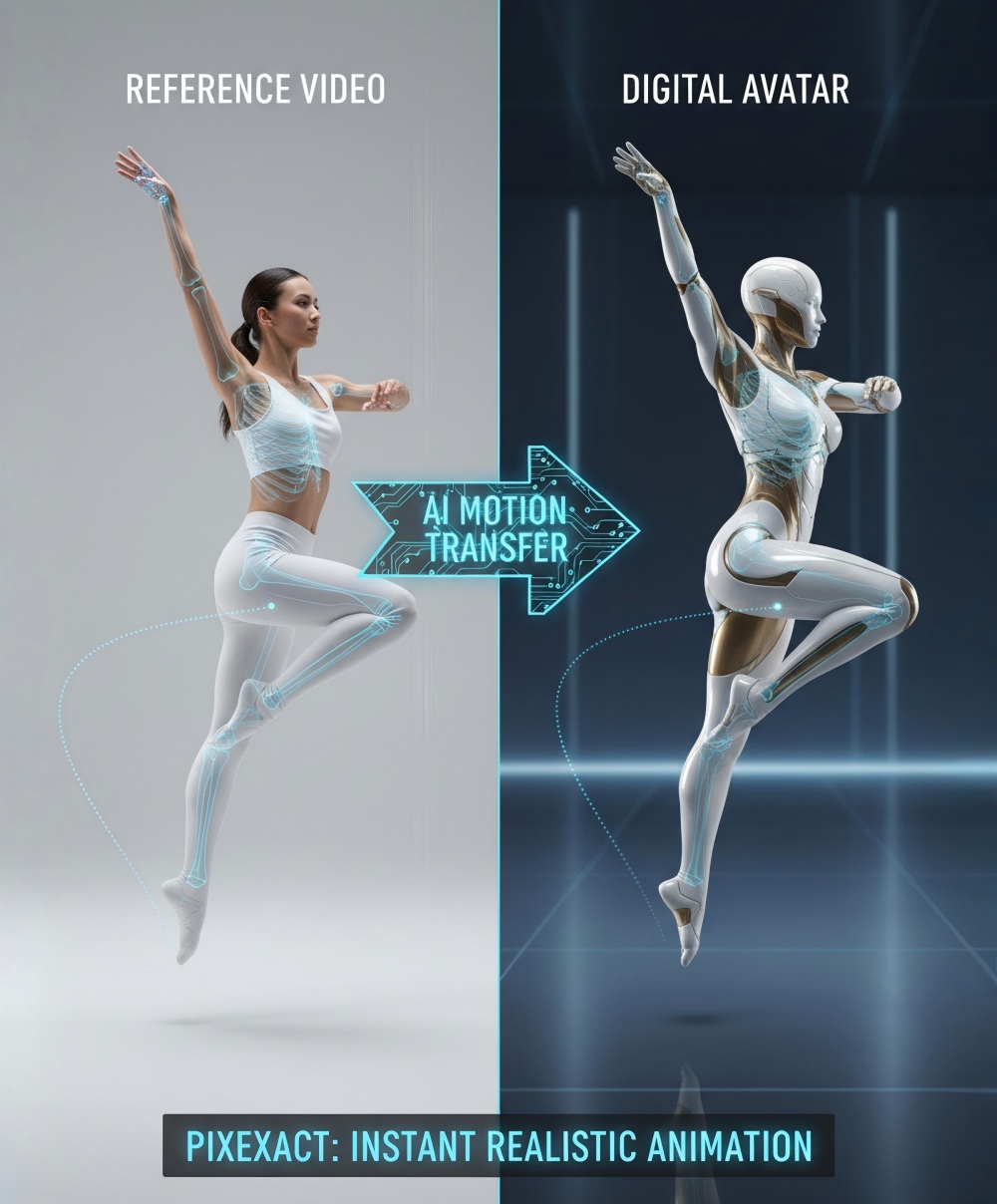
Kling 4.0's clearest advantage in our comparison was following an unusual sequence of events. In the skateboard test, it held the rider in midair while the view changed. In the perfume test, it built the requested arch of water. Kling 3.0 produced a skateboard trick and moving water, but missed those two defining effects.
The reference test was closer. Both versions brought a silver-haired bounty hunter and a black-and-gold mechanical samurai into the same neon street. Kling 3.0 Omni kept them farther apart in a wider composition; Kling 4.0 brought them closer together and filled more of the frame.
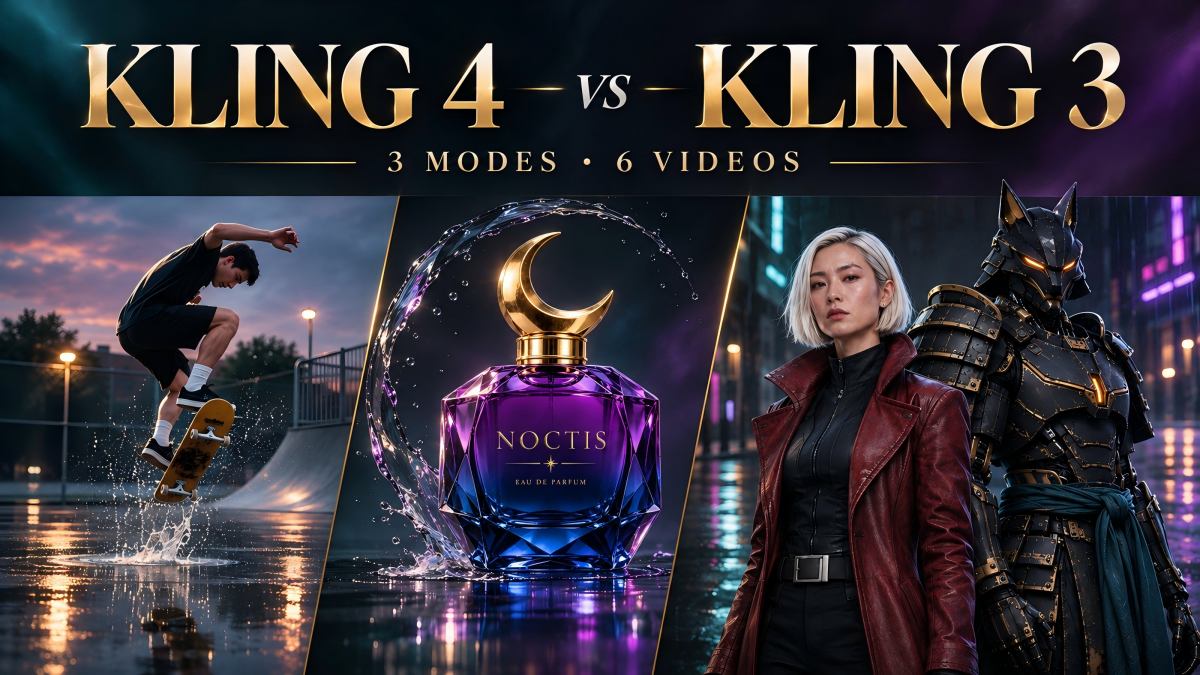
Below, you can compare all six clips, see the three input images, and copy the shared prompts. We also separate the model specifications from what these particular videos actually demonstrate. For the current creation options, start with the Kling 4.0 model or the Kling 3.0 model.
Kling 4 vs Kling 3: Features at a Glance
The biggest specification changes are longer generation, more keyframes and more room for reference assets. The table compares the model families; reference and editing capabilities in the 3.0 column refer to 3.0 Omni, not every ordinary 3.0 endpoint.
For a fuller introduction to the older model's generation modes and reference workflows, see our Kling 3.0 guide.
| Feature | Kling 3.0 / 3.0 Omni | Kling 4.0 |
|---|---|---|
| Text-to-video and image-to-video | Supported | Supported |
| Native generation length | 3–15 seconds | 3–30 seconds |
| First and last frames | Supported | Supported |
| Multiple keyframes | No multi-keyframe workflow | Up to 10 keyframes |
| Image and subject references | Omni: up to 7 combined without video; up to 4 alongside a video | Up to 10 images and 7 elements, within the combined asset limit |
| Reference videos | Omni: 1 video, up to 15 seconds after the June update | Up to 5 videos, 30 seconds combined |
| Combined reference assets | Up to 7 images/elements, or 1 video plus 4 images/elements | Up to 15 assets across supported reference types |
| Audio | Native audio; official comparison lists single-channel output | Native audio; official comparison lists two-channel stereo |
| Video editing | Available through Omni | Integrated multimodal editing |
| Resolution in the model family | 720p, 1080p and native 4K | Specifications list up to 4K; availability depends on the endpoint |
| Current PixExact resolution options | 720p, 1080p, 4K | 720p, 1080p |
Sources: Kling's official comparison and the API update log, including the June 17 upgrade to 3.0 Omni video inputs.
Two details matter when reading other comparisons. First, 4K is not exclusive to Kling 4: Kling added native 4K to the 3.0 series on April 23, 2026. Second, the latest 4.0 guide still marks 10-bit HDR as coming soon, and its API release lists 720p and 1080p while 10-bit 4K remains pending. A listed model capability does not mean that setting is available in every generator.
How We Compared the Videos
We reviewed one supplied export per model for each of three shared briefs: a bullet-time skateboard shot, a perfume advertisement and a two-character entrance. The text and image tests compare Kling 3.0 with Kling 4.0. The reference test uses Kling 3.0 Omni against Kling 4.0's Omni Reference workflow.
All six files run for approximately five seconds at 24 fps. The skateboard and character clips are 1280 × 720. Both perfume clips use a square 1:1 frame, following the square source image even though 16:9 was selected in the generator. The square framing is shared by both versions, so it is not counted as a model difference.
We inspected sequences of frames and enlarged details against the source images. These are six case-study clips, with no repeated-run success rate. Seeds, queue times and generation receipts were not part of the supplied record, and audio performance is not scored here. The embedded players use the supplied files without adding color grading or enhancement for this comparison.
Text-to-Video: Can It Freeze a Skateboarder in Midair?
This is a short action-film brief: a rider jumps over a puddle, time stops at the peak, the view moves around the suspended action, and the rider lands. A convincing skateboard trick alone does not complete the brief. The pause is the effect the viewer is waiting for.
You can run a prompt-led scene like this in Text to Video.
Shared Prompt
A five-second live-action shot at a rain-soaked urban skatepark at dusk.

A skateboarder pops an ollie over a shallow puddle. At the peak of the jump, time freezes: the skater, skateboard and splashing droplets hang motionless while the camera arcs 45 degrees around them. Time resumes and the skater lands on the board.

Wet concrete reflects the evening lights. One continuous shot.
Kling 3.0 — skateboard
Kling 4.0 — skateboard
What Happened
Kling 3.0 stages a low shot across the puddle, with the rider's upper body partly outside the frame. It progresses through the crouch, jump and landing. The board visibly rotates during the trick. Across the middle frames, the body and board continue changing position instead of settling into a distinct suspended pose.
Kling 4.0 starts with the whole rider visible and reaches the airborne pose earlier. Around the middle of the clip, the rider and board hold a very similar pose across successive frames. The viewpoint then changes and tilts before the landing. That delivers a much clearer impression of bullet time, although the movement also includes camera roll; we would not describe the result as a verified, geometrically exact 45-degree orbit.
Our pick for this brief: Kling 4.0. The useful difference is the recognizable midair hold. Kling 3.0 gives us an action clip, while 4.0 gets closer to the timing effect that makes this particular shot worth watching.
Image-to-Video: A Perfume Bottle Inside an Arch of Water
The source is a white-background packshot of a purple-to-blue NOCTIS bottle with a gold crescent-shaped cap. It is not already sitting inside a prepared water scene. Both models must introduce the water while preserving a product with an unusually recognizable silhouette.
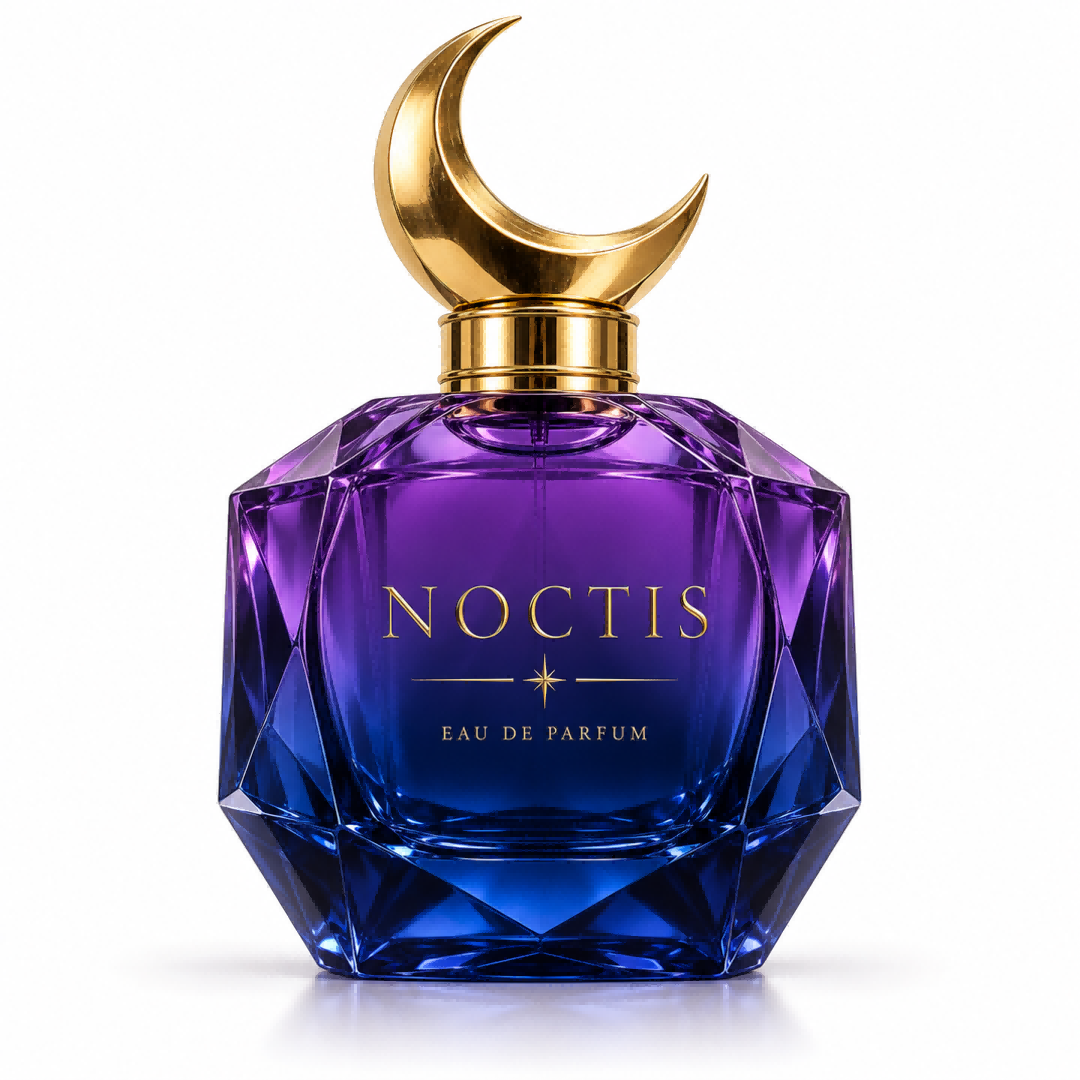
For this kind of product animation, Image to Video uses the photograph as the starting frame. Our guide to making short videos from existing visual assets covers how to turn a finished clip into a product teaser or social post.
Aspect-ratio tip from this test: choosing 16:9 did not turn the square input into a widescreen scene. For a widescreen product shot, prepare the first-frame image in 16:9 before generating. A square packshot can be placed within a wider composition, with room around the product for the water effect.
Shared Prompt
The perfume bottle remains standing in the shallow water.

A single transparent wave rises behind it and curls into an arch around the bottle. Droplets fall back into the water, creating small ripples. The camera slowly pushes closer as light shines through the moving water and glass.

Preserve the bottle's shape, cap, colors and label. One continuous five-second product advertising shot.
Kling 3.0 — perfume
Kling 4.0 — perfume
What Happened
Kling 3.0 preserves the main product identity: the purple-blue glass, crescent cap and large NOCTIS lettering remain recognizable. Its water effect behaves more like a rising waterline. It sweeps across the front of the bottle and climbs toward the neck, rather than forming the requested overhead arch. By about the midpoint, water crosses the label area.
Kling 4.0 creates a narrow stream up the right side, curves it over the cap area and develops an arch around the bottle. The arch then collapses into splashes and surface ripples. Around the middle of the clip, the bottle is clearly framed by water, giving the advertisement an identifiable visual peak. Water does pass in front of the product as it falls, so the label is not unobstructed throughout the effect.
Our pick for this brief: Kling 4.0. Both clips look like animations of the same product, but only 4.0 delivers a clear version of the requested arch-and-collapse sequence. The conclusion is about the shape and progression of the effect within the shared square framing.
Reference-to-Video: Two Characters, One Cyberpunk Entrance
The third brief starts with two separate studio portraits. The first defines a silver-haired woman in a dark red leather coat. The second defines a mechanical samurai with a fox-shaped helmet, amber lights, black-and-gold armor and a teal sash.
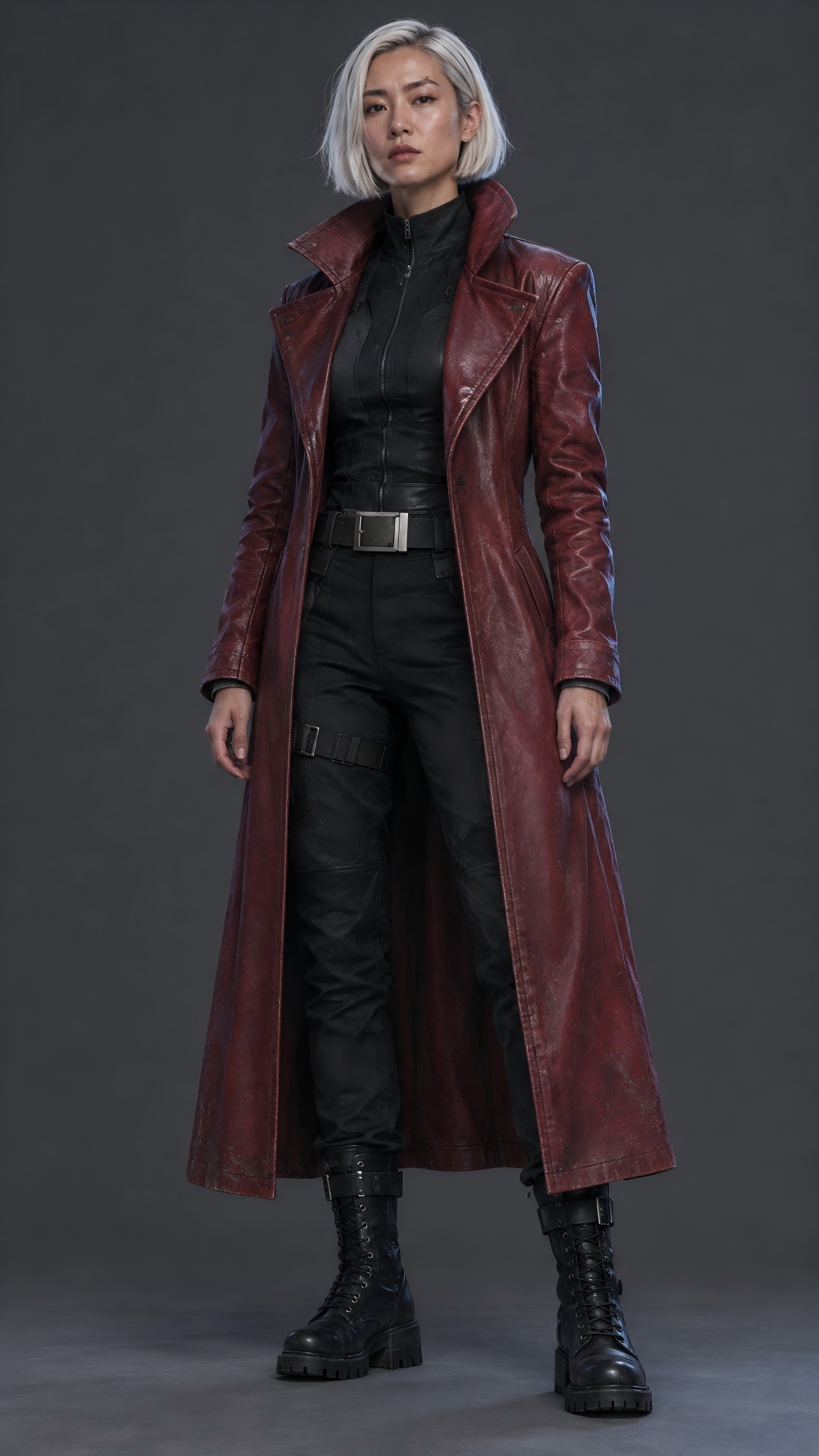
Image 1: human character
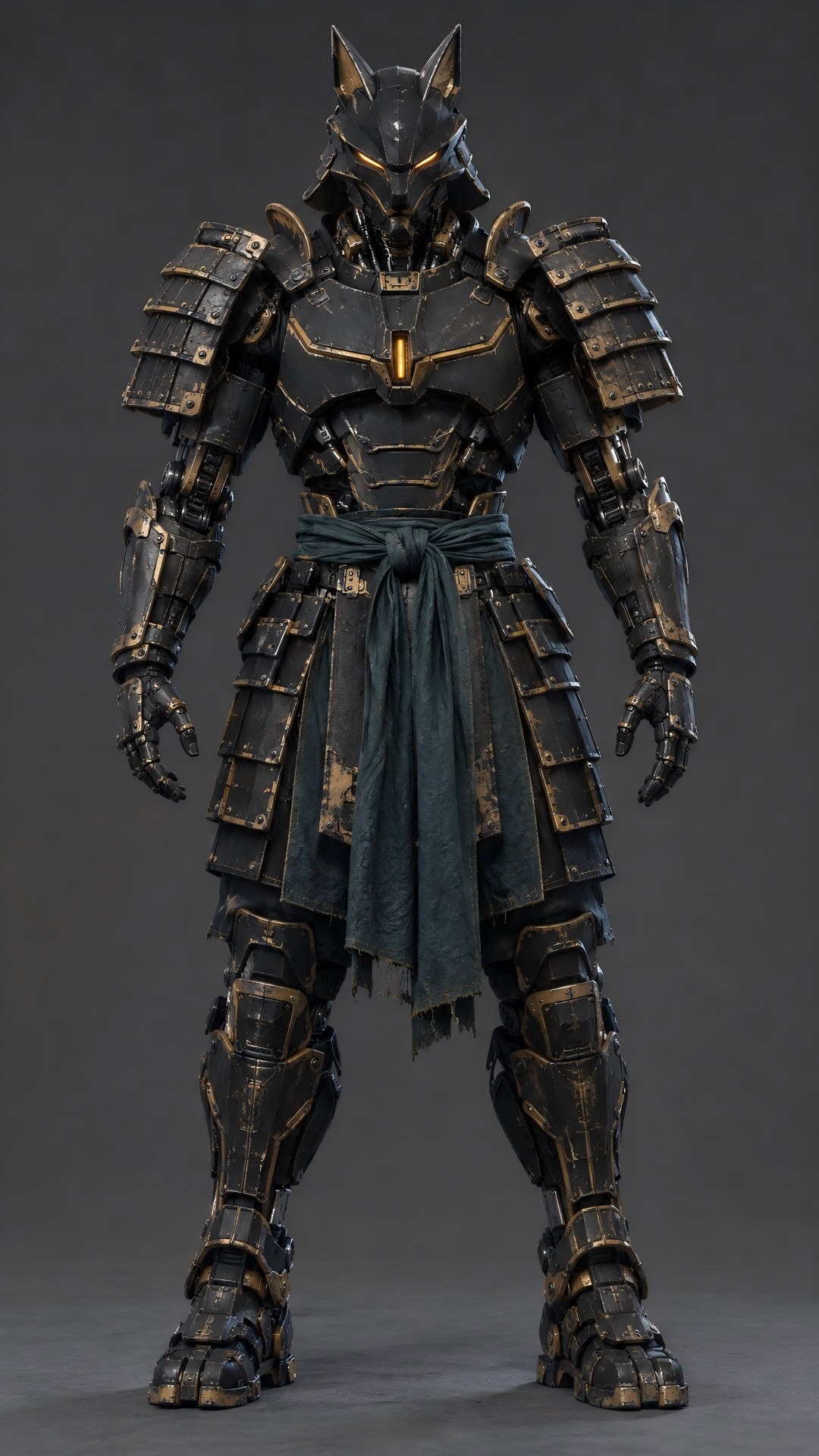
Image 2: armored character
Here the images define the cast, not an exact opening composition. The model must combine them in a new setting. This is the workflow offered by Reference to Video; Kling 4.0 is available there on PixExact. For the older generation in this comparison, we use 3.0 Omni, whose official guide includes multi-image and element references. 3.0 Omni guide.
Shared Prompt
Use @Image1 as the appearance reference for the human character. Use @Image2 as the appearance reference for the armored character.

They walk side by side through drifting steam on a neon-lit street at night. The camera tracks backward in a medium-wide shot, keeping both characters clearly visible. Rain catches the neon light, and their reflections move across the wet pavement.

Preserve each character's face, clothing and distinctive design. One continuous five-second live-action shot.
Kling 3.0 Omni — character references
Kling 4.0 — character references
What Happened
Kling 3.0 Omni places the woman on the left and the armored character on the right, with a broad gap between them. The red coat, white bob, fox helmet, gold armor accents and teal fabric all carry into the scene. It keeps a wider view of the street and the full walking silhouettes. The result reads more like a wide establishing entrance, with comparatively simplified armor surfaces.
Kling 4.0 gives the pair a tighter formation. As they approach, their faces, coat texture and layered armor occupy more of the image. The woman's short hair and coat move, and the samurai retains its distinctive mask and chest light. The closer framing makes the subjects feel more like the focus of the shot.
There is a tradeoff: 4.0 ends much tighter than the requested medium-wide composition, cropping the lower bodies. Its apparent detail advantage also comes partly from showing the characters larger. We would not use that difference alone as proof of universally better identity preservation.
Our preference is Kling 4.0 for a close character reveal, and 3.0 Omni for the wider entrance. Both preserve the main design cues in this sample. The choice is less decisive than in the skateboard and perfume tests.
Kling 4 vs Kling 3 Pricing on PixExact
For a short text-to-video or image-to-video generation without an input video, the current PixExact rates are:
| Setting | Kling 3.0 | Kling 4.0 |
|---|---|---|
| 5 seconds at 720p, with audio | 35 credits | 40 credits; audio included |
| 5 seconds at 1080p, with audio | 40 credits | 60 credits; audio included |
| 5 seconds at 720p, without audio | 25 credits | 40 credits; audio remains included |
Rates checked November 12, 2026. These are current generation estimates, not receipts for the six supplied clips or a separate quote for 3.0 Omni. Input-video reference tasks can use different billing rules. Check the required-credit estimate in the generator and the pricing page before submitting.
For these short, visual-effect-led briefs, the question is whether the extra credits buy the requested result. The skateboard freeze and perfume arch make a stronger case for trying 4.0 than the version number alone. A straightforward five-second scene may already fit a cheaper 3.0 workflow. We did not measure enough attempts to calculate a cost per successful clip.
Which Model Would We Choose?
- For timed effects and several connected events, start with Kling 4.0. It came closer to the brief in the skateboard freeze and the rising, curling, collapsing water sequence.
- For short clips with an established 3.0 workflow, compare before switching everything. The older model still delivered a recognizable product and a complete skateboard action. Decide whether the missing control matters to the shot you need.
- For reference characters, choose the composition as well as the model. Our 3.0 Omni clip works as a wider entrance; 4.0 works better for our preferred close character reveal. Inspect the face, costume and prop separately from the attractiveness of the setting.
For longer stories or multiple visual milestones, 4.0's higher limits may matter before quality is even compared. Those features are documented in the 4.0 release specifications; the five-second clips here do not test 30-second continuity or ten-keyframe control.
If your next task is to reproduce movement from an existing performance video, our motion control tutorial covers that separate workflow. The two-character test above uses still-image appearance references, not a driving video.
Frequently Asked Questions
Is Kling 4 better than Kling 3?
In these six clips, Kling 4.0 followed the two special-effect briefs more closely. The reference-character comparison was more dependent on framing preference. One clip per model and task does not establish a universal win rate.
Does Kling 3 support reference-to-video?
Kling 3.0 Omni supports multi-image and element-reference workflows. Ordinary 3.0 also has first-frame and subject-consistency controls, but those are not interchangeable with the complete Omni reference workflow. The older reference clip in this article is specifically labeled 3.0 Omni.
Is 4K a reason to upgrade from Kling 3 to Kling 4?
Resolution alone is not a reason: the 3.0 series already supports native 4K. Check the actual generator options for your chosen endpoint. PixExact currently offers 4K for Kling 3.0 and 720p or 1080p for Kling 4.0.
Is this a Kling 4.0 Flash comparison?
- The supplied clips are labeled Kling 4.0, not Flash. Flash has different limits: the current official guide lists 720p and up to 20 seconds, without the full model's start-and-last-frame or multiple-keyframe workflow.