Advertising posters drive sales, build brand awareness, and announce new products. They appear on social media feeds, in Google Display networks, on retail walls, and at trade show booths. Traditionally, creating an ad poster meant hiring a designer or spending hours in Photoshop adjusting layers, fonts, and image placements.
AI changes this entirely. With an AI poster generator, you describe your ad in plain language — the product, the offer, the audience, the visual style — and get a complete, high-resolution advertising poster in seconds. No design software. No templates to customize. No shared layouts.
This guide covers 8 types of advertising posters with ready-to-use AI prompts, platform-specific size recommendations, and design best practices. Every prompt is built for the PixExact AI Poster Generator.
Quick Reference: Ad Poster Types and Recommended Sizes
| Ad Type | Best Platform | Recommended PixExact Size | Pixels |
|---|---|---|---|
| Instagram / Facebook Feed Ad | Social media | Custom: 1080 x 1350 | 1080 x 1350 |
| Instagram / Facebook Story Ad | Social media | 9:16 preset | 1080 x 1920 |
| Google Display Ad (medium rectangle) | Display network | Custom: 300 x 250 | 300 x 250 |
| Google Display Ad (leaderboard) | Display network | Custom: 728 x 90 | 728 x 90 |
| Product Launch Poster | Multi-platform | 2:3 preset | 1664 x 2496 |
| In-Store Promotional Poster | Retail / physical | 3:4 preset | 3072 x 4096 |
| Trade Show / Event Booth Poster | Events | 3:4 preset | 3072 x 4096 |
| Brand Awareness Campaign | Multi-platform | 2:3 preset | 1664 x 2496 |
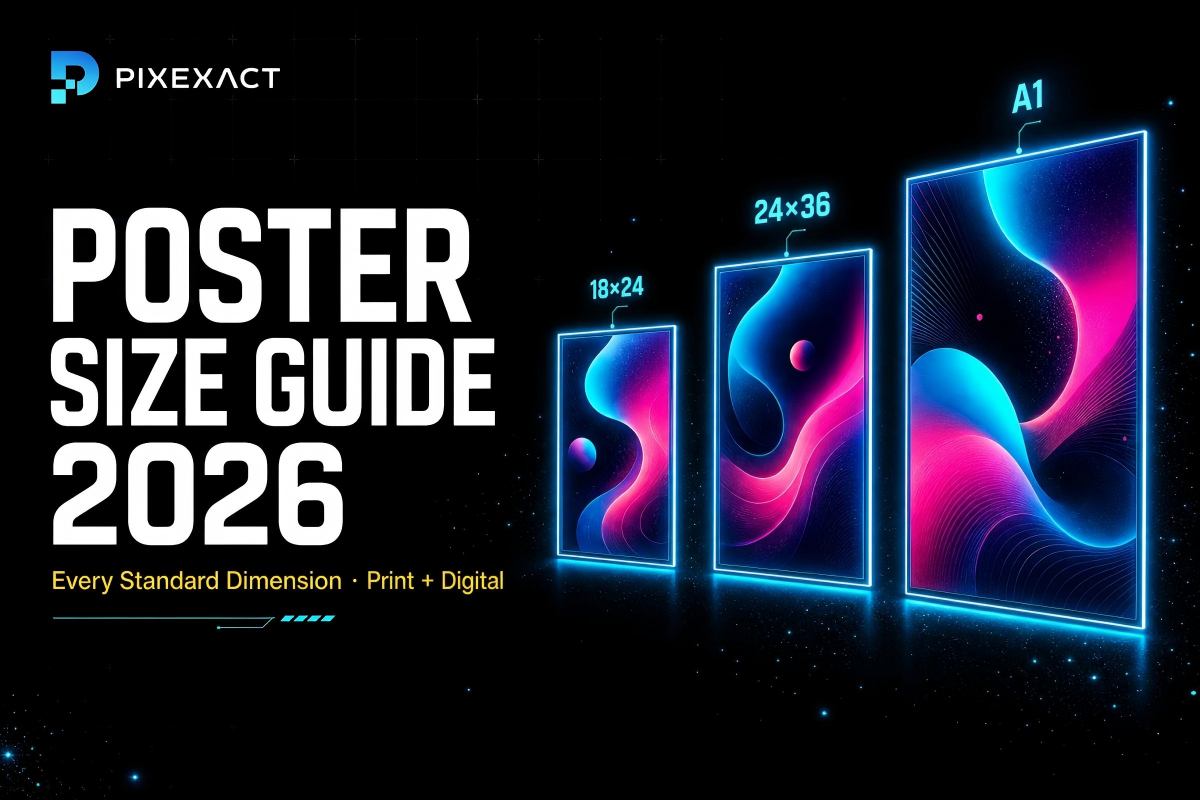
For complete poster dimension references, see our Poster Size Guide. For social media dimensions, see our Instagram Post Size Guide.
How to Create an Advertising Poster with AI
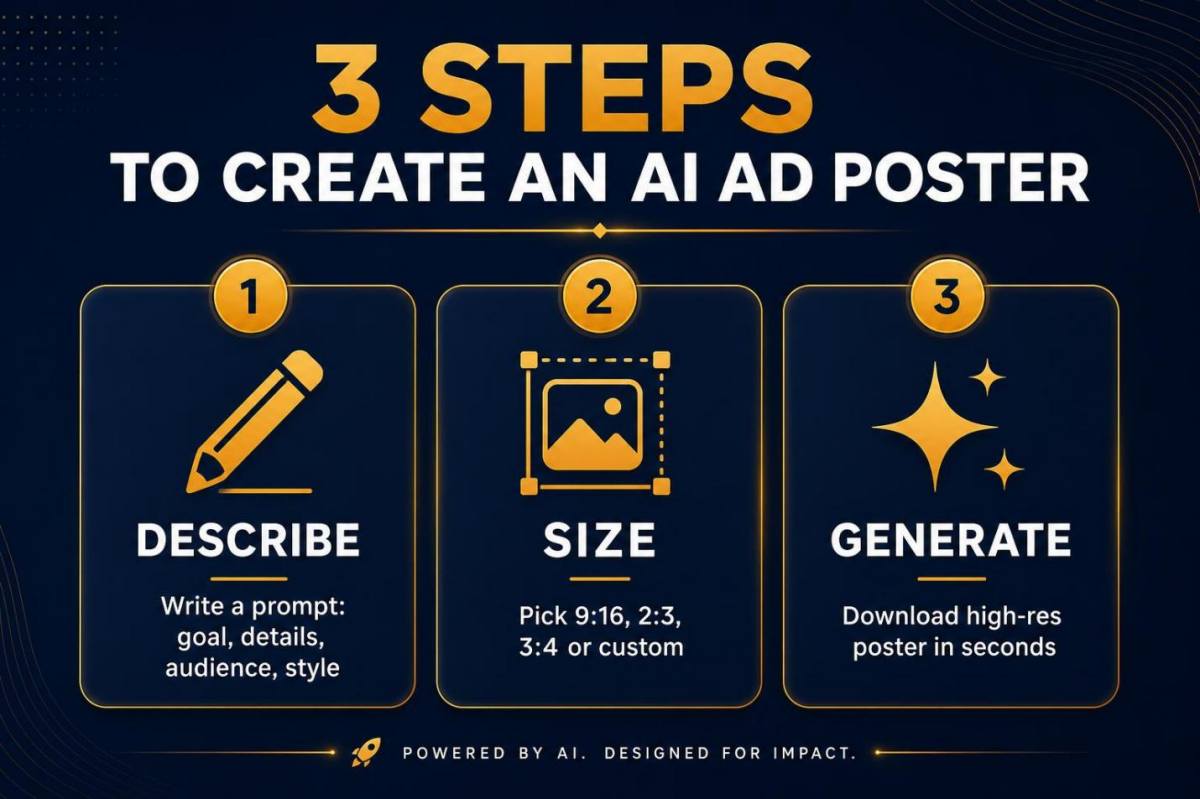
Creating an ad poster in PixExact follows three steps:
Step 1 — Describe your ad. Write a prompt that includes: the product or service being advertised, the headline and offer, the target audience, and the visual style (colors, mood, imagery). Use the four-part framework: Goal, Details, Audience, Style.
Step 2 — Select the right size. Choose from three aspect ratio presets (9:16, 2:3, 3:4) or enter Custom dimensions matched to your ad platform. See the size table above for platform-specific recommendations.
Step 3 — Generate and download. Click Create Poster. Review the result. Generate up to 4 variations to compare. Download the high-resolution file and upload it to your ad platform or send it to print.
For a complete step-by-step tutorial, see our How to Create a Poster with AI guide.
8 Advertising Poster Types with AI Prompts
1. Social Media Feed Ad Poster
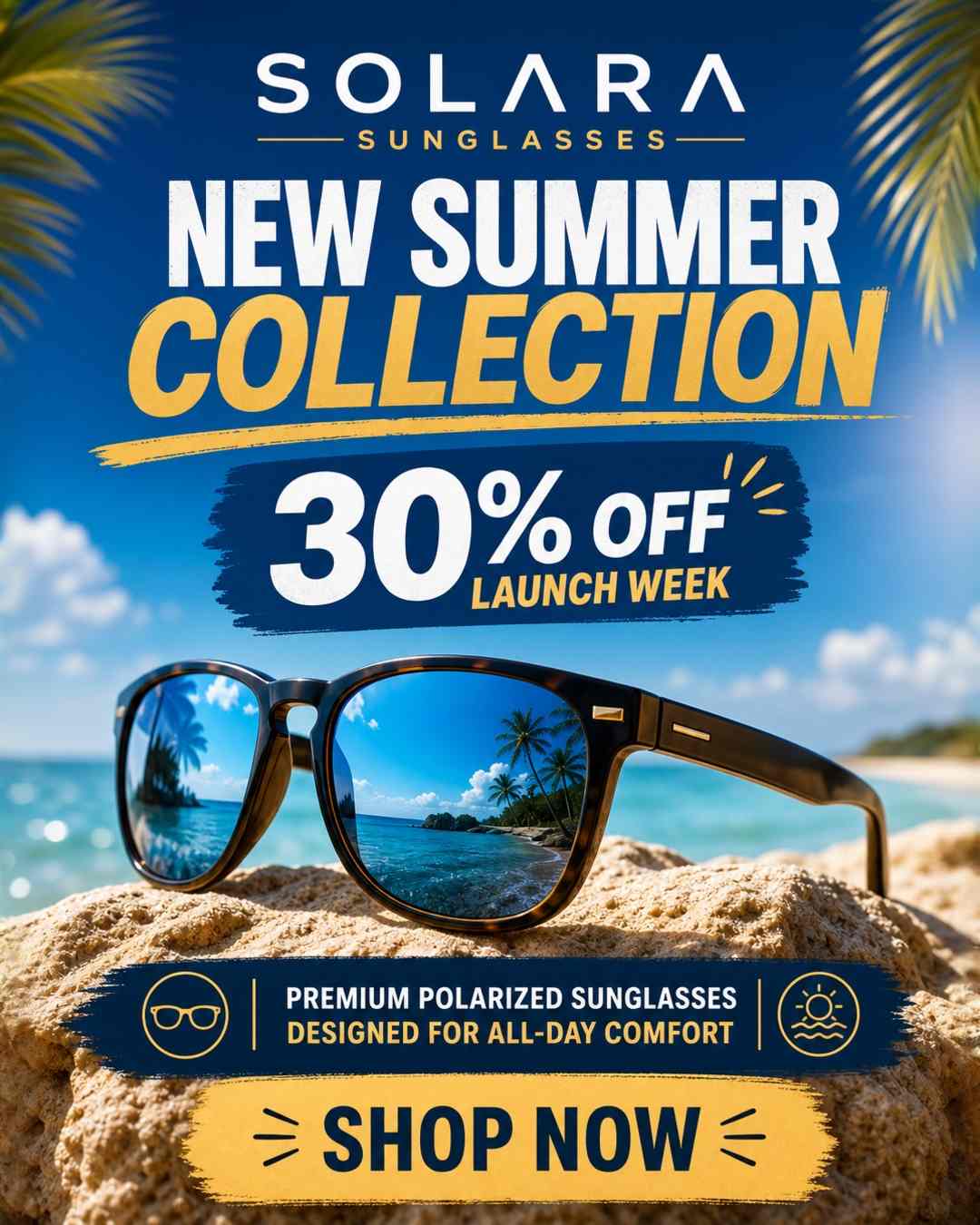
Why it works: Social media feed ads compete with photos, videos, and stories. A visually striking ad poster stops the scroll and communicates the offer in under two seconds.
Recommended size: Custom at 1080 x 1350 px (4:5 ratio for Instagram and Facebook feed).
Prompt:
"Create a social media advertisement poster for [Product/Brand Name]. Headline: [Your Headline, e.g., New Arrivals — Shop the Spring Collection]. [Product description or offer details]. Bold and attention-grabbing with [color preferences, e.g., vibrant coral and white] colors, lifestyle photography style. Clean layout with headline at top and call-to-action at bottom."
Example with details filled in:
"Create a social media advertisement poster for Solara Sunglasses. Headline: New Summer Collection — 30% Off Launch Week. Premium polarized sunglasses designed for all-day comfort. Shop now at solara.co. Bold and attention-grabbing with ocean blue and sandy gold colors, lifestyle beach photography style. Clean layout with headline at top and Shop Now call-to-action at bottom."
Design tips for social media ad posters:
- Keep text to a minimum — Facebook and Instagram penalize ads with too much text overlay.
- Use high-contrast colors that stand out in a busy feed. Dark backgrounds with bright text or vice versa.
- Place the brand name or logo prominently so viewers remember the brand even if they do not click.
- Generate at 1080 x 1080 for square feed posts as well for A/B testing different ratios.
2. Instagram and Facebook Story Ad Poster
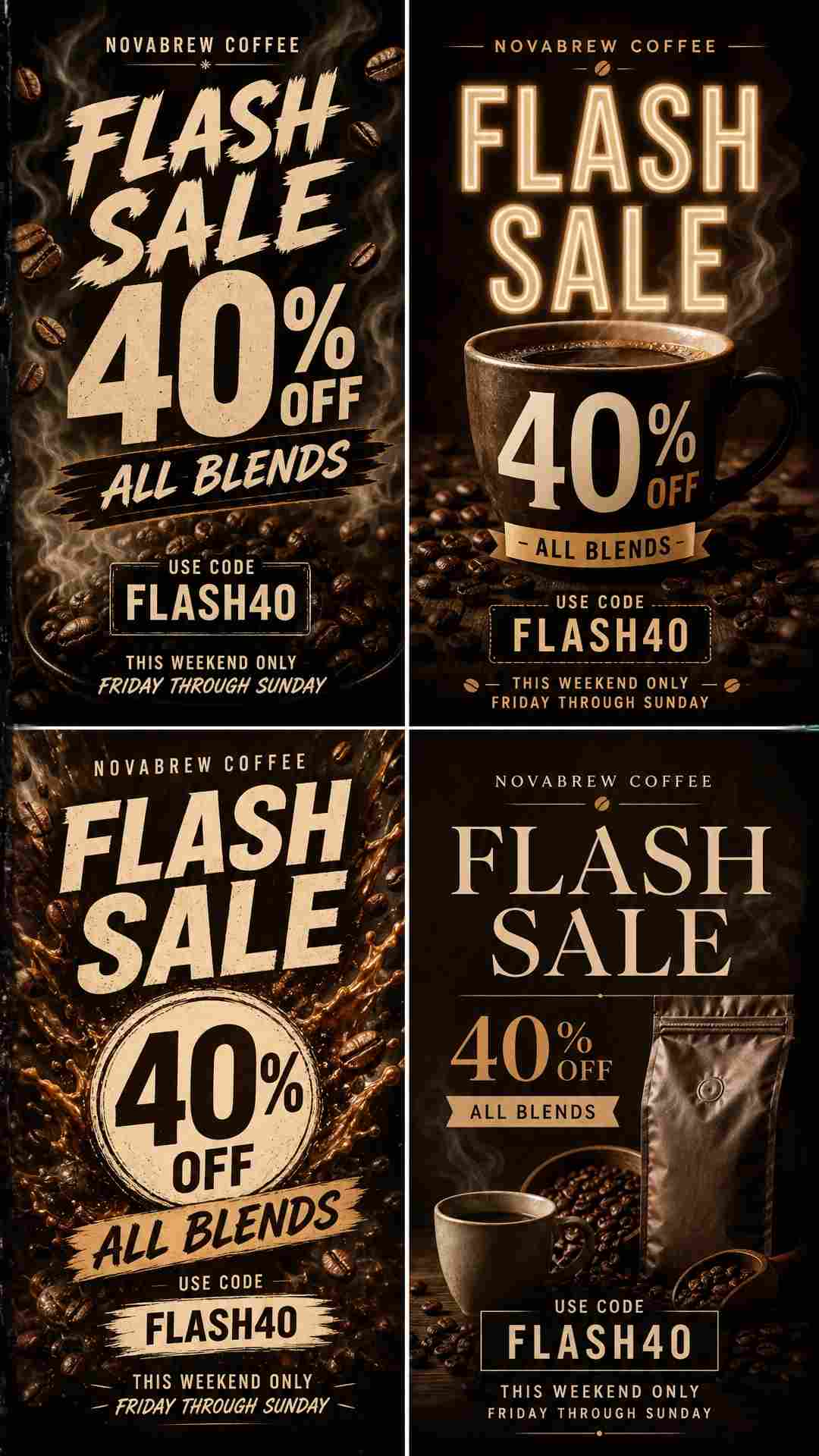
Why it works: Story ads are full-screen, immersive, and disappear after 24 hours. This urgency format pairs perfectly with flash sales, limited drops, and event countdowns.
Recommended size: 9:16 preset (1080 x 1920 px).
Prompt:
"Design a full-screen vertical Story advertisement poster for [Brand/Event]. Headline: [Your Headline]. [Offer or event details]. [Urgency element, e.g., This Weekend Only / Limited Stock / 48 Hours Left]. Bold and immersive with [color and style description]. Full-bleed design optimized for vertical mobile viewing."
Example with details filled in:
"Design a full-screen vertical Story advertisement poster for NovaBrew Coffee. Headline: Flash Sale — 40% Off All Blends. Use code FLASH40 at novabrew.com. This weekend only, Friday through Sunday. Bold and immersive with deep espresso brown and cream colors, steam and coffee bean imagery, warm moody lighting. Full-bleed design optimized for vertical mobile viewing."
Design tips for Story ad posters:
- Keep all critical text and visuals in the center 80% of the frame — the top and bottom edges may be covered by platform UI.
- Use the urgency format: mention a deadline, countdown, or limited quantity.
- One message per Story ad. Do not try to communicate multiple offers.
- Generate 4 variations and test which visual treatment gets the highest swipe-up rate.
3. Product Launch Poster
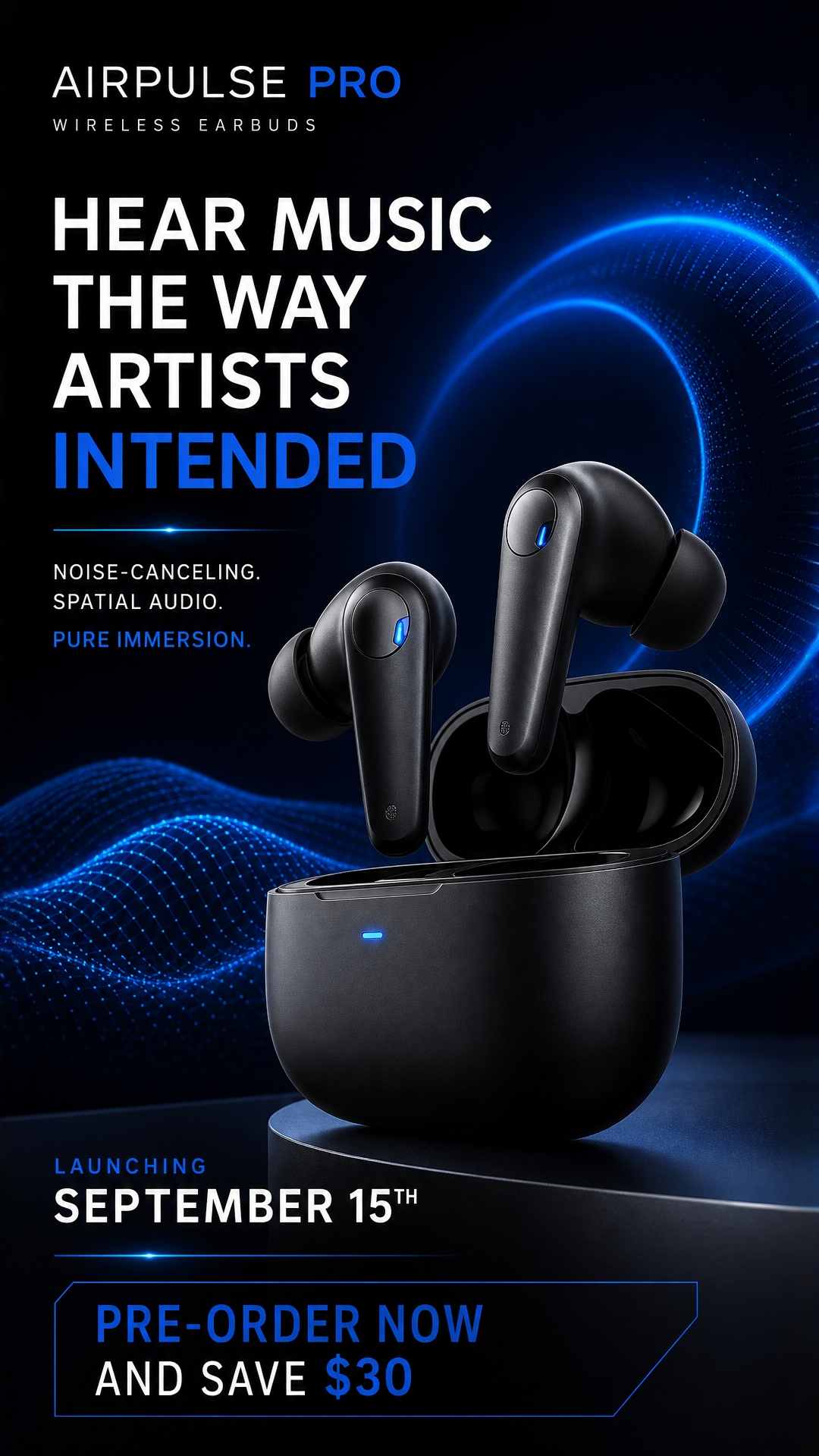
Why it works: Product launch posters build anticipation and communicate what is new, why it matters, and where to buy. They work across social media, email, websites, and physical retail.
Recommended size: 2:3 preset (1664 x 2496 px) for a versatile format that works both digitally and in print.
Prompt:
"Create a product launch advertisement poster for [Product Name] by [Brand Name]. [Product description in 1-2 sentences highlighting the key feature]. Launch date: [Date]. [Pre-order or launch offer]. [Visual style: modern, premium, tech, natural, luxurious, etc.]. Dramatic product-hero composition with the product as the focal point."
Example with details filled in:
"Create a product launch advertisement poster for the AirPulse Pro wireless earbuds by SoundCore. Noise-canceling earbuds with 40-hour battery life and spatial audio — hear music the way artists intended. Launch date: September 15th. Pre-order now and save $30 at soundcore.com/airpulse. Sleek and modern with matte black and electric blue accent colors, dramatic studio lighting on the product, tech-forward minimalist design. Dramatic product-hero composition with the earbuds as the focal point."
Design tips for product launch posters:
- Make the product the visual hero — it should occupy at least 40% of the poster area.
- Include one key feature or differentiator in the headline, not a feature list.
- Upload a product photo as a reference image for accurate visual representation.
- Use the same poster prompt with different sizes (9:16 for Stories, Custom 1080x1350 for feed, 2:3 for print) to create a consistent multi-channel launch campaign.
4. Sale and Promotional Poster
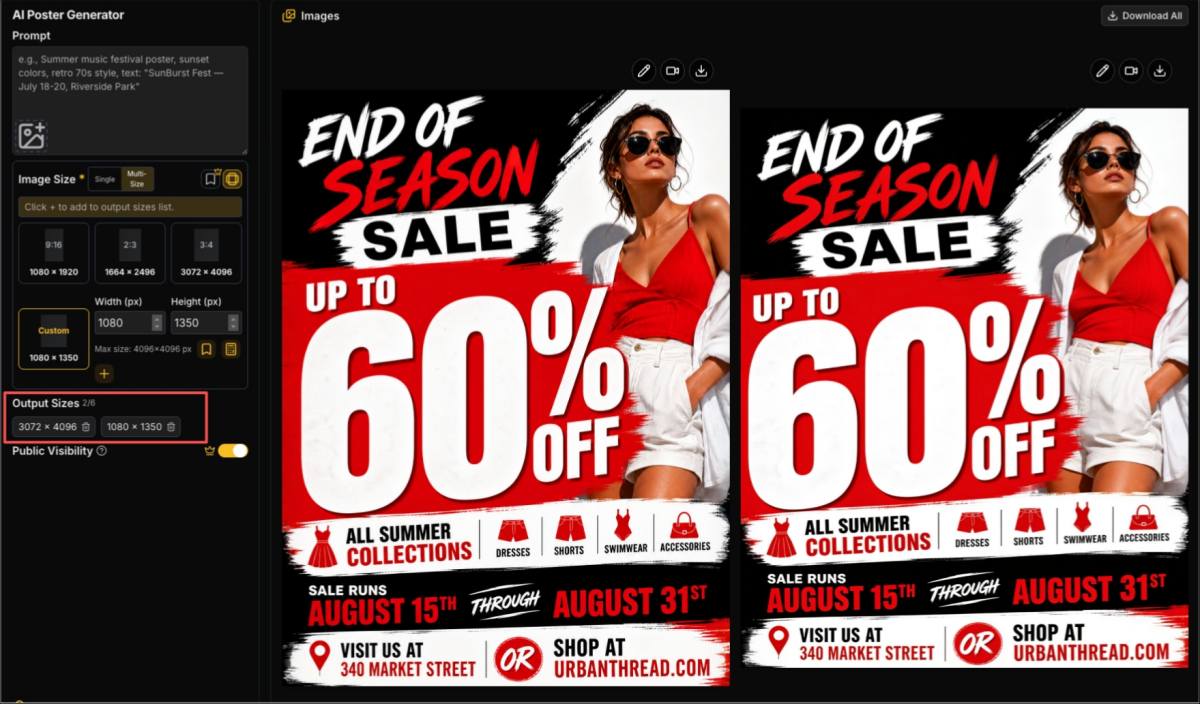
Why it works: Sale posters are the workhorses of retail advertising. They communicate a discount, create urgency with dates, and drive immediate action. AI generates bold, high-energy designs that make the offer impossible to miss.
Recommended size: 3:4 preset (3072 x 4096 px) for in-store display, or Custom at 1080 x 1350 for social media.
Prompt:
"Design a sale advertisement poster for [Business Name]. Headline: [Sale Name — Discount Amount]. Sale runs [Start Date] through [End Date]. [What is on sale]. Visit [Location] or shop at [Website]. [Color and style: bold, high-energy, attention-grabbing]. The discount number should be the largest and most prominent visual element."
Example with details filled in:
"Design a sale advertisement poster for UrbanThread Clothing. Headline: End of Season Sale — Up to 60% Off. Sale runs August 15th through August 31st. All summer collections including dresses, shorts, swimwear, and accessories. Visit us at 340 Market Street or shop at urbanthread.com. Bold and high-energy with bright red, black, and white colors, fashion photography style. The 60% Off should be the largest and most prominent visual element."
Design tips for sale posters:
- The discount number should be the single most visible element — larger than the brand name, larger than everything else.
- Include both the start and end date to create urgency without feeling permanent.
- Specify what is on sale. "All Summer Collections" converts better than "Selected Items."
5. Brand Awareness Campaign Poster
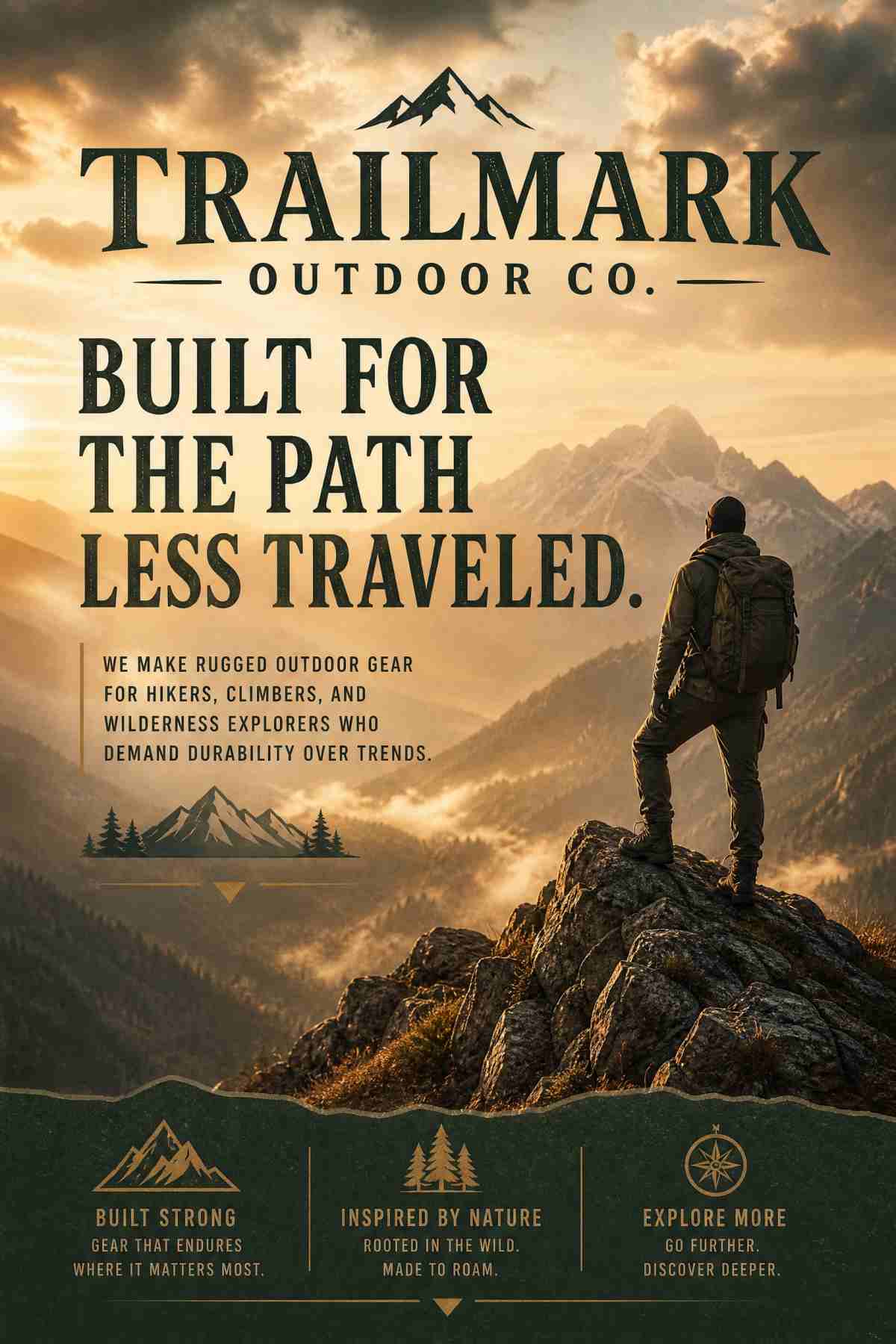
Why it works: Not every ad sells a product directly. Brand awareness posters communicate values, identity, and personality. They build recognition so that when the customer is ready to buy, your brand comes to mind first.
Recommended size: 2:3 preset (1664 x 2496 px) for a classic poster format.
Prompt:
"Create a brand awareness advertisement poster for [Brand Name]. Tagline: [Your Tagline or Brand Message]. [Brief description of what the brand stands for]. No specific product — focus on brand identity and emotion. [Visual style: cinematic, aspirational, editorial, documentary, etc.]. [Color palette matching brand guidelines]."
Example with details filled in:
"Create a brand awareness advertisement poster for Trailmark Outdoor Co. Tagline: Built for the Path Less Traveled. We make rugged outdoor gear for hikers, climbers, and wilderness explorers who demand durability over trends. No specific product — focus on the feeling of adventure and exploration. Cinematic and aspirational with a lone hiker on a mountain ridge at golden hour. Earth tones: forest green, stone gray, warm amber. Bold serif typography for the tagline."
Design tips for brand awareness posters:
- Focus on emotion, not features. The viewer should feel something — excitement, calm, aspiration, confidence.
- Use your exact brand colors and ask for a specific typography style to maintain brand consistency.
- Upload your logo as a reference image so the AI incorporates your brand's visual identity.
- These posters work well as office decor, social media covers, and trade show backdrops.
6. Real Estate Advertising Poster
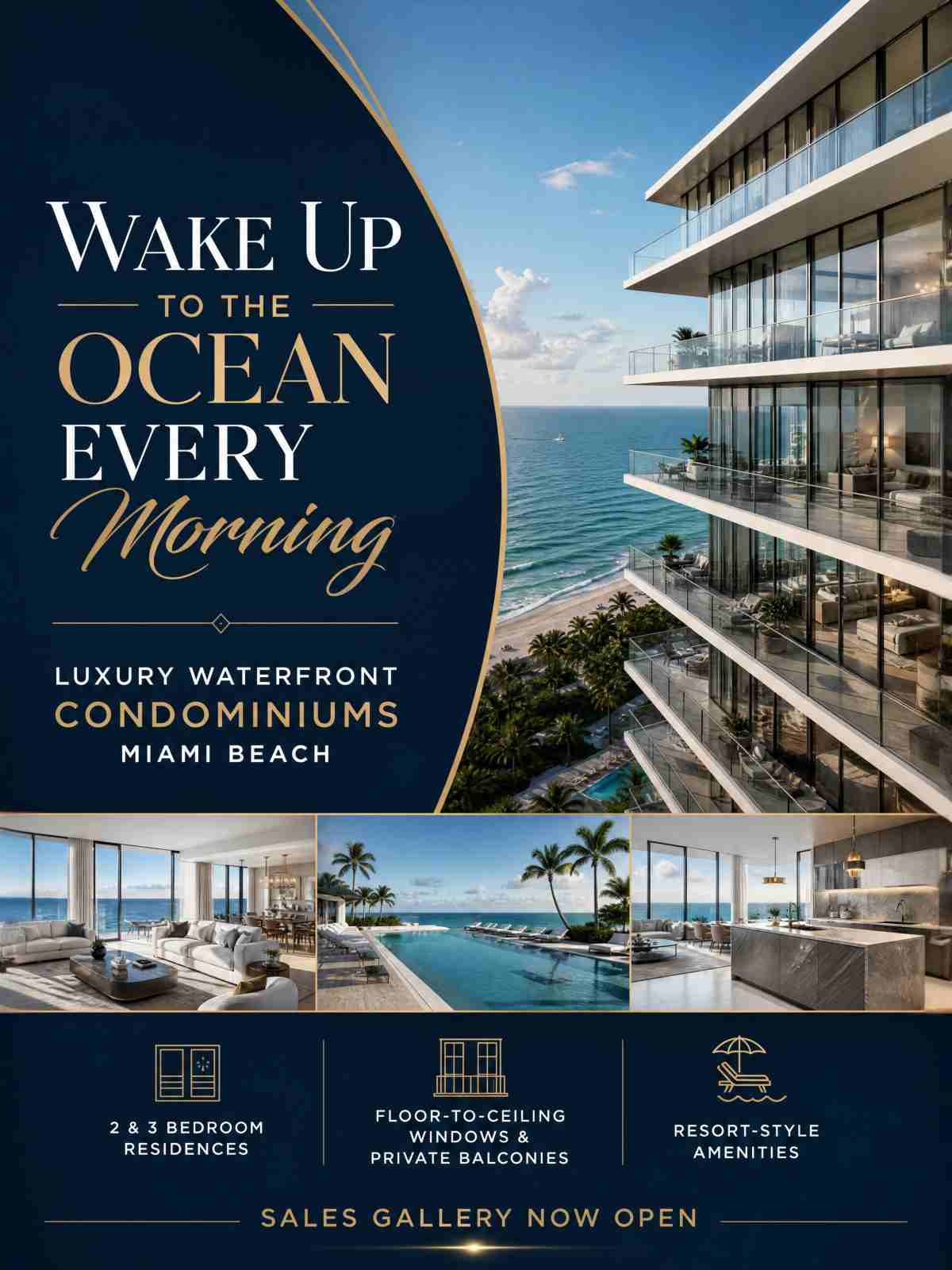
Why it works: Real estate ads need to showcase properties at their best while communicating essential details — price, location, and contact information. AI generates polished, professional layouts instantly.
Recommended size: 2:3 preset (1664 x 2496 px) for digital marketing, or 3:4 preset (3072 x 4096 px) for office window displays.
Prompt:
"Create a real estate advertisement poster for [Property Type] in [Location]. Headline: [Your Headline, e.g., Luxury Living in Downtown Austin]. [Key property details: bedrooms, price range, neighborhood highlights]. Contact [Agent Name] at [Phone] or visit [Website]. [Style: elegant, modern, luxurious, family-friendly, etc.]. Professional real estate photography composition."
Example with details filled in:
"Create a real estate advertisement poster for luxury waterfront condominiums in Miami Beach. Headline: Wake Up to the Ocean Every Morning. Starting from $890,000. 2 and 3 bedroom residences with floor-to-ceiling windows, private balconies, and resort-style amenities. Sales gallery now open — contact The Rivera Group at 305-555-0199 or visit riveramiami.com. Elegant and luxurious with deep navy, white, and gold accents, architectural photography style with ocean views. Professional real estate composition."
Design tips for real estate ad posters:
- Upload a property photo or architectural rendering as a reference image for realistic visual representation.
- For luxury properties, use words like "elegant," "sophisticated," and "premium" in the style description.
- Include the starting price — it qualifies leads and sets expectations.
- Generate both 2:3 (for social media and email) and 3:4 (for office window printing) versions.
7. Restaurant and Food Advertising Poster
Why it works: Food advertising is visual-first. A well-designed food poster triggers appetite appeal and drives foot traffic or online orders. AI generates warm, appetizing compositions that put the food front and center.
Recommended size: 2:3 preset (1664 x 2496 px) for in-restaurant display, or Custom at 1080 x 1350 for social media ads.
Prompt:
"Create a food advertisement poster for [Restaurant Name]. Headline: [Your Headline, e.g., New Brunch Menu — Every Weekend]. [Menu highlights or special offer]. Location: [Address]. [Hours or availability]. [Style: warm, appetizing, rustic, modern, elegant, etc.]. Food photography composition with [specific food imagery description]."
Example with details filled in:
"Create a food advertisement poster for The Copper Table. Headline: Friday Night Prix Fixe — Three Courses for $45. Choose from pan-seared salmon, braised short rib, or wild mushroom risotto. Every Friday starting at 6 PM. Reservations at coppertable.com or call 555-0244. Located at 78 Harbor Lane. Warm and elegant with copper, cream, and dark wood tones, overhead food photography showing a beautifully plated three-course meal on a rustic wooden table with candlelight."
Design tips for food ad posters:
- Describe specific dishes rather than generic "delicious food" — the AI generates more appetizing results with concrete food descriptions.
- Mention the price point if it is a good value. "$45 for three courses" is a strong hook.
- Use warm lighting descriptions (candlelight, golden hour, soft natural light) for appetite appeal.
- Upload a food photo as a reference image for accurate visual matching.
8. Event Sponsorship and Partnership Poster
Why it works: Sponsored events and brand partnerships need posters that communicate both the event details and the sponsor's brand presence. AI handles dual-branding and co-branded layouts efficiently.
Recommended size: 3:4 preset (3072 x 4096 px) for event venue display, or 9:16 preset (1080 x 1920 px) for social media promotion.
Prompt:
"Create an event sponsorship advertisement poster. Event: [Event Name]. Presented by [Sponsor/Brand Name]. Date: [Date]. Venue: [Location]. [Event description and highlights]. [Sponsor tagline or message]. [Visual style that blends event theme with sponsor brand identity]. Include both the event name and sponsor logo prominently."
Example with details filled in:
"Create an event sponsorship advertisement poster. Event: Downtown Jazz Festival 2026. Presented by BlueLine Financial. Date: October 10th through 12th. Venue: Central Park Amphitheater, 200 Park Avenue. Three nights of world-class jazz featuring 15 artists. Free general admission, VIP packages available at downtownjazz.com. Sponsor message: BlueLine Financial — Investing in Our Community's Culture. Sophisticated and musical with midnight blue, gold, and warm amber tones, jazz-inspired typography, silhouettes of musicians, elegant concert atmosphere. Include both the festival name and BlueLine Financial prominently."
Design tips for sponsorship posters:
- Give the event name top billing but ensure the sponsor brand is clearly visible — typically in a "Presented by" line below the event title.
- Upload the sponsor's logo as a reference image so the AI incorporates the brand's visual style.
- Match the poster's mood to the event type while incorporating the sponsor's brand colors.
- Generate in multiple sizes: 3:4 for the venue, 9:16 for Stories, Custom 1080x1350 for feed posts.
Platform-Specific Ad Size Guide
When creating advertising posters for digital platforms, use these Custom dimensions in PixExact:
| Platform | Ad Format | Custom Size (px) | Aspect Ratio |
|---|---|---|---|
| Feed post ad | 1080 x 1350 | 4:5 | |
| Story / Reels ad | 1080 x 1920 | 9:16 (use preset) | |
| Square feed ad | 1080 x 1080 | 1:1 | |
| Feed ad | 1200 x 628 | 1.91:1 | |
| Story ad | 1080 x 1920 | 9:16 (use preset) | |
| Google Display | Medium rectangle | 300 x 250 | 6:5 |
| Google Display | Leaderboard | 728 x 90 | 8:1 |
| Google Display | Large rectangle | 336 x 280 | 6:5 |
| Sponsored content | 1200 x 627 | 1.91:1 | |
| Standard pin | 1000 x 1500 | 2:3 (use preset) | |
| TikTok | In-feed ad | 1080 x 1920 | 9:16 (use preset) |
For more social media dimensions, see our Instagram Post Size Guide.
5 Design Principles for Effective Ad Posters
1. One Message Per Poster
Every ad poster should communicate one thing: one offer, one product, one event. Splitting attention between multiple messages weakens all of them. If you have multiple offers, create multiple posters.
2. The 3-Second Rule
Your ad has about 3 seconds to capture attention. The headline and primary visual must communicate the core message in that window. In your prompt, specify that the headline should be "bold," "large," or "the most prominent element."
3. High Contrast for Scroll-Stopping Impact
Social media feeds are visually noisy. Use high-contrast color combinations — dark backgrounds with bright text, or bold colors against white — to make your ad stand out. Describe this in your prompt: "high contrast," "bold colors against a clean background," or "dark moody background with bright headline."
4. Consistent Brand Identity
If you are running multiple ads, use the same reference image (your logo or a brand asset) across all prompts. This ensures the AI maintains a consistent visual identity across your campaign. Upload your brand's primary visual asset as the reference image every time.
5. Size-Specific Composition
A poster designed for a 3:4 in-store display will not work when cropped to 1080 x 1080 for Instagram. Generate separate versions for each platform using the same prompt but different sizes. PixExact makes this fast — same prompt, different size, click Create Poster again.
AI Ad Poster Generator vs Traditional Ad Design
| Factor | PixExact AI Poster Generator | Traditional Design (Designer or Photoshop) |
|---|---|---|
| Time per ad poster | Under 30 seconds | 2-8 hours |
| Cost per ad | Credit-based, fractions of a dollar | $100-500+ per design |
| Design skills needed | None — describe in plain language | Advanced (Photoshop, Illustrator) |
| Uniqueness | Every design is one-of-a-kind | Unique but time-intensive |
| Multi-size variants | Same prompt, different size, seconds each | Manual resize and recomposition |
| A/B test variants | Generate 4 variations instantly | Hours per variant |
| Brand consistency | Upload reference image | Manual brand guideline application |
| Best for | Speed, volume, testing, small teams | Premium campaigns, precise pixel control |
For a deeper comparison, see our AI Flyer Generator vs Traditional Design article — the same principles apply to poster advertising.
Frequently Asked Questions
What is an AI advertisement poster generator?
An AI advertisement poster generator is a tool that creates advertising posters from text descriptions. You describe the product, offer, audience, and visual style in plain language, and the AI generates a complete, high-resolution poster design. PixExact's AI Poster Generator produces unique posters in seconds with no design skills required.
What sizes should I use for digital advertising posters?
It depends on the platform. For Instagram feed ads, use 1080 x 1350 px. For Instagram and Facebook Stories, use 1080 x 1920 px (the 9:16 preset in PixExact). For Google Display ads, common sizes include 300 x 250 and 728 x 90. For Pinterest, use 1000 x 1500 (the 2:3 preset). See the platform size table in this article for a complete reference.
Can I create ad posters for free with AI?
Yes. PixExact gives complimentary credits to every new user upon signup. You can create and download several advertising posters for free. After the complimentary credits, PixExact uses a credit-based pricing system where you pay only for what you generate.
How do I make my AI ad poster stand out on social media?
Focus on three things: high contrast colors that pop in a busy feed, a single clear headline that communicates the offer in under 3 seconds, and a bold visual that stops the scroll. In your prompt, use phrases like "bold and attention-grabbing," "high contrast," and "clean layout with prominent headline." Generate 4 variations and pick the most striking one.
Can I create the same ad poster in multiple sizes?
Yes. Write your prompt once, then generate it with different size settings — 9:16 for Stories, Custom 1080x1350 for feed, 2:3 for print, 3:4 for large displays. Each generation takes seconds. This lets you run a consistent campaign across all platforms from one creative brief.
How is this different from using Canva for advertising posters?
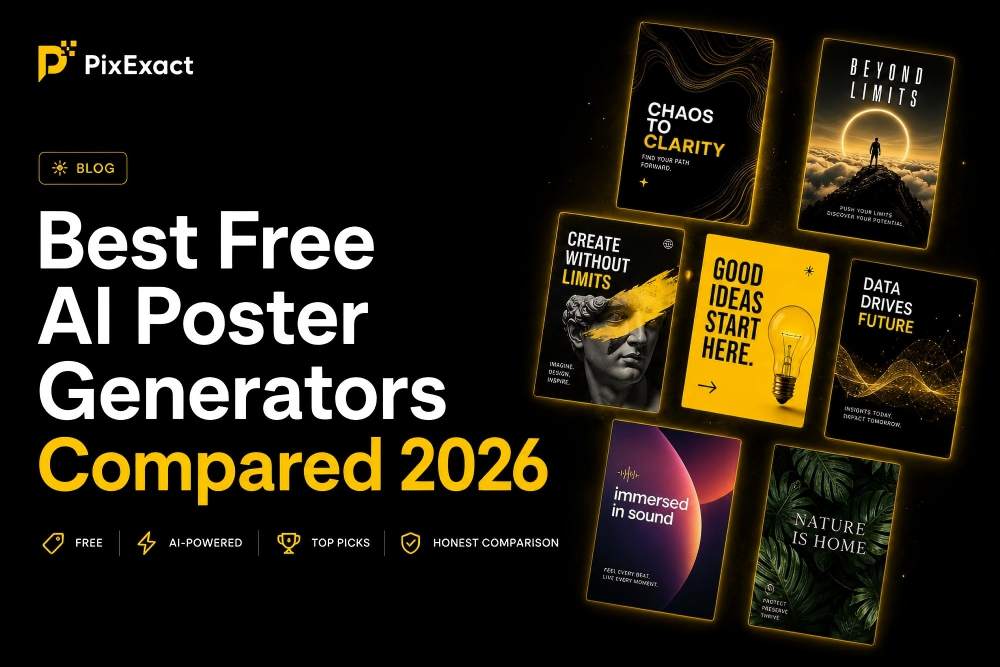
Canva uses pre-made ad templates that you manually customize by swapping images, editing text, and adjusting layouts. PixExact generates a complete, unique ad poster from a text description in seconds — no templates, no manual editing. Every PixExact poster is one-of-a-kind. For a detailed comparison, see our Best Free AI Poster Generators Compared article.
Can I upload my brand assets as a reference?
Yes. Below the prompt box in PixExact, you can upload a logo, product photo, brand mood board, or any visual reference. The AI analyzes the style — colors, composition, aesthetic — and incorporates it into the generated poster. This is the most effective way to maintain brand consistency across all your advertising materials.
Start Creating Your Ad Posters
You have 8 ad types with ready-to-use prompts, platform-specific size recommendations, and design principles that work. Pick the prompt closest to your campaign, customize the details, and generate your first ad poster in seconds.
Open the AI Poster Generator — describe your ad, select your size, and download a professional advertising poster instantly.